


1 – Introduction
The Oracle Cloud Migrations (OCM) service provides a comprehensive, end-to-end self-service experience for migrating existing VMware and AWS virtual machine-based workloads from on-premises to Oracle Cloud Infrastructure (OCI).
Oracle Cloud Migrations enables you to identify virtual machine workloads hosted in an environment external to OCI, plan migrations, and automate migration workflows.
The Oracle Cloud Migrations service allows you to perform the following tasks:
- Automatically discover virtual machines external to Oracle Cloud Infrastructure.
- Arrange virtual machines for migration.
- Replicate virtual machine data to OCI.
- Plan the redeployment of virtual machines.
- Reconfigure virtual machines to successfully launch as OCI compute instances automatically.
- Launch virtual machines as OCI compute instances using replicated data.
In this post, we will cover the first step in using OCM, Creating Prerequisites, which is common for both AWS and VMware sources.
2 – Creating Prerequisites
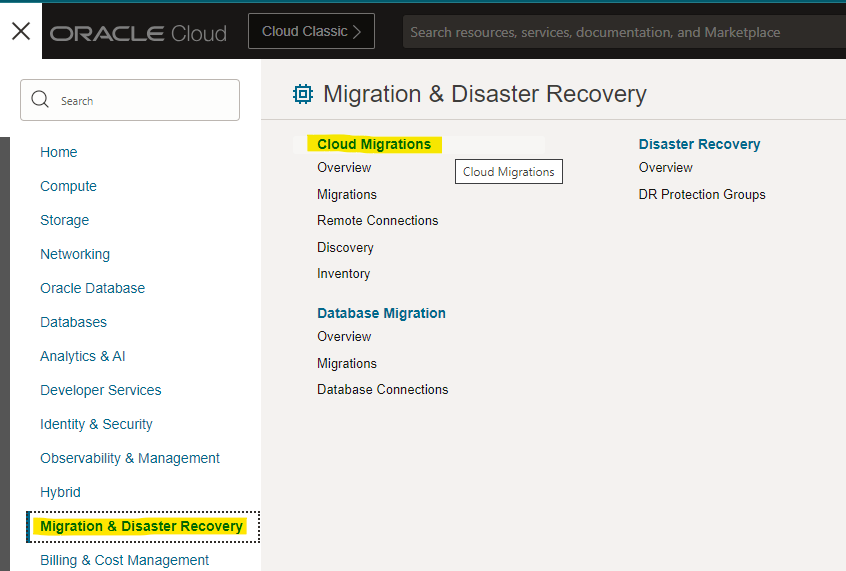
In the OCI portal navigation menu, select Migration & Disaster Recovery, Cloud Migrations:

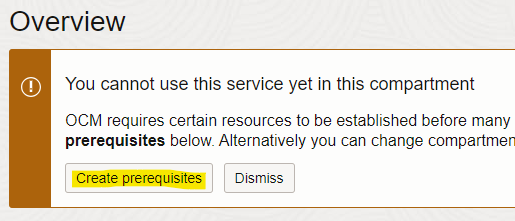
Click on Create prerequisites:
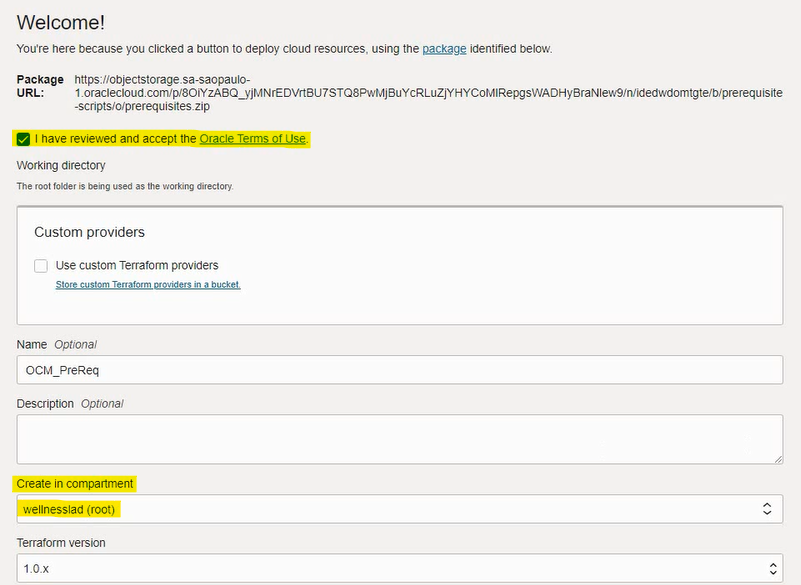
Select the “I have reviewed and accept the Oracle Terms of Use” checkbox, select the compartment where the prerequisites will be created and click Next:
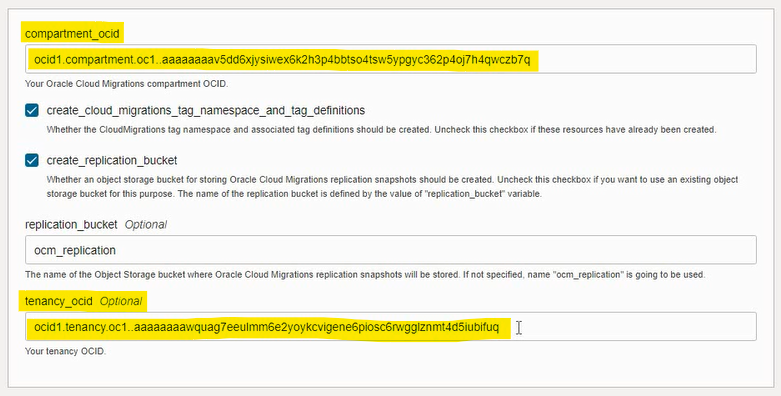
Fill in the OCID of the Tenancy and Compartment where the migrations will be made to. Click on Next, and on the next screen, on Create:
The prerequisite creation job takes a while. When finished, the following will be created:
- The child compartment’s Migration and MigrationSecrets, within the compartment that we informed via OCID.
- An Object Storage Bucket in the Migration compartment, which will serve as a destination for the instances’ replication data.
- A Vault in the MigrationSecrets compartment, where the connection credentials to the source environment will be stored, for VM discovery.
You must log off / log in to the OCI portal to view the updates.
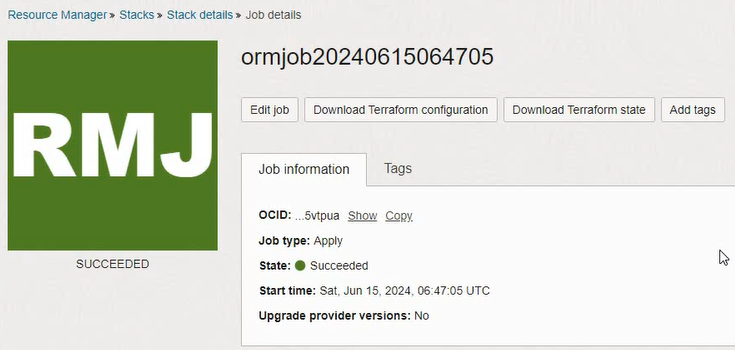
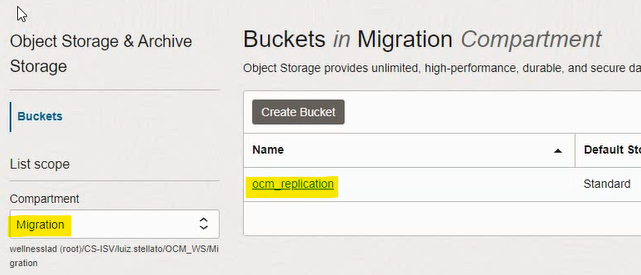
Returning to the Cloud Migrations screen, there will be a message indicating that the prerequisites were created in our compartment.

3 – Next Steps
For migrations from VMware: https://blogs.oracle.com/lad-cloud-experts-pt/post/migrating-vms-with-oracle-cloud-migrations-part-2-ocm-configuration
For migrations from AWS: https://blogs.oracle.com/lad-cloud-experts-pt/post/converting-aws-instances-to-oci-using-oracle-cloud-migrations