
The May release of Oracle Integration is upon us, and Akira the new found Oracle Integration fan, will guide us through the cool new feature of native paylod support in the Activity stream.

Oracle Integration Activity Stream is a feature-rich functionality that helps customers to see the trail of activities and thereby brings in important visibility into the runtime execution of the flow. Activity Stream can be used by the integration architects to troubleshoot and diagnose complex integration flow issues. However, at the same time, Oracle recommends using the feature with caution, as it has performance implications. To learn more about the Activity Stream, please refer to this blog.
Activity Stream has been further enhanced by adding support for generating the native payload in the activity stream. This will enable the integration architect to see the real payload that was sent/received on the wire from/to the calling endpoint. Please note this feature is available only for the endpoints having connections configured without the connectivity agent.
Let us now dive into the feature:
To access the activity stream one needs to navigate to the Monitoring → Tracking page and check for the instance that needs an examination of the activity stream. As you click on the primary identifier link of chosen instance to navigate to the instance runtime canvas page. Oracle Integration shall launch the integration runtime canvas page, click on the View Activity Stream menu from the Hamburger menu to display the Activity Stream panel.
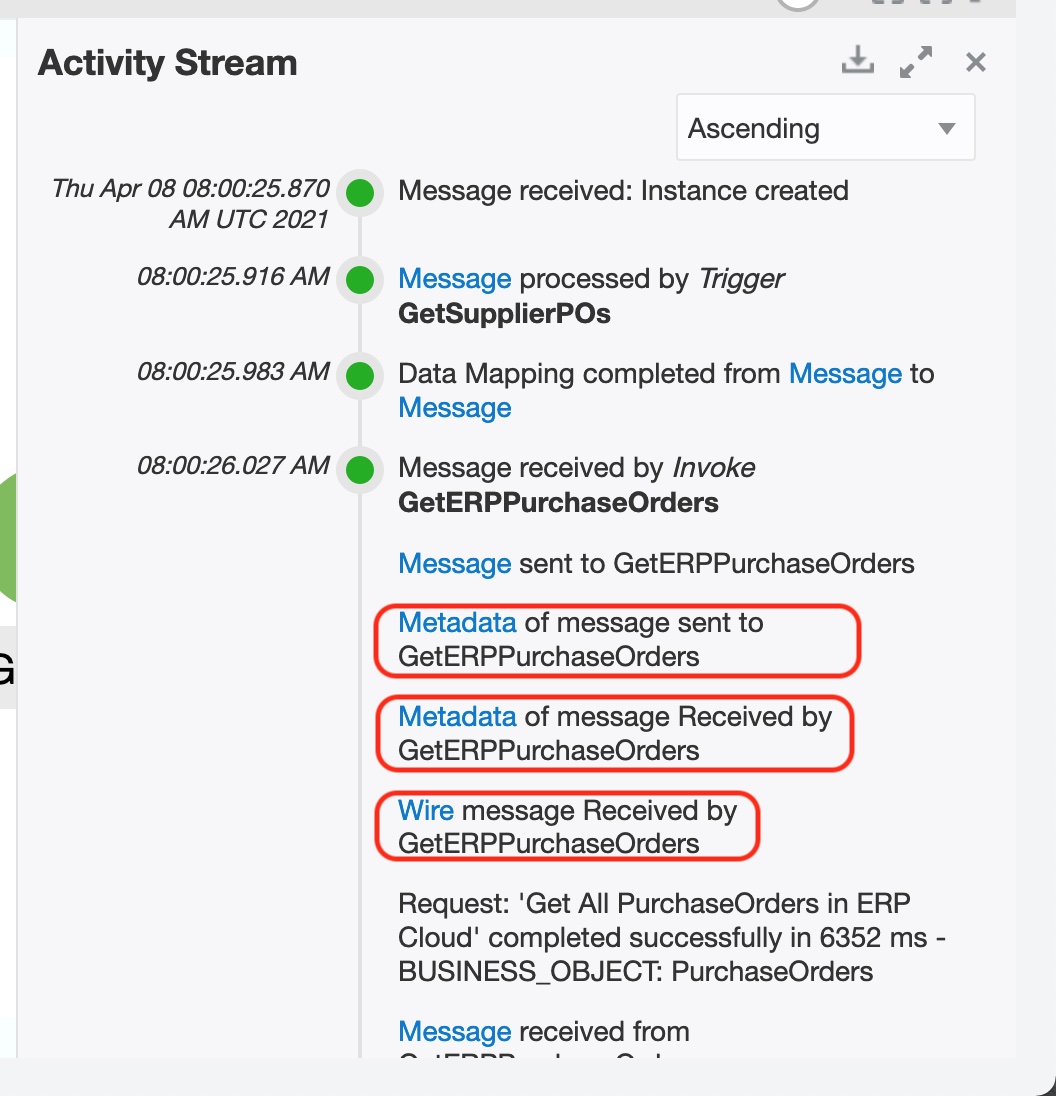
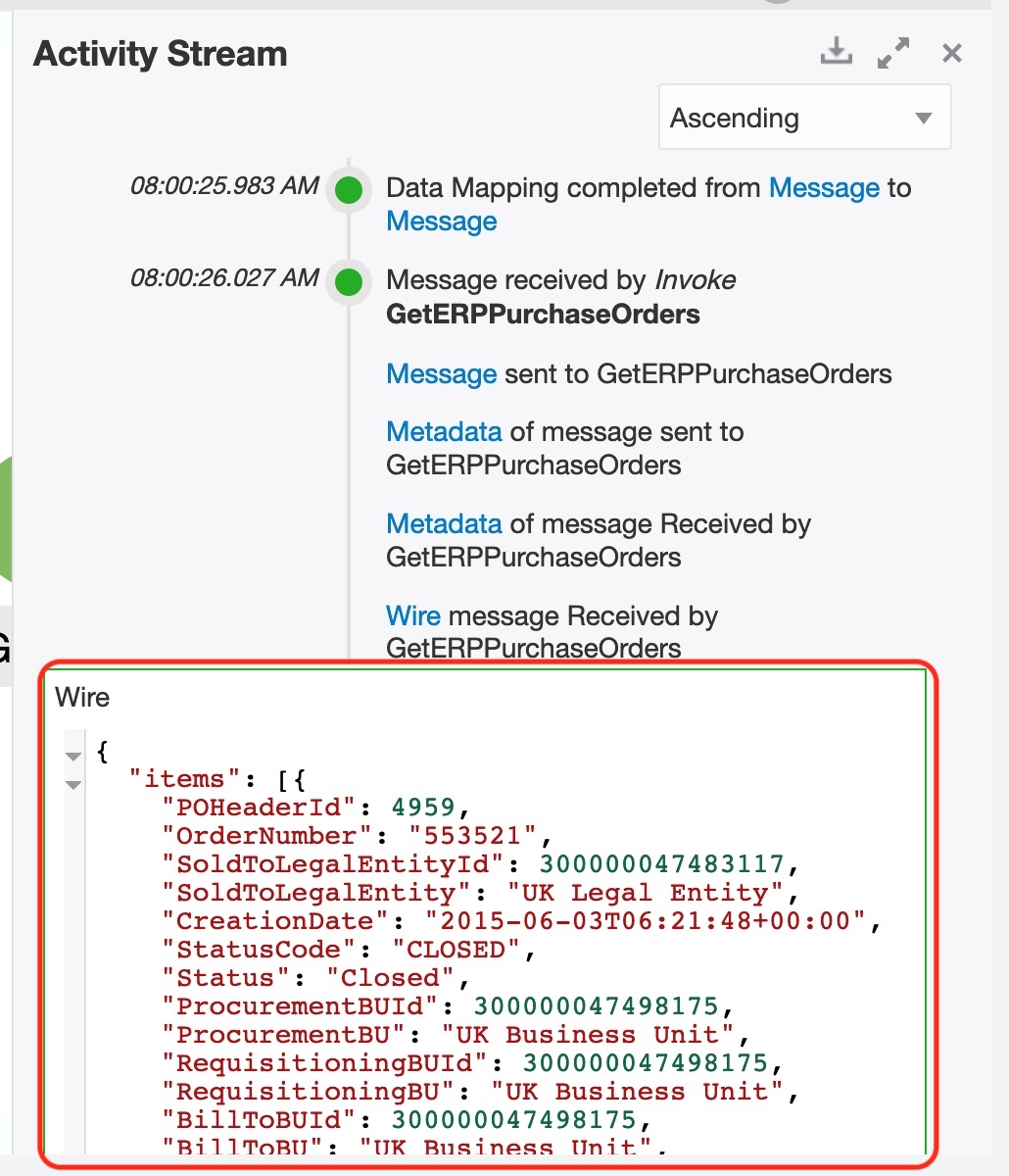
As you can see above activity stream now includes additional nodes viz. “Wire” & “Metadata” for each invoke endpoint. As the user clicks on the “Wire” node, the activity stream sidebar shall show the real payload that was sent/received to/from the endpoint, as in the below example we can see the real JSON payload that was received from ERP Cloud for the invoked endpoint.
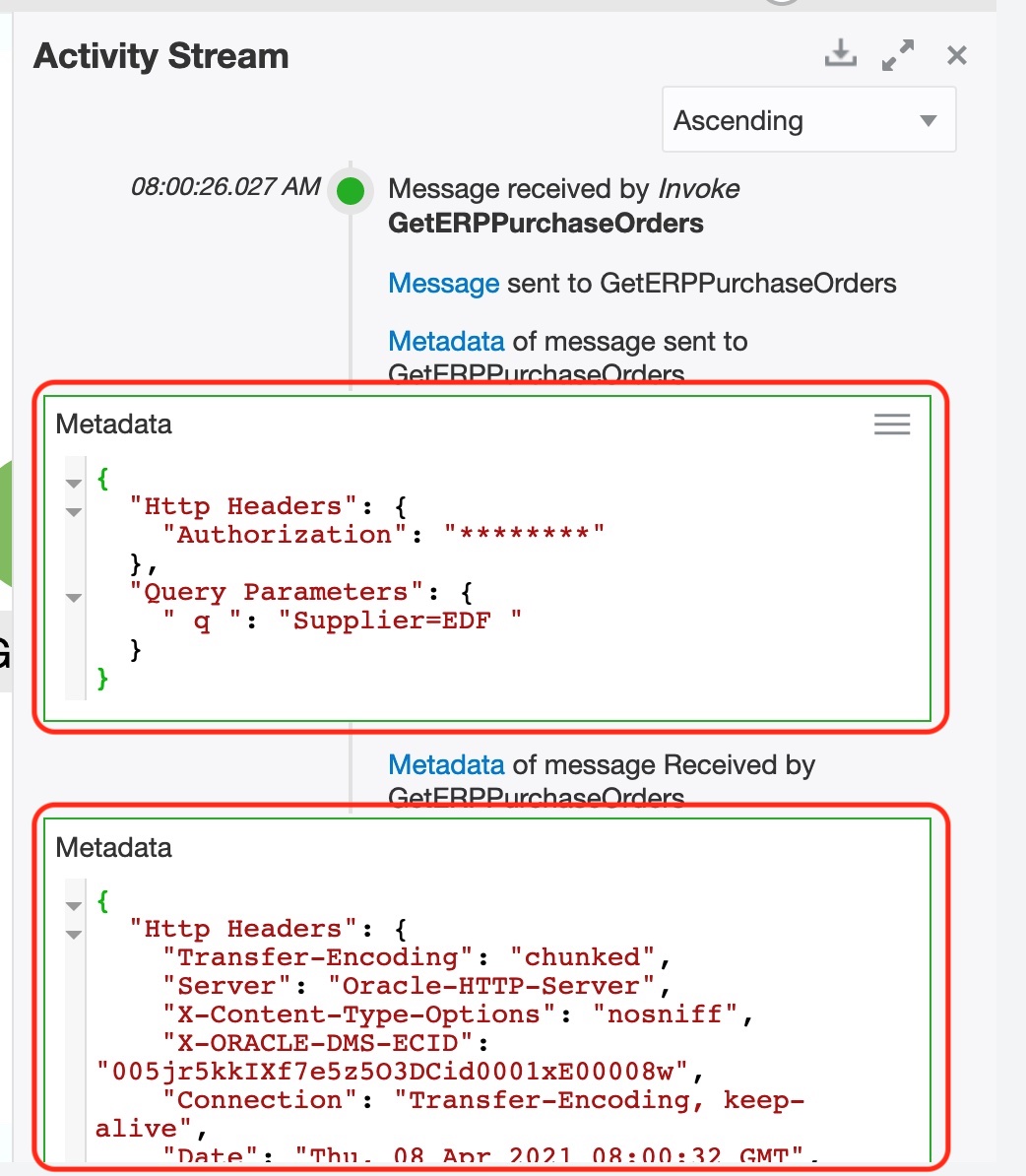
As the user clicks on the “Metadata” node, the activity stream sidebar shall show the http headers, query parameters configured by the user as well as the ones that are generated by the adapter. As you can see in the below example first Metadata node has the HTTP headers and query parameters configured by the integration developer, and the second Metadata node shows headers configured by the adapter.
As a summary the key aspects of the feature are:
- Native payload is logged in the activity stream for invoke endpoints, i.e. it is not supported for trigger endpoints.
- Supported for SOAP and REST-based adapters, i.e. even application adapters like ERP Cloud generates native payload for SOAP/REST invoke endpoints.
- Native payload is only logged when the request is made directly to the endpoint i.e. without a connectivity agent.
- Native payload adds two new nodes in the activity stream viz. “Wire” and “Metadata”.
- Native payload shall not be added if request/response payload contains an attachment, i.e. MTOM for SOAP request or multi-part payload for REST endpoints.
This concludes my blog, I hope you enjoyed it and the new capability will help and simplify your payload troubleshooting drills.