
In-Memory FastStart, or IM FastStart, was introduced to speed up the re-population of the IM column store when an instance is restarted. IM FastStart works by periodically checkpointing IMCUs to a designated IM FastStart tablespace. This is done automatically by background processes. The motivation for FastStart is to reduce the I/O and CPU intensive work required to convert row based data into columnar data with the associated compression and IM storage indexes that are part of the population process. With IM FastStart the actual columnar formatted data is written out to persistent storage and can be read back faster and with less I/O and CPU than if the data has to be re-populated from the row-store. It is also worth noting that if the IM FastStart tablespace fills up or becomes unavailable the operation of the IM column store is not affected.
The IM FastStart area does not change the behavior of population. Priorities are still honored and if data is not found in the IM FastStart area, that is it hasn’t been written to the IM FastStart area yet or it has been changed, then that data is read from the row-store. If a segment is marked as “NO INMEMORY” then it is removed from the IM FastStart area. The bottom line is that IM FastStart hasn’t changed the way Database In-Memory works, it just provides a faster mechanism to re-populate in-memory data.
So how does this work? The first thing you have to do is to enable IM FastStart. You do this by designating a tablespace that you create as the IM FastStart tablespace. It must be empty and be able to store the contents of the IM column store. Oracle recommends that the tablespace be sized at twice the size of the INMEMORY_SIZE parameter setting.
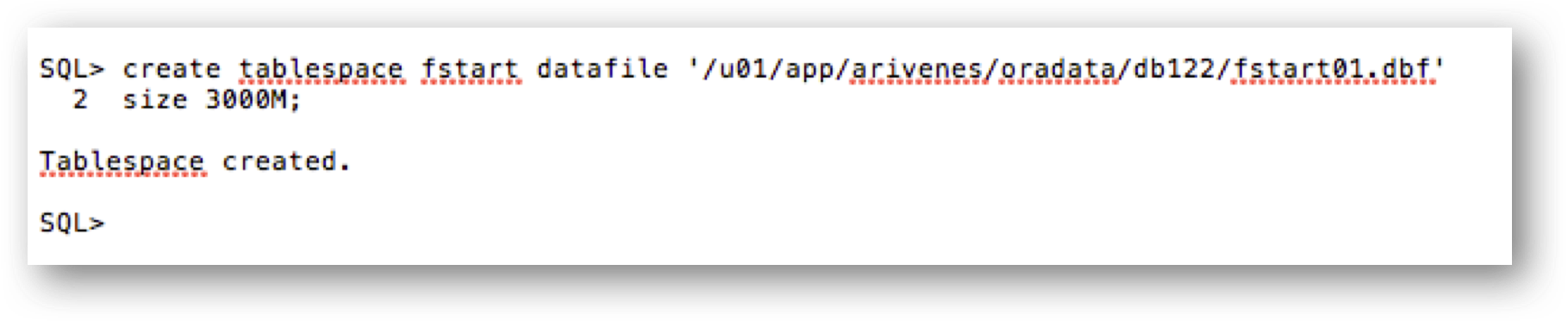
On my test system, my INMEMORY_SIZE setting is 1500 MB so I created a tablespace that was 3000 MB:
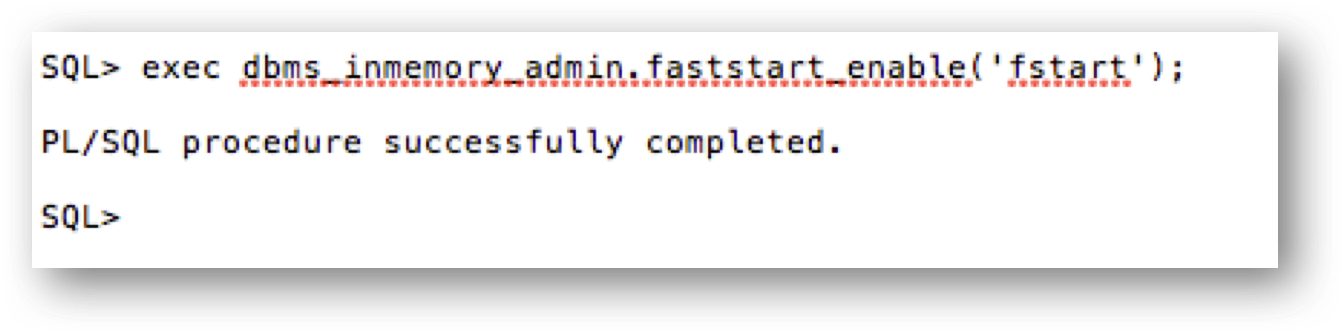
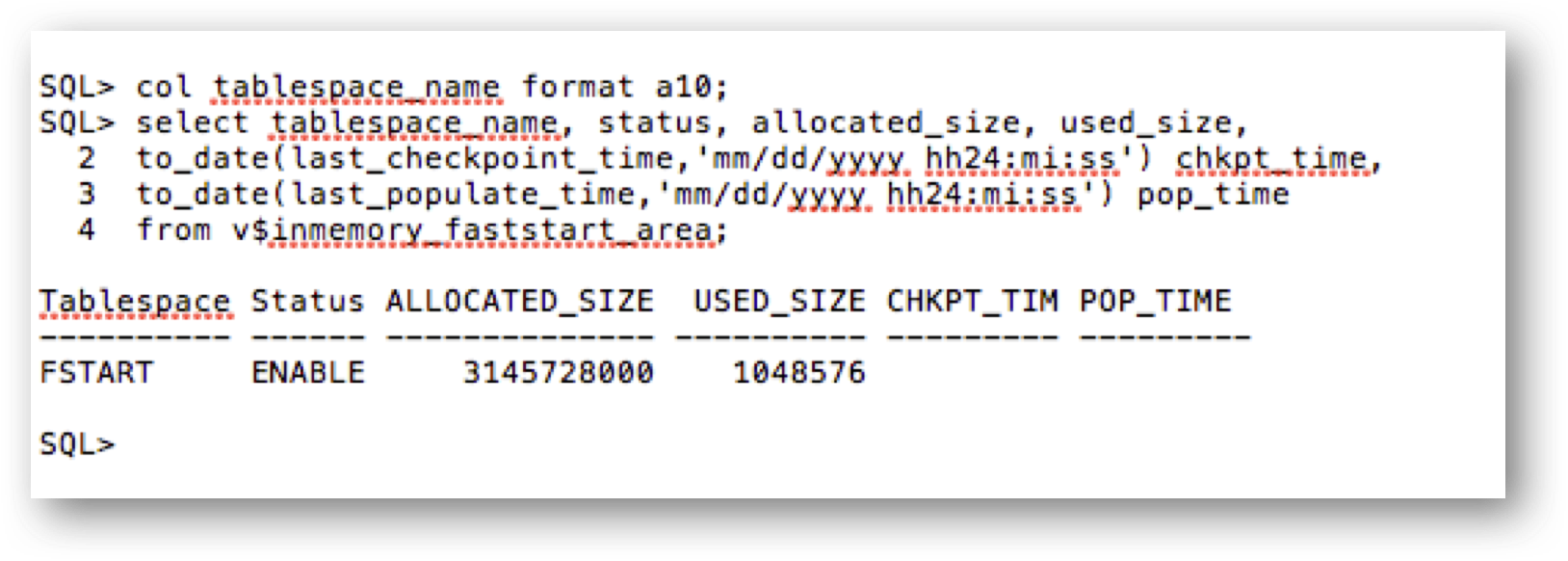
To check the status and size of the IM FastStart tablespace you can query the V$INMEMORY_FASTSTART_AREA view:
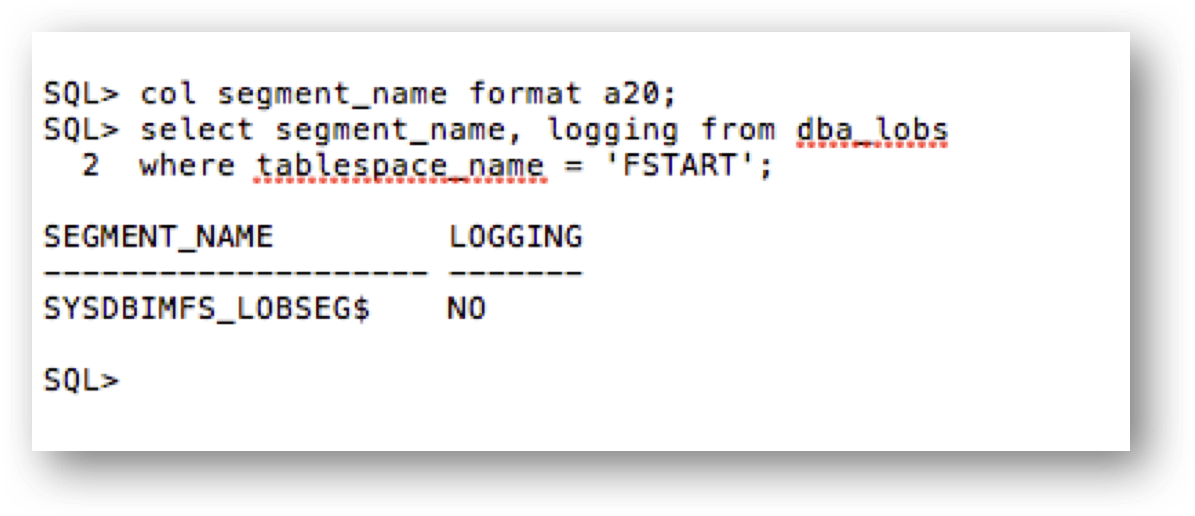
The actual IM FastStart data is written to a SecureFile LOB in the IM FastStart tablespace. You can display the LOB information from the DBA_LOBS view:
And that’s all there is to it. We are now using the IM FastStart area for my database. Let’s say that my test database is brought down or maybe we alter one or more of the tables that are enabled for “INMEMORY” to “NO INMEMORY”. How do we tell that we used the IM FastStart area to re-populate these objects? There is a new system statistic that tells us how many IMCUs were read from the IM FastStart area. The statistic is “IM faststart read CUs requested” and is available in the V$SYSSTAT view.
To conclude, IM FastStart provides a new feature to speed the re-population of the IM column store and enable the database to provide the full benefits of Database In-Memory in less time when re-starting a database instance.
Original publish date: June 9, 2017