
Key takeaways
- Part of Oracle Fusion Cloud HCM, Workforce Operations Command Center is a Fusion Agentic Application that helps managers coordinate scheduling, absences, timecards, communications, and payroll.
- Teams of specialized agents evaluate workforce conditions, assemble relevant context, and prepare recommended actions for manager review.
- Routine requests can move forward quickly, while policy, coverage, and payroll exceptions are surfaced for approval.
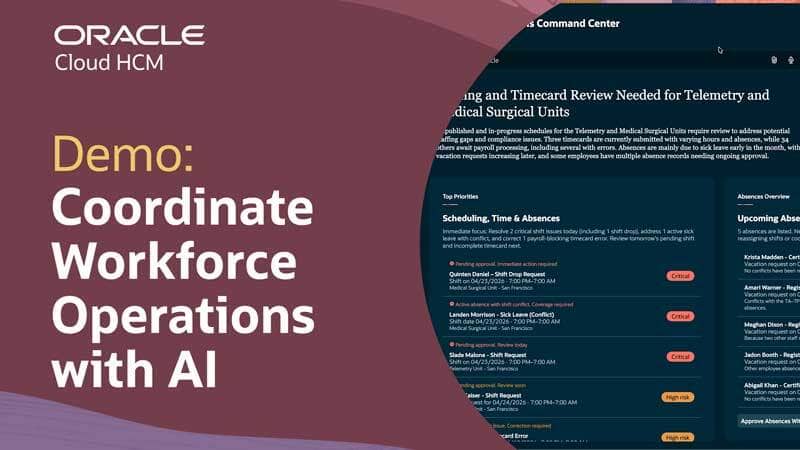
The Workforce Operations Command Center in Oracle Fusion Cloud HCM uses teams of specialized AI agents to help managers with scheduling, absences, timecards, communications, and payroll. This demo video shows how it works, offering a clear example of how a Fusion Agentic Application can coordinate work, bring forward issues that need attention, and keep people involved in decisions that require human judgment.
What the demo shows
Throughout the demo, agents evaluate workforce conditions, assemble relevant context, and prepare recommended actions. The manager reviews summaries, priority actions, and recommendations then decides how to proceed.
For example, when an employee drops a shift, agents identify possible replacements using information such as employee contracts, current schedules, and utilization. The manager reviews recommended options, selects a replacement, and submits the reassignment. The same pattern appears in timecards, payroll processing, communications, and more.
Why it matters
The significance of the demo extends beyond workforce management. It illustrates a broader shift in how agentic applications act as systems of outcomes to get work done.
In traditional enterprise applications, people have a much more active role in spotting issues, gathering information needed to understand context, determining the next action, and coordinating follow-up work. In other words, people do the work while the application records the work and provides tools for completing it.
Agentic applications introduce a different model. Specialized agents continuously monitor business conditions, reason over relevant context, and work together across related tasks toward a shared goal. They can identify what needs attention, prepare a recommendation for approval, and help move the process forward. This doesn’t remove managers from the process. They’re still responsible for decisions such as approving a shift reassignment or rejecting an absence request. The agents take on more of the monitoring, analysis, and coordination around those decisions.
What workforce managers may notice
The demo also shows how agentic apps can change the manager’s experience. Instead of starting from a blank dashboard that requires investigation, the command center presents a cogent summary, a clear set of priority actions, and the context needed to evaluate them. Issues don’t fall through the cracks because the application surfaces them for the manager.
Routine work and exceptions are also treated differently. In scheduling, shift change requests without conflicts can be grouped for rapid approval, while requests that impact coverage or don’t comply with policy are surfaced for individual review.
The experience also treats scheduling, absences, timecards, communications, and payroll readiness as part of one connected process. For example, when an employee requests a shift change, the application handles employee communications, payroll updates, and management reporting while also addressing the scheduling update. Treating follow-up work as part of the same flow lightens managers’ cognitive load and focuses their attention on tasks that require judgment.
A concrete view of an agentic application
The Workforce Operations Command Center demo provides a concise example of how specialized agents and a manager divide and coordinate work. It shows a Fusion Agentic Application that doesn’t wait for a user to initiate each step. It monitors conditions, assembles context, prepares actions, and helps move a process forward, leaning on human judgment to confirm recommendations.
Related posts you might like
- New Fusion Agentic Applications—details and demos
- This agent smooths hiring for candidates and recruiters
- Quarterly updates made easy

If you’re an Oracle customer and want to get new stories from The Fusion Insider by email, sign up for Oracle Cloud Customer Connect. If you’re an Oracle partner and want to learn more, visit the Oracle Partner Community.