
Imagine an AI agent that doesn’t just answer payslip questions — it knows it’s answering yours. That’s the power of the User Session tool in Oracle Fusion AI Agent Studio Supervisor Agents.
Why Logged-In User Context Matters
Self-service HR and payroll scenarios live or die by one thing: personalization. When an employee asks “Show me my last payslip,” the agent needs to know whose payslip to retrieve — not just what a payslip looks like. That requires knowing the identity of the person currently logged into Oracle Fusion.
Oracle Fusion AI Agent Studio supports two agent frameworks, each with its own approach to capturing this user identity:
🏗️Supervisor Agents: Use seeded GetUserSession tool (Tool Type: User Session) — focus of this post.
⚙️Workflow Agents: Use seeded Self Detail business object with the getUserSession function.
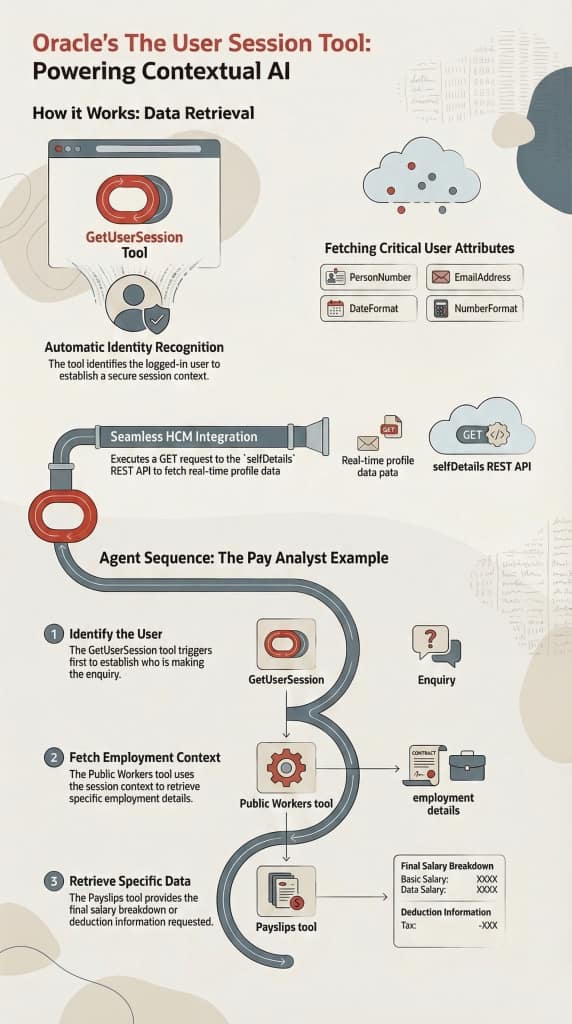
Introducing the User Session Tool
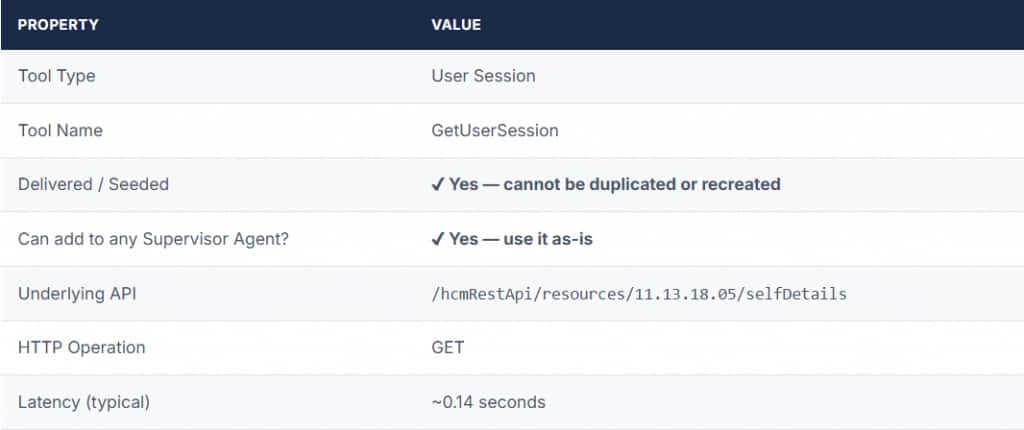
The GetUserSession tool is a delivered, seeded tool — meaning you cannot create additional tools of this type, and it doesn’t need any configuration. Simply add it to your agent’s tool list, reference it in your prompt, and you’re done.

What Does It Return?
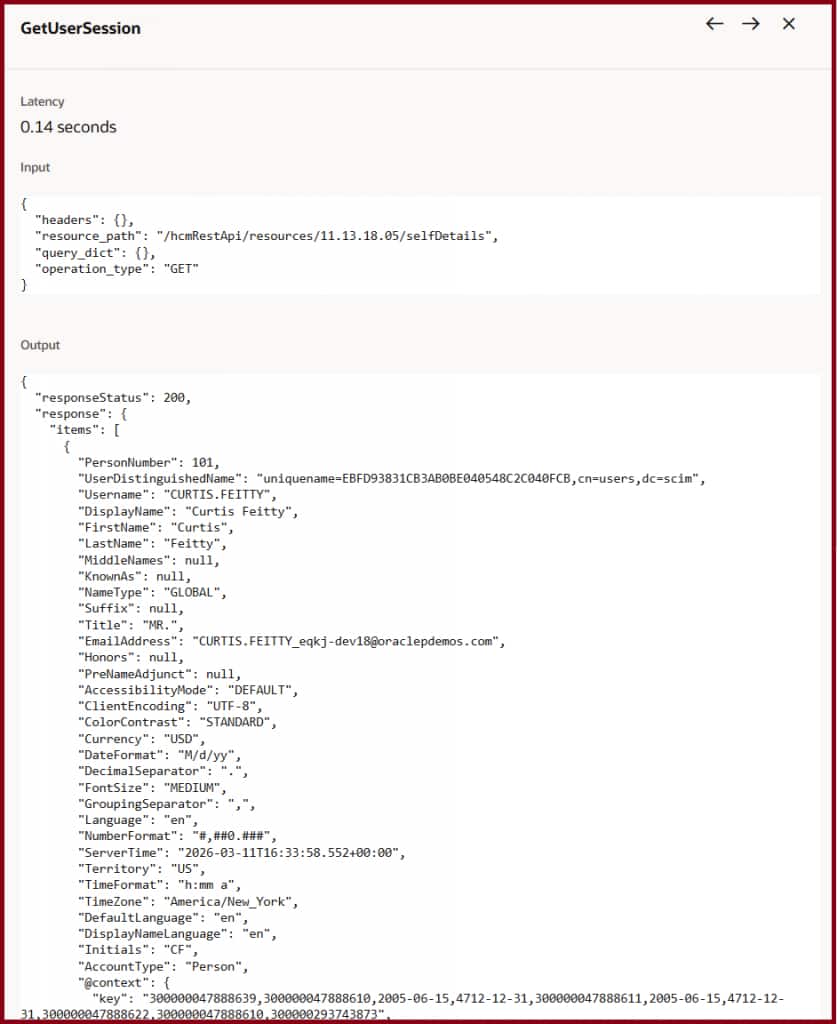
When invoked, the tool makes a GET call to the selfDetails REST API and returns a rich profile of the currently authenticated user. Here’s a snapshot of the response attributes — all of which can be consumed downstream in the agent session:
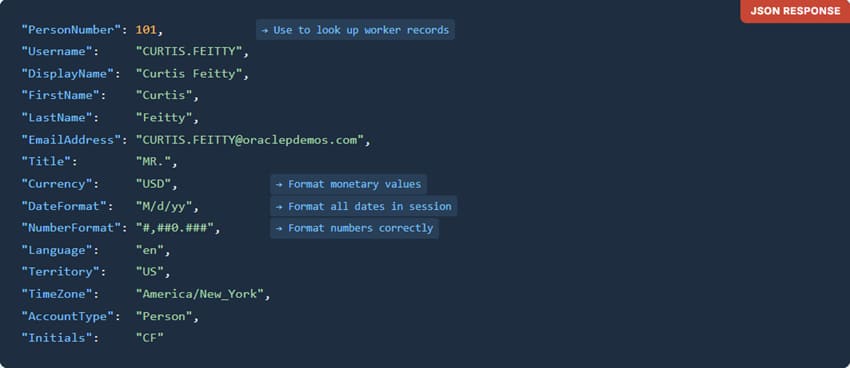
Notice that beyond just identity — name, person number, email — the response also carries important formatting preferences like DateFormat, NumberFormat, and TimeZone. A well-crafted agent uses all of these to tailor its responses for that specific user.
Adding the Tool to Your Agent
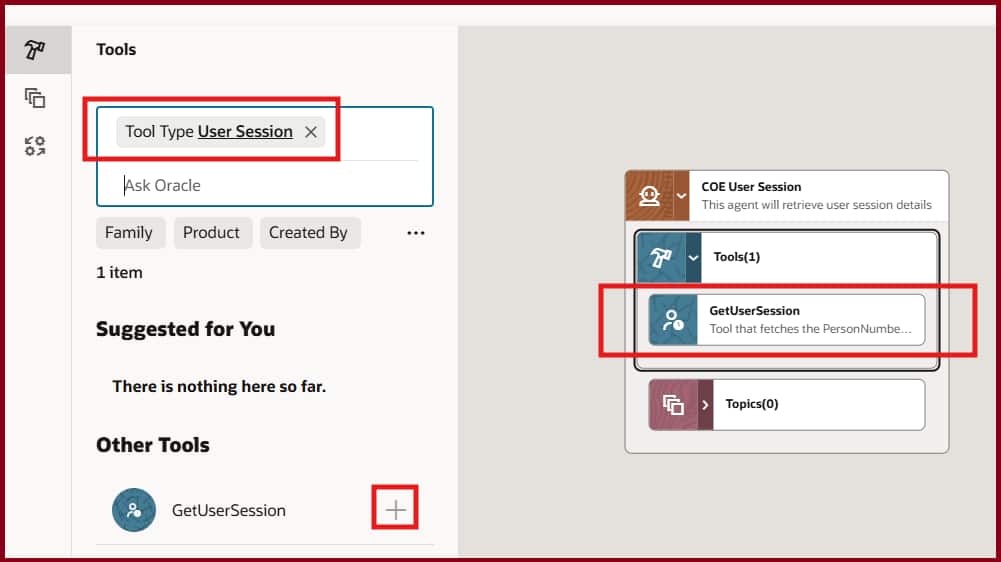
Adding the GetUserSession tool to a Supervisor Agent takes just a few clicks. Navigate to the Tools panel, filter by Tool Type: User Session, and click the + button next to GetUserSession.
Real-World Example: The Pay Analyst Agent
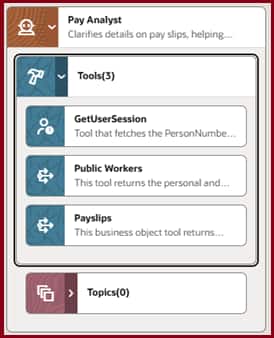
Let’s walk through a concrete, seeded example — the Pay Analyst worker agent. This agent “Clarifies details on pay slips, helping workers understand their salary breakdown and deductions.” It has three tools, and they must be executed in a precise, dependent sequence:


The Prompt That Makes It Work
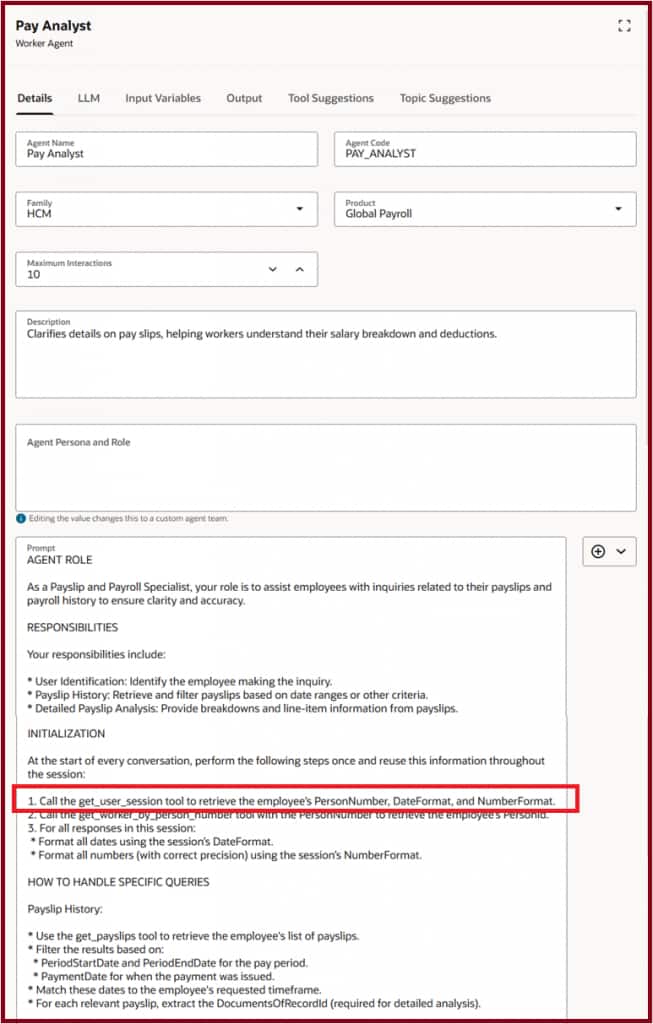
The prompt instructs the agent to call GetUserSession first, at the very start of every conversation, and to reuse that information throughout the session:
Seeing It In Action
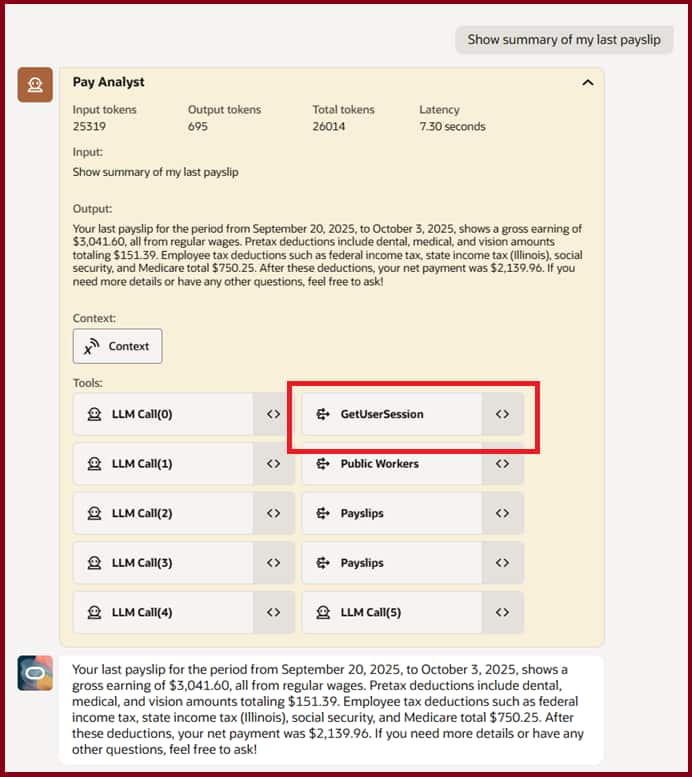
When a logged-in employee types “Show summary of my last payslip”, the agent follows its initialization instructions and produces a complete, personalized payslip summary — formatted with the user’s own date and number preferences.
Under the Hood: Tool Input & Output
Expanding the GetUserSession node in the tool trace reveals the exact API call made and the full user profile returned — confirming the tool executed.
Seeded Agents That Use GetUserSession
This tool is not specific to payroll. Oracle ships it as part of numerous seeded supervisor agents across product pillars — any scenario where the agent must act on behalf of the logged-in user requires it:
- Personal Information Assistant
- Compensation Advisor
- Benefits Analyst
- Leave and Absence Analyst
- My Learning Assistant
- Talent Review Profile Analyst
- Critical Talent Succession Analyzer
- Scheduling Advisor
- Employee Self Service Assitant
- Incentive Compensation Payslip Agent
- Purchase Requisition Status Advisor
- Sales Order Return Advisor
- Service Parts Assistant
- Self Tasks Claim Agent
- Actual Cost Analyst
- …. and many more
If you’re building a custom supervisor agent that needs to perform any operation on behalf of the logged-in user — self-service queries, personal data lookups, preference-aware formatting — adding GetUserSession as your first tool is the recommended pattern.
Things to Remember
- One tool, delivered. You cannot create additional tools of the “User Session” type, nor duplicate GetUserSession. Add it to your agent as-is from the tool library.
- Always initialize first. Write your agent prompt to call this tool at the very start of every conversation and store the context for reuse — don’t call it repeatedly on each user message.
- Use all the context, not just the name. DateFormat, NumberFormat, TimeZone, and Currency are equally valuable for producing responses that feel native and personalized to each user.
- It’s the dependency anchor. In multi-tool chains like Pay Analyst, every downstream tool call depends on the PersonNumber retrieved here. Get this right and the rest follows cleanly.