
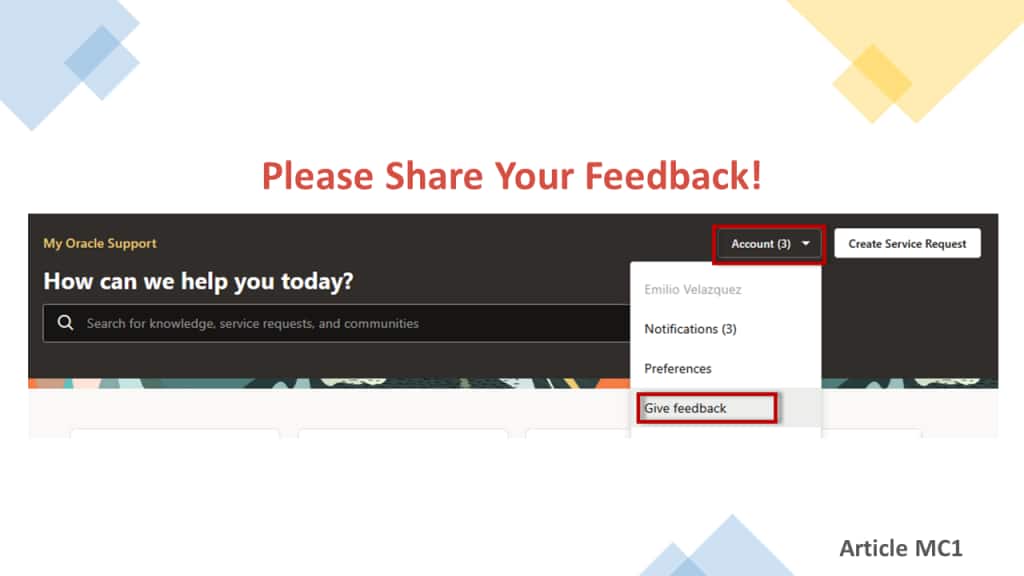
We value your feedback and are committed to improving the My Oracle Support portal. You can provide feedback on different aspects of the portal including:
- My Oracle Support portal
From the homepage, click the “Account” menu located at the far upper-right corner of the screen and select “Give Feedback”. Select a feature and provide your feedback. - MOS Chatbot
At the end of your conversation, click the option to leave feedback. Rate the chatbot’s performance and then a feedback form will open in a new tab. - Service Request
After creating an SR, click the “Give Feedback” link displayed in the SR created confirmation banner. - Knowledge Articles
At the bottom of knowledge articles is a section called “Article Feedback” where you can rate the article with one to five stars.
Get more information about providing feedback and other information about using the My Oracle Support portal on “My Oracle Support – Portal Documentation” article MC1: https://support.oracle.com/knowledgefs/?docId=MC1&source=:so:bl:or:awr:oeb:::&SC=:so:bl:or:awr:oeb:::&pcode=