
- Before creating a support case, anyone with an SDN demo account can access SuiteAnswers. This site can help you with most of your technical inquiries.
- Another helpful technical site is the SDN Technical Onboarding Site.
- Anyone with an APC-SDN Partner role (NetSuite Inc. PRODUCTION version) can create a support case i.e. APC-SDN Partner Admin, APC-SDN Partner – Technical, APC-SDN Partner – Marketing, and APC-SDN Partner – Sales.
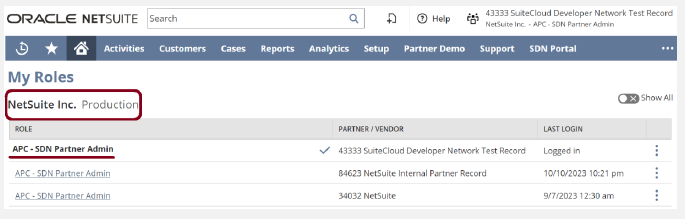
- If you do not have the proper role, email nsgbu-sdnprogram_ww@oracle.com and request for a role.
- For quicker assistance, call NetSuite Support: +1 877 638 7848. This is a toll-free number.
- For quicker response after creating the case, reach out to nsgbu-sdnprogram_ww@oracle.com and mention the case number.
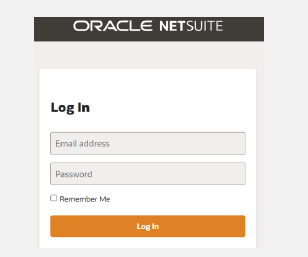
1. Log in to your Oracle NetSuite account: https://system.netsuite.com/pages/customerlogin.jsp
2. Among your list of roles, choose your APC-SDN Partner role (NetSuite, Inc. production version).
- If you use your SB2, SDN demo account, or any sandbox version, it will not allow you to create the case.
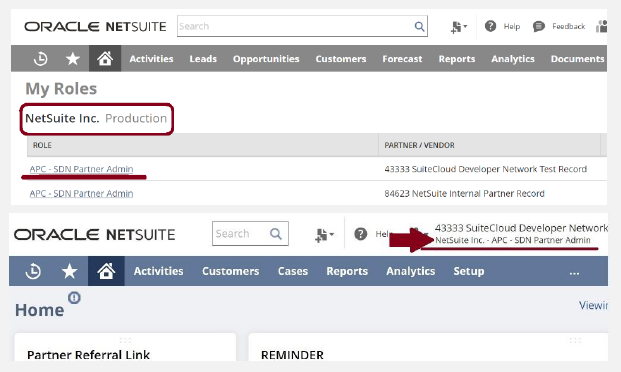
3. Once logged in, click SDN Support Request tab.

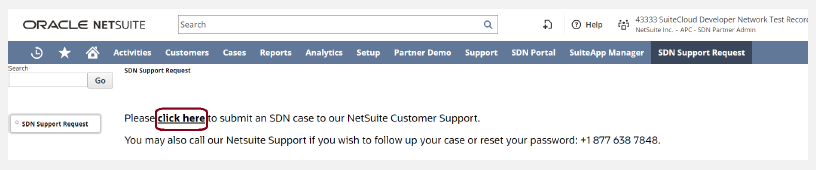
4. Inside SDN Support Request tab, click “click here”.
5. Fill out the fields. Make sure to mention that you are requesting this as an SDN Partner.
- Checkbox for Allow NetSuite Login for this Case should always be ticked ✔.
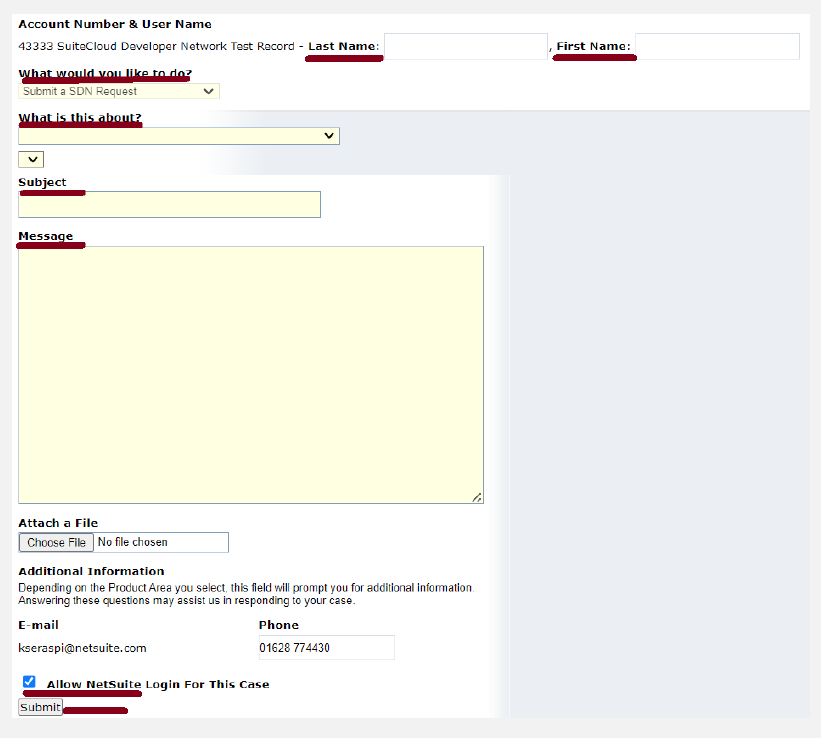
6. Click Submit.
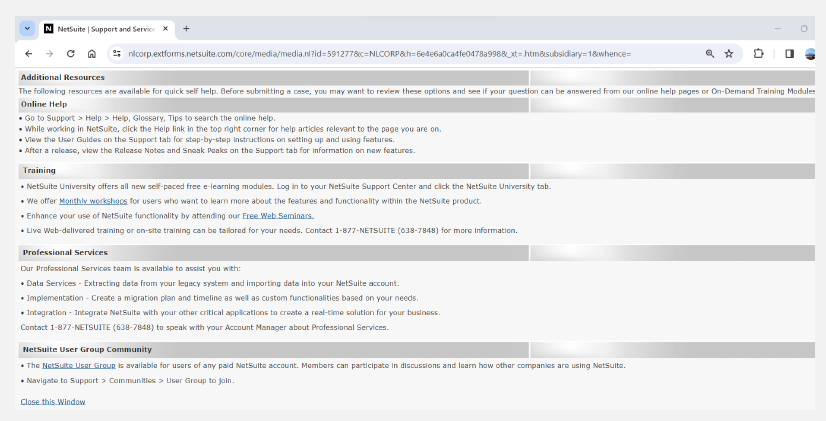
7. After submitting the form, it will lead you to this window.
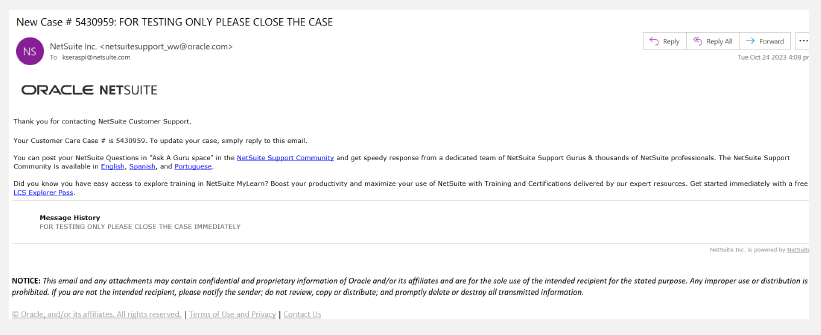
8. A successful submission will send you a case notification via email indicating the case number
Notes:
- If you encounter errors in creating a support case, please reach out to nsgbu-sdnprogram_ww@oracle.com.
- For BFN related queries, you may send email to nsgbu_sdnqa_ww_grp@oracle.com.