
What if you could query a video the same way you query text?
With recent advances in multimodal large language models (LLMs), we are moving beyond text-only systems into ones that can understand images, audio, and video. This makes it possible to extract meaning from video without building complex computer vision pipelines.
In this post, I walk through approach using Oracle Cloud Infrastructure (OCI) Generative AI with LangChain to analyze video content. The example is intentionally minimal, but it reflects how this can be extended in real systems.
Many organizations deal with large volumes of video data, from training material to operational footage. Working with this data is difficult because it is unstructured, and manual review does not scale. Traditional computer vision solutions often require multiple components and still struggle with context.
Multimodal models take a different approach. Instead of analyzing frames in isolation, they reason across sequences, which allows them to describe actions and changes over time.
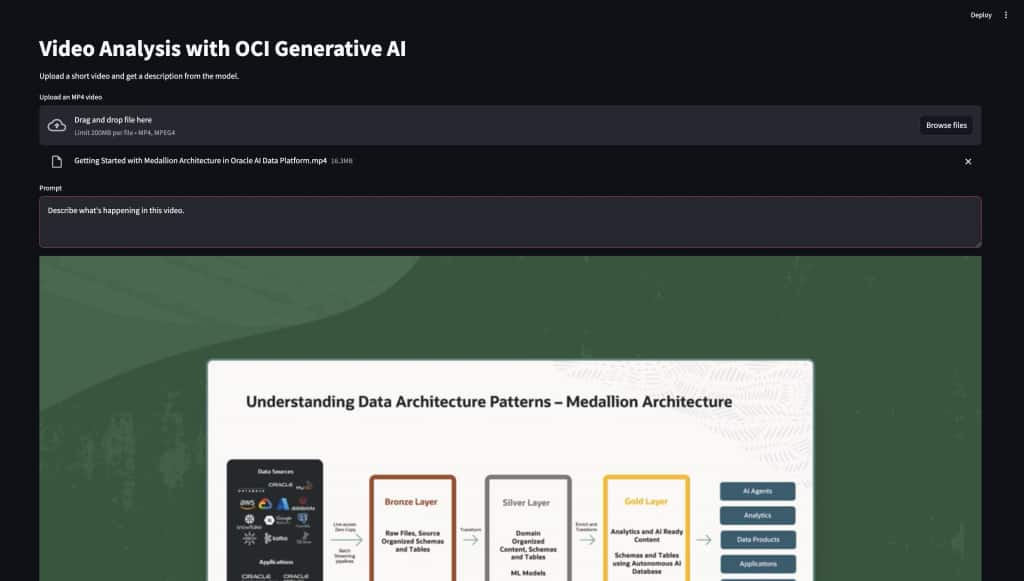
OCI Generative AI provides access to models such as Gemini Flash, which can handle both text and video inputs. Using LangChain, we can structure requests and build simple pipelines around these models.
Example code is shown below:
import base64
from langchain_core.messages import HumanMessage
from langchain_oci import ChatOCIGenAI

llm = ChatOCIGenAI(
    model_id="ocid1.generativeaimodel.oc1.us-chicago-1.amaaaaaask7dceyavwtf4vi3u7mpzniugmfbinljhtnktexnmnikwolykzma",
    service_endpoint="https://inference.generativeai.us-chicago-1.oci.oraclecloud.com",
    compartment_id="ocid1.compartment.oc1..xxxxxxxx",
    model_kwargs={"max_tokens": 5000},
)

with open("test.mp4", "rb") as f:
    video_data = base64.b64encode(f.read()).decode("utf-8")

message = HumanMessage(
    content=[
        {"type": "text", "text": "Describe what's happening in this video."},
        {
            "type": "video_url",
            "video_url": {
                "url": f"data:video/mp4;base64,{video_data}"
            },
        },
    ]
)

response = llm.invoke([message])
print(response.content)
Although the code is simple, the model processes the video as a sequence of frames and builds context across time. This allows it to understand actions, transitions and overall structure.
To make this easier to use, I added a small Streamlit interface that allows a user to upload a video and run the same analysis from a browser.
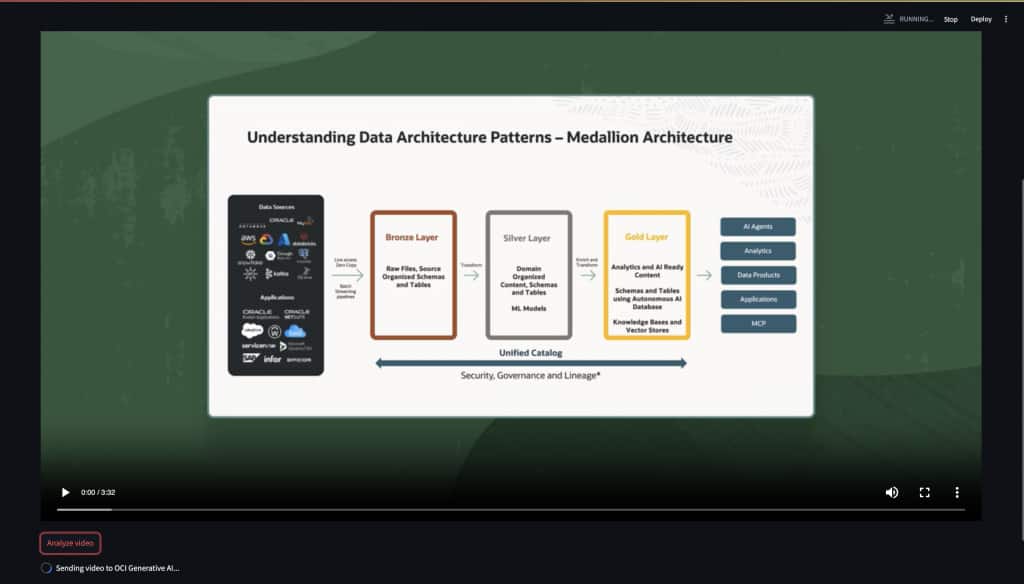
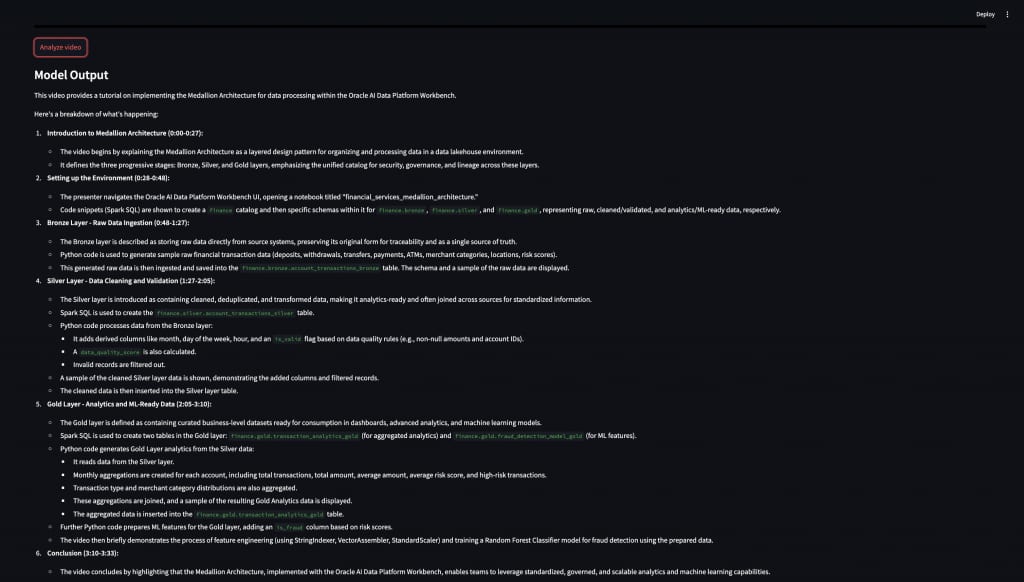
The model returns a natural language description of the video. For example:
This video provides a tutorial on implementing the Medallion Architecture for data processing. It introduces the bronze, silver, and gold layers, and explains how data flows through each stage.
When working with video inputs, there are a few practical considerations. Encoding video as base64 increases payload size, which affects network transfer and latency. For longer videos, it is often better to send shorter clips or sampled segments.
In many cases, the output can also be structured instead of free text. For example, the prompt can ask for key events, objects or scene descriptions in JSON format. This makes it easier to integrate with downstream systems such as dashboards or analytics pipelines.
In a typical workflow, video is stored in OCI Object Storage, processed into smaller segments, sent to the model, and the results are stored or used for further analysis. Each step can be scaled independently.
This example is a simple starting point, but it highlights how multimodal models can change the way we work with video data. Tasks that previously required multiple components and custom pipelines can now be handled more directly that understands both content and context.
While there are still practical considerations such as input size, latency and cost, the overall approach simplifies development and makes video analysis more accessible. It also makes it easier to integrate video into existing data and AI workflows without adding significant complexity.
As these models continue to improve, this pattern can be extended to more advanced use cases, including automated monitoring, content understanding and real-time analysis.
Related Links
https://www.oracle.com/in/artificial-intelligence/generative-ai/generative-ai-service
https://docs.langchain.com/oss/python/integrations/providers/oci