
You can use an Oracle Cloud Infrastructure (OCI) Function to process messages from an OCI Stream. When you publish new messages to your stream, your function receives those messages, processes their content, and writes results to OCI Logging. You perform all steps with the OCI Command Line Interface (OCI CLI) and Fn CLI.
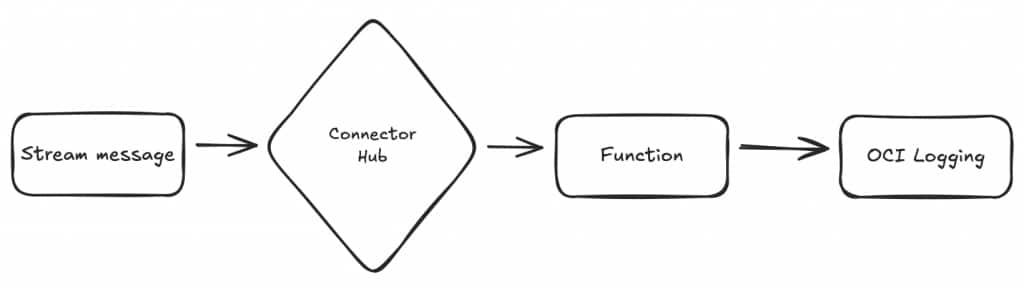
What You Do
- Create an OCI Stream.
- Deploy an OCI Function that reads messages from the stream.
- Set up Connector Hub to invoke the function when new stream messages arrive.
- Publish messages to the stream and confirm that the function logs each one.
At the end, your OCI Function runs when new messages arrive in your stream. You also assign permissions so your resources interact securely through OCI IAM policies.
Prerequisites
Before you begin, install and configure OCI CLI and Fn CLI:
Create a Stream Pool and Stream
Start by provisioning a Stream Pool and creating a Stream:
- Configure an IAM policy that grants
STREAM_POOL_CREATEandSTREAM_CREATEpermissions.- See OCI streaming policies for details.
- Example policy:
Allow any-user to manage stream-family in compartment id <compartment-name>
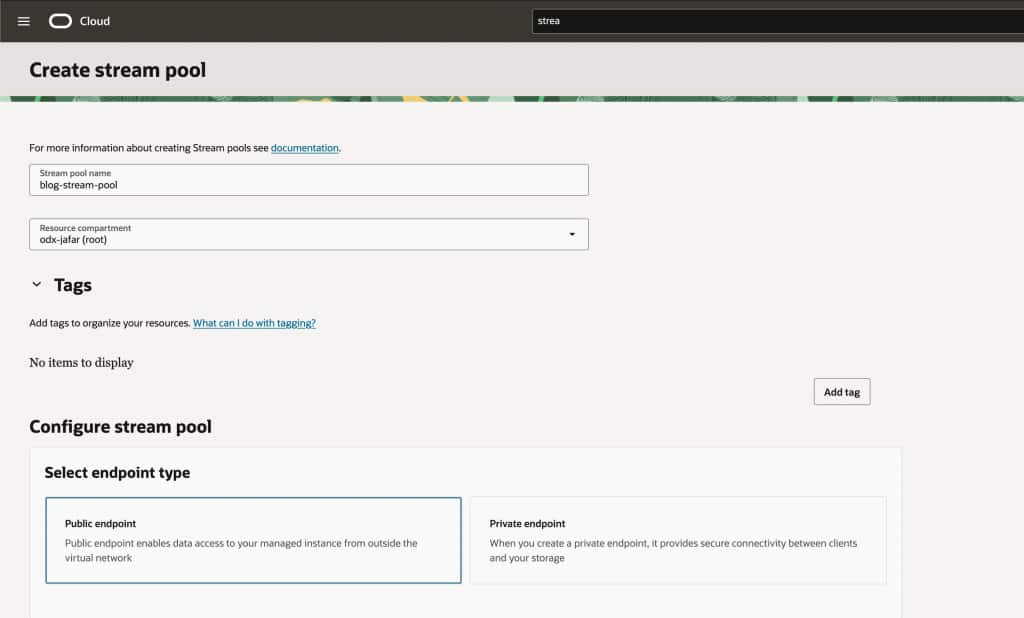
- Create a Stream Pool named
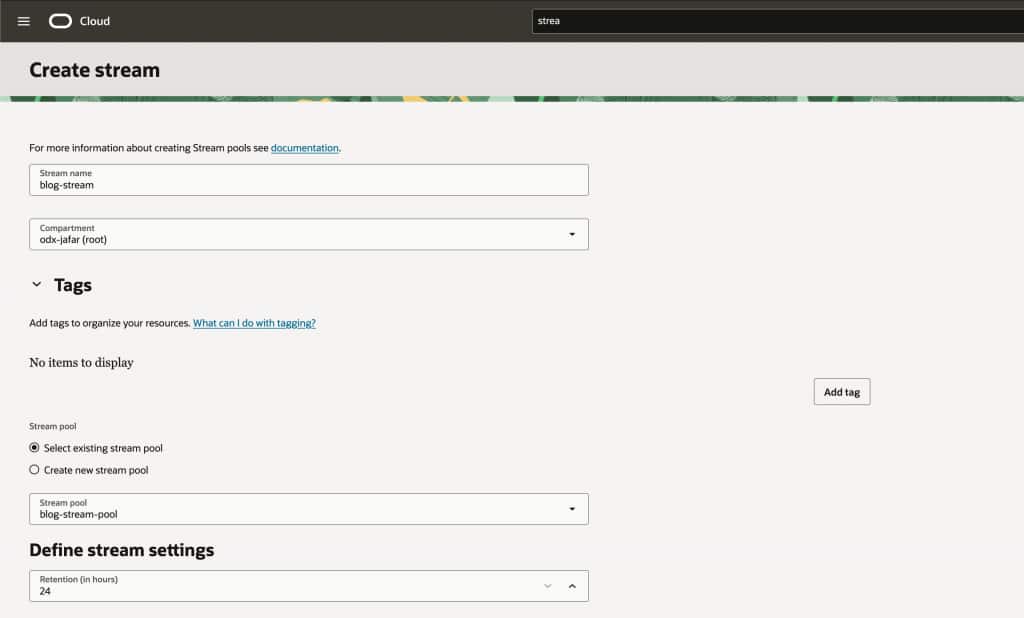
blog-stream-pool. - Create a Stream named
blog-streamin the Stream Pool.
Create the Application and Function
Next, create an Application and Function to process messages.
- Confirm you have an IAM policy that permits use of Functions.
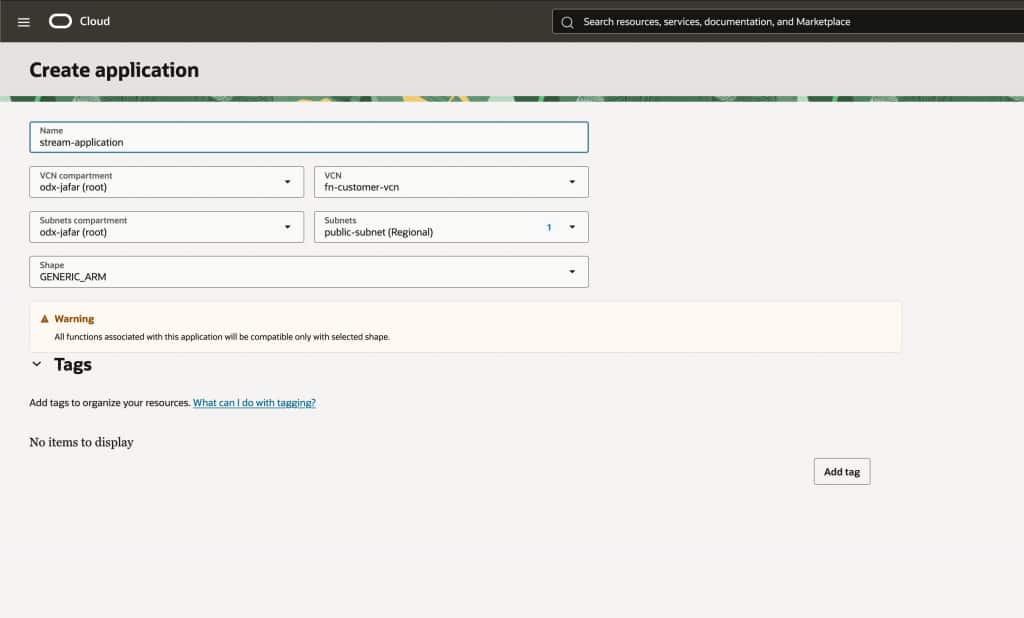
- Create a Functions Application called
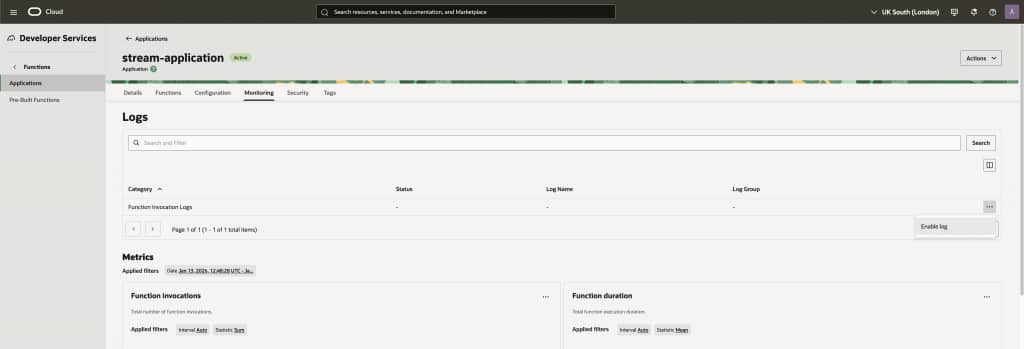
stream-application. Assign it to an available subnet in your VCN. - Enable Logging for the application.
- Log in with OCI CLI and authenticate with OCIR.
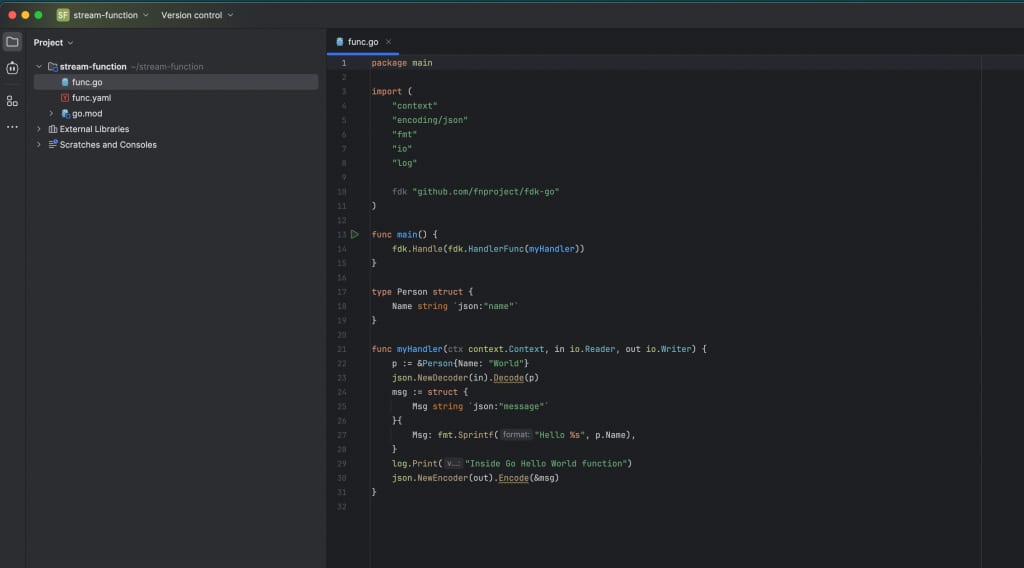
- Create and deploy the Function:
fn init --runtime go stream-function
cd stream-function
fn --verbose deploy --app stream-application
fn list fn stream-application
fn invoke stream-application stream-function
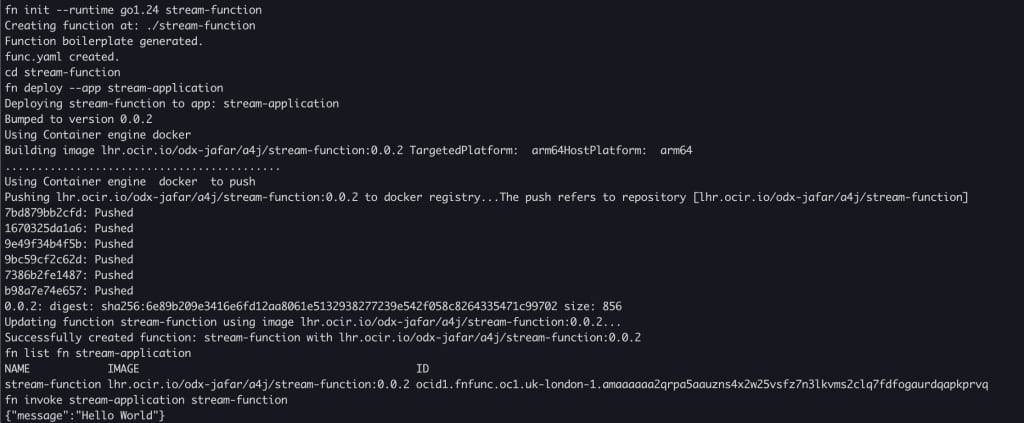
The hello-world Function is now ready. If you run into issues, see Functions troubleshooting . You will update this Function in a later step to process stream messages.
Connect the Stream to the Function
Set up OCI Connector Hub to forward messages from your stream to your function:
IAM Policies
- Grant Service Connector permission to read and consume from the stream
Allow any-user to {STREAM_READ, STREAM_CONSUME} in compartment id <compartment-name> where all {request.principal.type='serviceconnector', request.principal.compartment.id='<compartment-name>'} - Grant invocation permissions for the function:
Allow any-user to use fn-invocation in compartment id where all {request.principal.type='serviceconnector', request.principal.compartment.id=''}Allow any-user to use fn-function in compartment id where all {request.principal.type='serviceconnector', request.principal.compartment.id=''}- See Service Connector Hub IAM policies for details.
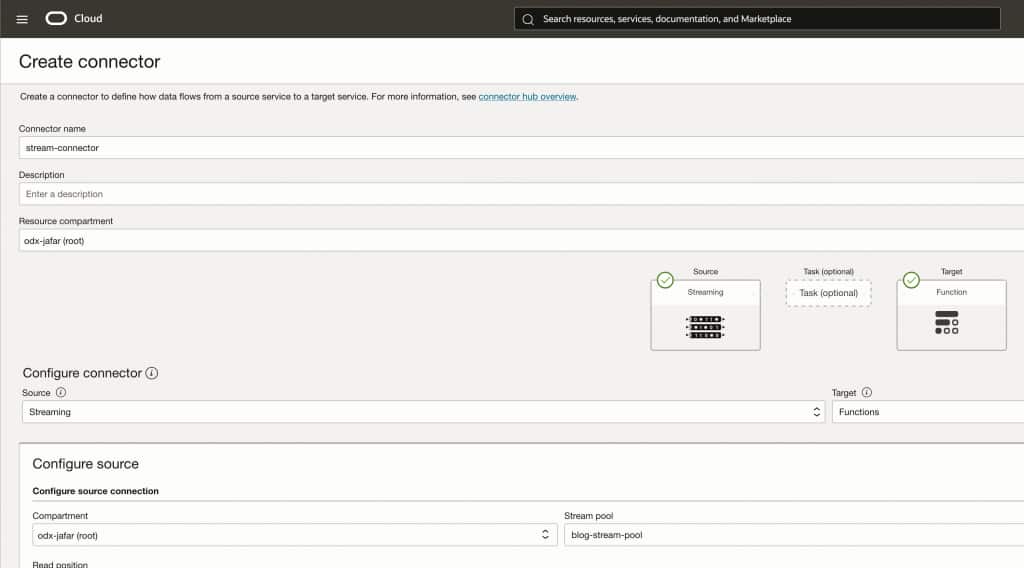
Create the Connector
- Create a Connector named
stream-connector.- Source: Streaming
- Target: Functions
- Source Stream Pool:
blog-stream-pool - Source Stream:
blog-stream - Target Function Application:
stream-application - Target Function:
stream-function - (Optional) Enable logs
Test the Connection
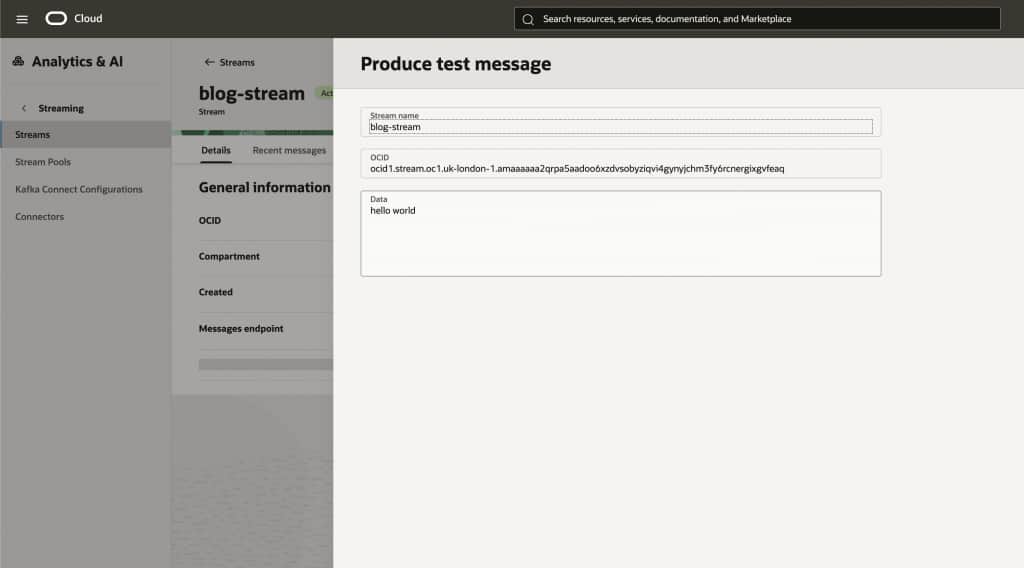
- Open
blog-streamand select Produce test message. - Enter any value in the data field and select Produce.
You check invocation metrics in stream-connector:
- Messages read from source: The connector successfully received messages from the stream.
- Messages written to target: The connector invoked the function with each message.
- See errors at source or target? Enable logs and use Connector Hub troubleshooting .
Update Your Function to Process Messages
Update your OCI Function to process stream messages, de-serialize them, and log results to OCI Logging.
Details:
- Connector Hub sends batches of messages to your function. Batch size is configurable. See Connector Hub batch settings .
- Function receives messages as JSON. Message reference: Streaming Message API .
- Use the Fn Events library with the Go Function Development Kit to handle streaming events.
Example stream message:
{
"name": "Processing Function with Streaming Service",
"connector": "streaming"
}
Update go.mod
Add the Fn Events dependency:
module func
go 1.24.5

require (
    github.com/fnproject/fdk-go v0.1.1
    github.com/fnproject/fn-events v0.1.1
)
Update Function Code
Edit func.go:
package main

import (
    "context"
    "log"
    "reflect"

    "github.com/fnproject/fdk-go"
    fn_events "github.com/fnproject/fn-events"
)

type BlogMessage struct {
    Name      string `json:"name"`
    Connector string `json:"connector"`
}

type ExampleConnectorHubHandler struct {
}

func (h *ExampleConnectorHubHandler) Serve(
    ctx context.Context,
    batch fn_events.ConnectorHubBatch[fn_events.StreamingData[BlogMessage]],
) {
    for _, streamMessage := range batch.Batch {
        log.Printf("reading message: %v", streamMessage.Value)
    }
}

func main() {
    log.SetFlags(0) // Removes redundant timestamps from logs
    handler := fn_events.ConnectorHubHandlerStreaming(
        &ExampleConnectorHubHandler{},
        reflect.TypeOf(BlogMessage{}),
    )
    fdk.Handle(handler)
}
Deploy and Test
- Deploy the updated function:
fn --verbose deploy --app stream-application - Open
blog-streamand select Produce test message.
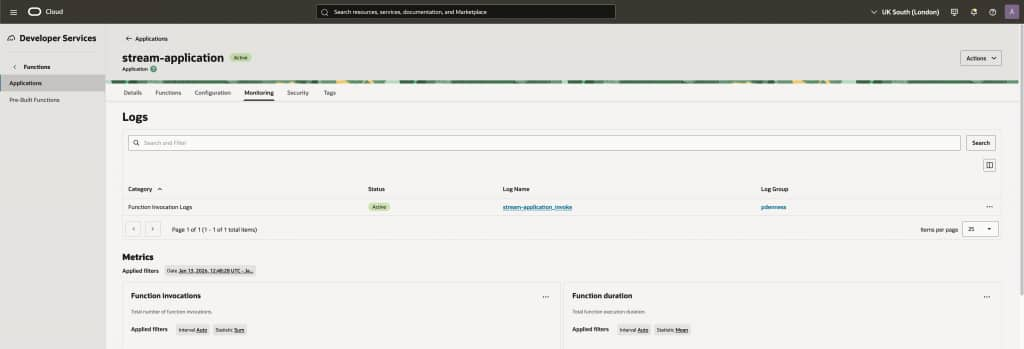
Paste the following JSON and select Produce{ "name": "Processing Function with Streaming Service", "connector": "streaming"} - Go to Function Invocation Logs in the
stream-applicationMonitoring tab and select the log name.
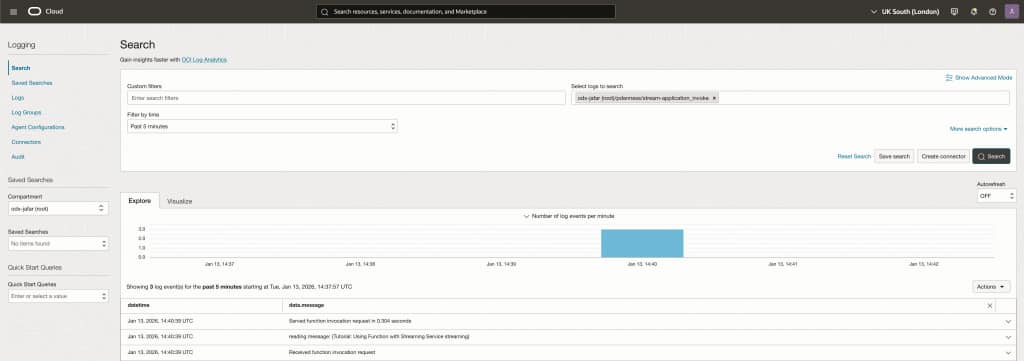
You now see each stream message in OCI Logging.