

—
We are excited to announce fleet-wide update support for Grid Infrastructure (GI) and Database software for Exadata Database Service on Exascale Infrastructure using Exadata Fleet Update.
Exadata Fleet Update simplifies, standardizes, and automates software updates, and is available at no additional cost. It groups software targets such as Database, Grid Infrastructure, or Guest OS into distinct collections, each of which is maintained through its own maintenance cycle. Within each maintenance cycle, it orchestrates key actions such as staging software, running prechecks, and applying updates. These maintenance actions can be scheduled or run on demand.
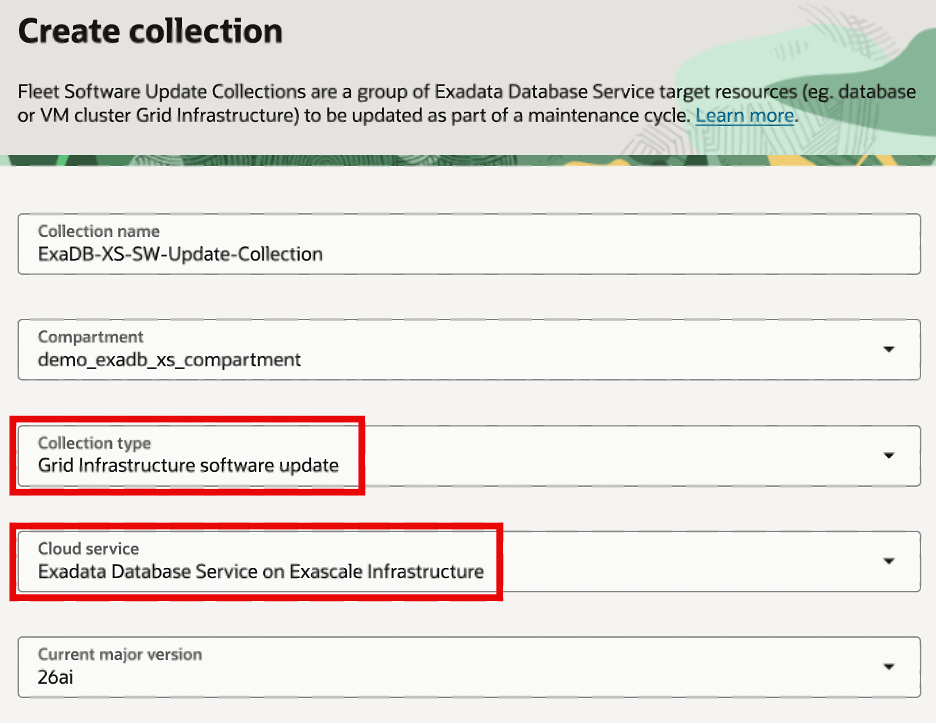
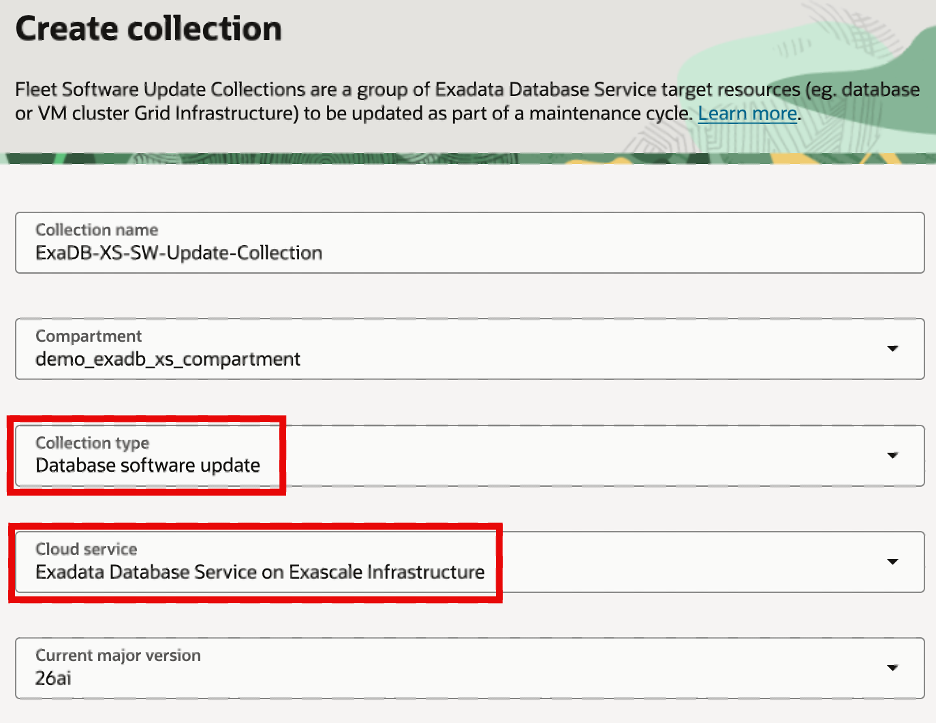
With this release, you can create GI and Database software update collections tailored to your Exadata Database Service on Exascale Infrastructure fleet. These collections let you group and manage the specific software updates you want to apply across your environments. Once your collections are defined, you can create a maintenance cycle to orchestrate the full lifecycle of software update actions — including precheck validation, staging of update software, applying the updates, and post-update cleanup — giving you greater control and consistency over how updates are rolled out across your fleet.
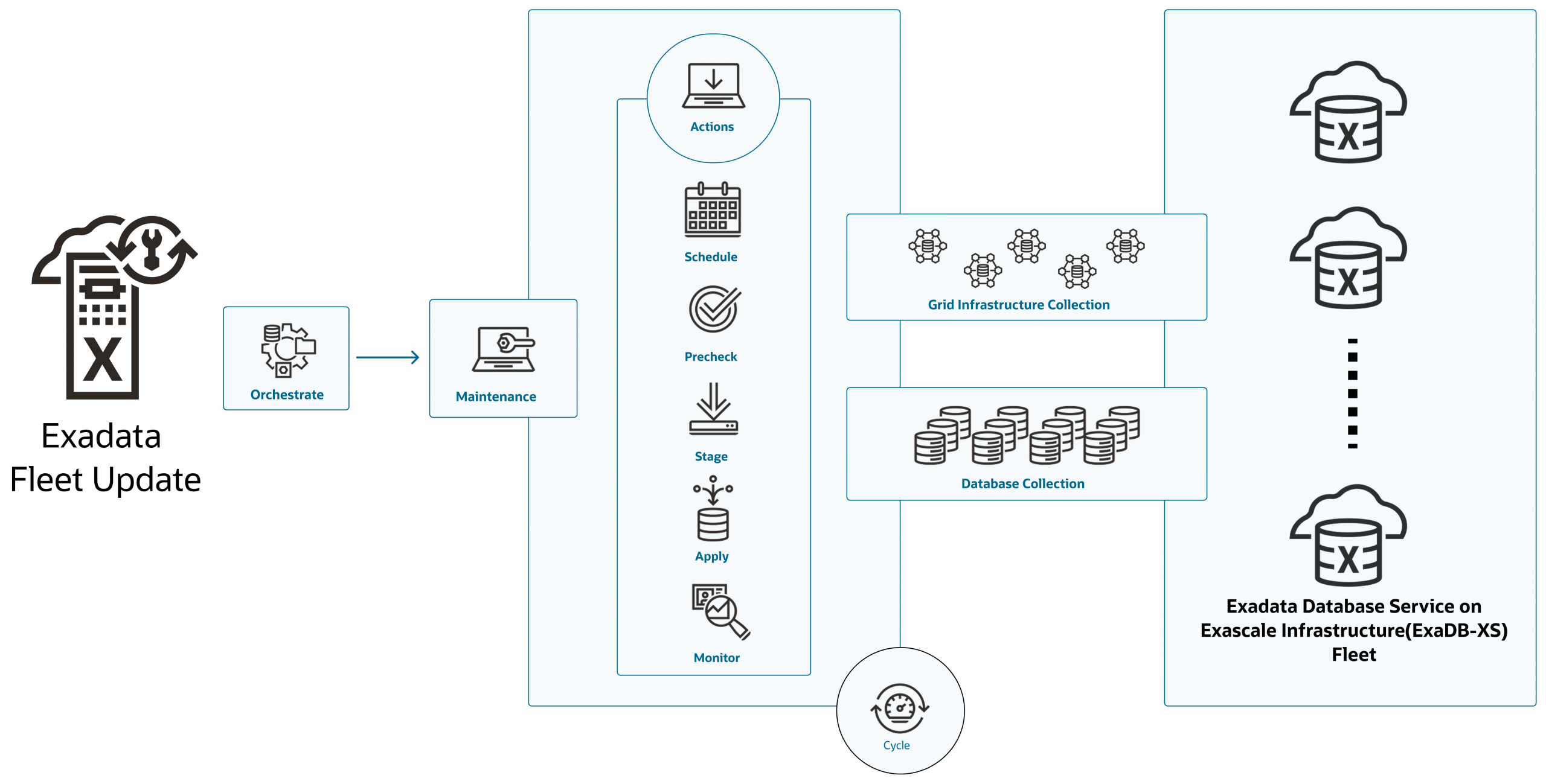
Exadata Fleet Update capabilities are already available for Exadata Database Service on Dedicated Infrastructure and Cloud@Customer. With this announcement, Exadata Fleet Update now supports Exadata Database Service on all deployment options: Dedicated Infrastructure, Cloud@Customer, and Exascale Infrastructure.
Key Benefits
- Fleet-wide Orchestration: Efficiently coordinate database and GI software updates across a collection of Exadata Database Service resources, reducing operational effort and complexity at scale.
- Consistent Experience: Leverage the familiar Exadata Fleet Update workflows to ensure a unified, predictable process for planning, applying, and tracking updates across your fleet.
- Automated Update Operations: Streamline maintenance windows by automating key software update actions—precheck, staging, apply, and cleanup—minimizing manual intervention and risk.
- Flexible Grouping: Organize databases or VM Clusters into logical collections that align with your business and operational needs for targeted and efficient updates.
- Minimized Disruption: Schedule and execute updates with built-in automation to reduce downtime and operational impact on critical workloads.
Get Started in a Few Steps
- In Exadata Fleet Update, create GI and Database software update collections for Exadata Database Service on Exascale Infrastructure environments
- Create maintenance cycles for your respective GI and Database Software update collections.
- For each maintenance cycle, run the actions (precheck, stage, apply, and cleanup) manually or configure to run at a scheduled date and time.
 |  |
Learn More
What’s new in Exadata Fleet Update
How To : Exadata Fleet Update for Exadata Database Service on Exascale Infrastructure fleet