

As demand for always-on customer experiences increases, disaster recovery (DR) planning is a core requirement for enterprise deployments.
We’re excited to announce Cross-Region Warm Standby in OCI Database with PostgreSQL. This new feature lets you maintain up to two warm standby database systems across secondary OCI regions. The warm standbys stay synchronized with the primary and can be manually promoted when you need to recover service in another region or execute a planned transition. Your primary database system runs in the source region and serves application read/write traffic, while the warm standby runs in secondary regions as read-only replicas, continuously receiving and replaying changes from the primary. Replication readiness can be monitored using OCI metrics on both systems.
Getting started is straightforward in the OCI Console:
- Identify the primary database system for which you want to establish a warm standby,
- Select a secondary region, and
- Create the warm standby replica to establish a cross-region deployment.
And that’s it. See more details below on each of the steps:
1) Choose (or create) the Primary database system (source region)
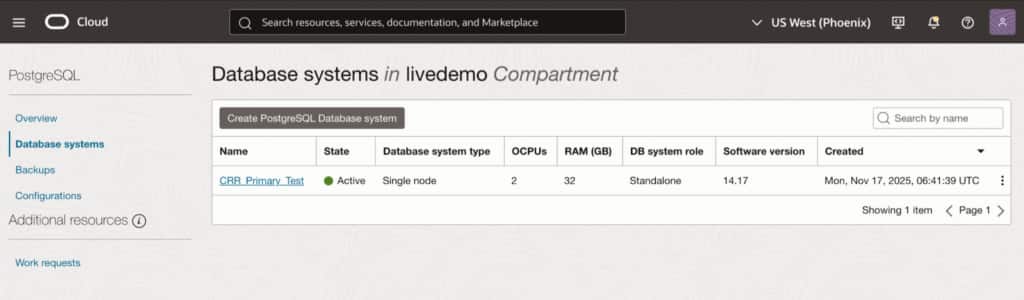
Cross-Region Warm Standby starts with a Primary OCI Database with PostgreSQL system in your source region. If you already have a production database system you want to protect, you can use that existing system as the Primary or create a new one:
Create a new Primary database system (if needed)
- Login & Navigate to Your Source Region in OCI Console: Log in to the OCI Console, go to Home, and select your desired Source Region for database creation.
- Create a New PostgreSQL Database System: In the OCI Console, go to Database > Database Systems under PostgreSQL Database, and click Create PostgreSQL Database System to start setup.
- Enter Database Details: Fill in the required information for your new database system, including a descriptive name, appropriate compartment, VCN and subnet, and an admin username and secure password for database access.
Create the Warm Standby (replica) database system
- Switch to the Secondary Region and Start Replica Creation: Log in to the OCI Console, select the Secondary Region, navigate to Database > Database Systems (PostgreSQL), click Create PostgreSQL Database System, and set Creation type to Create Replica Database System.
- Choose the Primary Database System to Replicate: Select the Primary Region and choose the Active primary PostgreSQL database system you want to replicate.
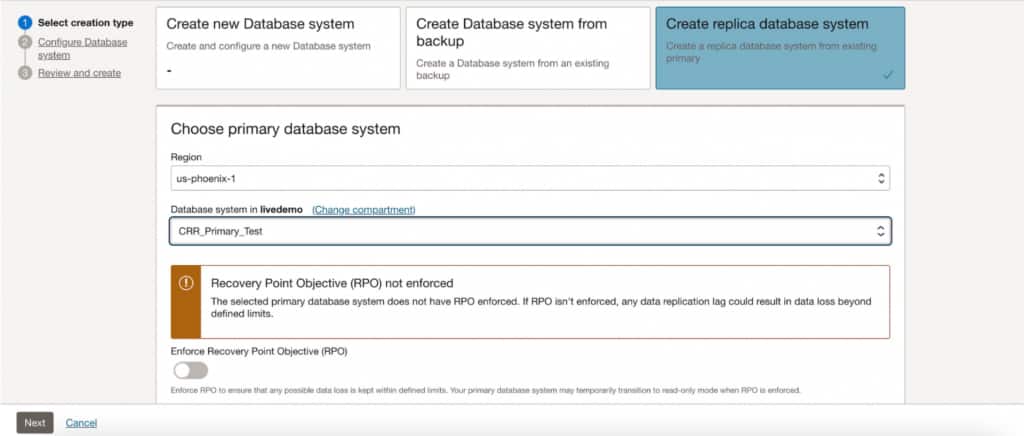
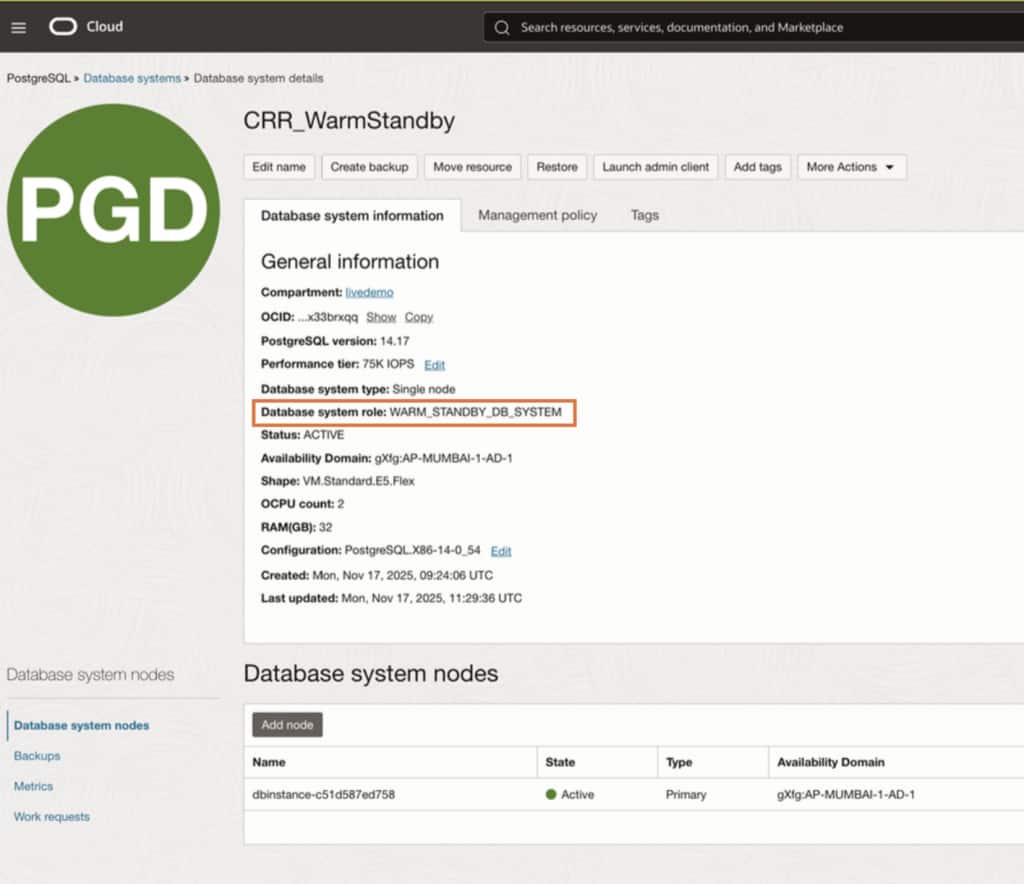
- Review Settings and Submit: Enter the warm standby details (name, compartment, network), optionally enable RPO enforcement (fixed 5-minute threshold; if exceeded, the primary will switch to read-only so the standby can catch up), then click Submit and confirm the replica reaches Active with role Warm Standby.
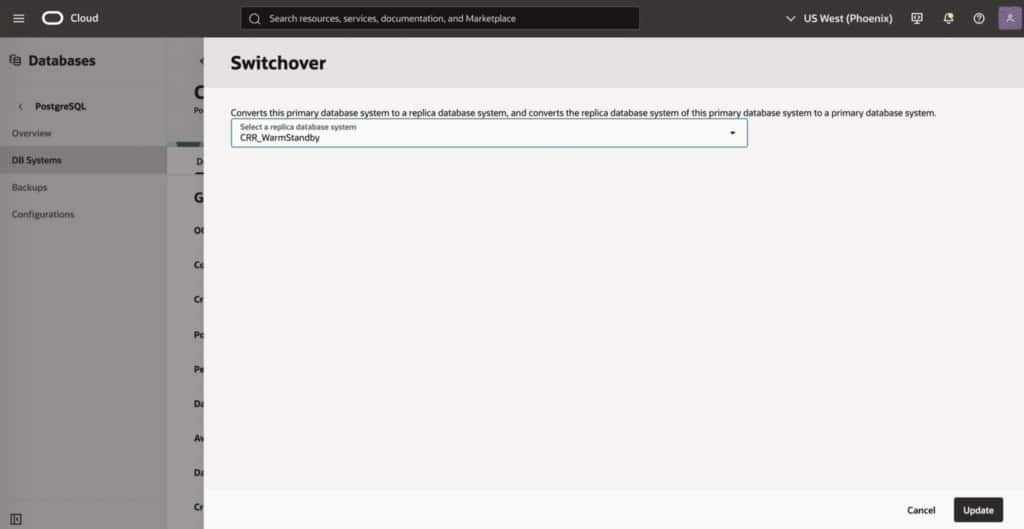
Planned maintenance and DR drills: Switchover
To reverse roles between the Primary and Warm Standby database systems during planned events (e.g. DR tests) you can perform a Switchover.
Regional disruptions: Manual failover and promotion
In case the primary database system becomes unavailable, you can recover service by promoting the warm standby. During promotion, you can choose between applying available pending WAL first (to minimize data loss) or promoting immediately to restore access faster.
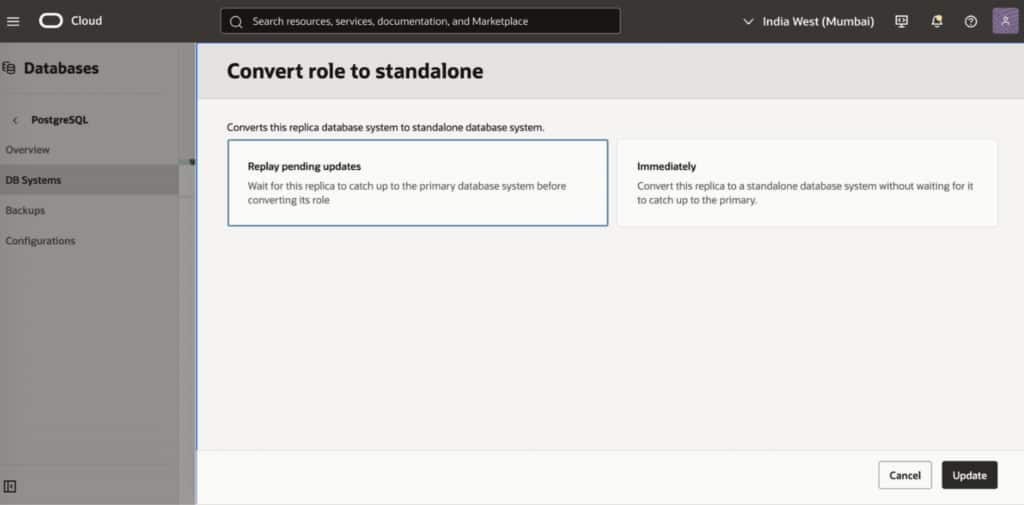
Returning to a steady state: Optional switchback
After the source region is restored, the original primary can be reconfigured as a replica of the newly promoted system. If desired, you can later perform an additional switchover to return to the original “primary in source region / standby in secondary region” topology.
Key Take Aways
Cross-Region Warm Standby for OCI Database with PostgreSQL provides a practical foundation for cross-region disaster recovery by keeping a continuously updated standby database system in a secondary OCI region. It is designed to help organizations reduce downtime during regional disruptions and to support controlled transitions for planned maintenance and regional migration scenarios, without adding unnecessary operational complexity.
To learn more about cross-region warm standby, see the product documentation.
You can also reference additional resources to learn more about OCI Database with PostgreSQL:
Tutorials such as: