
Budgets help you track your Oracle Cloud Infrastructure (OCI) spending. They monitor costs at a compartment level or cost-tracking tag level. You can set alerts on a budget to receive an email notification based on an actual or forecasted spending threshold. Budget alerts also integrate with the Events service. You can use this integration and the Oracle Notifications service to send messages through PagerDuty, Slack, or SMS.
You can also use the integration with Events service to trigger functions that create quotas resulting in budgets with hard limits.
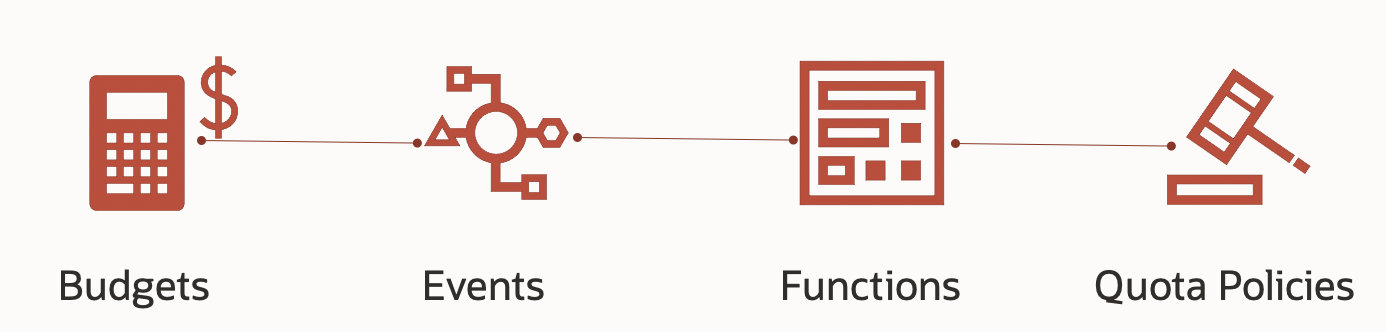
You can create and enforced budget in three easy steps.
Step 1: Create a budget and alert
You can access budgets from the Cost Management section under Governance and Administration in the OCI Console. Click the Create Budget button and follow the instructions to create a budget and an alert on the budget. Budgets follow a monthly cadence and can be set to begin on a day of the month that best fits your business needs.
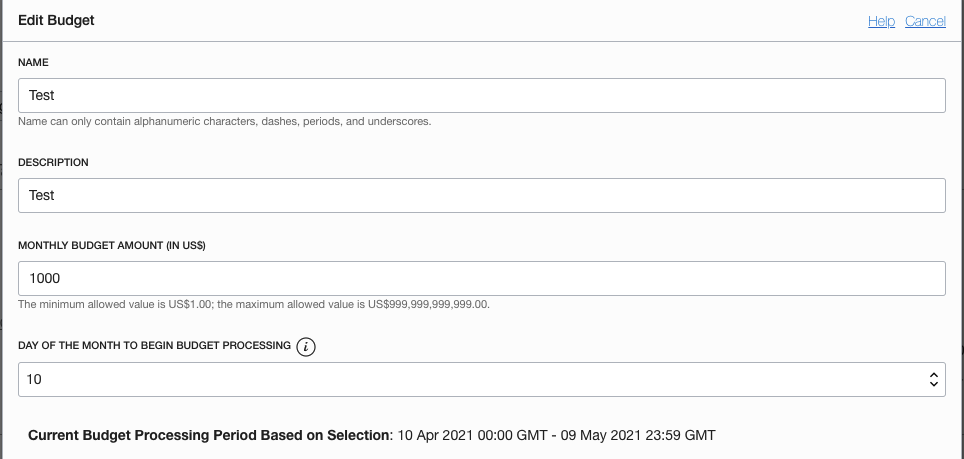
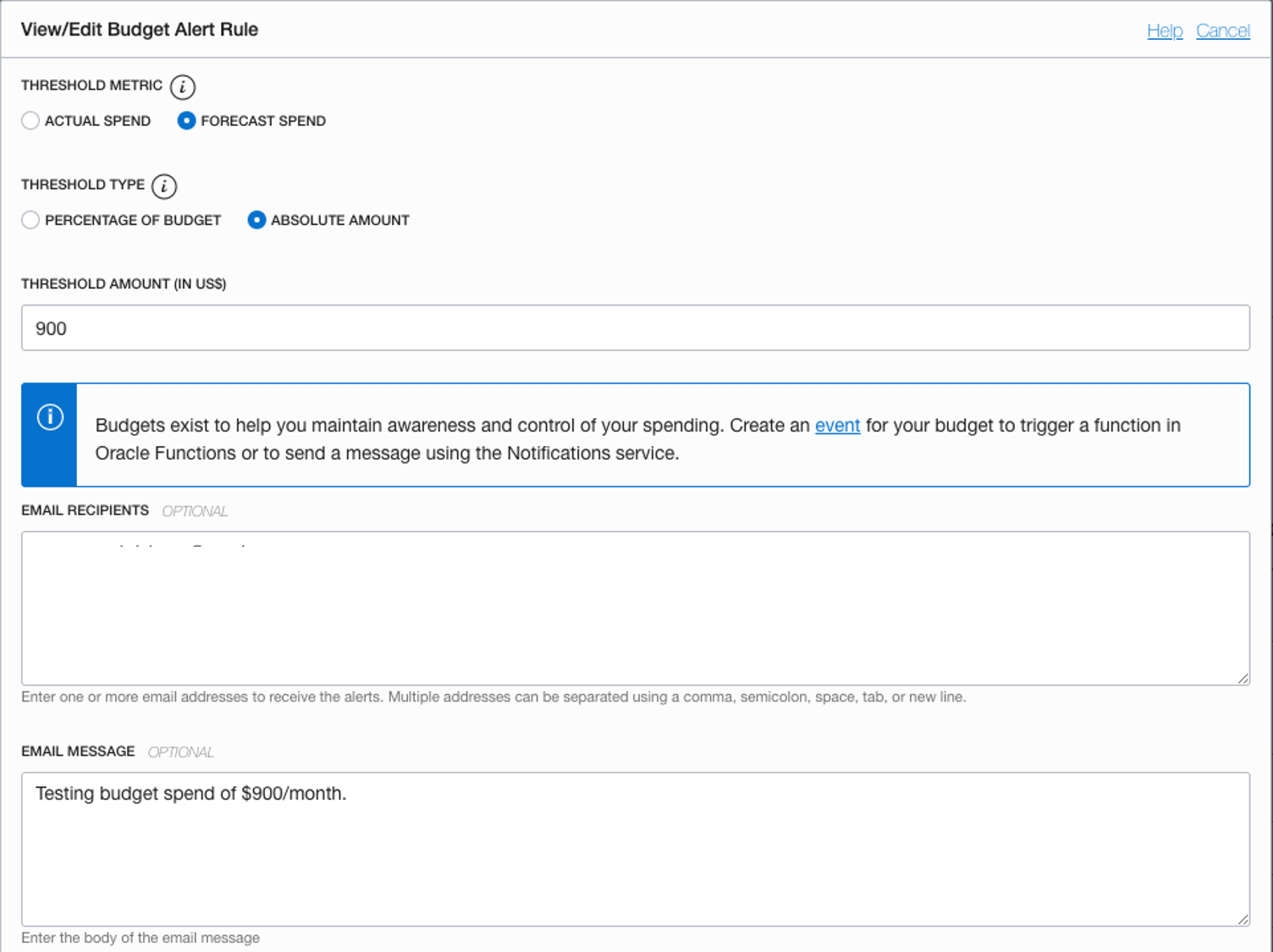
Copy the OCID of the budget that you create because you need it for creating an Events service rule later. You can get this information by clicking the budget on the Budgets page and selecting the Copy link next to the OCID.
Step 2: Create a function
Oracle functions are powered by the Fn Project open source engine and allow you to focus on writing codes that meet your business needs without having to focus on the overhead of infrastructure administration. You can use functions to run code in multiple programming languages, including Python. You can use the underlying code to create quota policies that restrict the creation of new resources in the tenancy similar to the following snippet:
import io
import json
import logging
import oci
from fdk import response

def handler(ctx, data: io.BytesIO = None):
    config_path = 'config/config_filename'
    config = oci.config.from_file(config_path,'DEFAULT')
    body = {
            "compartmentId": "add the compartment OCID scoped by your budget",
            "definedTags": {},
            "description": "Quota policy to prevent new compute and DB resource creation in Tenancy on hitting a budget threshold.",
            "name": "BudgetLimitReached",
            "statements": ["zero compute quotas in tenancy",
                           "zero database quotas in tenancy"]
           }
    try:
        quota = oci.limits.quotas_client.QuotasClient(config)
        resp = quota.create_quota(create_quota_details=body)
        print(resp.status)
        print('Function BudgetLimitReached created successfully.')
    except (Exception, ValueError) as ex:
        print(str(ex), flush=True)
        raise
Step 3: Create a rule
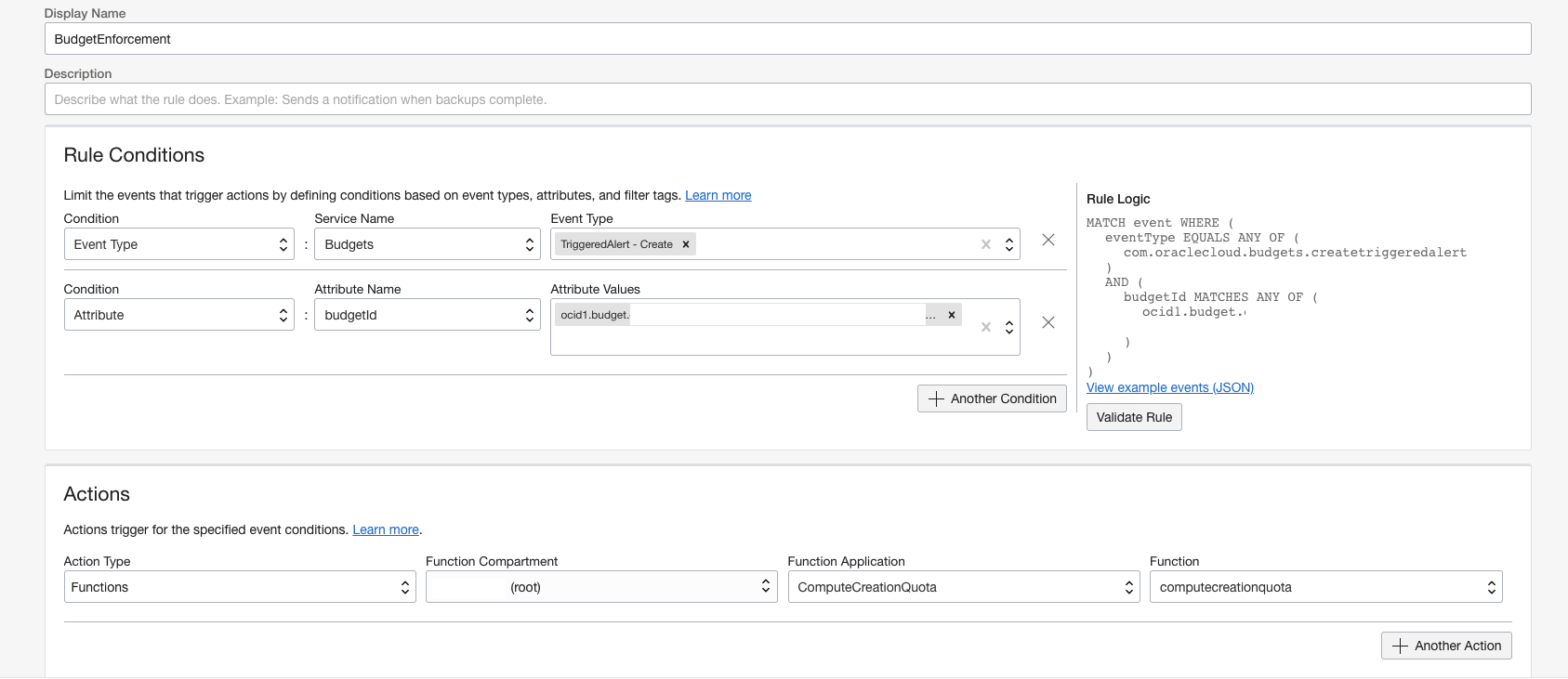
Events are structured messages emitted by services on state changes that you can use to trigger automation. You can access Events rules from the Observability and Management section of the Console. A rule is a combination of conditions and actions. You can set conditions at an event type, attribute, or a filter tag.
To add conditions to match the event type TriggeredAlert, create the condition from the service name budget. Attribute the budgetId matching the OCID that you copied in step 1. To add actions, set the action type to Functions and select the name of the function that you want to trigger.
Result
When the budget alert triggers, you can see a quota policy created with the statements that you had in your function.
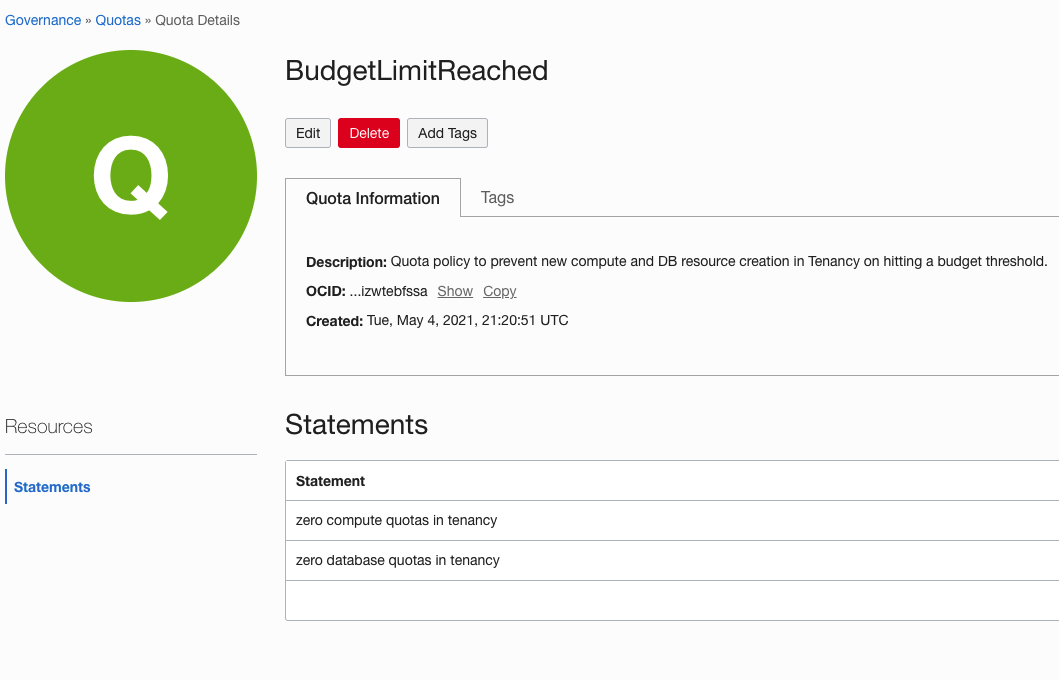
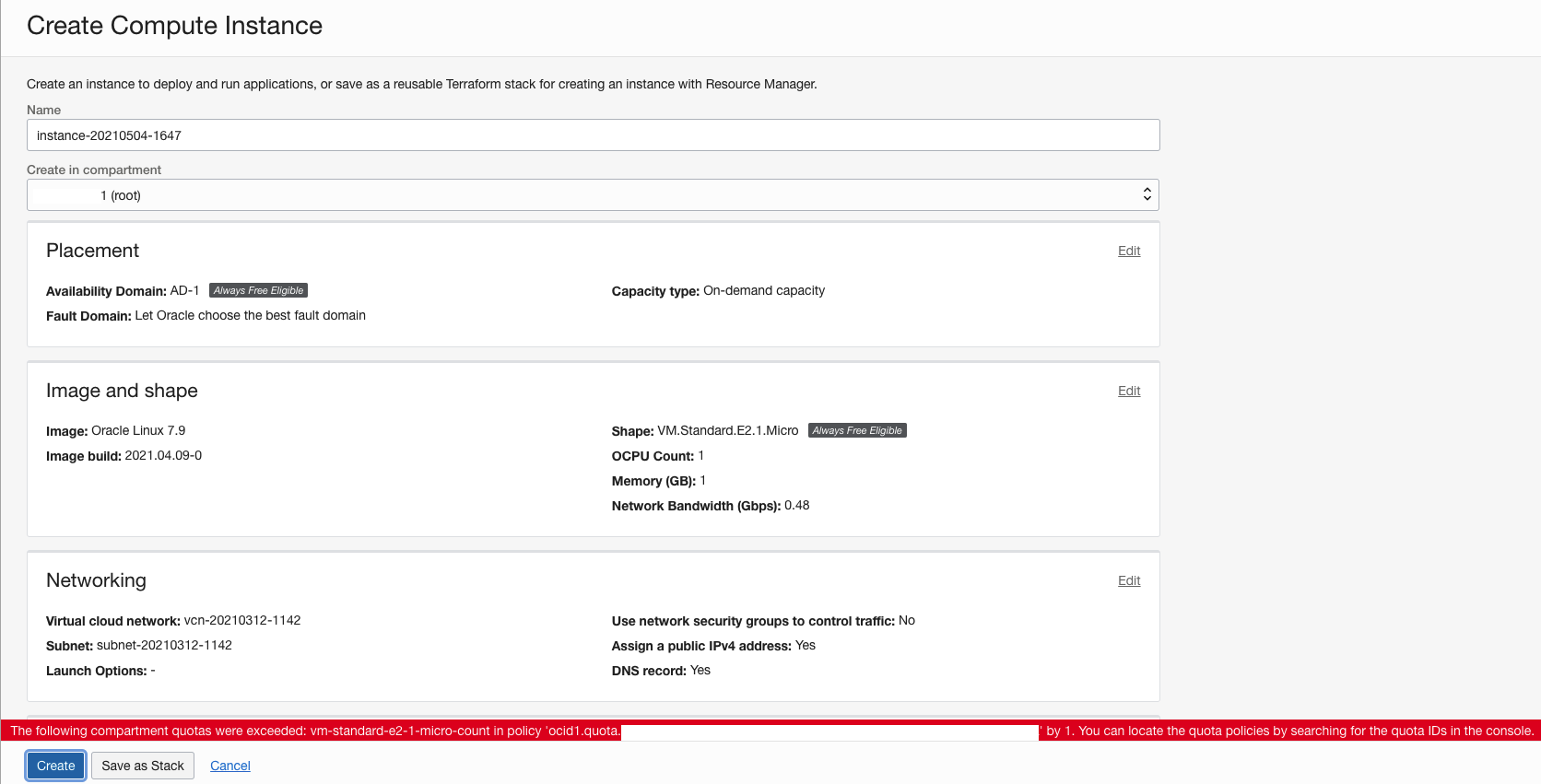
As a result of this policy, you can prevent the creation of new Compute resources in your tenancy. Anyone who tries to create resources after crossing the budget is unable to do so and sees a message notifying them that the compartment quota was exceeded.
Try it yourself
Controlling costs on their cloud implementation is one of the top concerns of most organizations. You can use this simple recipe to implement hard budgets in your OCI environment and achieve automated and proactive cost governance. For more best practices, solution playbooks, and cross-product reference architectures, visit our reference architecture center Share your feedback in the comments and let us know how we can continue to improve your experience on Oracle Cloud Infrastructure.