
Arm has become a dominant processor architecture to run mobile applications and the trend is now moving to the server-side. You can build and run your Arm-based applications using Ampere A1 Compute platform in Oracle Cloud Infrastructure (OCI).
Today, we’re announcing that you can deploy and manage your Arm-based applications in a Kubernetes environment with Oracle Container Engine for Kubernetes (OKE) and that Oracle Container Image Registry (OCIR) supports multi-architecture images.
Build and run containerized applications on Arm-based Ampere A1 Compute
For Kubernetes workloads running on Intel and AMD processors (x86 architecture), Arm provides an excellent opportunity to reduce the costs.
Common open source packages that modern applications depend on are already available for Arm AArch64 architecture on Docker Hub. To get started, you can add an Ampere A1 Arm-based node pool to an existing OKE cluster running x86-based applications. This capability makes it easy for you to test and validate the performance of your applications if you decide to adopt Arm. When you are ready, you can run OKE clusters with Arm node pools only.
Adding the Arm architecture as a target for your deployments doesn’t increase the complexity of your code base or the deployment artifacts. When you build container images, you simply add a manifest specific to Arm in addition to the manifest for x86. Oracle Cloud Infrastructure Container Registry (OCIR) now supports multi-architecture images. When you deploy your applications, the manifest that matches the targeted node pool CPU architecture is selected transparently. Your code base does not change.
Getting started with Kubernetes on Arm
If you don’t yet have an Oracle Cloud account, request a free trial.
-
Log into your OCI account.
-
Open the navigation menu. Under Developer Services, go to Kubernetes Clusters (OKE) and click Create Cluster.
-
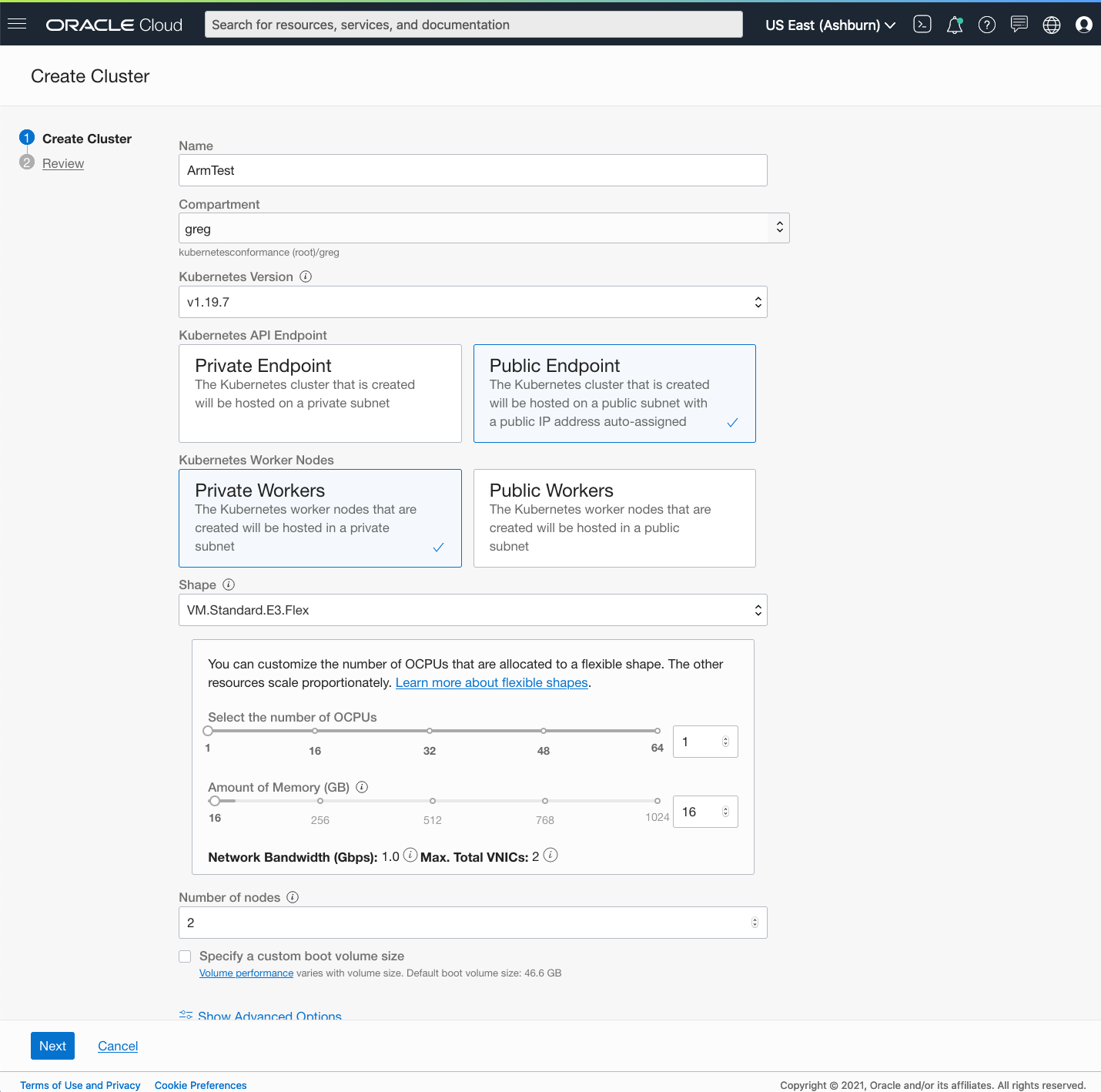
In the Create Cluster dialog, choose Quick Create, and click Launch Workflow. For the Ampere A1 Arm shape, select “VM.Standard.A1.Flex”, click Next, and click Create Cluster.
-
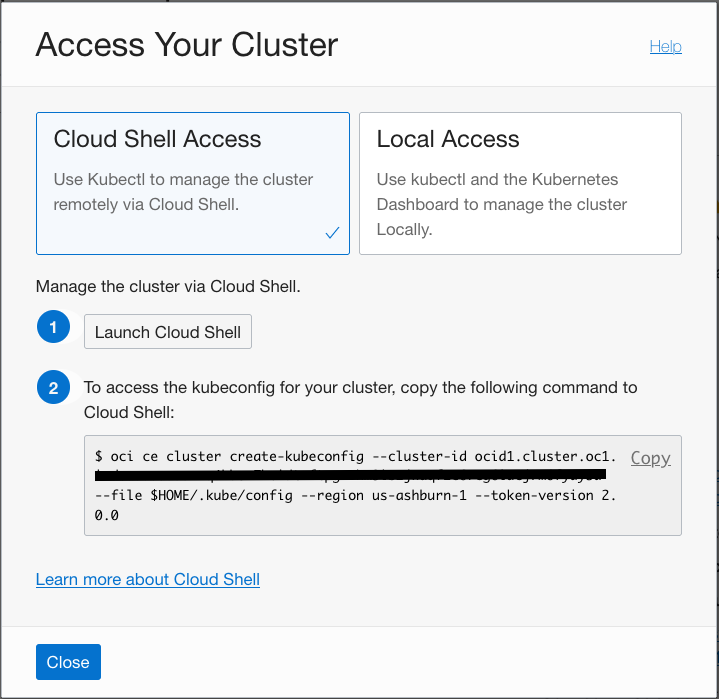
After creation, select your cluster and click Access Cluster. Select Cloud Shell Access, click Launch Cloud Shell, and run the “oci ce cluster create-kubeconfig” command.
-
In Cloud Shell, run the following command to deploy NGINX on Arm:
$ kubectl create -f https://k8s.io/examples/application/deployment.yaml
You’re now running Nginx on Ampere A1 Arm compute with Kubernetes!
Want to learn more?
To learn more or get hands-on experience, use the following resources:
-
Oracle Makes Building Applications on Ampere A1 Compute Instances Easy
-
Announcing Rancher support for Kubernetes clusters running on Arm
-
Tutorial: Get started with Arm-based Kubernetes clusters in Oracle Cloud Infrastructure
-
Access OCI Arm Developer Resources and the OKE resource center.
-
Learn about Arm support with OKE.
-
Get started with Oracle Cloud Infrastructure today with our Oracle Cloud Free Trial.