In a previous blog, we discussed Oracle Cloud Infrastructure’s Cloud Guard service. In this blog, we look at another newly released security service, Security Zones.
A recipe for success
As we discussed, Cloud Guard provides customers prebuilt security rules or recipes for detecting security violations and taking remedial action on them. You can customize these rules by cloning the default recipe and then changing the following parameters:
-
Risk level
-
Enabling or disabling the rule
-
Modifying parameters, such as expiration time for API keys
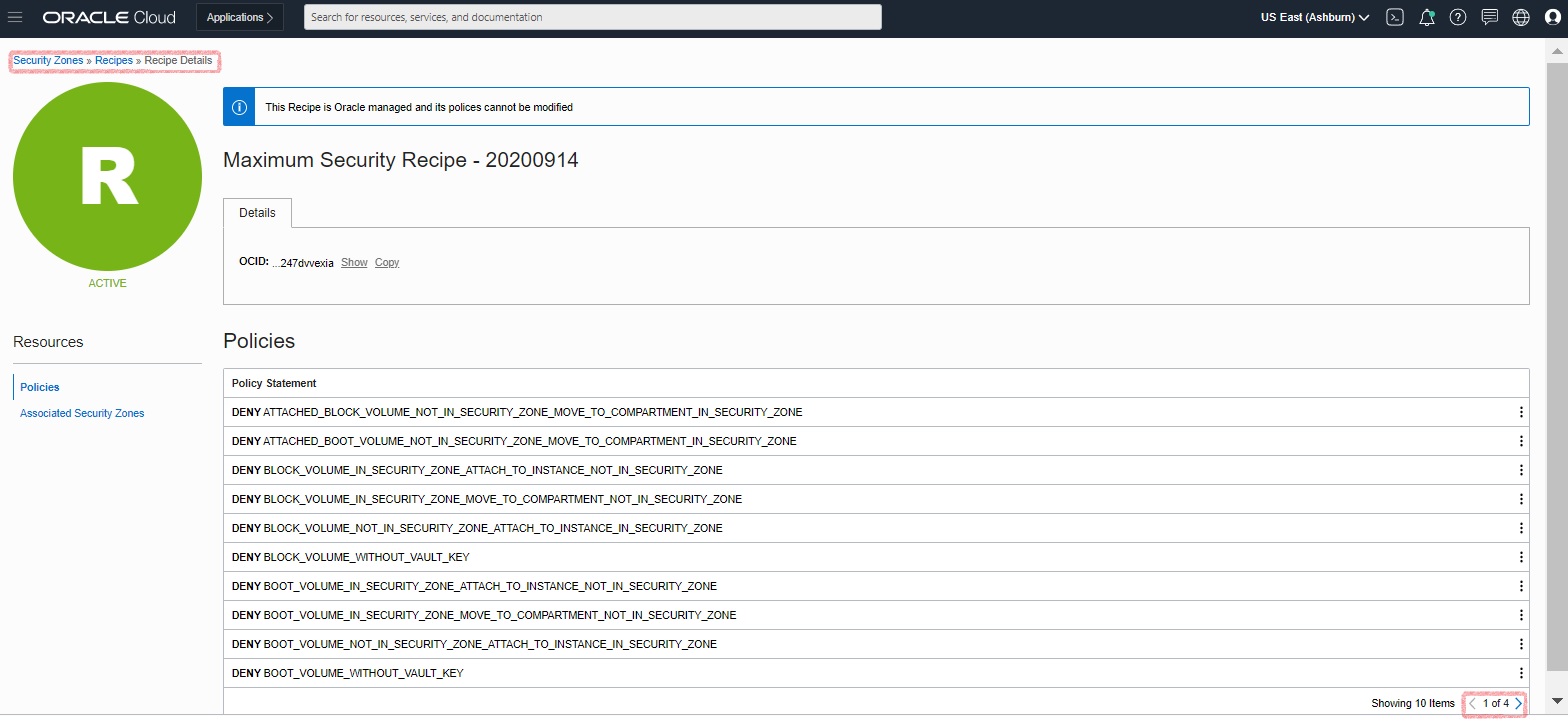
Security Zones go a step further by providing best practices security rules that are locked and can’t be modified.
When a security zone is created, a compartment is created with the same name as the security zone. You can’t enable a security zone for an existing compartment. You can delete a security zone by deleting the associated compartment, which you can do only when all resources in that compartment have been removed or deleted.
These security rules dictate not only resource creation requirement but resource movement requirements. The following examples are prebuilt best practices security policies:
-
No public internet
-
Always uses customer-managed keys using Key Management service
-
Can only move resources from one security zone-enabled compartment to another security zone-enabled compartment
-
Databases are always backed up
-
Object storage has private visibility
You can use Security Zones and Cloud Guard in conjunction and they’re not mutually exclusive. Customers should carefully review the built-in security policies for Security Zones before deploying resources.
Creating a security zone-enabled compartment
From the Security menu, choose Security Zone and then Create Security Zone.
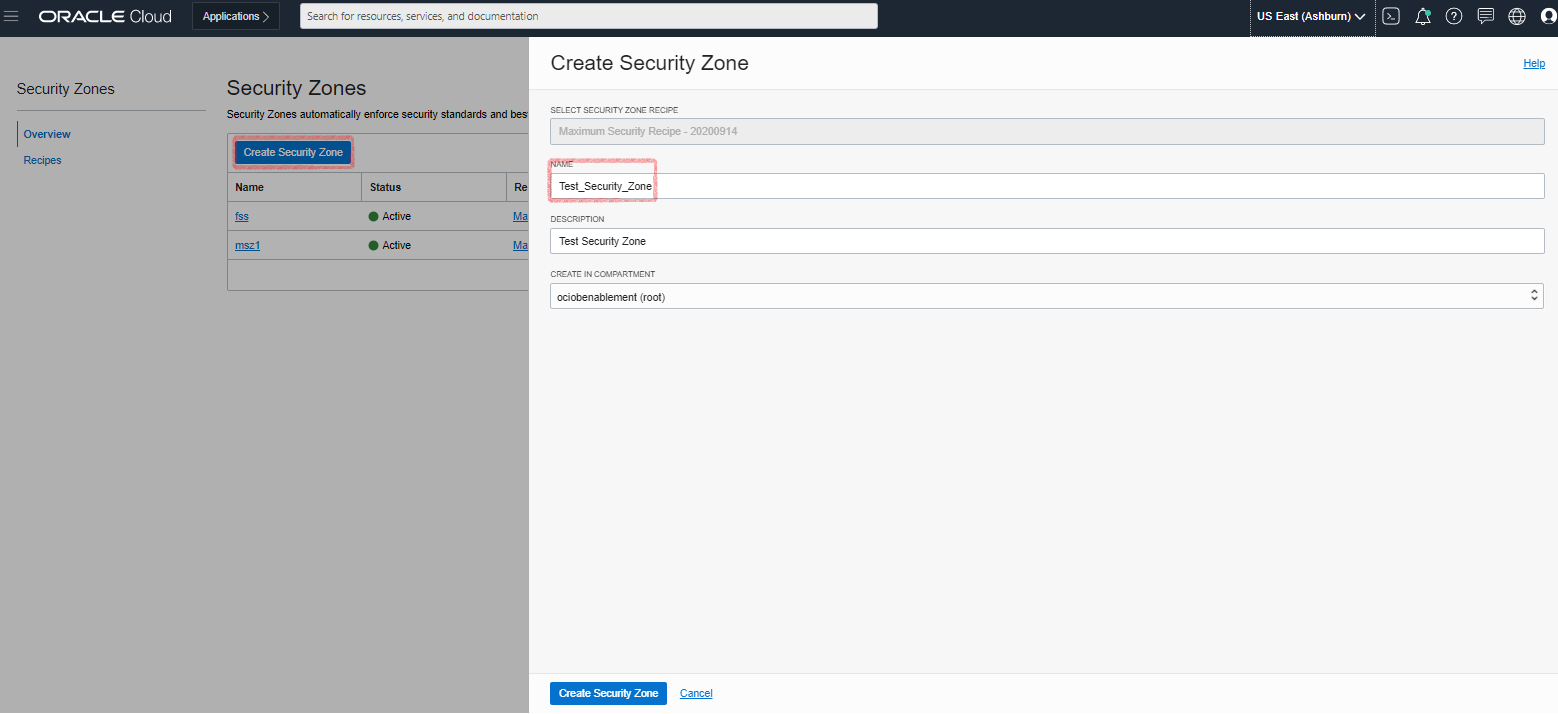
The name is used for a new compartment with security zone-enabled that’s created in the compartment, specified in the Create in Compartment field.
You can look at the policies applied to this compartment by clicking Recipe Name under Recipes and then Policies.
Sample use case
You can use Security Zones to deploy a database as a service or on a Compute instance in Oracle Cloud. Databases in production environments require strict security policies. There should be no public IP addresses and any block storage has to be encrypted, using customer-managed keys from the Oracle Vault service. If the database is installed on a Compute instance, the boot volume of that instance must be encrypted. Security zones define all these and more, and human error can’t overrule or compromise them.
This reference Architecture also shows an example of Security Zones.
Conclusion
In summary, if you’re looking for a pre-provisioned security posture with strict policies, use Security Zones and Cloud Guard. Cloud Guard provides the flexibility to customize rules for each deployment scenario. If you want a pre-provisioned security posture with strict policies and don’t want to perform any customization, then use Security Zones only.
You can find more information on Cloud Guard and Security Zones in the following resources: