
Data integration often supports business-critical processes. If the database that hosts Oracle Data Transforms becomes unavailable, teams need a tested way to recover their transformation designs and resume work from another region.
Oracle Data Transforms is built into Autonomous AI Database. This lets it use the disaster recovery capabilities already available with Autonomous Data Guard. In this blog, I walk through a planned cross-region switchover and show that the Data Transforms artifacts created on the original primary are available when the standby becomes the new primary.
| What this blog shows. The planned switchover preserved the Data Transforms projects, data-load design, and job information used in this test. Connections and network paths still require validation before production processing resumes. |
Why disaster recovery matters
A Data Transforms environment contains more than a set of jobs. It holds projects, data loads, data flows, workflows, connections, variables, schedules, and job history. These artifacts represent the work required to build and operate data pipelines. A recovery plan should protect that investment and give teams a clear path to resume service after a regional disruption.
The database role transition is only one part of that path. The complete recovery process also includes access to Data Transforms in the new region, working connections, reachable source and target systems, and controlled restart of scheduled workloads.
How Data Transforms uses Autonomous Database DR
Autonomous Data Guard maintains a peer for the Autonomous AI Database. During a planned switchover, the peer becomes the primary and the former primary becomes the standby. Because Data Transforms is built into Autonomous AI Database, the repository artifacts stored in the database become available from Data Transforms on the new primary.
This example uses an Autonomous AI Database Serverless primary in US West (Phoenix) and a cross-region Autonomous Data Guard peer in US East (Ashburn).
Prerequisites
Before starting, confirm the following:
- An Autonomous AI Database Serverless instance is available, and Data Transforms is enabled on the primary database.
- The tenancy is subscribed to the target region and has sufficient service limits for the peer database.
- You have the IAM permissions required to add a peer and perform a switchover.
- The target region has the required VCN, subnet, private endpoint, DNS, security rules, and allowlists when private networking is used.
- You have identified the Data Transforms artifacts and connections that must be checked after the switchover.
- You have a maintenance window and a plan to pause schedules or upstream triggers before changing database roles.
1. Review Data Transforms on the primary database
Start with the active primary database and record the objects you expect to see after the switchover. In this example, the primary Data Transforms environment contains the DataLoad project, a data-load design, and a completed job entry.
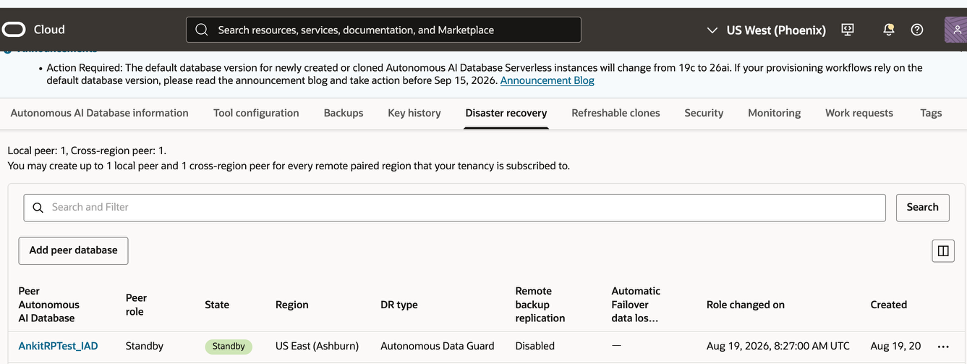
Figure 1. The DataLoad project on the original primary database.
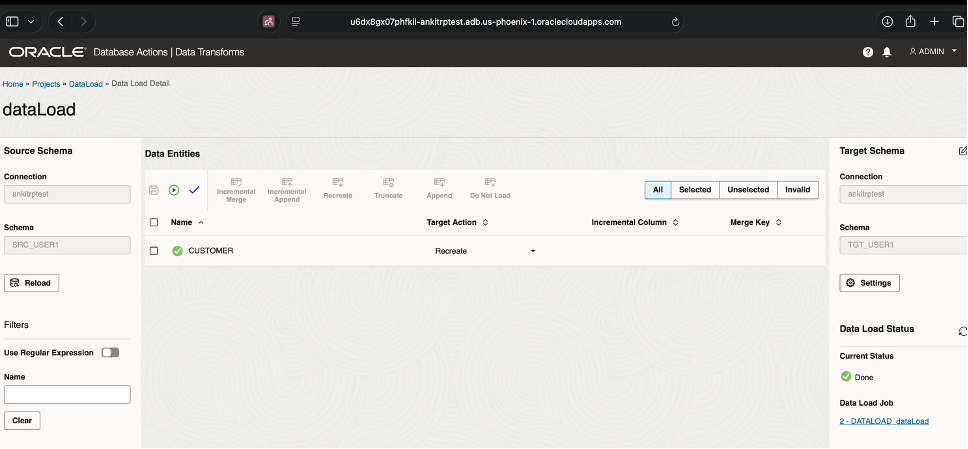
Figure 2. The data-load design on the original primary database.
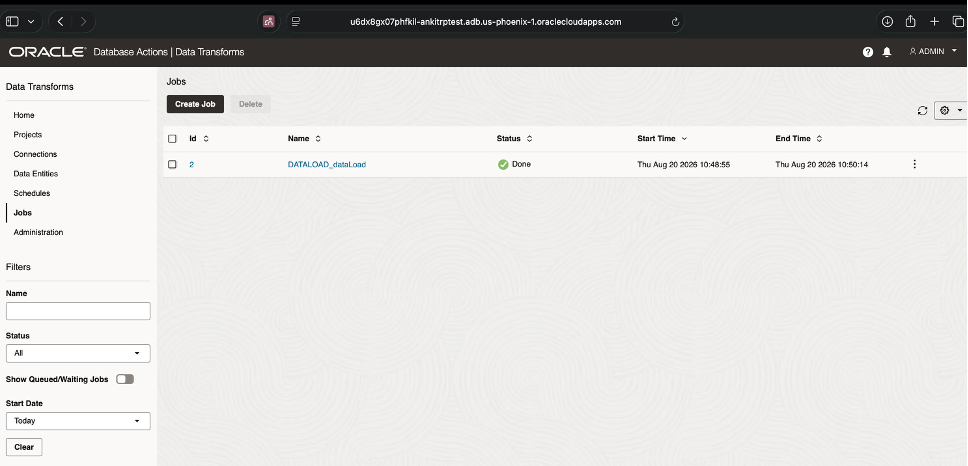
Figure 3. The completed DataLoad job on the original primary database.
2. Add a cross-region peer database
Open the Autonomous AI Database in the OCI Console, select the Disaster recovery tab, and click Add peer database.
Select the target region and compartment, and choose Autonomous Data Guard as the disaster recovery type. This example uses US East (Ashburn) as the remote region. If the primary uses a private endpoint, configure the peer-region network information required for the new database.
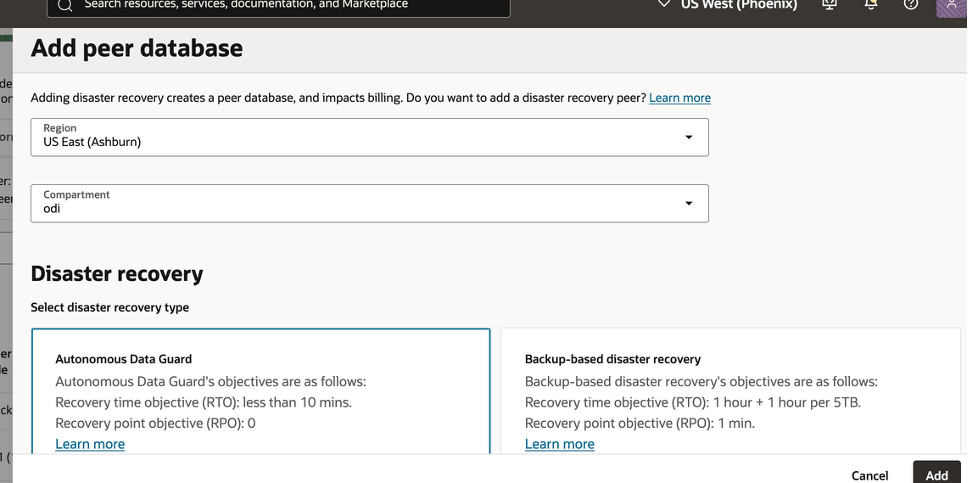
Figure 4. Select the remote region and Autonomous Data Guard when adding the peer.
3. Verify the peer database
Monitor the work request and wait until the peer database reports the Standby role and Standby state. Do not begin the switchover while the peer is still being created or updated.
Figure 5. The cross-region peer is ready and reports the Standby state.
4. Perform the planned switchover
For a cross-region Autonomous Data Guard peer, initiate the switchover from the standby database in the remote region. Before you begin, pause Data Transforms schedules and any external triggers that could start new work.
- Change the OCI Console region to US East (Ashburn), and open the standby database.
- Confirm that the database shows the Standby role and that the peer relationship is healthy.
- From the Role action or More actions menu, select Switchover.
- Enter the peer database name in the confirmation dialog and submit the request.
- Monitor the Disaster recovery tab until the Ashburn database becomes Primary and the former Phoenix primary becomes Standby.
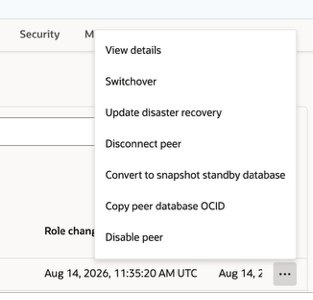
Figure 6. Select Switchover from the cross-region standby database.
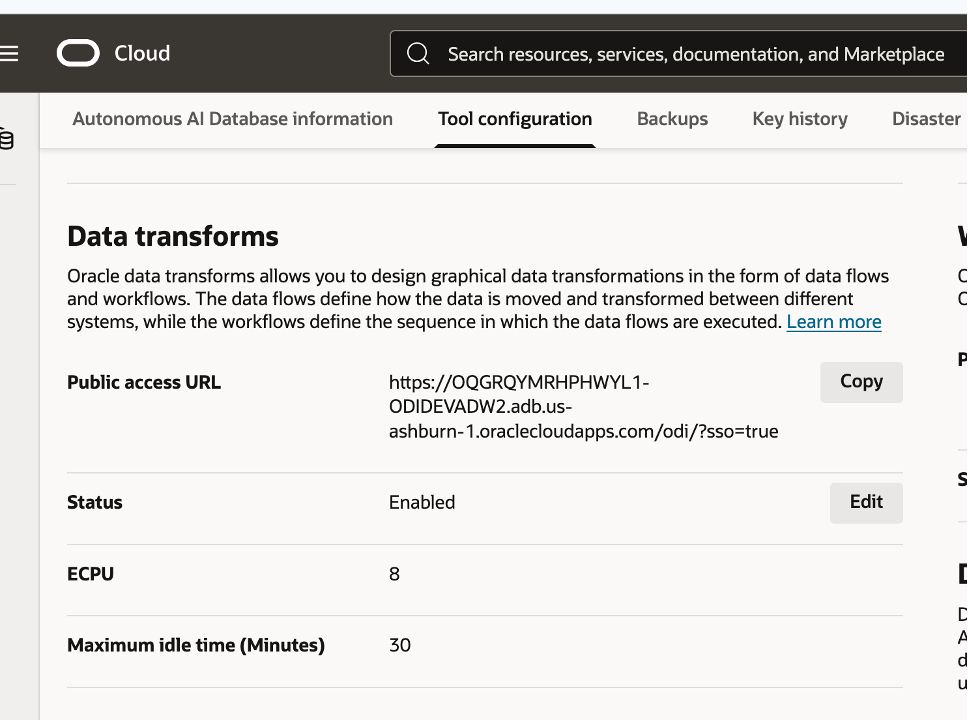
Figure 7. Confirm the database name before starting the role transition.
5. Open Data Transforms on the new primary
You cannot connect to Data Transforms on a cross-region peer while it remains in the Standby role. After the role transition completes, open the new primary database in Ashburn. Select Tool configuration, locate Data Transforms, and use the URL shown for that database. Cross-region Autonomous Database tools use region-specific URLs, so the URL for the former primary should not be used as the access point for the new primary.
Figure 8. Open Data Transforms from the Tool configuration page of the new primary.
6. Verify the Data Transforms artifacts
Sign in to Data Transforms on the new primary and compare the environment with the inventory captured before the switchover. In this test, the same DataLoad project, data-load design, and job information were available in Ashburn after the standby became primary.
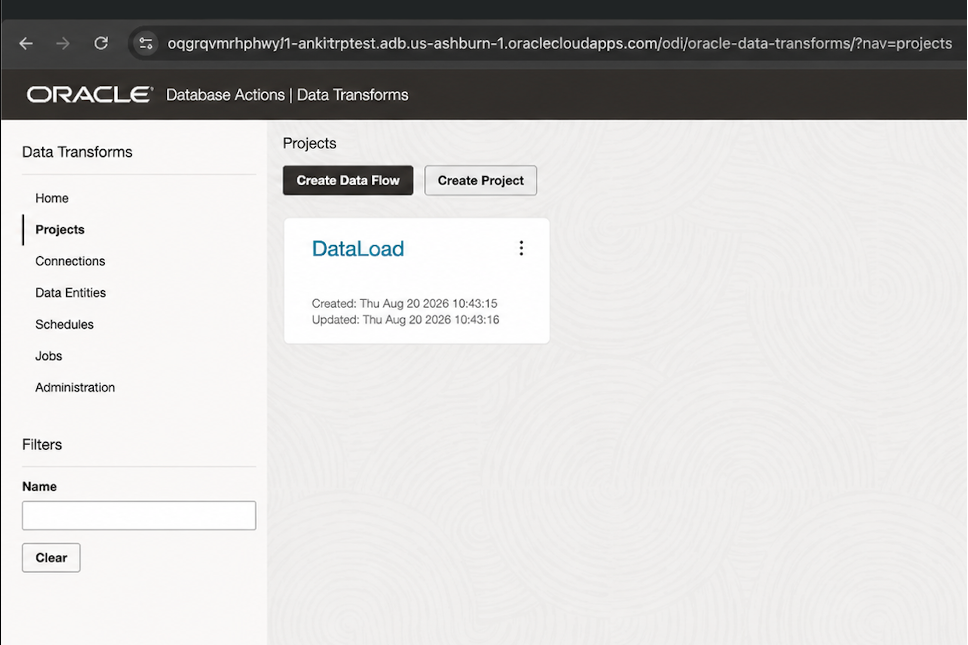
Figure 9. The DataLoad project is available on the new primary.
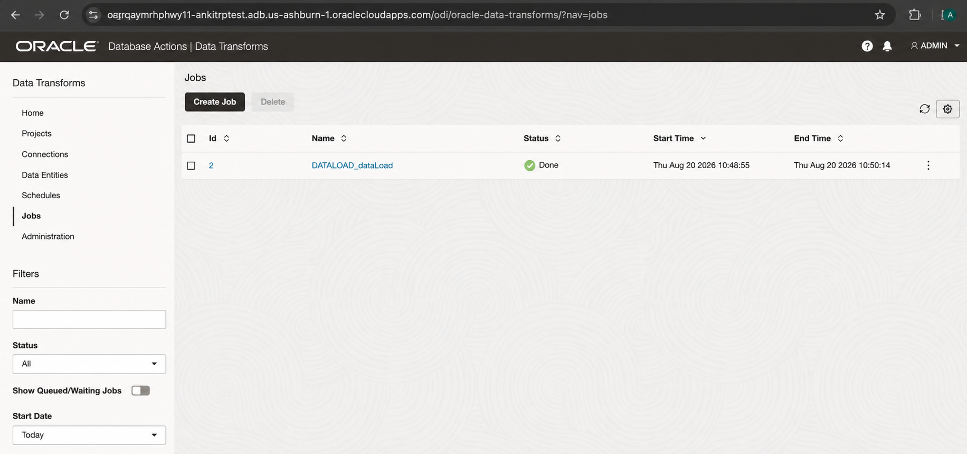
Figure 10. The same data-load design is available on the new primary.
Figure 11. The related job information is available on the new primary.
| Result. The test shows that the Data Transforms repository artifacts used in this example are available after the cross-region switchover. It does not mean that every connection or external dependency is ready without validation. |
Connection considerations after the switchover
Artifact availability and connection readiness are different checks. Review the following connection types before restarting production workloads.
Connections to the same Autonomous AI Database
Update Data Transforms connections that explicitly point to the same Autonomous AI Database so they use the database that now holds the Primary role. This applies to wallet-based connections and connections that contain a JDBC URL. Download the wallet or obtain the connection string from the new primary, update the connection, and test it.
The default Autonomous AI Database connection
The default Autonomous AI Database connection created for Data Transforms remains intact after the role transition. In this test, it required no change. Validate it before execution, but do not replace it with a manually created regional connection unless your design requires one.
Connections to other sources and targets
Validate every connection to an external source or target from the new region. Confirm network routes, DNS, private endpoints, firewalls, allowlists, certificates, credentials, and service availability. A connection object may be present even when the new primary cannot reach the remote system.
Before you resume production
Run a small, controlled test before enabling schedules:
- Open each critical connection and run its connection test.
- Confirm that the required schemas and data entities are available.
- Run an idempotent data load or data flow with a known result.
- Review the job log and validate row counts or business control totals.
- Confirm schedule state, time zone, ownership, and the next run time.
- Resume triggers and schedules in a controlled order, and monitor the first production run.
Conclusion
Autonomous Data Guard gives Data Transforms a strong foundation for disaster recovery because the Data Transforms repository is stored with the Autonomous AI Database. The walkthrough shows the core outcome: after the standby became primary, the tested Data Transforms projects, data-load design, and job information were available in the new region.
A production DR plan should take the next step. Use the Data Transforms URL for the new primary, update connections that explicitly point to the same target database, keep the default database connection intact, validate external sources and targets, and run a controlled end-to-end test before restarting schedules. This turns artifact availability into a practical recovery process.
Learn more
- About Autonomous Data Guard with a cross-region standby — Cross-region behavior, Data Transforms URLs, wallets, connection strings, and networking considerations.
- Add a cross-region standby database — Prerequisites and OCI Console steps for adding a peer.
- Perform a switchover — Planned cross-region role-transition steps.
- Get started with Oracle Data Transforms — Data Transforms access and setup guidance.