


With Input From
Jay Pearson, Senior Principal Product Manager
Fusion AI Data Platform (FAIDP), is a family of prebuilt, cloud-native analytics applications for Oracle Fusion Cloud Applications that provide ready-to-use insights to help improve decision-making. It’s extensible and customizable, allowing customers to ingest data and expand the base semantic model with additional content.
Introduction
External Applications allow you to customize your semantic model to better align with business needs. For instance, adding new dimensions to a logical star provides the context and descriptive details required to analyze numerical facts from a custom perspective.
For a detailed overview of External Application benefits and help in determining this framework fits your implementation, see About Semantic Model Customization and Merge Your External Applications.
This article explains how to merge an FAIDP external application semantic model to add a custom dimension and join it to a prebuilt fact. Follow the steps below to learn how to import a custom dimension into an external application and link it to a prebuilt fact in the semantic model Sandbox.
Benefits of this Approach
This approach provides a scalable, efficient, and maintainable customization framework by combining External Application development with Semantic Model Extension (SME). It allows most customizations (such as custom facts, dimensions, and subject areas) to be developed in the External Application while preserving the integrity of prebuilt Logical Table Sources (LTSs).
This is especially useful when there are extensive customizations, such as joining custom dimensions to prebuilt facts, because it makes development easier to manage in the External Application while you can use SME for simpler changes. Where customizations are limited, you can obtain the same outcome directly within SME.
Steps to add custom dimension and join it to the prebuilt fact using External Application
Migrate or Create the Dimension
Import or migrate your custom dimension into a custom schema in the Oracle Autonomous AI Lakehouse associated with Oracle Fusion Data Intelligence. You can create the dimensions (as a table, view, or synonym) using Data Augmentation, manual or programmed SQL, or any ETL tool. This example shows creating a database view. See Create a Custom Database Schema and Migrate or Create Database Objects.
CREATE OR REPLACE VIEW FDI_CUSTOM_DEPARTMENT_D_V
AS
SELECT ORGANIZATION_ID || INVENTORY_ITEM_ID AS ORG_ITEM_KEY,
ORGANIZATION_ID, INVENTORY_ITEM_ID,
CASE SUBSTR(INVENTORY_ITEM_ID,-1,1)
WHEN '1' THEN 'Clothing'
WHEN '2' THEN 'Shoes'
WHEN '3' THEN 'Cosmetics'
WHEN '4' THEN 'Furniture'
WHEN '5' THEN 'Gardening'
WHEN '6' THEN 'Hardware'
WHEN '7' THEN 'Home Appliances'
WHEN '8' THEN 'Houseware'
WHEN '9' THEN 'Paint'
WHEN '0' THEN 'Sporting Goods'
ELSE 'Other'
END DEPARTMENT
FROM OAX$OAC.DW_INVENTORY_ITEM_D
;
Grant Semantic Model Access
Ensure that the OAX$OAC user can access each of the database objects that you plan to merge. See Grant Semantic Model Access.
GRANT SELECT ON OAX_USER.FDI_CUSTOM_DEPARTMENT_D_V TO "OAX$OAC";
COMMIT;
Bring the Custom Dimension to the Physical Layer of the Semantic Model Template
Before completing this step, you must first configure Oracle Analytics Client Tools (Oracle BI Administration Tool) and export the Semantic Model Template. See Configure Oracle Analytics Client Tools (Oracle BI Administration Tool) and Export the Semantic Model Template. These processes are outlined in detailed in this blog article Merge External Applications.
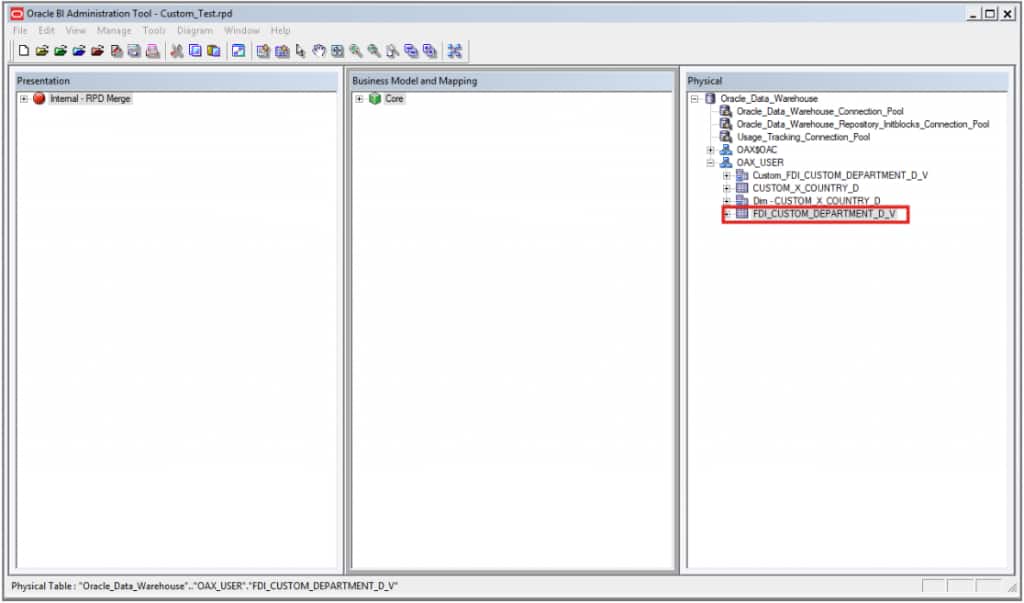
- Import the view into External Application.
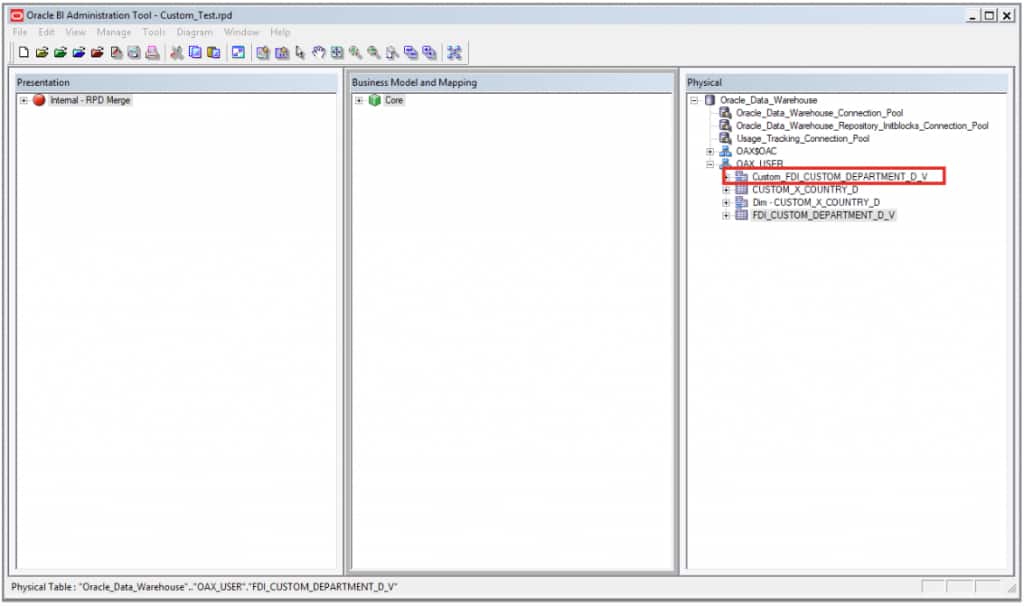
- Create an alias for the view.
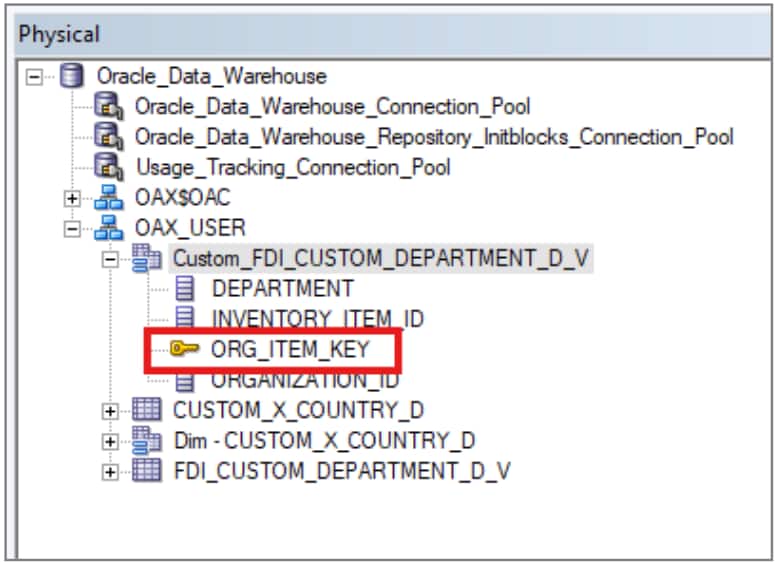
- Define the primary key.
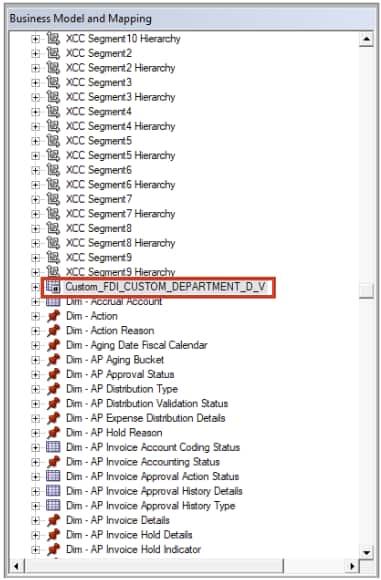
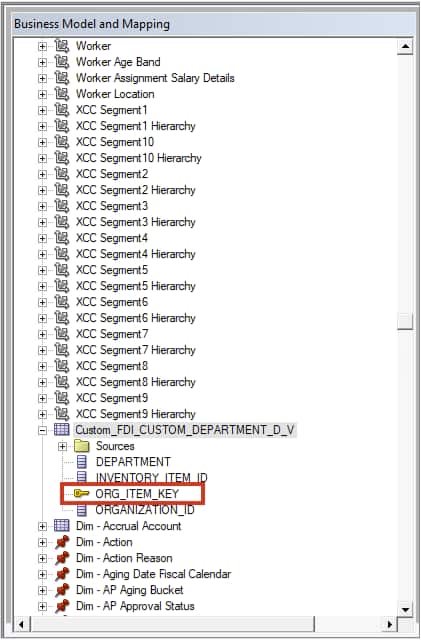
- Drag and drop the view to the Business Model and Mapping layer.
- Define the logical keys.
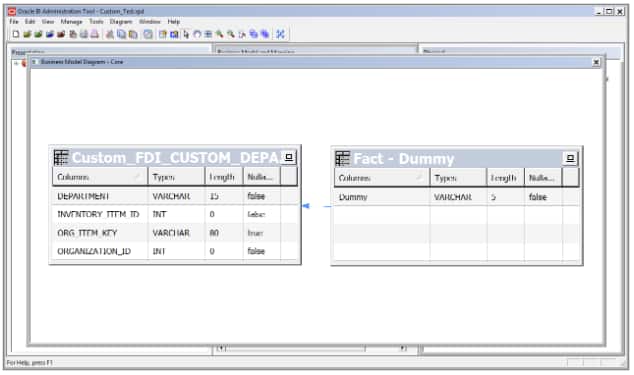
- Create a dummy join with the “Fact – Dummy” table.
Note: Use Fact – Dummy only to join your custom dimension. This step is required for two reasons:
- To avoid a consistency warning/error in the external application.
- This custom dimension appears in SME for joining to the fact table.
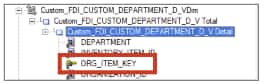
- Create a dimensional hierarchy.

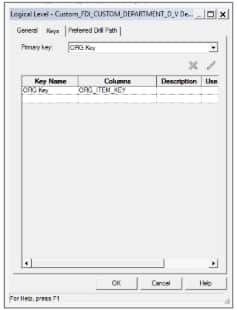
- Define dimension keys.
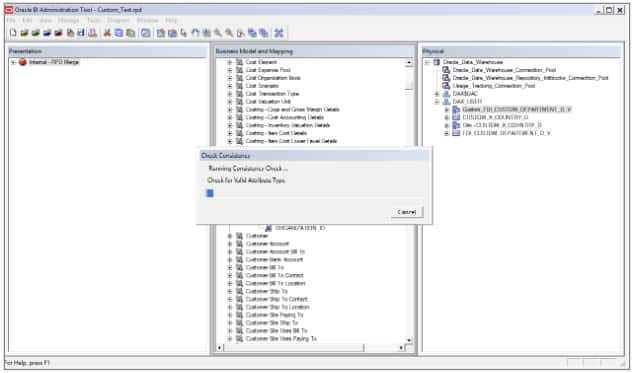
- Perform the consistency check and save the external application.
Import and Merge the Semantic Model
Use the Semantic Model Import option to merge the semantic model. See Import the Semantic Model and Merge External Applications.
Link the Custom Dimension to the Prebuilt Fact in the Semantic Model Sandbox
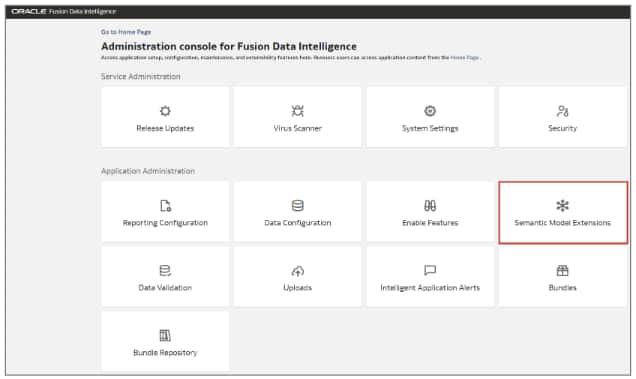
- In the Oracle Fusion AI Data Platform Console, click Semantic Model Extensions.
- Click Create Sandbox.

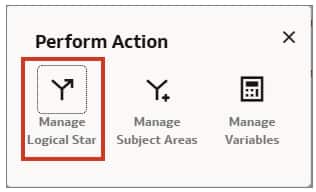
- Click Perform action.

- Click Manage Logical Star.
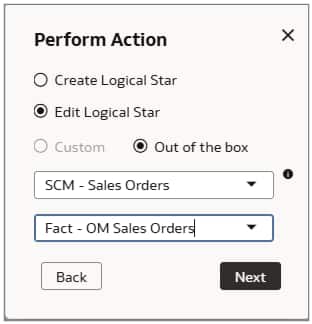
- Select Edit Logical Star.
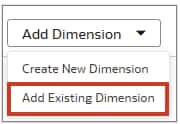
- Click Add Dimension and select Add Existing Dimension.
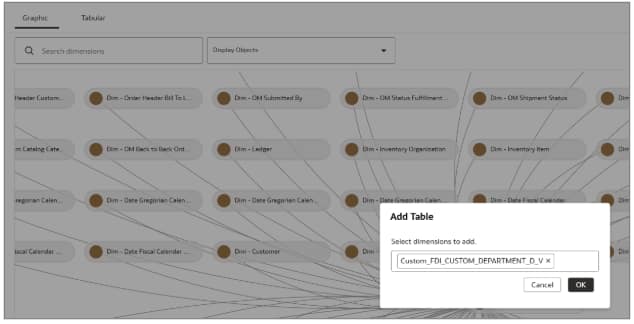
- Select the dimension and click OK. The dimension added in the external application is available here.
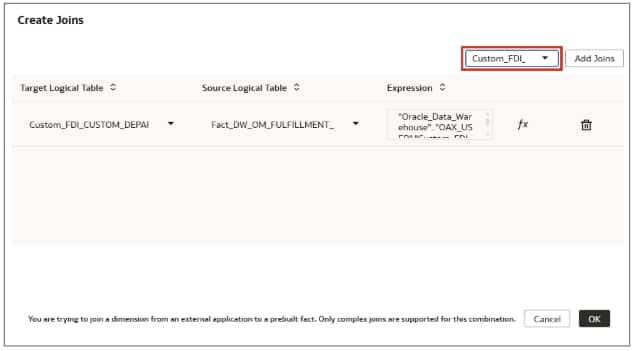
- Define the physical join as described below.
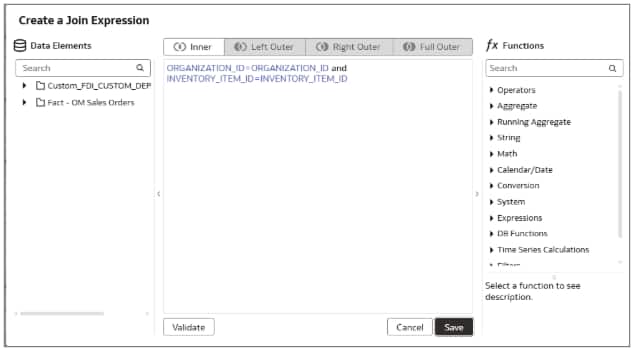
- Set the content level to detail and click OK.
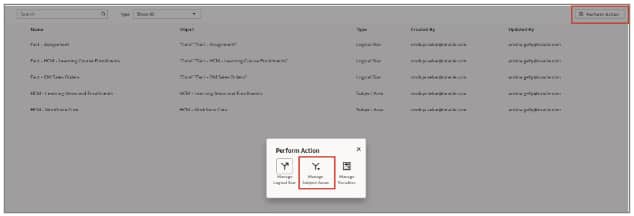
- Click Perform Action and then select Manage Subject Areas.
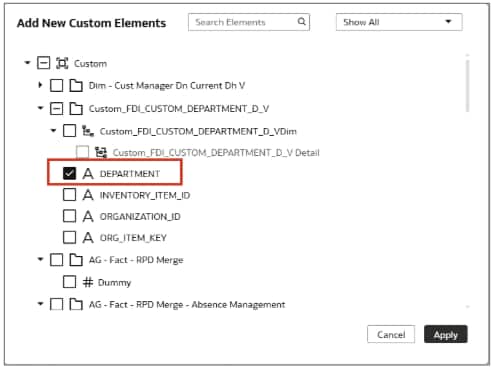
- Click Add New Custom Elements, select Department, and then click Apply.
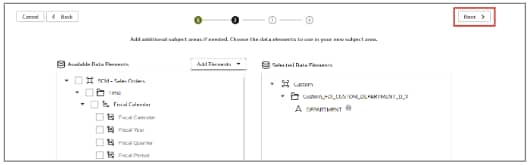
- Click Next.
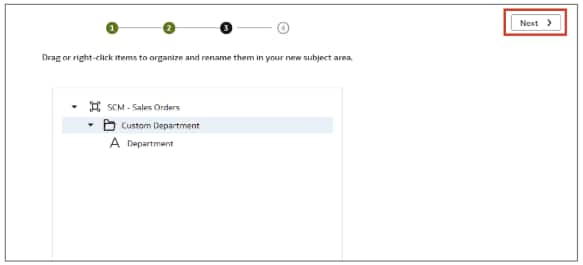
- Rename the columns and click Next.
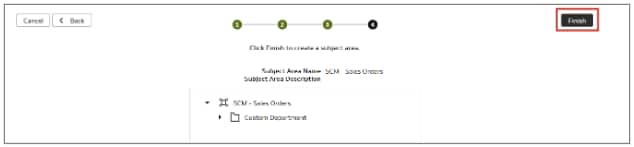
- Click Finish.
- Click Apply Changes to apply the sandbox.

- Click Merge to Main Sandbox.

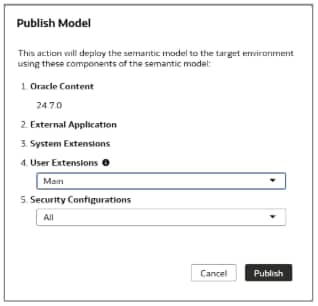
- Click Publish Model to publish the model.
Validate the Results
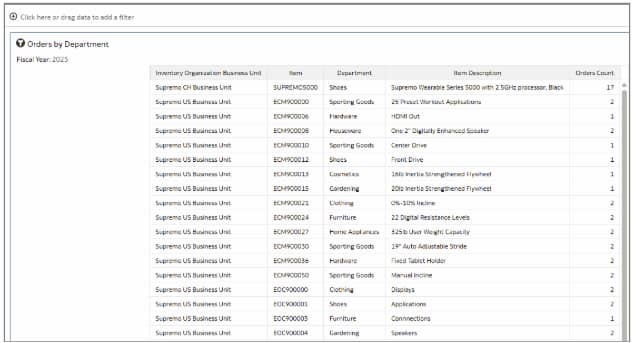
Once the external semantic model has been successfully imported and merged, verify that the custom dimension can successfully join the prebuilt fact. See Validate the Results.
- Log in to the Oracle Analytics Cloud console, click Create, and then Workbook.

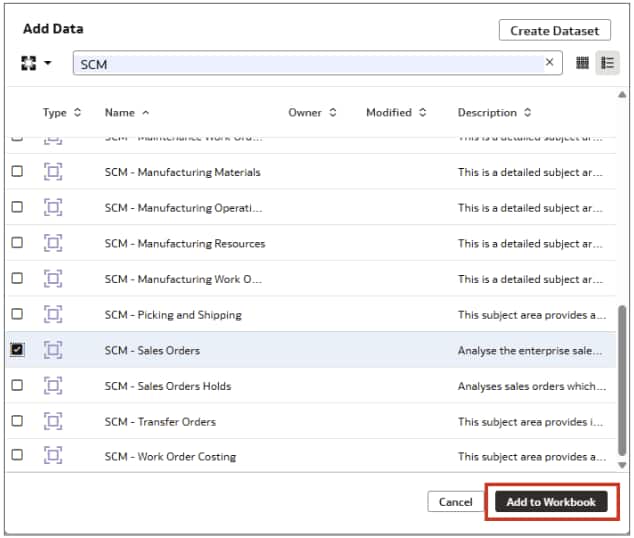
- Select the SCM – Sales Orders subject area and click Add to Workbook.
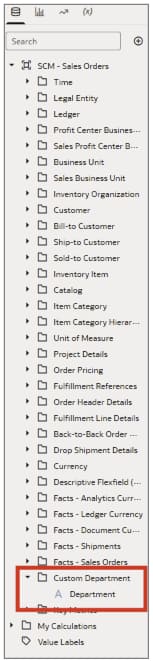
- The column is now available in the subject area.
- Create the report and validate the results.
Conclusion
This article demonstrates how to import a custom dimension into a Fusion AI Data Platform External Application, join it to a prebuilt fact, merge with SME, and expose to a subject area.
Call to Action
For more information on customizing Fusion AI Data Platform (formerly known as Fusion Data Intelligence) using Semantic Model Extensions. see Customize Oracle Fusion Data Intelligence. Now that you’ve read this article, try it yourself and let us know your results in the Oracle Analytics Community, where you can also ask questions and post ideas.