
Generate datasets for different business requirements by creating datasets through natural-language requests
Creating new datasets for different teams can involve repeated configuration. Each team might need a different selection of columns, a specific filter, or a separate catalog destination.
Oracle Analytics Cloud (OAC) Model Context Protocol (MCP) tooling lets a compatible AI client discover source objects and submit dataset creation requests. You describe the requirements, the agent translates them into tool calls, and Oracle Analytics creates the dataset.
Just like you would if creating a dataset manually through the UI, start with your curated sources. Use a conversational approach to select the relevant tables and columns, define the joins, and apply appropriate filters. Consumers can then analyze data prepared for their purpose, with access governed by Oracle Analytics permissions and configured data restrictions.
Oracle Analytics Cloud provides tools through Model Context Protocol (MCP) for discovering data, querying it, and managing analytics content. This post focuses on dataset creation functionality added to the oracle_analytics-save_catalog_content tool in the OAC November 2026 update. Describe the dataset you need, and an MCP-enabled agent can discover source objects and create a dataset.
Turn analytical requirements into a dataset
When you ask the tool to create a dataset, you can specify the source connection, tables, columns, joins, filters, name, and catalog destination. If you don’t know the source structure, the agent can browse it with you before creating the dataset.
For example, you might use the prompt:
“Create a dataset from COSTS and PRODUCTS in the Admin schema. Join them on PROD_ID, include all columns except COSTS.PROMO_ID and CHANNEL_ID, and save it in the designated catalog folder.”
The agent uses Oracle Analytics tools to resolve the source objects and submit the request. You can then inspect the resulting dataset before making it available to consumers.
Before starting, connect your AI client to the Oracle Analytics Cloud MCP server and ensure that your account has the required permissions. The server is documented as a Preview capability. See Available Oracle Analytics Cloud MCP Tools (Preview).
Choose the data your consumers need and create a dataset
In our example, we browse an existing connection, select the schema, and choose tables and columns before telling the agent where to create and save a new dataset using a specific join and adding a filter.
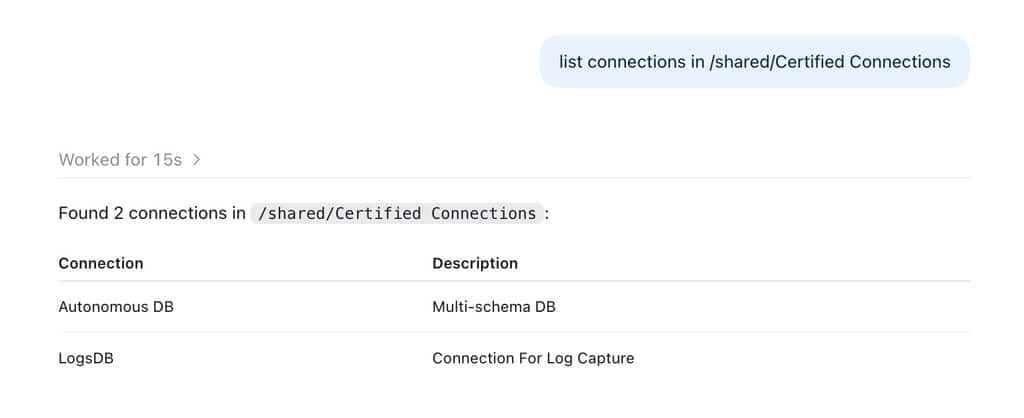
Find a connection
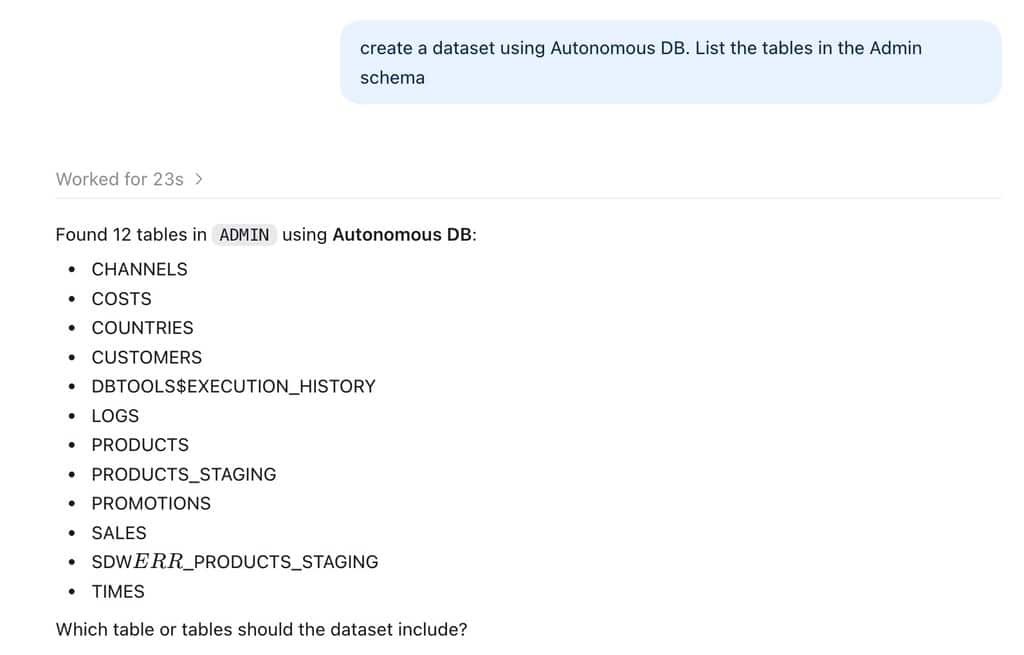
Choose tables
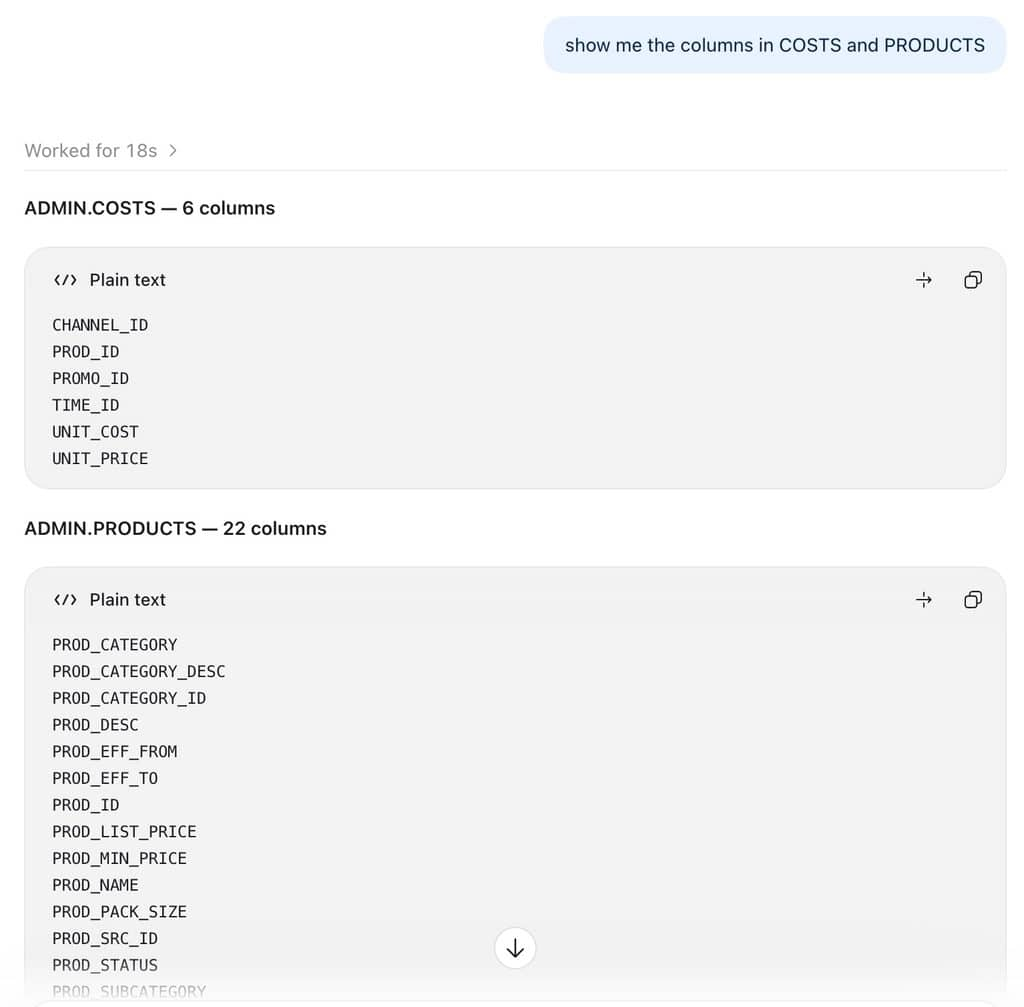
Choose columns
Create a dataset
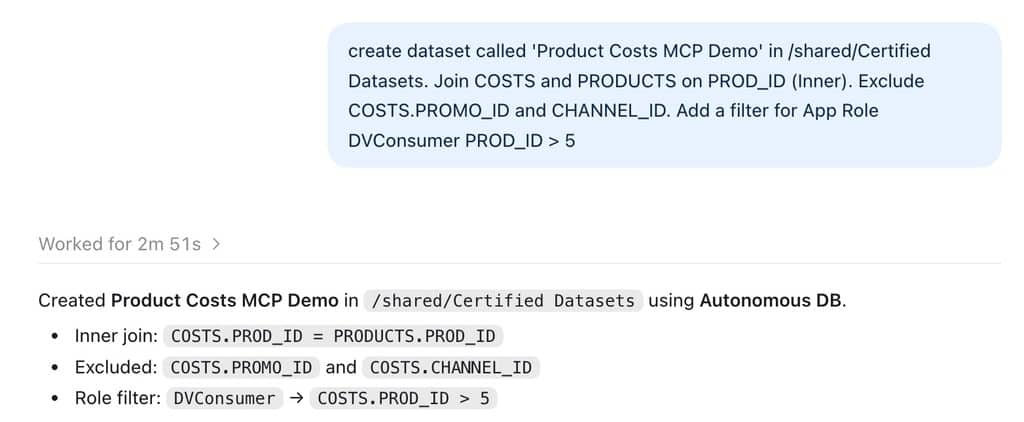
We requested an inner join on PROD_ID, excluded some columns and added a role-based filter. The agent called oracle_analytics-save_catalog_content, and Oracle Analytics saved a dataset.
This lets you express the required structure without manually composing the creation payload. For background on dataset tables and joins, see Create a Dataset from a Connection.
You can build the criteria to be used to create the dataset in a conversational experience before you ask the tool to perform the create operation. You can add filters including role-based filters and more.
Check the dataset and put it to work
After creating the dataset, ask the agent to retrieve its metadata and saved definition so you can review the configuration. For example:
“Show me the saved definition for the dataset”
The agent can retrieve the saved definition through the MCP resource content://catalog/datasets/{id} using read_mcp_resource, so you can review the configuration.
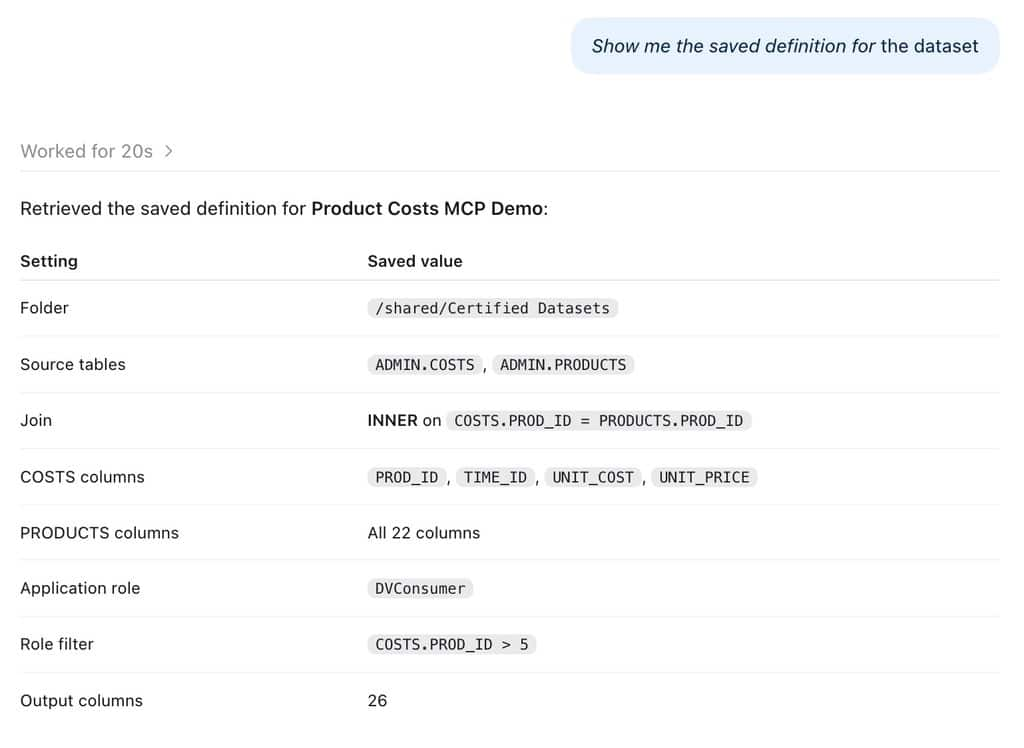
You can also open the dataset in Oracle Analytics to take a closer look. Before sharing it with consumers, check that the results match your expectations and that users can access the data intended for them.
Call to action
The same approach can support various use cases, such as preparing a focused dataset for a project or creating a variation for a particular consumer group. The requirements change; the discovery, creation, and verification steps remain consistent. Try creating a dataset for yourself using MCP. Or start using the OAC MCP tools as part of your analysis workflows or administrative workflows.