
Notebooks are often the fastest way to turn an idea into working logic. A team can explore a dataset, test a transformation, and validate an approach in minutes. But when that same notebook needs to become part of a repeatable workflow, hardcoded values quickly become a problem.
Parameterization becomes useful here because it lets the same workflow logic run in different business contexts without rewriting the notebook or duplicating the pipeline.
A few common examples include:
- running the same pipeline across development, test, and production environments
- changing model behavior in a churn scoring workflow using inputs such as run_date, model_version, or threshold
- reusing the same notebook across use cases such as churn prediction, fraud detection, and customer segmentation
- controlling workflow behavior with flags such as run_full_refresh or region
- passing runtime context from one workflow step to another through schedules, triggers, or upstream outputs
The core idea is always the same: the notebook logic stays stable, while the parameter values change based on the use case. To make that concrete, let us start with a simple workflow example that separates shared workflow context from task-specific behavior.
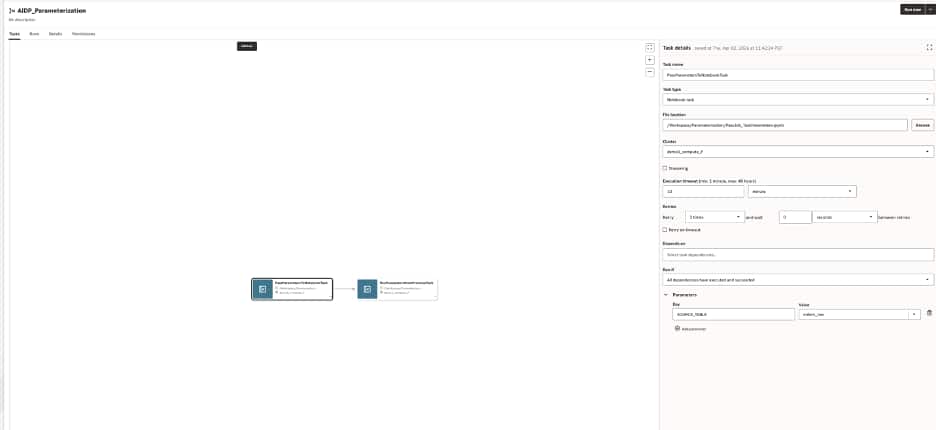
A workflow job in AIDP can hold shared job parameters and task-specific parameters for notebook tasks
Start simple: shared context plus task-specific behavior
A useful way to think about parameterization in AIDP is to separate shared workflow context from task-specific behavior.
For example, a workflow may run every day for a specific business date, while an individual notebook task may need to read from a specific source table. In that case:
- the job parameter defines the shared run context
- the task parameter defines behavior specific to one notebook task
A workflow might define one job-level parameter:
RUN_DATE = 2026-04-01
And the notebook task might define one task-level parameter:
SOURCE_TABLE = orders_raw
Inside the notebook, the code stays simple:

This small change makes the notebook much more reusable. The logic stays the same, but the inputs now come from the workflow instead of being embedded in code.
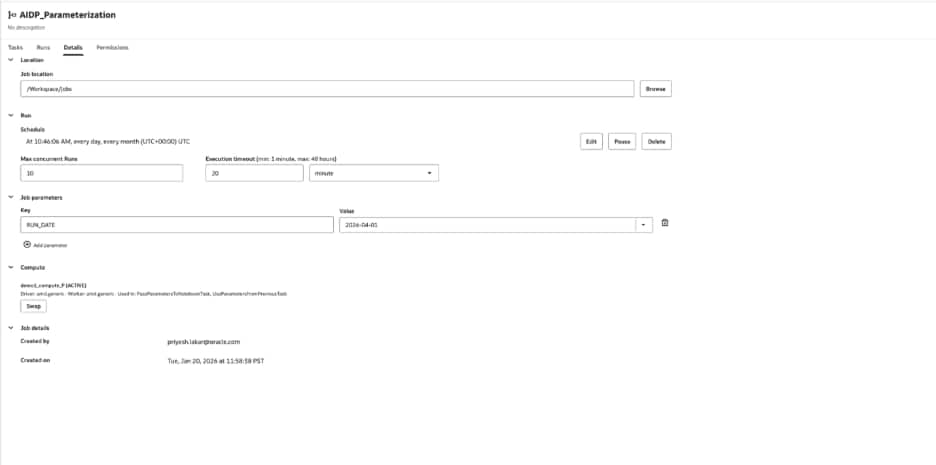
Job parameters provide shared defaults for all the tasks in the workflow
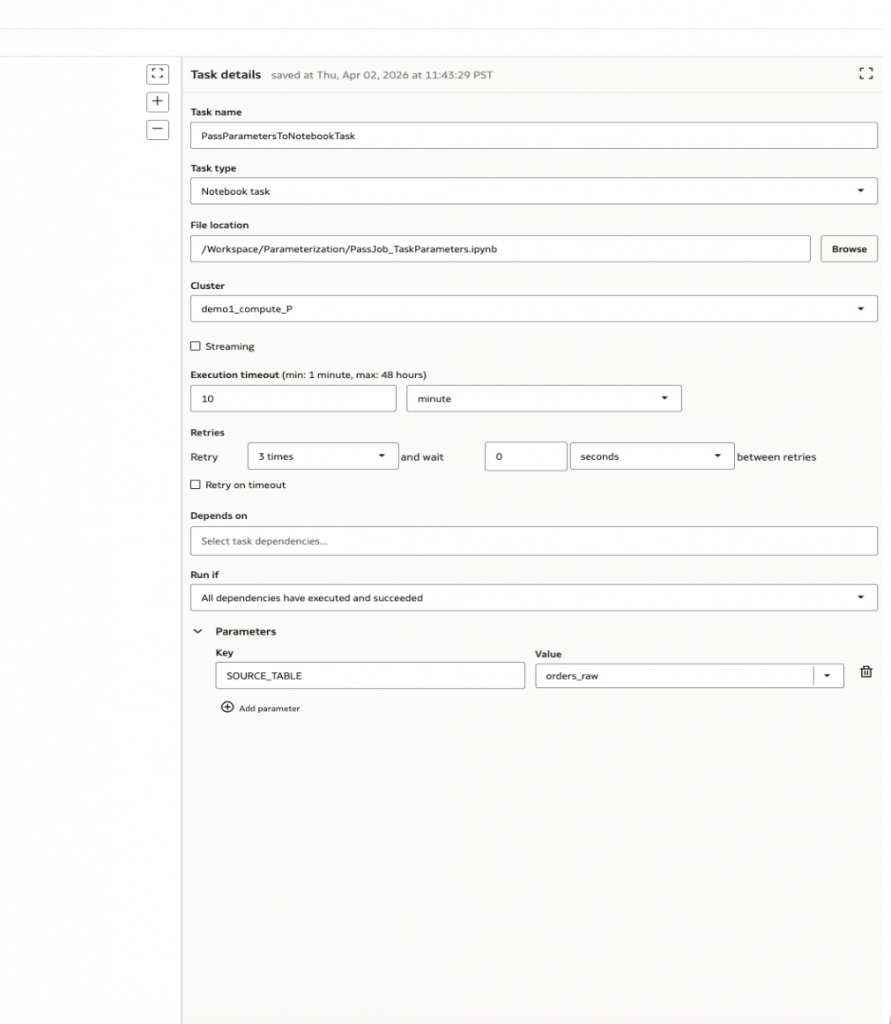
Task parameters tailor behavior for a specific notebook task.
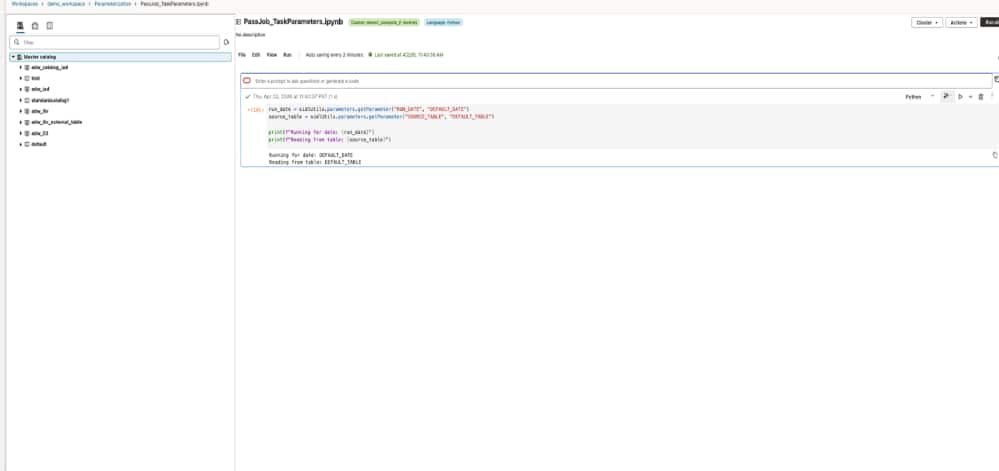
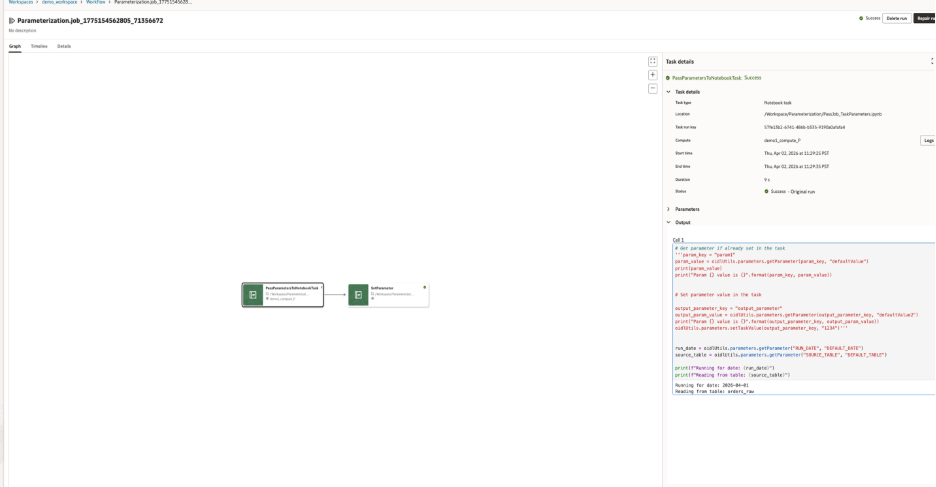
Notebook code reads workflow inputs with oidlUtils.parameters.getParameter and the output of the notebook is based on the parameter passed by the workflow
Job parameters act as defaults for the workflow. Task parameters can refine behavior for a specific task. One important design rule is that job parameters are immutable in task contexts. Once a job parameter is resolved for a run, tasks cannot update it for the rest of the workflow. This matters because it creates a clear boundary between job and task parameters as inputs. If a task needs to produce a value for another task, it should not try to change a shared parameter. Instead, it should write an output value.
That is where the more advanced pattern comes in.
In the above example, the small change makes the notebook much more reusable. The logic stays the same, but the inputs now come from the workflow instead of being embedded in code.
The same pattern can support many real-world use cases. For example:
- in development, SOURCE_TABLE could point to a smaller sandbox table
- in production, it could point to the governed source
- in a scoring workflow, RUN_DATE could determine which partition is processed
- in another reuse scenario, the same notebook could receive different source inputs for different business problems
A more advanced pattern: passing values between tasks
- Once workflows have multiple notebook tasks, parameterization becomes even more useful.
- One notebook may receive inputs, process data, and produce a value that the next notebook needs. That value might be a row count, a generated path, a status, or a structured JSON payload.
- This is common in real pipelines. One notebook may discover what to process next, and the downstream notebook should consume that result without hardcoding assumptions.
- Start with the first notebook using the same two inputs as before:
- RUN_DATE from the job
- SOURCE_TABLE from the task
- Notebook 1 reads those parameters, processes data, and sets a task value that the next notebook can use:
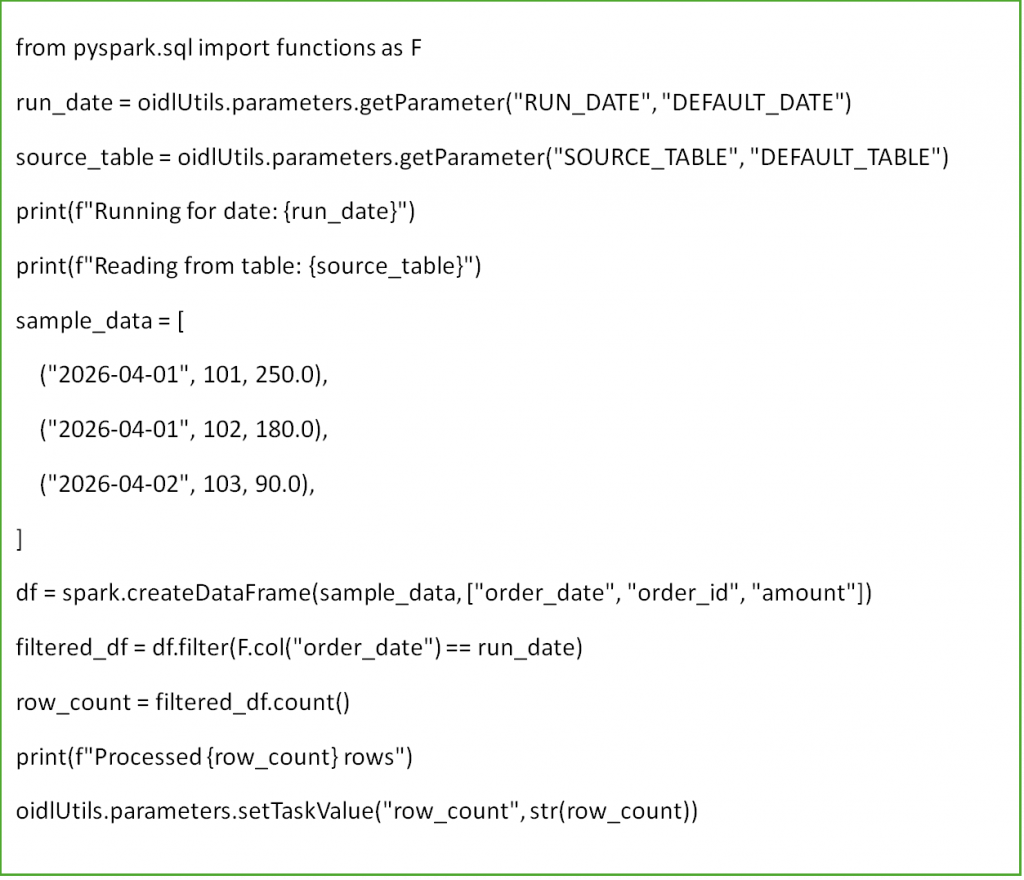
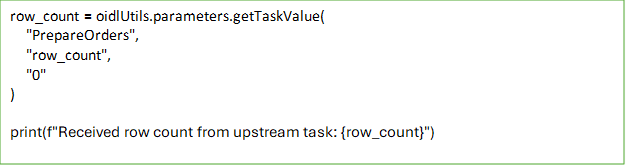
Now the workflow has a second notebook task. Instead of repeating the same logic or relying on a hardcoded assumption, Notebook 2 reads the output from Notebook 1 using the upstream task name.
This is the natural next step after simple parameterization. In the first example, parameters make a notebook reusable by removing hardcoded inputs. In the second example, task values allow notebooks to share runtime information and behave as connected steps in a larger workflow.
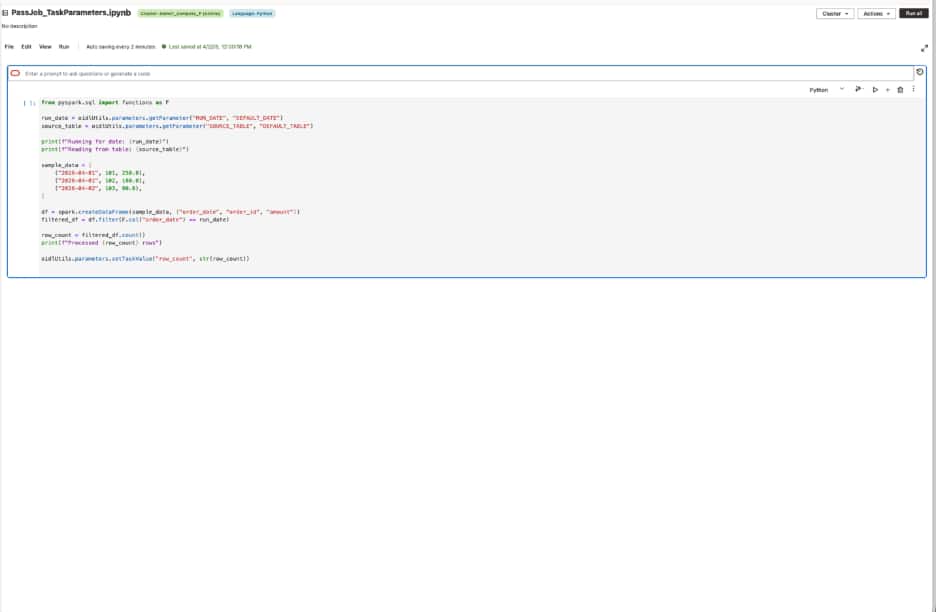
Notebook 1 reads an input and publishes an output value for downstream use.
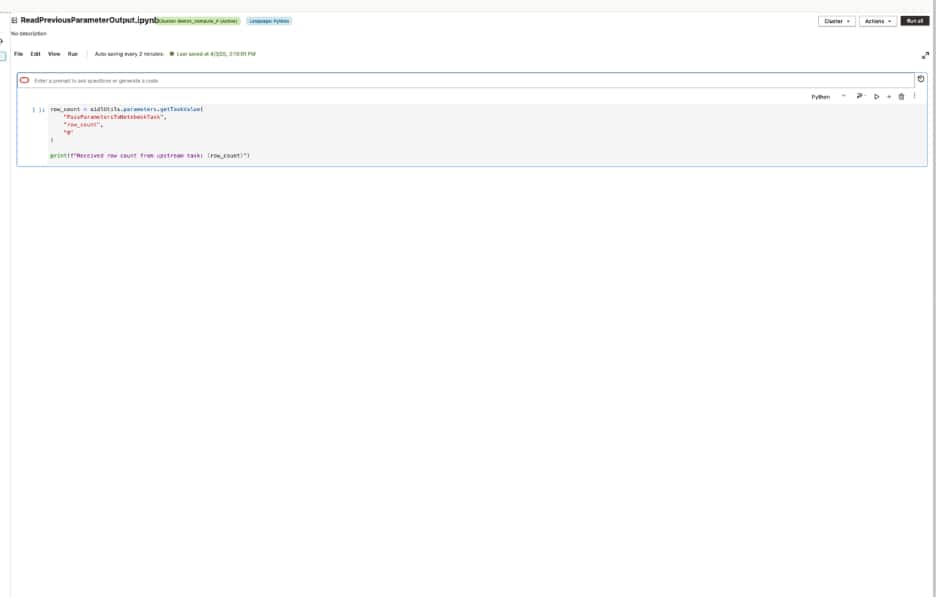
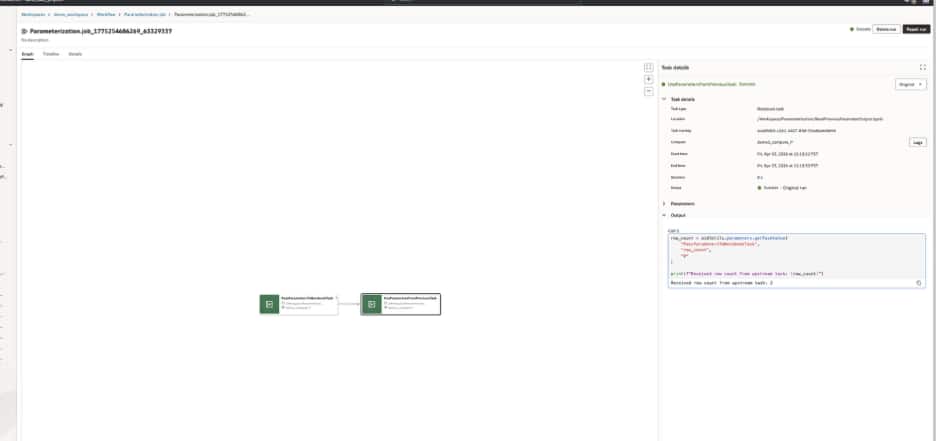
Notebook 2 reads the output of Notebook 1 using getTaskValue function from the oidlutil package.
Parameter passing also works for notebook-to-notebook execution
A common use case is reusing an existing utility notebook for a small, repeatable task, such as converting a CSV file to Parquet. Instead of copying that logic into every notebook, a parent notebook can call the utility notebook, pass the input and output paths as parameters, and wait for the result.
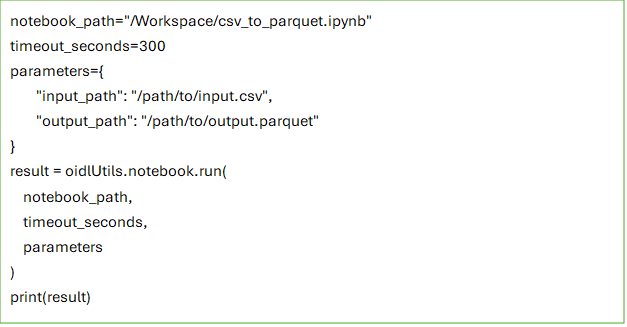
In AIDP, this can be done with oidlUtils.notebook.run(…), which allows one notebook to invoke another and pass inputs as a key-value map. This makes it easier to break larger notebook logic into smaller reusable units while keeping parameter passing explicit and simple.
For example, a parent notebook can call a child utility notebook like this:
Inside the called notebook, parameters can be read with oidlUtils.notebook.get_parameters():
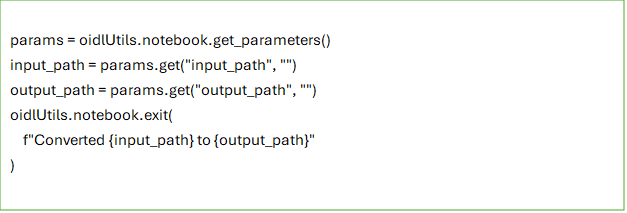
The called notebook can then return a value back to the caller using oidlUtils.notebook.exit(…):
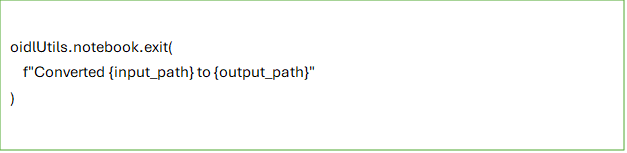
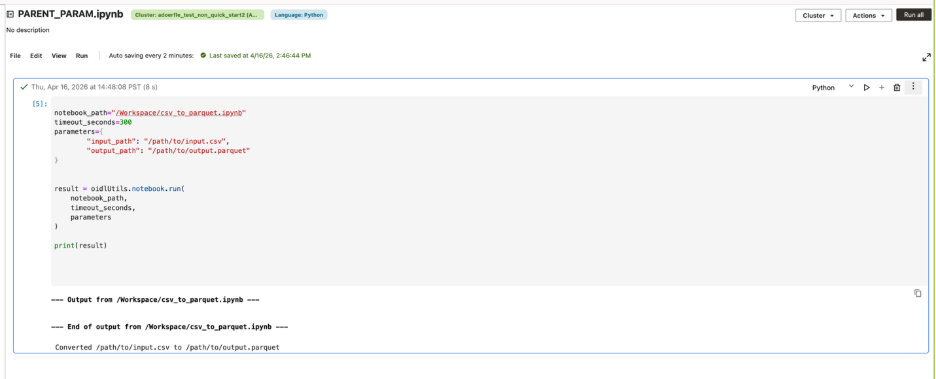
This model keeps notebook-to-notebook parameters passing simple. Inputs are passed as strings, including JSON serialized as a string when needed. If no parameters are passed, the called notebook should still run successfully. And if the child notebook does not explicitly call exit(), the parent notebook receives an empty string by default.
Passing structured JSON between tasks
Parameterization in AIDP is not limited to simple scalar values. A common workflow use case is when one task produces more than a single status flag and a downstream task needs to consume that result in a structured way.
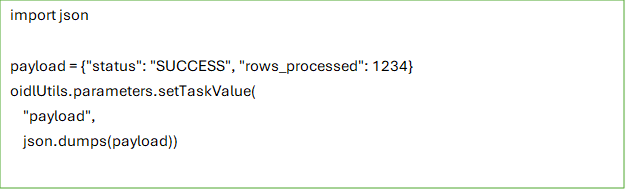
For example, an upstream notebook might finish a validation or preparation step and return a small payload describing what happened, such as whether the task succeeded and how many rows were processed. Instead of splitting those values across multiple separate parameters, the task can package them into a single JSON string and pass that payload downstream.
For example, an upstream notebook task can serialize a payload as a JSON string and publish it as a task value:
A downstream task can then reference that output directly in the job configuration

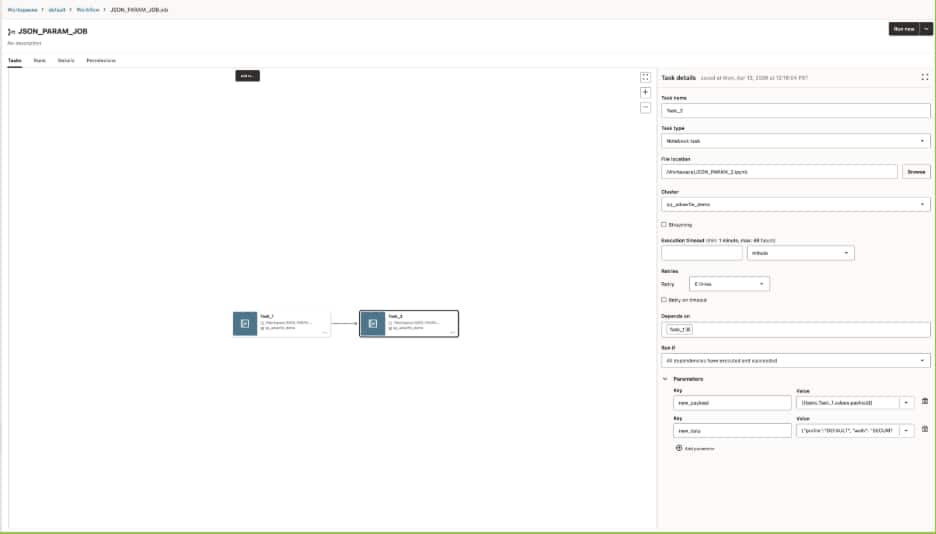
That referenced value can be passed into the downstream notebook as an input parameter, where it can be parsed and used like any other structured payload:
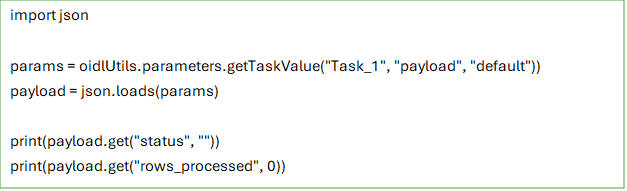
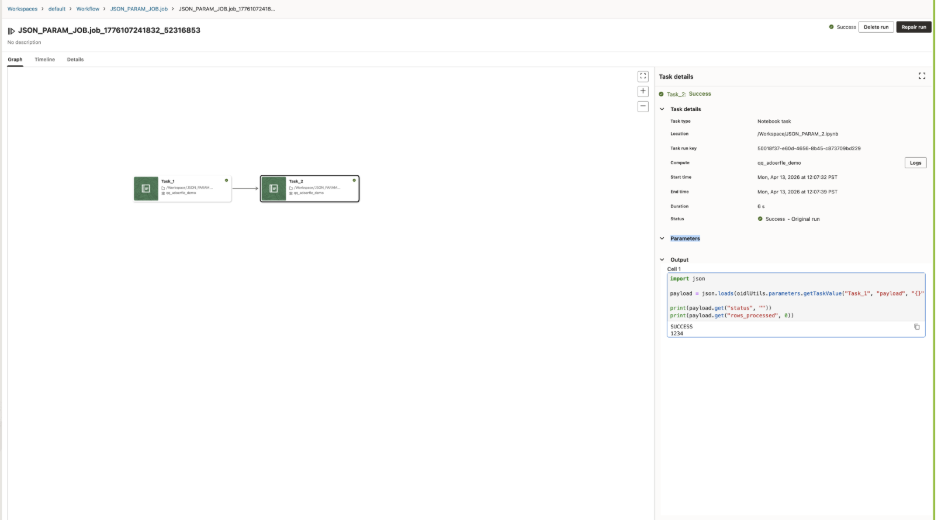
The same pattern also applies when users define parameters directly in the Job or Task UI. A parameter such as input_payload can be entered as a JSON string and passed into the notebook without changing the notebook code structure.
Job or Task parameter example

This makes parameterization more flexible for real workflows. Simple inputs can still be passed as key-value pairs, while richer structured values can be passed as JSON strings and parsed inside the notebook when needed.
Why Parameterization matters for real workflows
This model gives teams two useful levels of flexibility. In the simple case, parameters remove hardcoded values and make a notebook reusable. In the more advanced case, task values let notebook tasks exchange runtime information without breaking the consistency of the workflow model.
AIDP also supports system parameters such as {{job.id}}, {{job.name}}, {{task.name}}, and many more for workflows that need system-provided context or dynamic references. Those become especially useful as workflows grow more sophisticated.
Parameterization in Oracle AI Data Platform Workbench is more than a convenience feature. It is one of the key capabilities that makes notebooks work well inside production workflows. Job parameters provide shared defaults. Task parameters tailor individual notebook behavior. Task values let notebooks pass information downstream when the workflow needs to adapt at runtime. That combination gives teams a practical path from interactive notebook development to repeatable, workflow-driven execution, without losing the flexibility that made notebooks valuable in the first place.