Oracle Process Cloud Workspace is a web application that a user uses to interact with human activities in BPMN processes. It is a stand-alone web application in Oracle Integration Cloud Service (OICS). In some use cases, customers want to embed the Workspace application in an iframe of their own web page. Out of box, this is not possible because all HTTP responses from the Workspace have an X-Frame-Options header set to “sameorigin”. It does not allow browsers to embed response data into an iframe from a different domain.
This post demonstrates a work-around solution to this problem by using a proxy server. The idea is to use a proxy server (OHS or Apache) to remove or modify the X-Frame-Options header from all responses from the Workspace.
Demo Environment
My demo environment, shown in the image below, includes an OHS server installed on localhost:7777. I have my OICS instance running on a VM. I have a simple test web page with an iframe installed on the OHS.
Check the Problem First
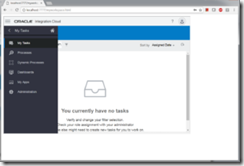
Let’s verify the problem exists first. The following two screen shots show the Workspace accessed directly without the proxy. Read the complete article here.
Jürgen Kress is a recognized Oracle Cloud Platform expert and a member of Oracle's Product Management organization, where he leads global go-to-market initiatives for Oracle Integration. He is the founder of the Oracle Integration Community and the Oracle Partner Advisory Council, two flagship programs that connect customers, partners, and Oracle product teams around the world.
Under Jürgen's leadership, the Oracle Integration Community has grown to more than 10,000 members globally, making it one of Oracle's largest and most active technology communities. He drives customer engagement through newsletters, webcasts, hands-on training, certifications, conferences, and thought leadership programs that help organizations maximize the value of Oracle Integration.
Jürgen and his team are responsible for the positioning, adoption, and global go-to-market strategy for Oracle Integration. They lead customer engagement initiatives including product update sessions, roadmap briefings, customer success webcasts, hands-on workshops, certification programs, newsletters, and the annual Oracle Integration Customer Summit, enabling customers and partners to stay ahead of the latest innovations.
A sought-after speaker at Oracle conferences and industry events worldwide, Jürgen regularly presents on integration, cloud architecture, automation, AI-driven integration, and digital transformation. His sessions are consistently among the highest-rated integration presentations at Oracle events.
Jürgen holds degrees from Berufsakademie Stuttgart and the University of Brasília. He is also the author of several books, including Next Generation SOA, Best Practices for Knowledge Workers, and Thriving On Adaptability: Best Practices for Knowledge Workers. Through his work, writing, and active presence across professional communities and social media, he continues to help organizations accelerate their cloud transformation with Oracle technologies.


 Blog
Blog  Twitter
  LinkedIn
 ![image[7][2][2][2]](https://soacommunity.files.wordpress.com/2013/04/image7222.png?w=20&h=20&h=20 "image[7][2][2][2]") Facebook
Facebook ![clip_image002[8][4][2][2][2]](https://soacommunity.files.wordpress.com/2013/04/clip_image00284222.jpg?w=26&h=23&h=23 "clip_image002[8][4][2][2][2]") Wiki
Wiki