
Building on our previous articles, this piece examines how to determine which path a program should take when multiple options are available. We will focus on two main concepts:
Replicating if/else if/else Conditions
- Many scripting and programming languages use if, else if, and else statements to control the flow of execution based on various criteria. This structured approach allows for clear decision-making within scripts.
Handling Multiple Conditions
- Often, decisions depend on more than a single criterion. By combining conditions with logical operators such as and, or, and not, your code can address more complex scenarios and respond appropriately to different situations.
In the following sections, we will explore these ideas in detail, illustrating how effective branching logic leads to more robust and adaptable programs.
Script
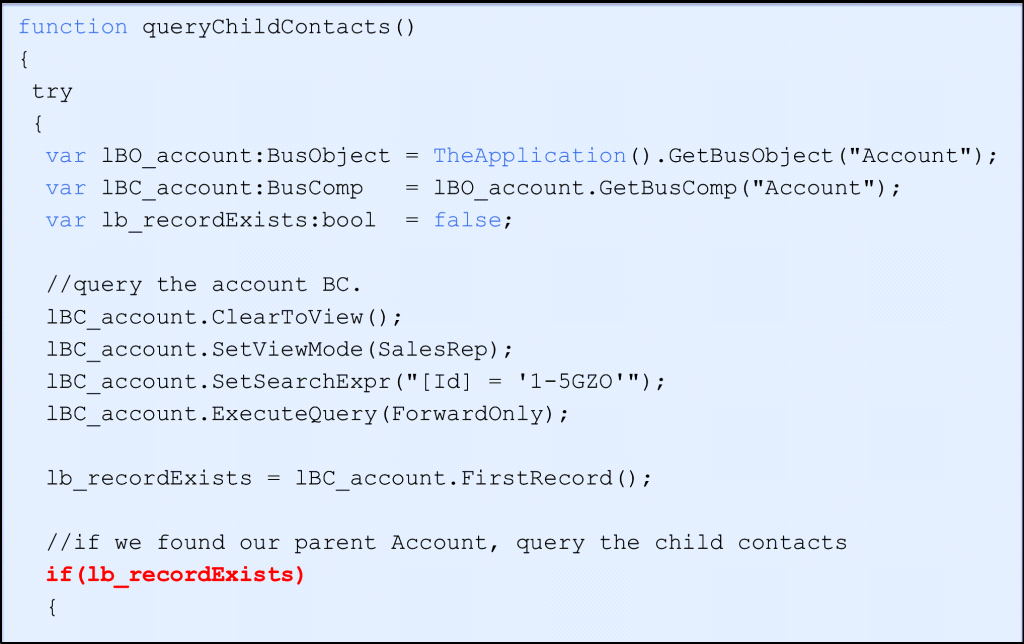
In this scenario, as is standard best practice, we proceed with data manipulation only if a record is returned from the query. Continuing without any data serves no purpose and can lead to unnecessary errors or processing. To check for the presence of records, it is common to use a function or method like FirstRecord (though other approaches are also possible). If FirstRecord returns true, it confirms that at least one record is available for further processing.
Workflow Equivalent
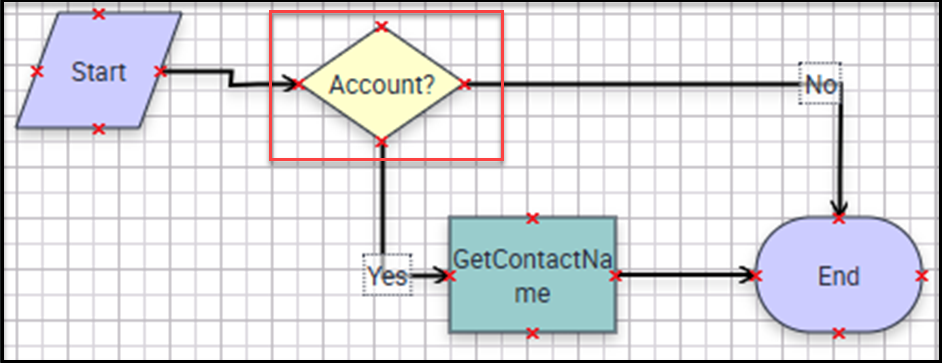
The Decision Step enables branching based on evaluated conditions—essentially functioning as the “if”, “else if”, and “else” logic found in programming. For each branch, you can define custom conditions that determine the path the process should follow next.
The Condition (if)
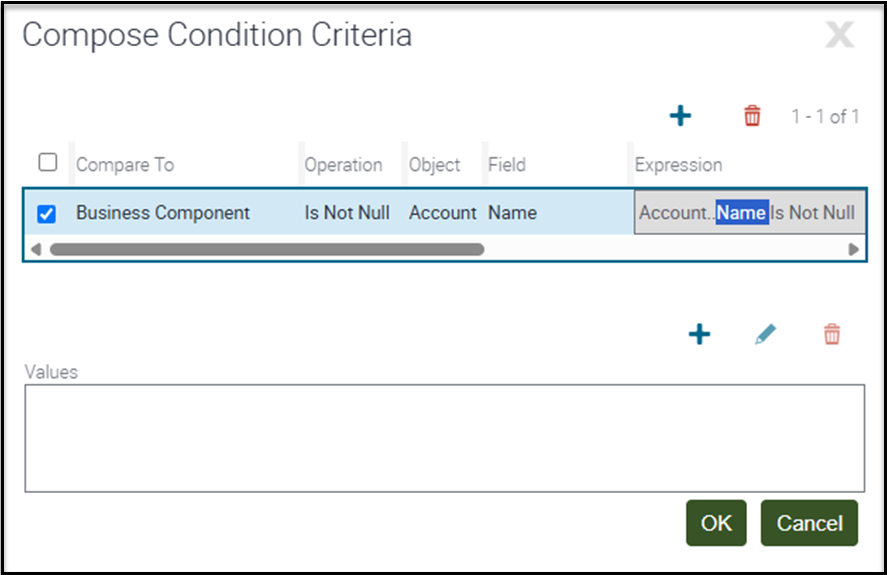
When reviewing the conditions set for each branch, let’s focus on the “Yes” branch, as it presents the most interest. There are multiple ways to structure this logic, but in this case, I’m trying to determine whether an Account record exists. Since an Account record always requires a Name, the absence of a Name means there is no Account. The condition checks whether the “Name” field in the Account Business Component is not null. If this condition is true—meaning a Name value is present—then the “Yes” branch will execute, allowing me to proceed with retrieving a Contact record. If the condition is false, the process will follow the alternate branch.
The Default Branch (else)
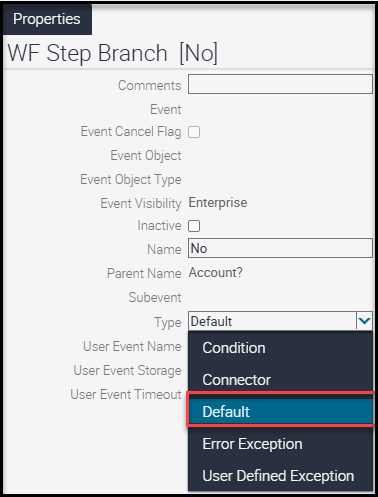
If no Account record is found, what happens next? In this case, our “No” branch acts as a “Default” connector. The Default connector executes when none of the other branch conditions are met. If there isn’t an Account record, the process follows this Default (No) branch. The Default connector is a specific type you intentionally select—it serves as the fallback path, like the “else” condition in scripting. Including a Default branch in your Workflow Process is considered a best practice, ensuring the process always has a defined path forward even when specific conditions aren’t met.
Multiple Conditions
The simple case—checking a single condition—is the one most often used. However, there are situations where your logic needs to evaluate multiple components at once. For example, you might need to check if there is a record and today is Thursday and the year is 2026. In these cases, all specified conditions must be true for the branch to execute. Using multiple criteria helps ensure that your process only proceeds when a precise set of circumstances is met.
Workflow Implementation
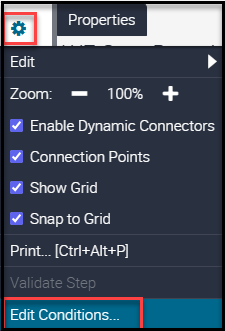
To implement this in a Workflow Process using Web Tools, select your connector and ensure its type is set to “Condition.” Then, click the gear icon and choose “Edit Conditions…”. Alternatively, you can double-click the connector to open the same dialog. This allows you to specify the criteria that determine when the branch will be followed.
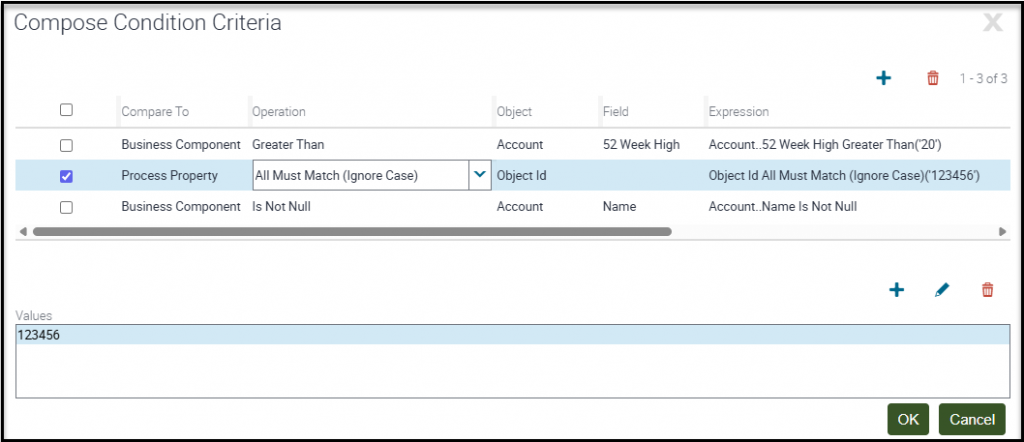
In this image, I have added three conditions. You can add as many as you like. If, during the evaluation of each condition, we get one that returns false, then the Default connector will execute. These conditions are all or nothing. All must return true for this branch to execute. If any are false, this branch will not execute. This provides great flexibility in defining logical conditions.
Conclusion and Next Steps
When your script design includes logical decision points, keep in mind that Workflow Processes are fully capable of replicating these conditional checks. Instead of handling complex branching with custom scripting, consider leveraging a Workflow Process to manage these decision points. This approach can enhance maintainability and align with best practices for process automation.