
Continuing from our earlier articles, this section explores how to loop through a record set in a Business Component. We will focus on two essential methods used in scripts:
- FirstRecord: Checks if a first record exists in the set.
- NextRecord: Determines if additional records are available.
Both methods are fundamental for iterating through Business Component records, whether in scripting or within a Workflow Process.
Script
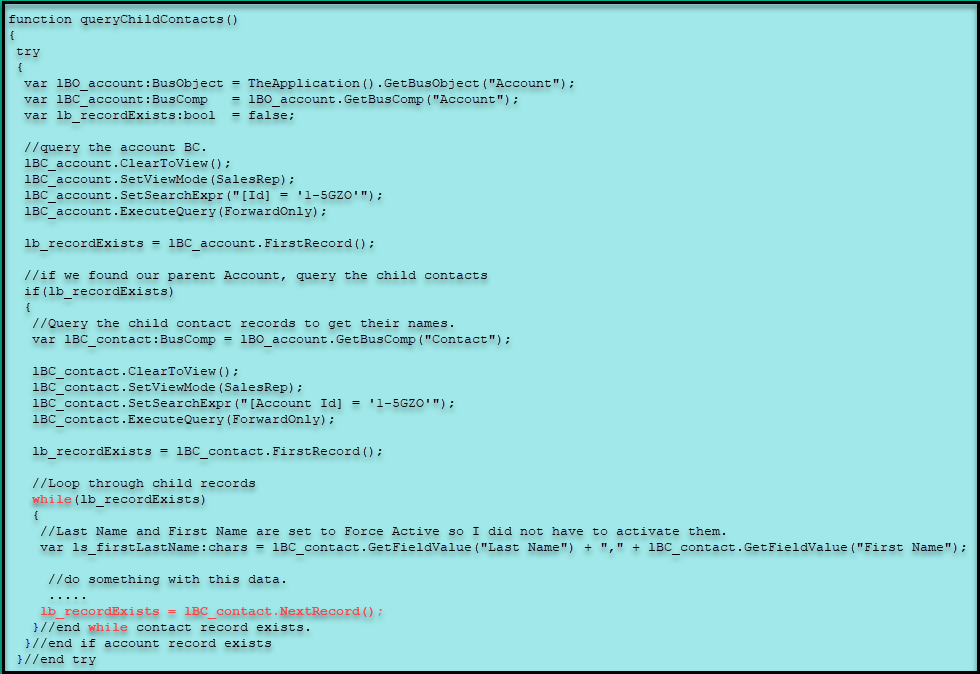
This script uses the FirstRecord method to check if at least one record exists. If a record is found, a while loop processes each record in the set. To determine if more records are available, the script uses the NextRecord method. NextRecord moves the pointer to the next record and returns true if another record exists; if not, it returns false, ending the loop.
Workflow Equivalent
We use a decision step to check if a record exists. If a record is present, we retrieve the data and then proceed to the next record.
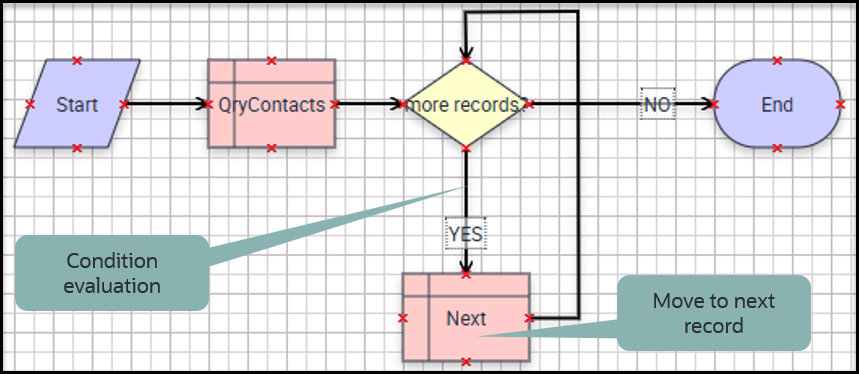
Are there any records?
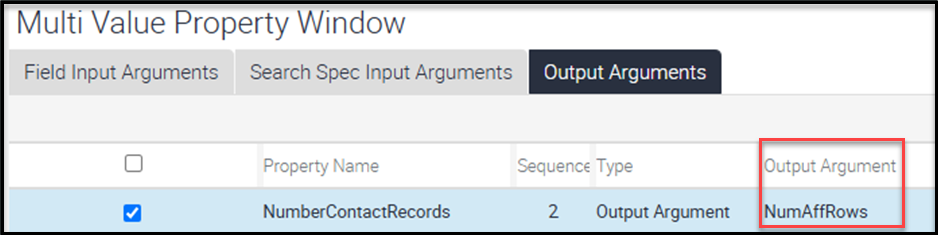
Prior to the Decision Step, the query step saves the result from the NumAffRows property of a Siebel Operation step. This property, returned as an output argument, indicates how many records were found by the query. If NumAffRows is greater than zero, it means there is at least one record. By saving this output to a process property, you can use it as a condition in the subsequent Decision Step.
The Conditions
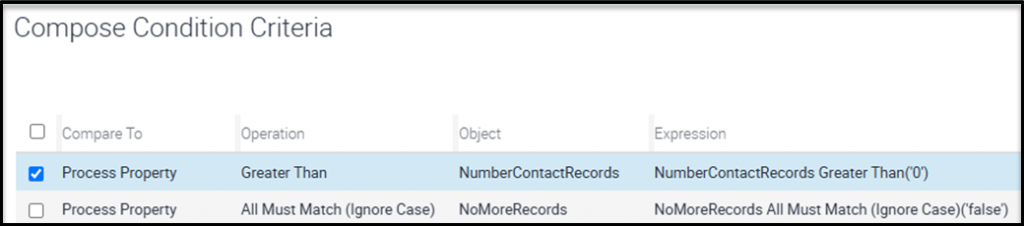
We are evaluating two conditions, and the loop continues as long as both are true:
- Is the value of NumAffRows greater than 0? The result of NumAffRows is saved in the process property NumberContactRecords.
- Does the custom process property NoMoreRecords contain the value false? If NoMoreRecords is false, the loop proceeds. In this Workflow Process, NoMoreRecords is set to “false” by default, ensuring that the process attempts to move to the next record at least once.
Siebel Operation – NextRecord
In this example, the Siebel Operation Step named “Next” calls the NextRecord method, similar to how it is used in script. The output argument NoMoreRecords will be true if there are no additional records, and false if more records remain in the record set.
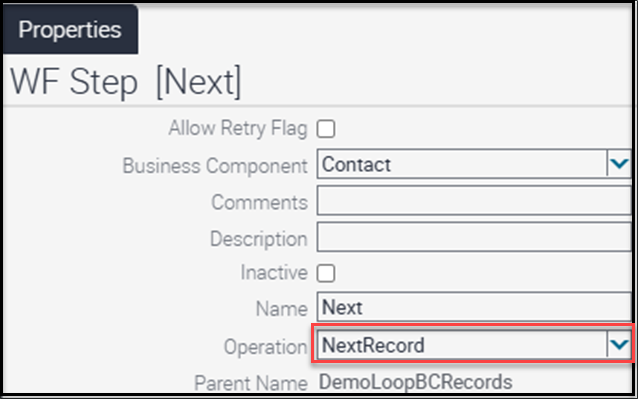
Here, I save the value of the NoMoreRecords output argument to the custom NoMoreRecords process property. This ensures the value is available when the workflow returns to the Decision Step. I also save the data from the current record, since the purpose of looping through the record set is to access data from each record. With this information stored, the workflow can continue or exit the loop based on the value of NoMoreRecords.

Conclusion and Next Steps
When designing your solution, remember that a Workflow Process can loop through a Business Component’s record set, even at logical decision points. You don’t need to write script solely for this purpose. Always consider workflow and other alternatives before resorting to scripting.