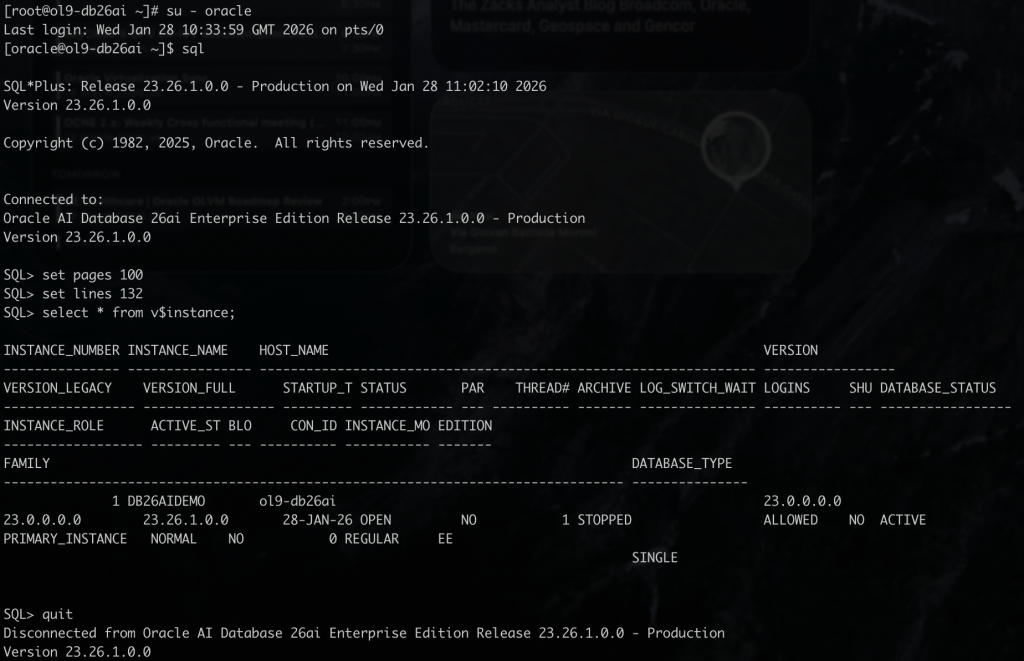
Quick guide on how to install Oracle AI Database 26ai on Oracle Linux. Very few steps to install the software and get an Oracle AI Database 26ai up & running.
As part of the first release of Oracle AI Database 26ai the support and packages are available for Oracle Linux 8 and Oracle Linux 9.
Software Installation
- The first step is to get the Oracle Linux system ready to guest the Oracle Database software installation; the requirements are related to RPM dependencies and Kernel parameters configured. This step can be easily completed by installing the “oracle-ai-database-preinstall-26ai.x86_64” RPM on your system by “root“:
# dnf install -y oracle-ai-database-preinstall-26ai.x86_64
- Prepare one dedicate filesystem to guest the Oracle Database software installation; in my example I’m going to leverage one dedicated 512GB volume for the same; as “root“:
# mkdir /opt/oracle
# mount /dev/sdb1 /opt/oracle
- Download the Oracle AI Database 26ai software from https://www.oracle.com/database/technologies/oracle26ai-linux-downloads.html by selecting the RPM option there (available for Oracle Linux 8 and Oracle Linux 9). In this example the installation is going to proceed on Oracle Linux 9. As “root” execute:
# dnf install -y ./oracle-ai-database-ee-26ai-1.0-1.el9.x86_64.rpm
- The installation of this RPM will complete by showing some INFO messages relevant for the following Oracle Database creation:

Database Creation
- In this example I’m going to create an Oracle Database with ORACLE_SID=DB26AIDEMO. To get your custom database created, you need to copy the two source “ORCLDB” example files below.
# /etc/sysconfig/oracledb_ORCLCDB-26ai.conf
# /etc/init*.d/oracledb_ORCLCDB-26ai

- Edit the configuration file /etc/sysconfig/oracledb_DB26AIDEMO-26ai.conf to apply possible changes; in my example I’m going to get the Oracle Database Datafiles created on a dedicated filesystem /oradata :
# ORACLE_DATA_LOCATION: Database oradata location
ORACLE_DATA_LOCATION=/oradata
- Edit the Oracle Database creation script /etc/init*.d/oracledb_DB26AIDEMO-26ai to customize values as ORACLE_SID, PDB_NAME, LISTENER_NAME, NUMBER_OF_PDBS as in the example below:
# DB defaults
export ORACLE_HOME=/opt/oracle/product/26ai/dbhome_1
export ORACLE_SID=DB26AIDEMO
export TEMPLATE_NAME=General_Purpose.dbc
export PDB_NAME=DB26AIPDB1
export LISTENER_NAME=LISTENER_DB26AIDEMO
export NUMBER_OF_PDBS=1
export CREATE_AS_CDB=true
- Prepare one dedicate filesystem to guest the Oracle Database Datafiles; in my example I’m going to leverage one dedicated 512GB volume for the same mounted on /oradata:
# mkdir /oradata
# mount /dev/sdc1 /oradata
# chown oracle:dba /oradata
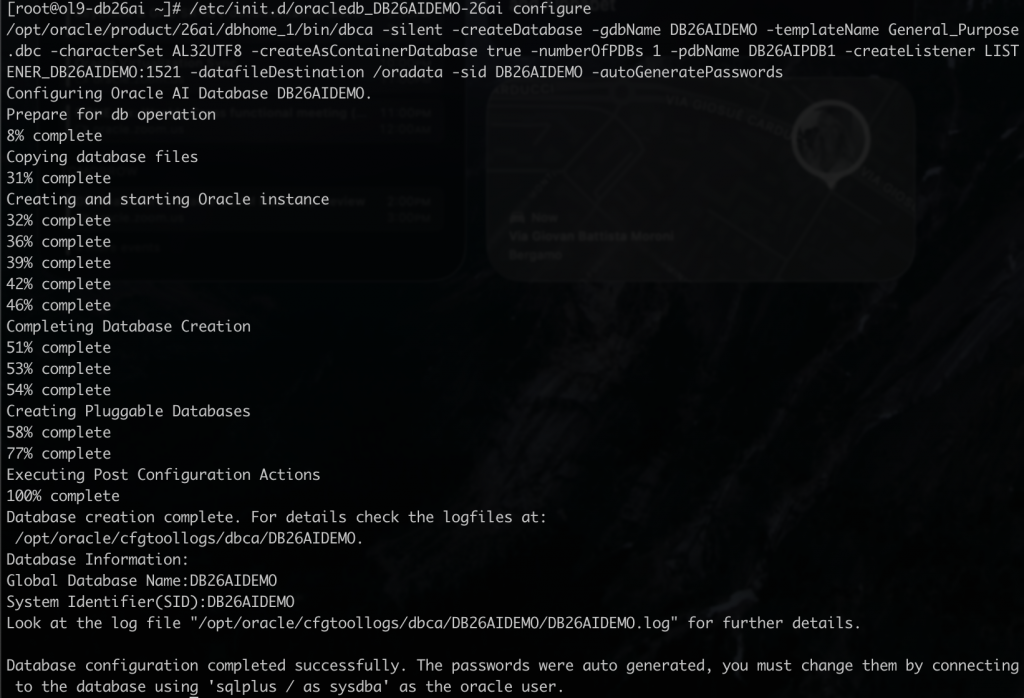
- Proceed on the Oracle Database creation by executing the customized script:
# /etc/init*.d/oracledb_DB26AIDEMO-26ai configure
Final Configuration
- Configure the Linux user “oracle” environment variables:
# vi ~/.*bash_profile
# User specific environment and startup programs
export ORACLE_BASE=/opt/oracle
export ORACLE_HOME=$ORACLE_BASE/product/26ai/dbhome_1
export ORACLE_SID=DB26AIDEMO
export PATH=$ORACLE_HOME/bin:$PATH
alias sql='sqlplus / as sysdba'
- Connect to the Oracle Database:
# su - oracle
# sql