
We’ve created 3 Dashboards for monitoring Travel and Expense Policy Violations. Because they have the flexibility to filter by various key fields, the User of these Dashboards can be any Role in the organization….from the Executive Assistant who may be filing Expense Reports on behalf of others in the department to the group who may be setting the Travel Policies for the organization.
In our previous two blog posts in this series (Travel and Policy Expense Violations Analytics and Expense Performance and Operations Analytics) we focused on the Travel Policy Violations and Performance Dashboards that show where company travel policy and guidelines for expenditures may not be followed by those employees submitting Expense Reports. Approving managers or Department and Business Unit Executives may be interested in the data revealed by these Dashboards.
In this blog post, we’ll be focusing on additional Travel and Expense Visualizations with a different focus….. for an Employee who may be entering Expense Reports on behalf of others. This role is referred to as a Proxy user. In some organizations, an Administrative or Executive Assistant may be given Proxy permissions to enter and submit Travel and Expense documents for identified individuals as a “Preparer”. Many times, this user will receive an envelope or group of receipts and be asked to create an Expense Report on behalf of the individual. While doing this, the preparer may be unaware of any possible violations of Travel and Expense Policy. Later on, this proxy user may be asked questions as to when an Expense Report may be paid and if it was denied, be able to discover why.
While the analytics on this Dashboard may look similar to the other Travel and Expense Violations, the difference on this Dashboard is the view is limited to the Expense Reports filed by this user on behalf of others.
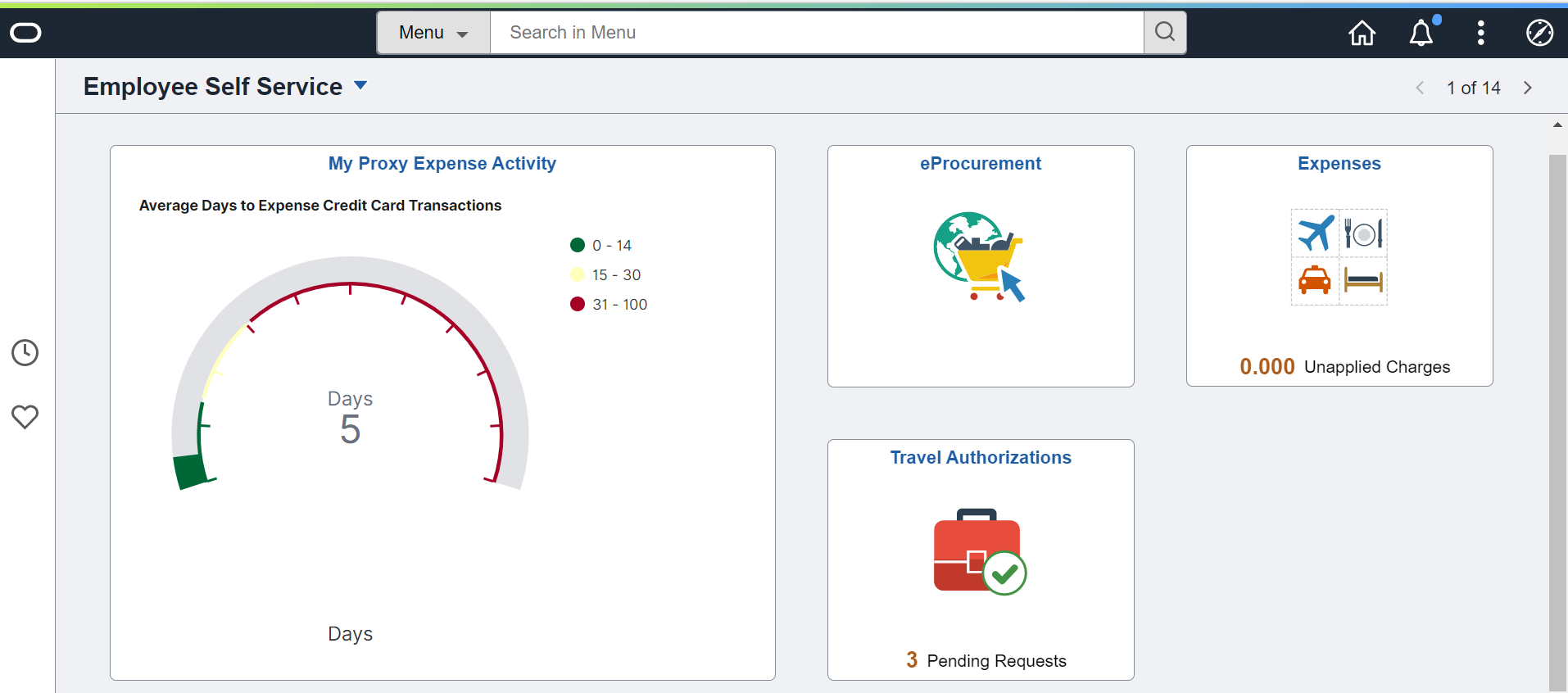
The My Proxy Expense Activity Dashboard is available on the Employee Self-Service Homepage of the Expenses Proxy user.
This set of analytics gathers the details of Expense Reports entered by the user identified as a Proxy or Preparer who would be submitting Expense Reports for a group of individuals. While they may not have an Approver role, they do need insight into the group’s Expense Report Activity.
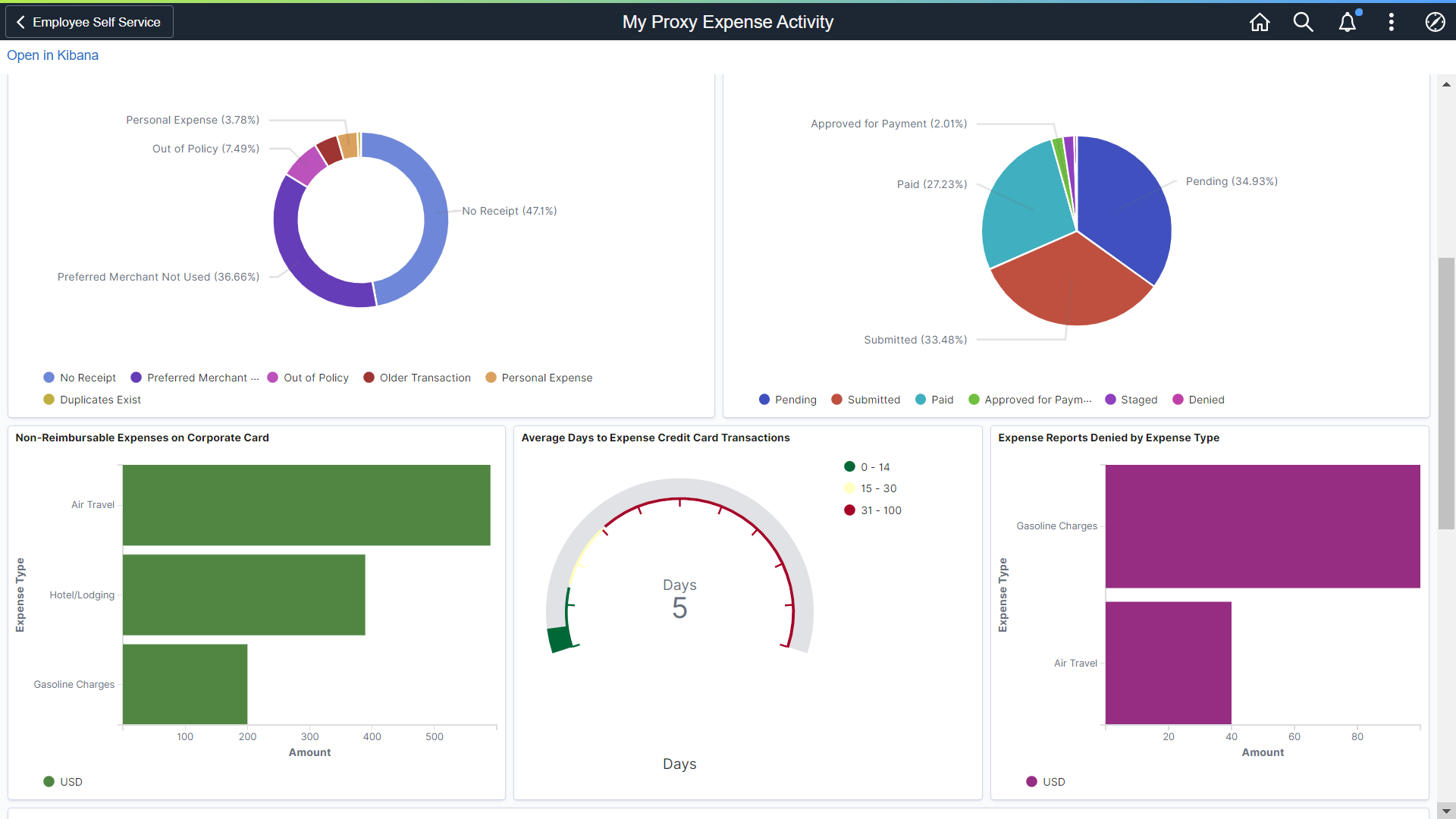
The Proxy or Preparer’s Expenses violations Dashboard, showing activity for the Expense Reports entered on behalf of others.
The Preparer has insight into the following details for the group of individuals who had Expense Report activity entered on behalf of others:
- Top Travel Policy Violations – Of the group of individuals this user enters Expense Reports for, these are the violations found for the reporting period.
- Expense Reports by Status – Shows the proxy users all the Expense Reports by Status for the reporting period.
- Non-Reimbursable Expenses on the Corporate Travel Card – Of the expense lines created, which lines are not reimbursable and need to be removed or deleted from the Expense Report.
- Average Days to Expense Credit Card Charges – Many organizations have the expectation that Credit Card charges will appear on an Expense Report within a specific number of days. This analytic shows whether or not that metric is met.
- Expense Reports Denied by Expense Type: The last chart indicates which Expense Reports were denied and by Expense Type.
Each chart has detail to support the information displayed in each chart. The proxy user can see whose Expenses are in violation and work with that individual to mitigate the issue to ensure their Expense Report is paid in a timely manner.
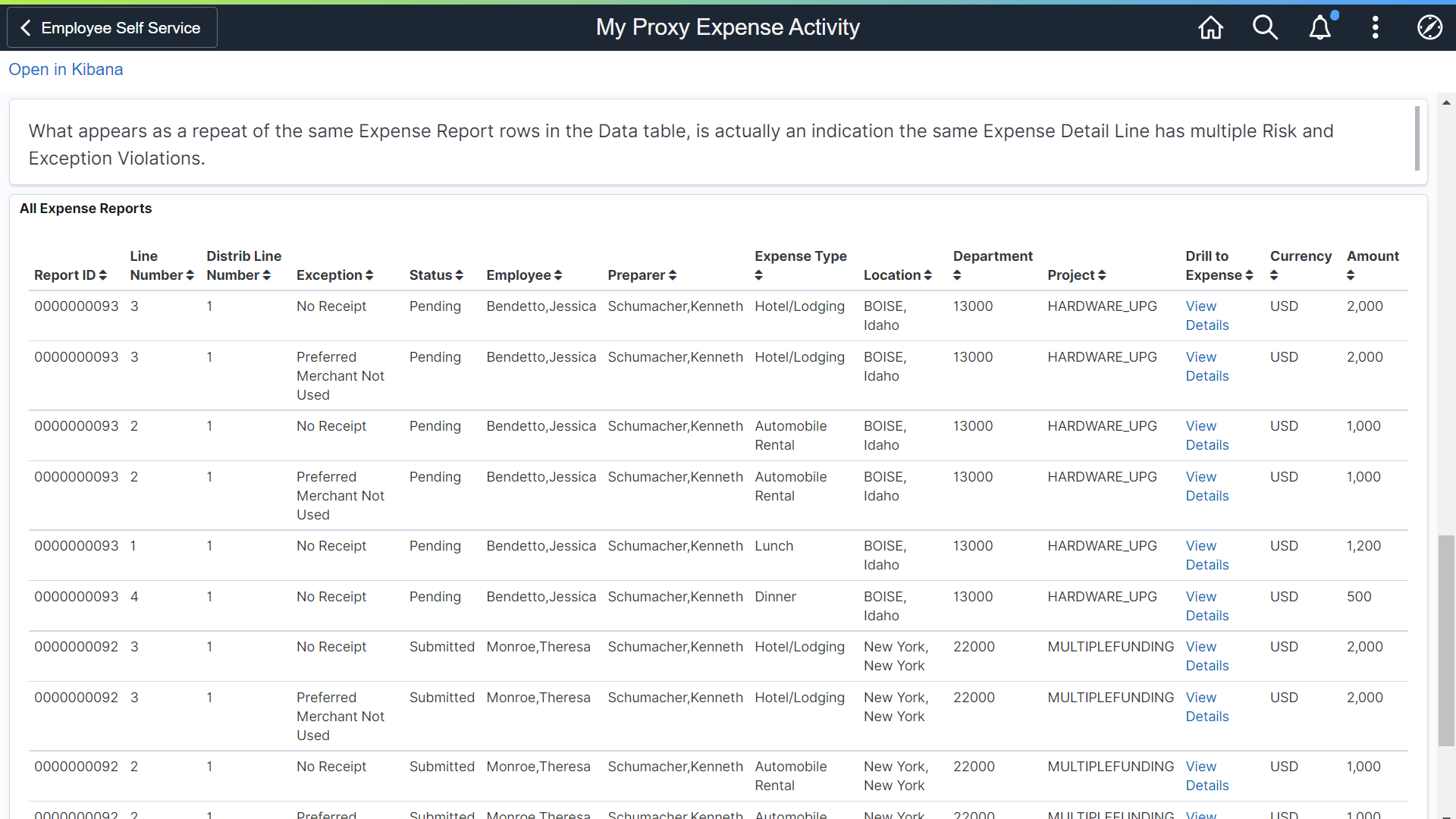
Detail of the Expense Reports with multiple types of violations. Note the Employee and the Preparer/Proxy.
Our Expenses analytic dashboards can be considered a starting point and an example of what you can provide your organization by leveraging the strengths of Kibana Analytics. With our flexible and robust indexes on Travel and Expense data, you have many options in creating your own visualizations to monitor violations to Company Travel and Expense Policies.
Additional Read: