
As an Administrator have you been wanting a single navigation whether you wanted to create or maintain a time reporter? Wishing you could save your Time Reporter Data searches? Or have a configurable search to make it easier to find people? Your wishes have now been answered!
In Image 39 we have delivered the new Fluid Time Reporter Data feature. You can either create or maintain a time reporter’s data from a single navigation. Using the Manage Time Reporter Data tile on the Time and Labor dashboard you can easily search for people.
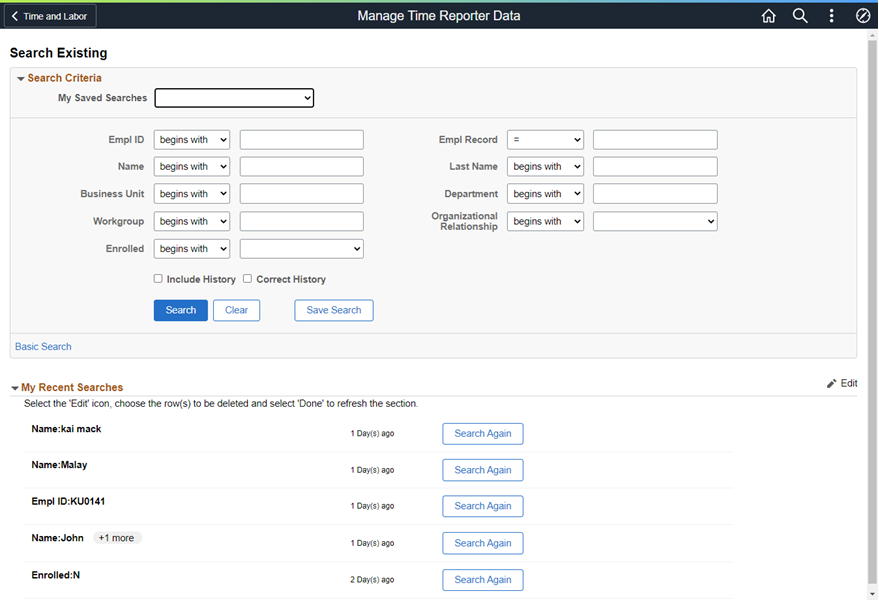
The Manage Time Reporter Data search page leverages the Configurable Search Framework, which is both flexible and configurable. What makes it flexible and configurable? For one thing there are additional fields you can search on when maintaining time reporters’ data, including: first name, taskgroup, time reporter type, or whether they are already enrolled. Remember the classic search for creating time reporter data? It only had 3 fields: Empl ID, Empl Record, and Name. The new search gives you additional search fields including: first and last name, business unit, department, and organizational relationship.
Another advantage of using the Configurable Search Framework is that an Administrator can configure which fields are used for searching and which fields can be displayed as search results.
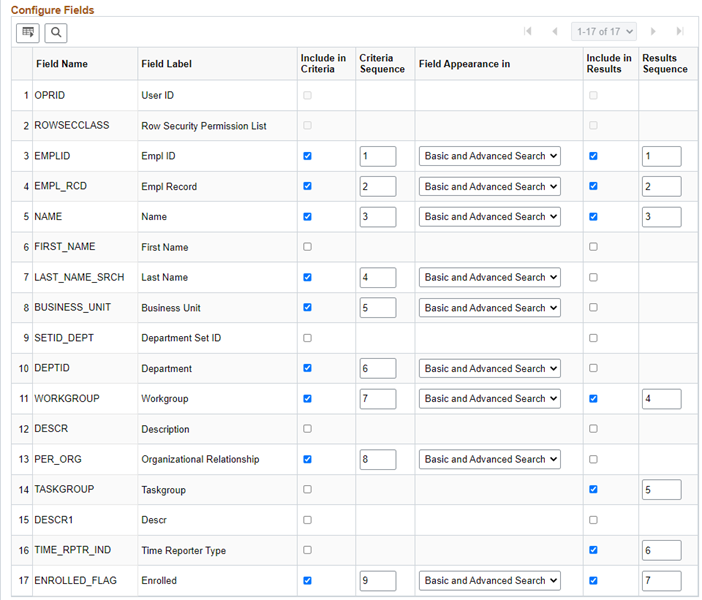
Some of the other features that the Configurable Search Framework give us are:
- The ability to save searches, use the saved searches, and delete saved searches.
- View a list of your recent searches.
Once you select a person from the search results you are automatically taken to either the Create Time Reporter Data component or the Manage Time Reporter Data component depending on whether the person selected is already a time reporter.
Although the new fluid page has a little different layout, the functionality is largely the same, including the ability to see all of the effective dated rows.
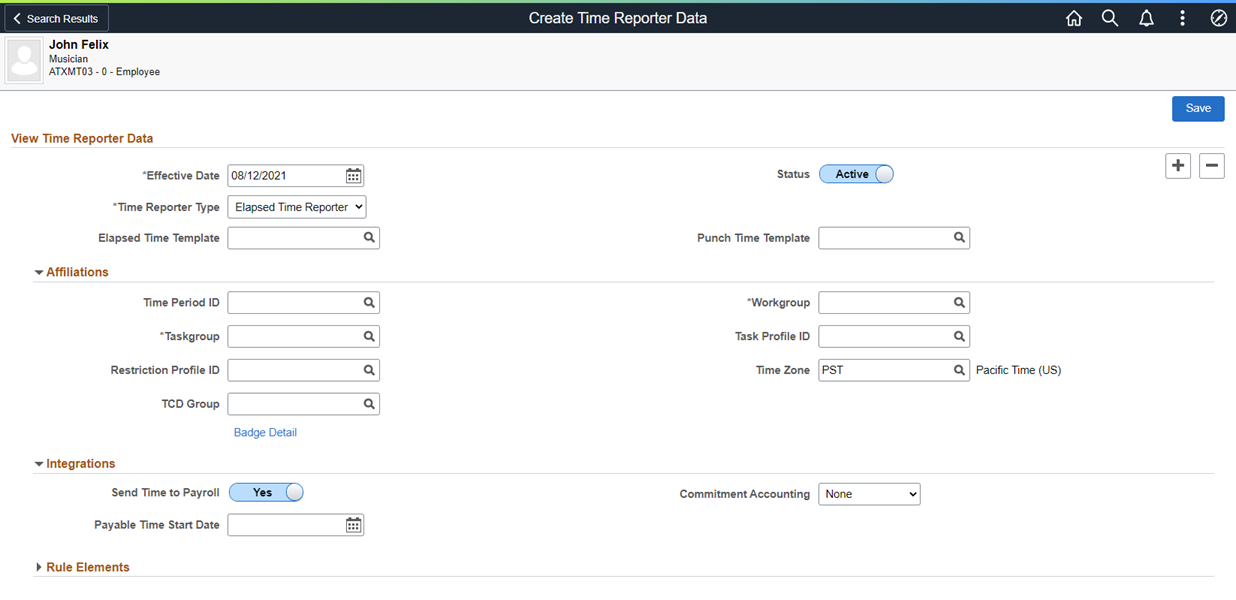
You can also navigate to this page from the Fluid Manage Job search results using Related Actions.
Creating and maintaining time reporters has never been simpler.
For more information on the Configurable Search Framework and how it is used in Job Modernization please refer to the following blogs:
Tips & Tricks for Fluid Job Data – Configurable Search Feature
Job Data Search Just Got a Little Easier Using Preferred Name
Or watch the PeopleSoft HCM Update Image 36 highlights: