
When you walk into a huge warehouse which has perfectly aligned racks, beautiful labels displaying the details, well ventilated, nicely stacked goods, excellent lighting… is a treat to behold, isn’t it? Warehouses are like a treasure chest of goods. All the items have monetary as well as functional value. Organizations invest a significant amount of money to create an impressive and efficient warehouse. But everyone knows it takes considerable efforts for any warehouse to reach a stage to make it a showpiece but remain efficient and effective for the people whose day-to-day jobs depend on smooth-running material management operations.
A number of best practice principles have evolved over time on how to design the layout of a warehouse, how to store items according to their unique needs, issue items, count items, inspect items and more. Warehouse Management is a serious profession and people spend time and energy acquiring this knowledge through academics and on-the-job experience.
A well thought-out and documented set of procedures form a backbone for an efficient and organized warehouse. Inventory management textbooks have provided many different opinions, methods and content on how to develop and manage an impressively efficient warehouse.
In this blog post, I would like to focus on one of the aspects of PeopleSoft Inventory configuration capabilities, leveraging the Storage Location and how it can help you accomplish your objective of efficient storage practices.
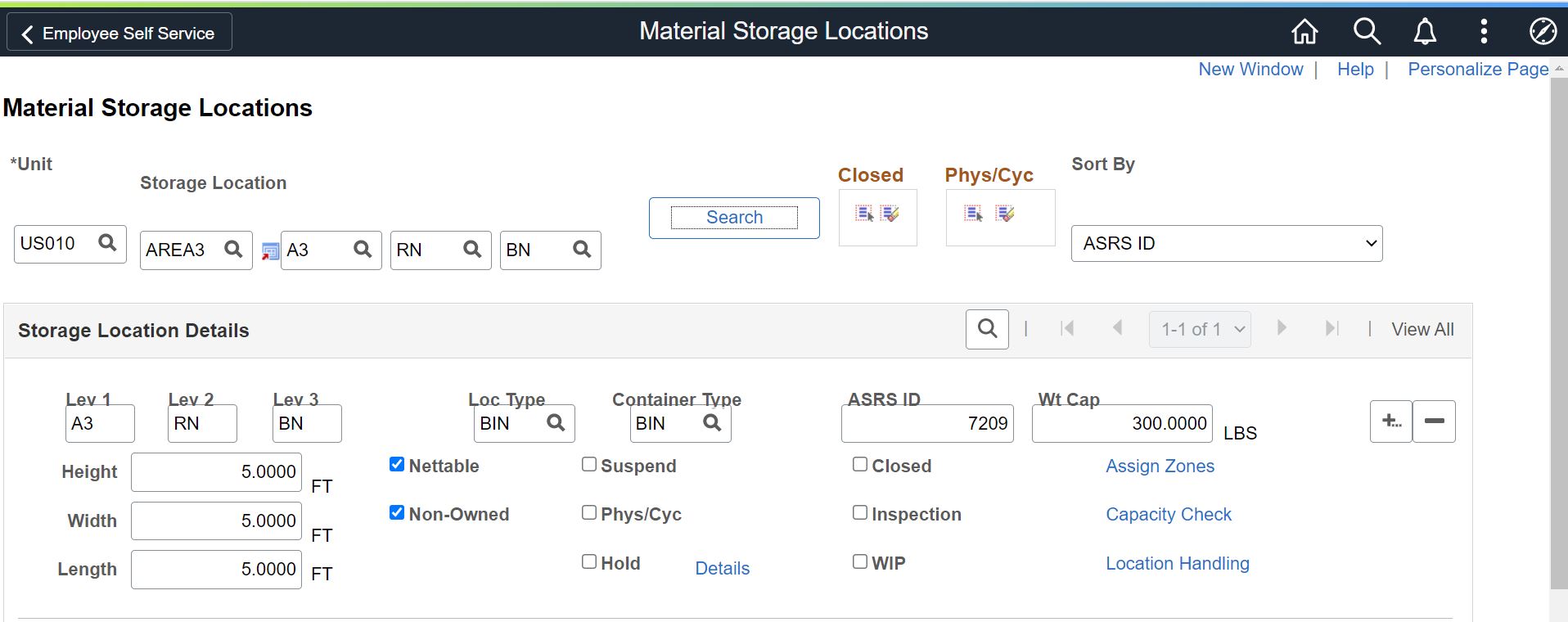
- PeopleSoft has configurable and very flexible storage and materials movement management rules that can be configured to reflect your physical warehouse layout and establish efficient picking, stocking and storage parameters.
- Define Storage Rules at the Inventory Business Unit level so you have the flexibility to operate an individual warehouse at the Inventory Business Unit level as needed in the event the material stored in those warehouses differs or has unique storage needs.
- Each material Storage Location contains a Storage Area that can be divided into a maximum of four levels or segments, with each level representing a physical subdivision of the area.
- Label the storage locations to suit your own unique nomenclature.
- Configure or designate material Storage Locations to represent shipping and receiving docks, staging areas, inspection areas, and quality control areas to whatever your unique needs dictate.
- For bulk storage, you can define Pallets, Containers, Barrels, and designate floor area exclusively for this purpose.
- PeopleSoft Inventory allows you to define dimensions for a Location so that capacity in terms of Volume or Weight can be calculated and the system can check the Volume or Weights of incoming receipts to determine if it will fit within the confines of the location it is destined for. So, the system can take care of alerting you before overloading a location.
- To avoid product contamination, assign a Location as a Single Storage item location, so it remains away from other Items. You can also define Volume and Weight so that the system can keep a check on the capacity of Storage Location.
- For Vendor Managed Inventory you can designate a location for VMI storage.
- Define a location for Cross Docking of materials and use defaulting rules to auto-populate the location.
- You can specify Location ID’s in various defaulting set-ups so during various material transactions the Locations would default and save data input effort.
- Control reservation of materials by making a Location Nettable or Non-nettable. If you do not want to consider items for reservation and picking from a particular location then make it Non-nettable.
- If there is an issue with an Item, you can put all of them in a special storage location and identifying that storage Location with a Hold status.
Storage Location is a foundation bedrock in the PeopleSoft Inventory Management product. Many transactions can be managed at a storage location level, such as Stock Inquiries, Item Stock Counts, Material Reservations, placing Items on Hold and much more. Well thought out creation of Locations can determine how efficient their warehouse will operate. Too many Locations may become problematic and material may end up spread physically across the floor.
Finally, if you find an excess of Locations or locations that are no longer necessary, you may ask “….can a location be closed?” Yes, it can be, but it is a final action and it can’t be reversed. So, unless you want to permanently close a location you should not.