
Most of the PeopleSoft Inventory Transaction pages are designed to allow defaulting data wherever possible. I would like to suggest PeopleSoft Administrators and Users take advantage of the delivered “Default Set Up” offered by the PeopleSoft Inventory applications to aid in reducing the data entry errors. Many of our modules have pages where Administrators and/or Users can configure data to fill in required fields on a transaction page.
One of these configuration opportunities is for the Inventory EXPRESS ISSUE transaction. In a fast-paced environment, there may be a need to quickly issue materials with a minimum of input and keystrokes and an easy way to accomplish this with the Inventory Express issue transaction. Typically, the user only needs to enter key fields such as Inventory Business Unit, Request type, Item Id, Quantity, Department, Location, Distribution type, Storage, etc., and perhaps more to complete the Express Issue transaction.
A method of making this transaction even more streamlined is to set up a default Inventory Business Unit, Distribution type, Physical Location, and Storage location so the Express Issue transaction can be completed with as few keystrokes as possible.
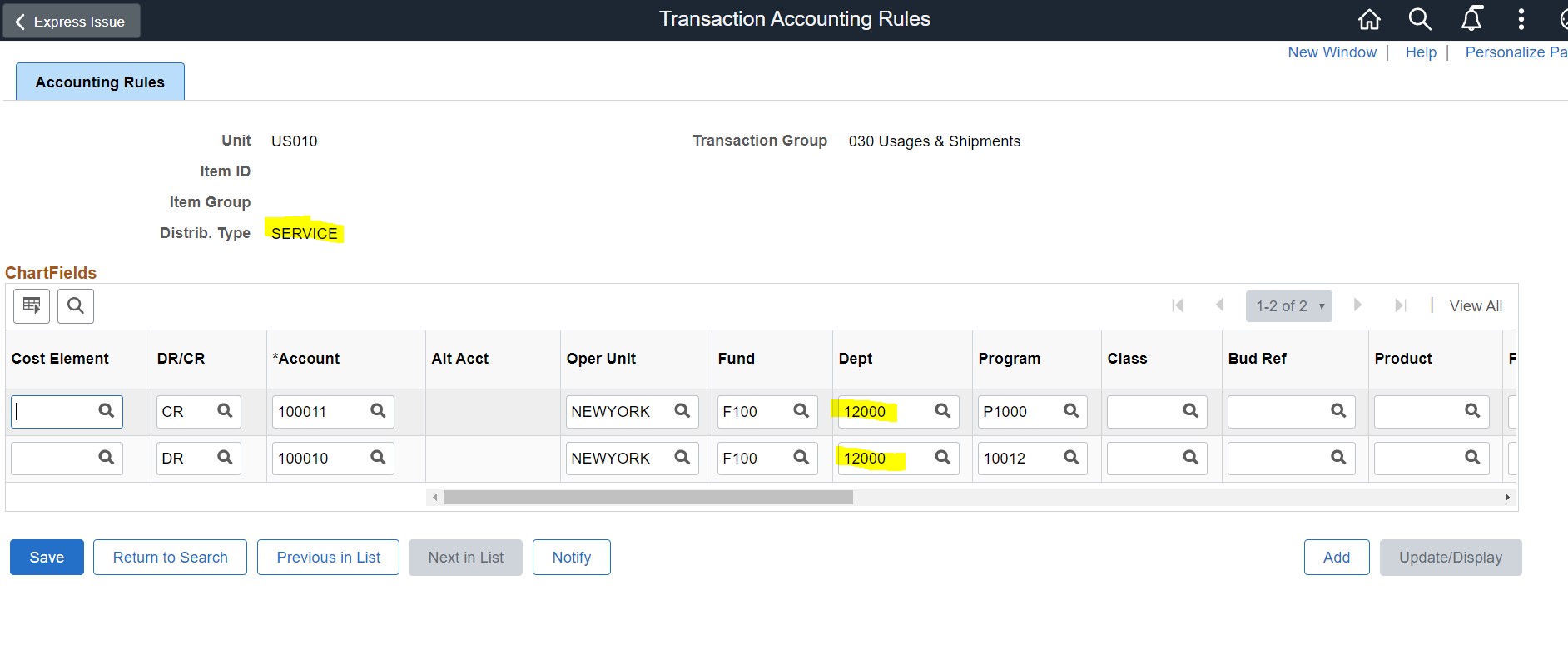
To enable this, you can use the following navigation to set up Transaction Accounting rules:
Accounting Rules >
You can set-up Accounting Rules to default in the Chartfield segments important to your organization, so a user doesn’t need to provide this data when in a transaction.
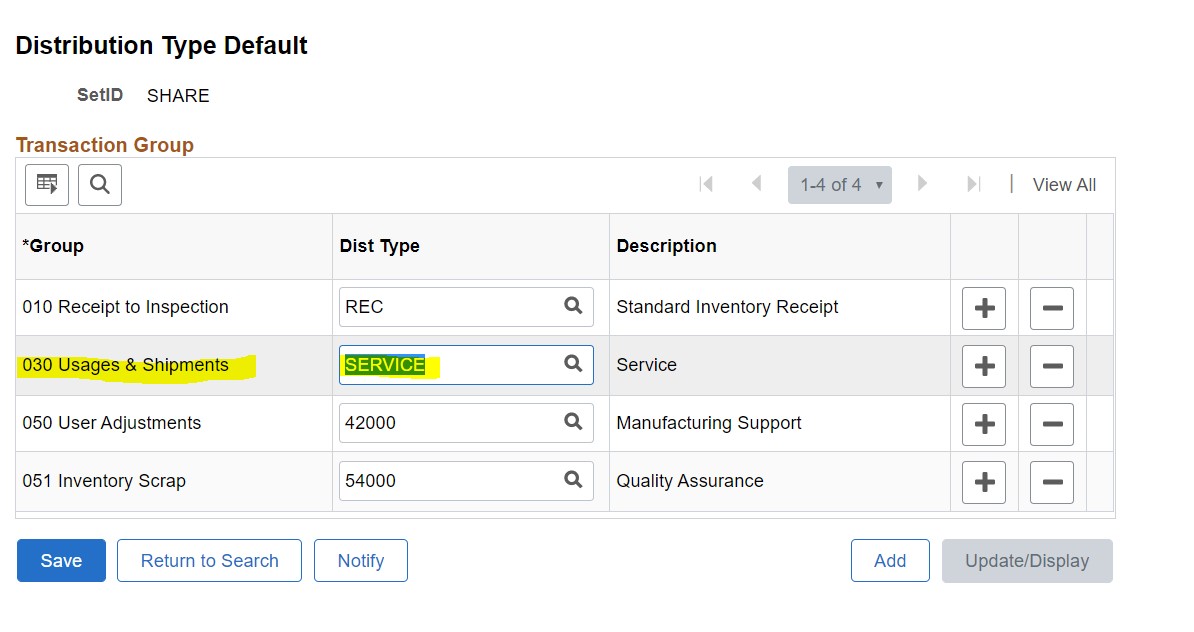
Default Distribution Type “SERVICE” is set for 030 transaction group>
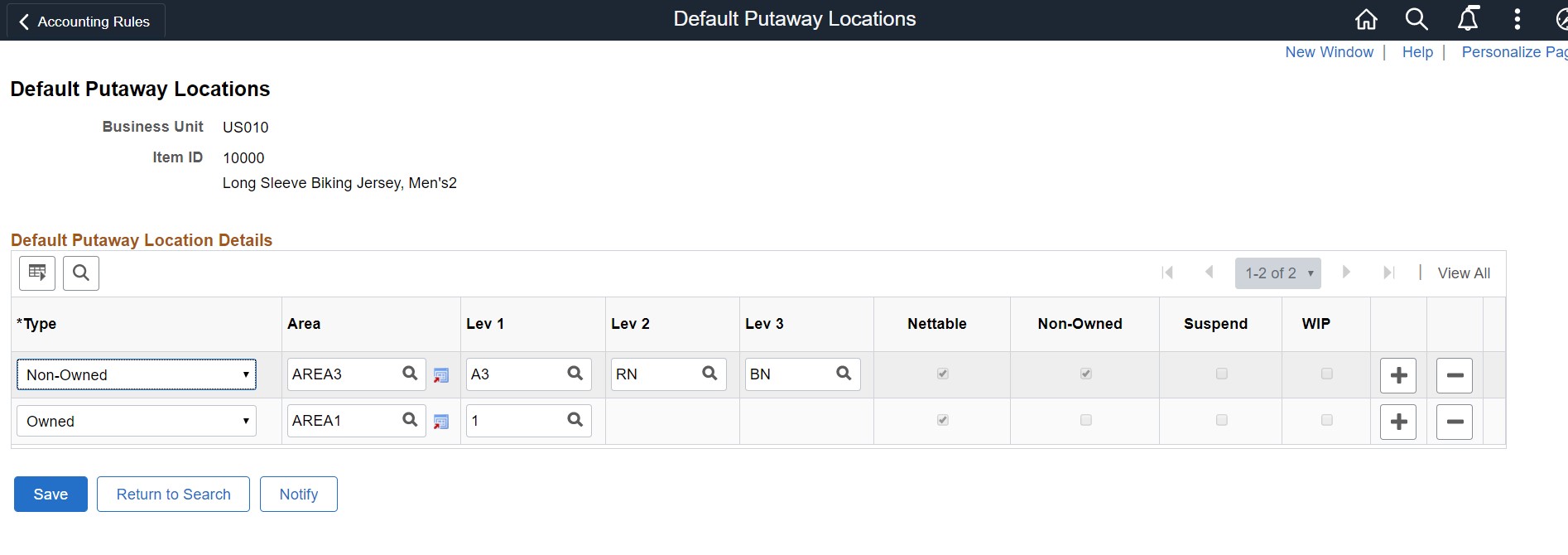
For the Inventory Business Unit, you can set up a Default Putaway location> Storage location also defaults into the transaction when doing a putaway transaction.
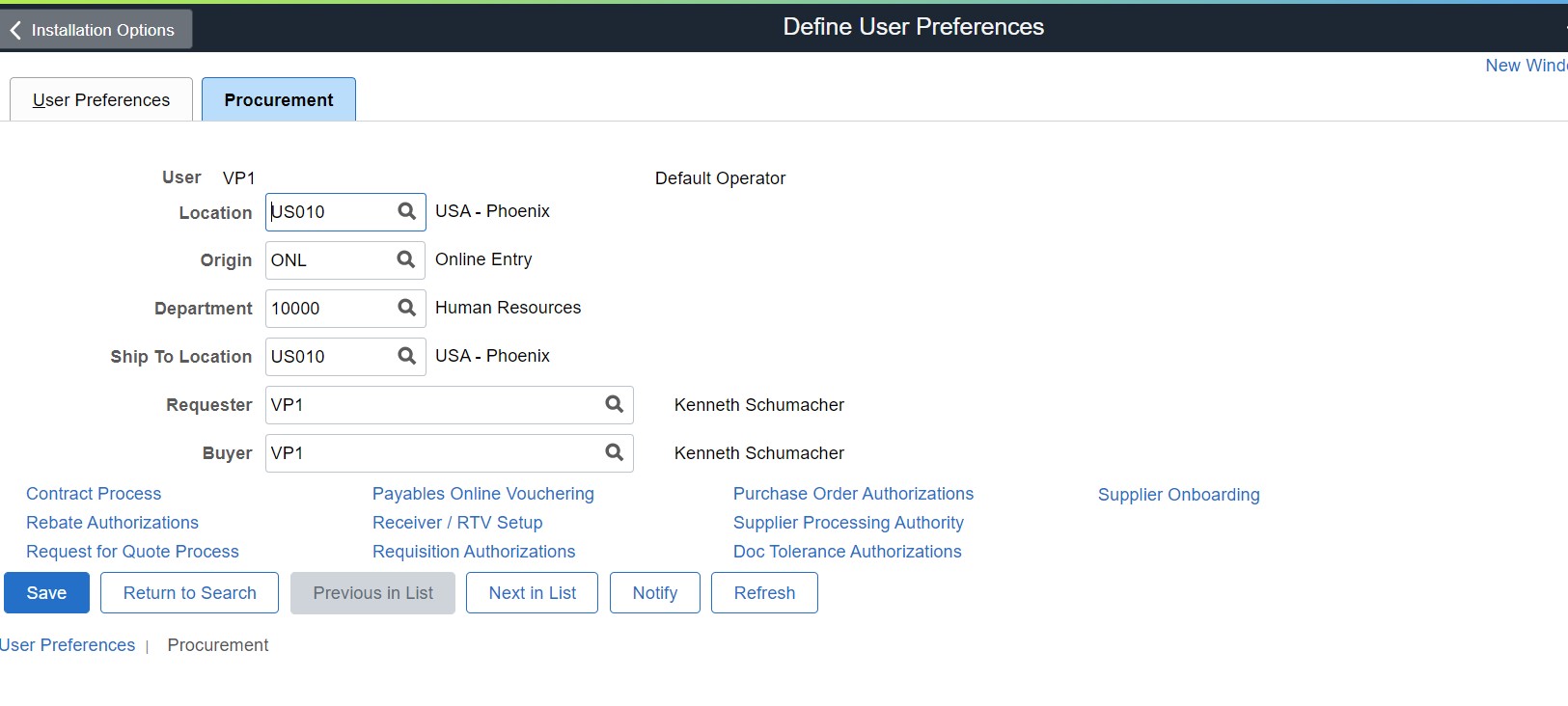
 Users are then set up with the defaults in their User Preferences
Define User preferences > Define Location and Business Unit so the two values will be defaulted into fields on the transaction page.
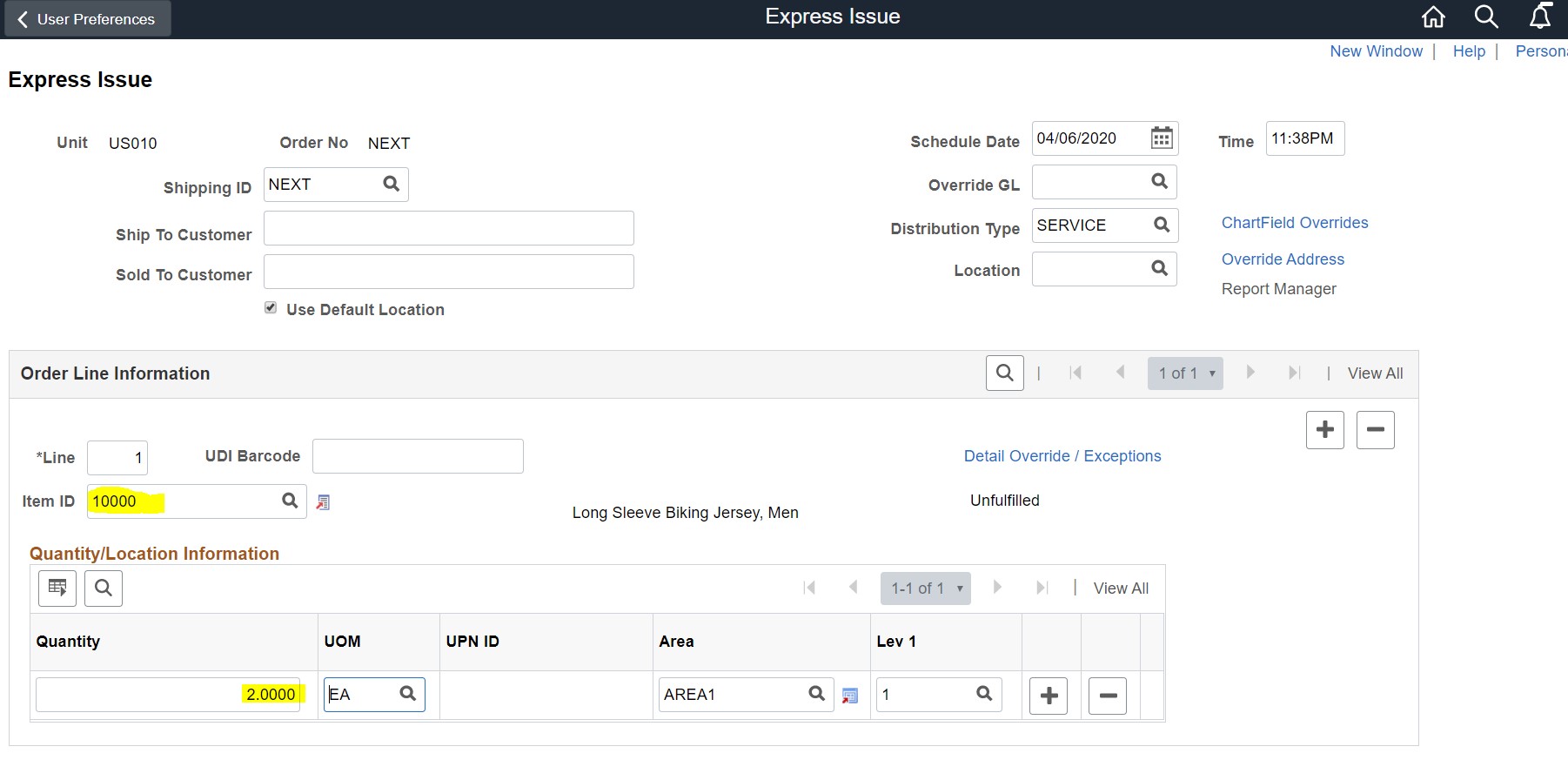
With these defaults, when a user does an Express Issue transaction, these required fields are filled in for them. As you can see by the example below,
The Business Unit and Distribution type values are defaulted into the transaction. The User needs to enter only the Item ID and Quantity. And once the Item is entered the Storage Area also defaults into the page.
 PeopleSoft modules have many opportunities to set-up automatic defaults, sometimes at the Installation, Business Unit, Role or individual User level. Taking advantage of this configuration and set-up can help your users with productivity and eliminate costly data entry errors. Stay tuned to this blog where we will be revealing more opportunities to fine-tune your user experience through configuration and “smart” defaulting.