
Image 49 provides two new enhancements for Recruiting Solutions that came from customers’ Ideas Lab. Your participation in the Ideas Lab is a great way to help us understand what features are important to you and why. We also added a bonus feature for the Recruiter. Continue reading to find out more.
Next Review Date
Many customers do a bulk review for specific job openings’ applications on regular intervals. This is especially true for continuous job openings and temporary jobs. Having a Next Review Date aids the Applicant in understanding when the next bulk review will happen. The applicant then knows that it may be a few weeks before they hear back or to be considered in the next review they need to complete their application before that date. Transparency in the application process is good for both the applicant and the recruiter.
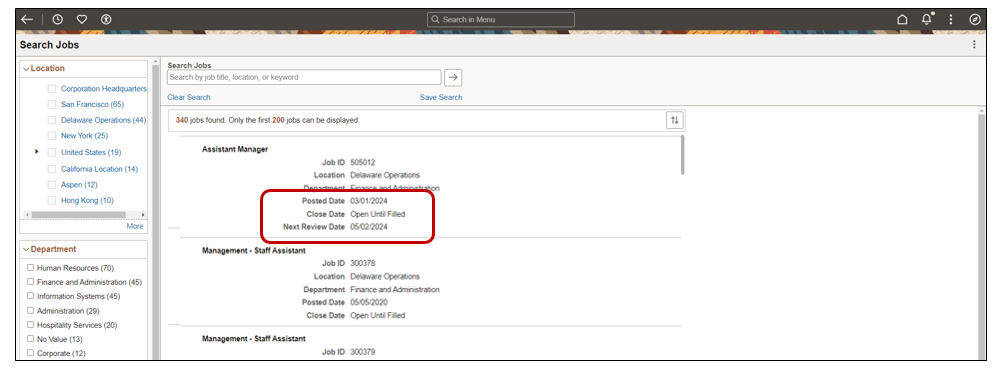
The Recruiter can now show the Posted, Close, and Next Review Date.
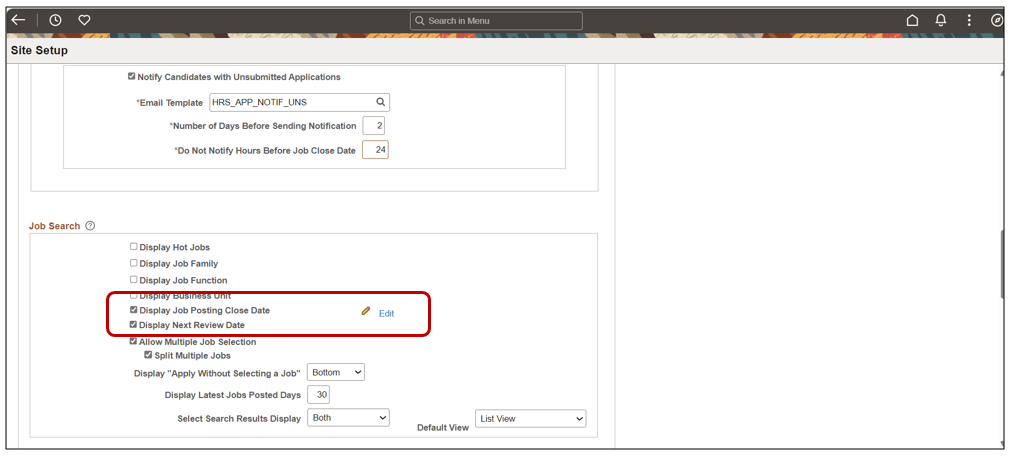
A simple configuration checkbox on the Site Setup page makes it easy to begin. 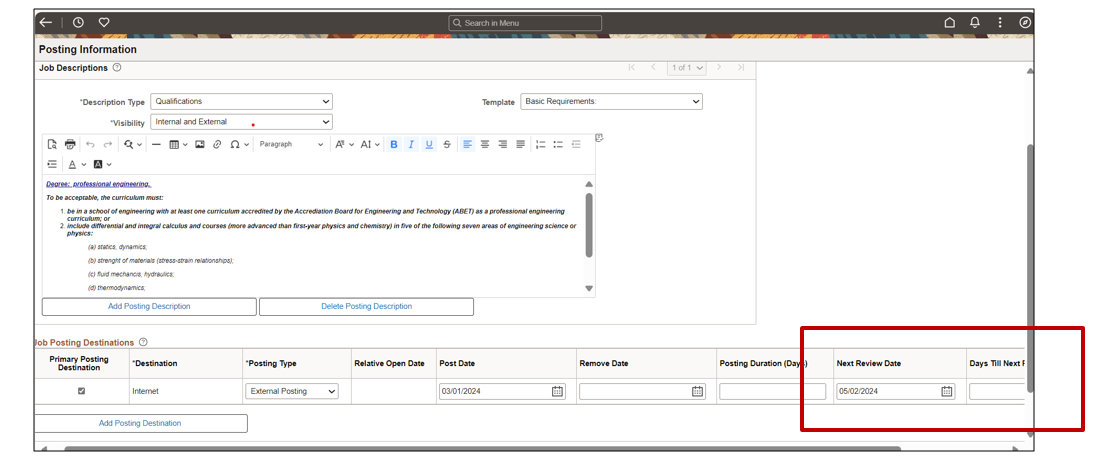
The Recruiter can add the Next Review Date to the Posting. This works very similar to the Close Date. The system automatically calculates and displays the days untill the next review or the Recruiter can select a specific date.
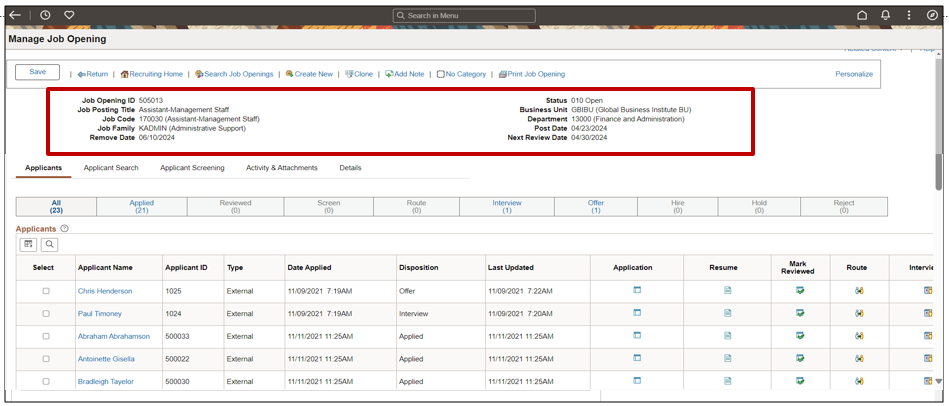
As an added bonus, we have added the Posting, Close and Next Review Date to the Manage Job Openings page header. The dates are based on the Primary Posting Destination information. This allows the Recruiter to easily see the posting date information without leaving the page.
Applicant Print Submitted Applications
Another Ideas Lab request was for Applicants to have the ability to print or save a copy of their submitted application. Applicants may want to use this copy to review prior to an interview or to remember how they listed their jobs in the future.
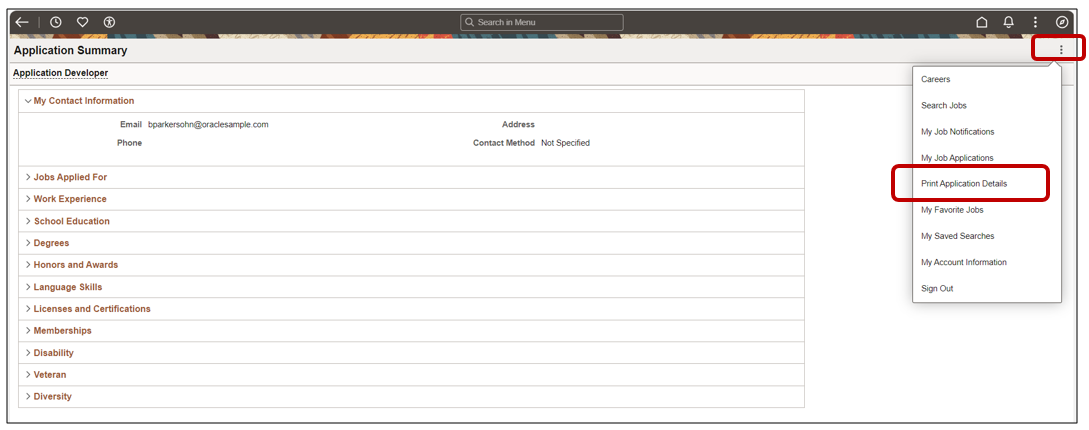
Applicants can navigate to their application and use the More Actions Button to select Print Application Details.

The header provides the Recruiting Administrator the ability to add in Organizational Details. The applicant will also see the submission date of the application.
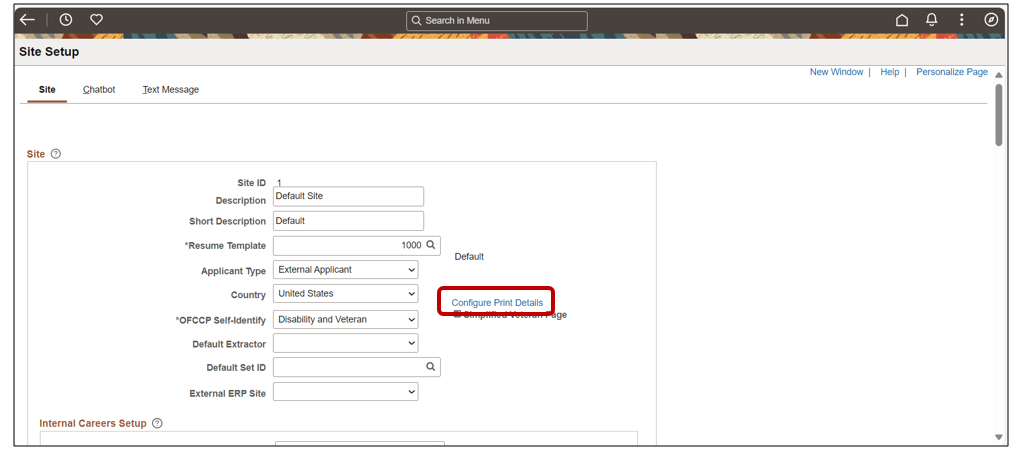
To set up the header information, select the link for Configure Print Details on the Site Setup page. For those customers that have multiple sites, this allows you to configure your information based on the site.
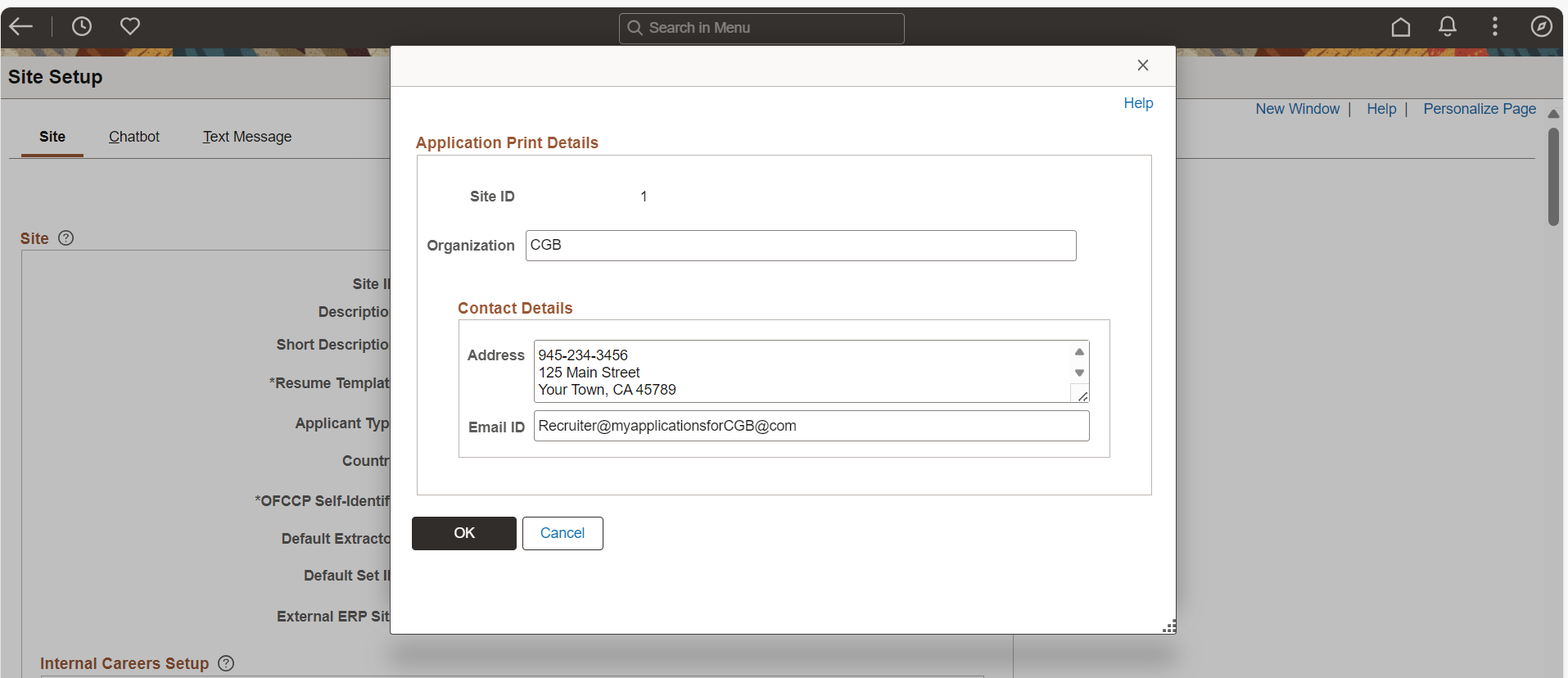
A window then allows you to enter your organization’s contact details. You will notice that in my example I included a phone number with the address information. This information is not effective dated on purpose so that the applicant always has the most recent contact information even if they print their application months later.
For a short demo of these enhancements, view the Highlights Video for Image 49.