
One of the features of PeopleSoft Requisitions and Purchase Orders is “Amount only” where the PO is released for a certain amount and not a certain quantity. Enterprise customers predominantly use Amount only feature for requisitioning Services.
In the past, the amount only flag on a services or special request item is not turned on by default, which has downstream impact. If a requisition line is not selected as amount only, the subsequent PO line will also not be amount only. If the buyer catches this during PO dispatch, and fixes it, but the requisition line is not addressed, then future requisition change requests will error since both the requisition and PO have to be amount only. Once the requisition is sourced to a PO, you are prohibited from change the amount only selection on the requisition line.
In order to make changes, the requester either has to add a new line to the requisition and dispatch it or create a new requisition, but this usually becomes an audit issue since when a change request is issued, it can be seen as adding scope. Often this raises questions as to whether the correct approval process was followed, since two smaller amounts might be handled differently than one large amount.
Finally, when the amount only flag is not set, then match exception issues can be triggered once the voucher is created. This is especially true when you receive many invoices for a single PO line, if amount only is not set properly, then it causes the need for match exception overrides.
Scenarios where this might be important:
- Long term projects where inventory items are used in batches, but services to install these items need to be requisitioned at regular intervals with payments at certain milestones. For example: Fiber Optic Cable installation
- Services which have a Total Expected cost but are not broken down into a number of hours with a rate. For example: Work performed to trim trees around overhead power lines or work to restore power after a storm.
To help requesters set the amount only flag correctly, PeopleSoft has enhanced the e-Pro fluid requisition by introducing the following changes,
- Introduced amount only default at the Item Category setup level.
- Introduced amount only toggle and warning messages at Fixed Cost Service, Variable Cost Service, Time and Materials pages.
So now after entering the item category field in the special request type item page, tabbing out the system will immediately alert the requester by popping up a question to get the confirmation whether the requisition should be made an amount only or not.
How to set Amount Only toggle for Item Category?
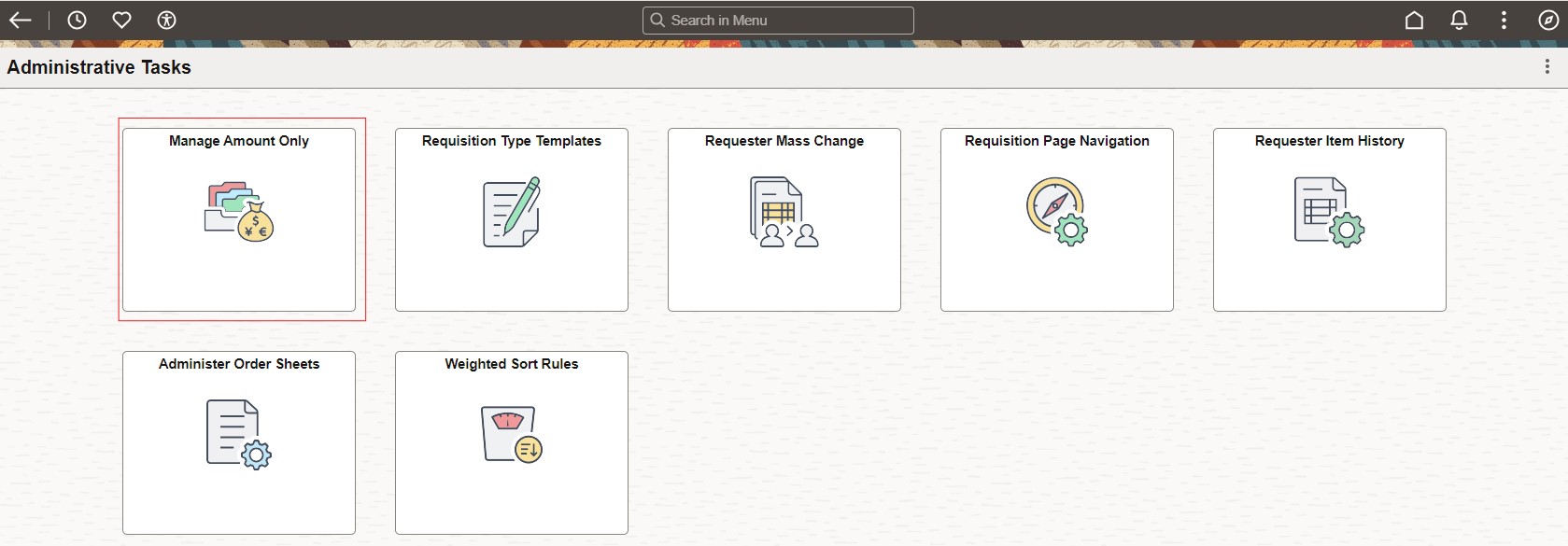
Login as Peoplesoft Administrator. Navigate to Manage Amount Only By Category Page By drilling down Manage Amount Only Tile or search this page from search bar.
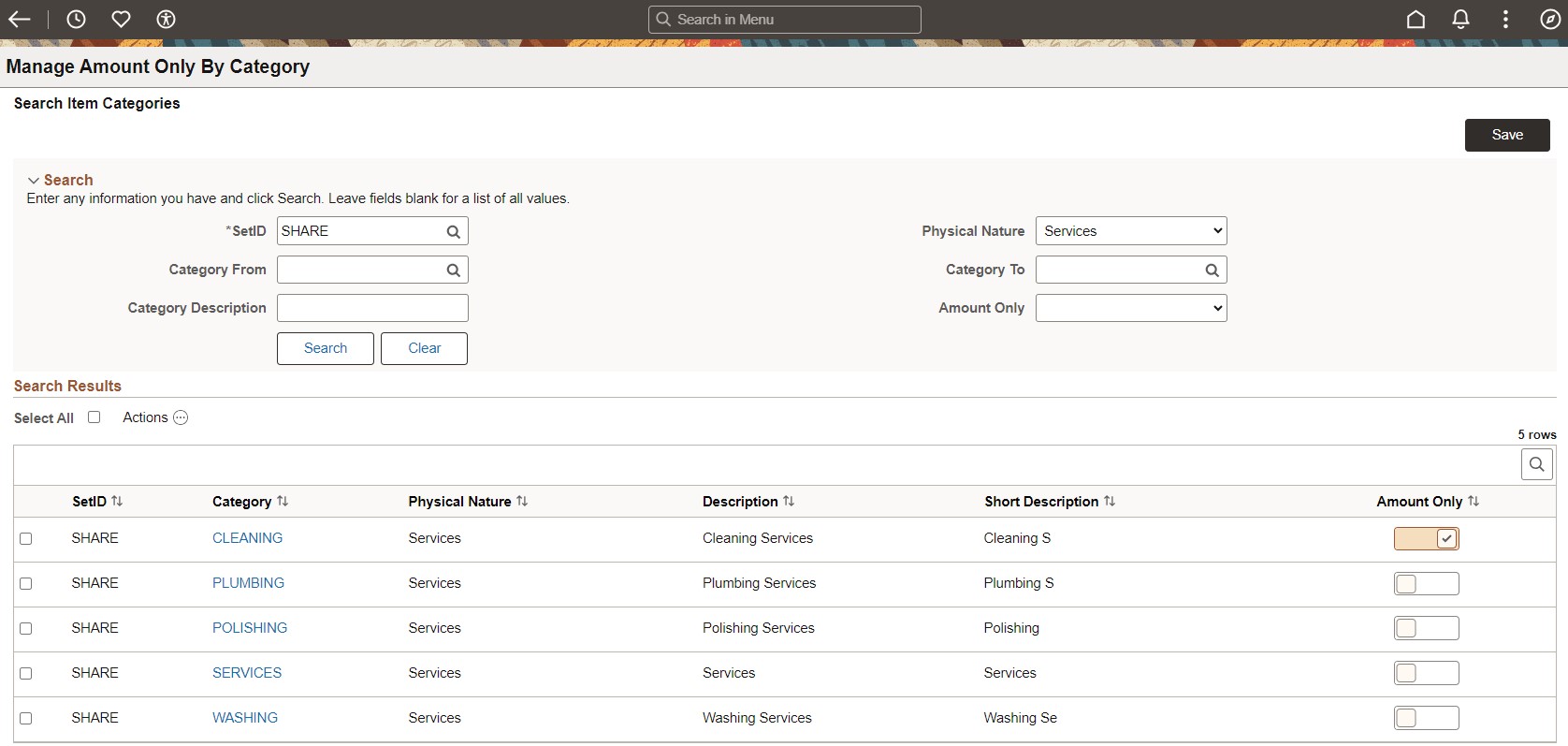
Enter desired search criteria and hit search button. For search result row Category ‘CLEANING’ change the amount only toggle to yes and click on Save button.
Here is an example of how above setup helps requester while creating eProcurement requisition.
Requester navigates to special request page and enters the necessary information. Either enters the category field with value ‘CLEANING’ by typing via keyboard or chooses the value from prompt lookup window and tabs out
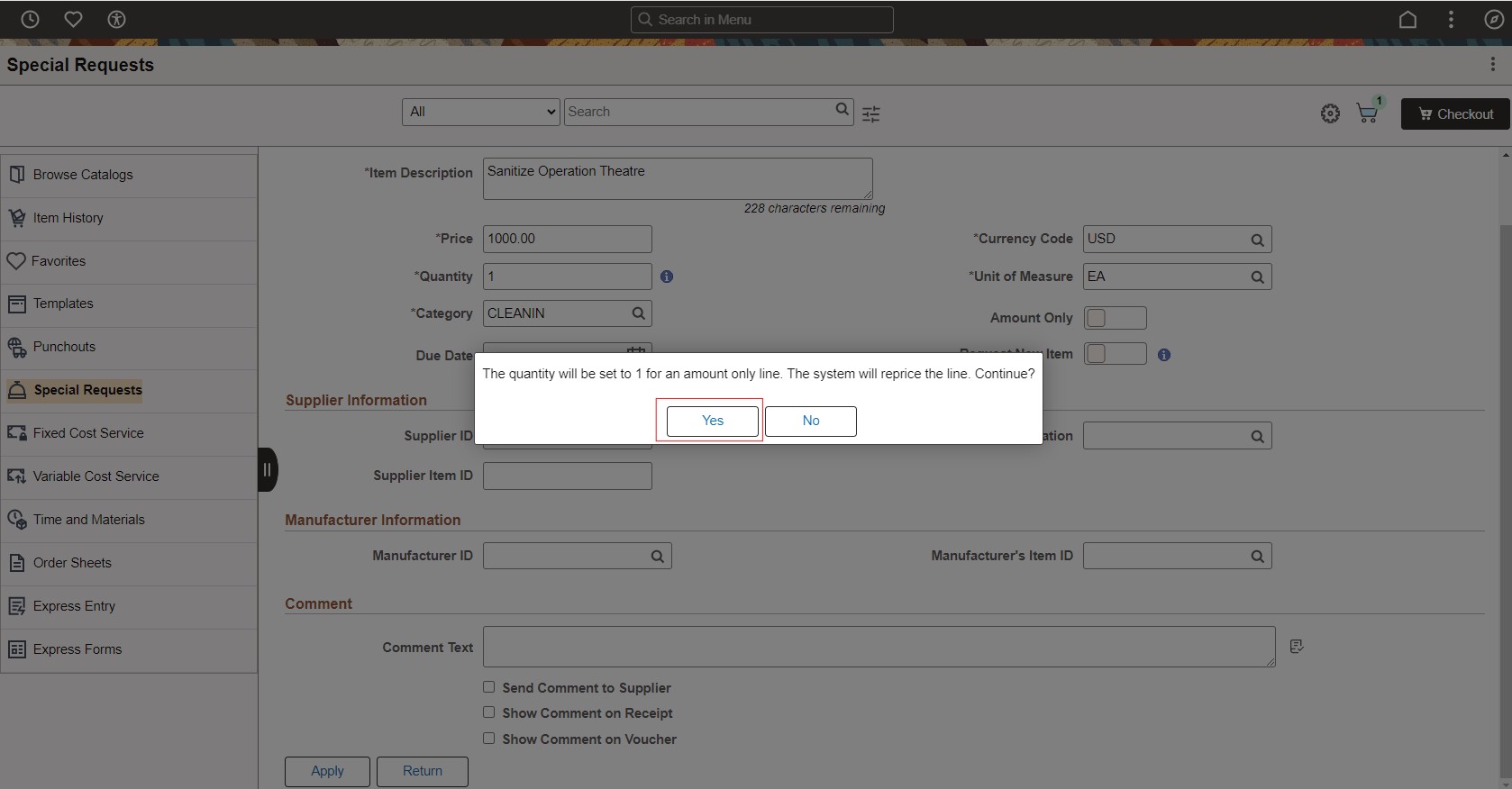
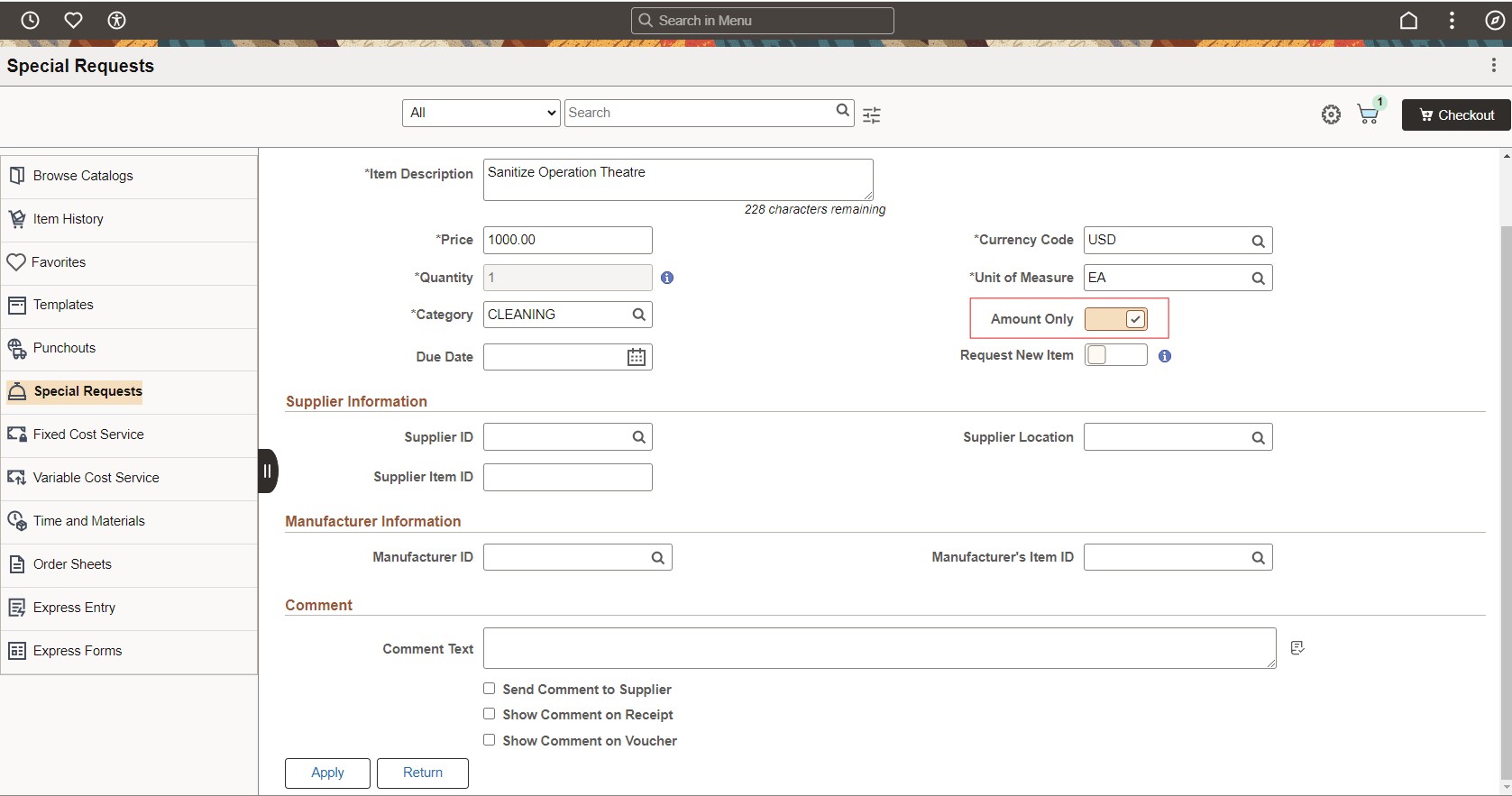
System will ask following question-“Category is set as amount only. The quantity will be set to 1 for an amount only line. Continue?” On choosing yes, the system shall grey out and set quantity field value to ‘1’. Also notice the Amount only toggle gets set to ‘Yes’ automatically.
How to enable Amount Only toggle on Special request, Fixed Cost Service, Variable Cost Service, Time and Materials pages?
Doing setup to enable amount only toggle on special request type pages is optional.
For example, if role action AMT_ONLY_SPECIAL_REQ is enabled for ePro requester role, then the Amount Only toggle shall be displayed on special request page.
Similarly, if role action ‘AMT_ONLY_SERVICES’ is enabled for ePro requester role then the Amount Only toggle shall be displayed on following pages-Fixed Cost Service, Variable Cost Service, Time and Materials. And if requester enters Category field value with ‘CLEANING’ system will ask the same question-“Category is set as amount only. The quantity will be set to 1 for an amount only line. Continue?” If answer chosen by requester is yes, then amount only toggle shall be set to ‘Yes’ with quantity value set to ‘1’.
If answer chosen by requester is no, then amount only toggle shall be set to ‘No’ without impacting quantity field value.
To summarize, PeopleSoft eProcurement has further enhanced the accuracy of overall business process by allowing the organization to take control of amount only requisition by setting the flag at Item category as amount only in advance and thereby helping requester to be more productive.
Take advantage of this feature available in PI49.