
We are pleased to introduce the ability to export MySQL HeatWave backup data directly to an OCI Object Storage bucket in your tenancy, enabling a one-step process to create an exported backup via the Console or API. This process creates a logical dump from the backup without utilizing DB system resources, thereby minimizing the impact on the source DB system and eliminating the need for manual effort, additional utilities, and export queries.
The exported backups can be easily imported into a new DB system or appended to an existing DB system using MySQL Shell, and can be used to load data into MySQL HeatWave Lakehouse for analytics. Additionally, the exported backups capture the database’s logical structure and data, independent of version-specific data formats, allowing customers to downgrade or upgrade their MySQL Server version as needed. The feature also enables long-term backup storage, allowing customers to retain their data for an extended period.
The ability to export backups to an OCI Object Storage bucket brings significant value to our customers, including:
- Enhanced Compliance and Security:
Extend backup retention beyond the current maximum limit of one year, ensuring adherence to stricter regulatory requirements and security standards. Additionally, customers can easily export an old backup and review its contents without having to restore the entire database, enabling efficient verification of past data states and supporting compliance with regulatory requirements. - Lower Total Cost of Ownership:
Archive historical data in lower-cost storage, reducing storage expenses and optimizing resource utilization. - Improved Disaster Recovery:
Ensure business continuity by maintaining backups in a separate, secure location, enabling swift recovery in case of data loss or corruption. - Optimized Performance:
Reduce primary MySQL database loads by archiving historical data, improving overall database performance and responsiveness. - Gaining Data Insights and Analytics:
Consolidate data from multiple databases for analytics, AI, and ML applications, and leverage HeatWave or other downstream services for advanced data analysis.
How to Export a DB System Backup to an OCI Object Storage Bucket
- On the OCI console, open the navigation menu and select Databases. Under MySQL HeatWave, click Backups.
- Choose your compartment to access the DB system backups in the appropriate compartment.
- Navigate to the Backup details page by clicking on the backup name.
- From the Actions drop-down list, select Export backup.
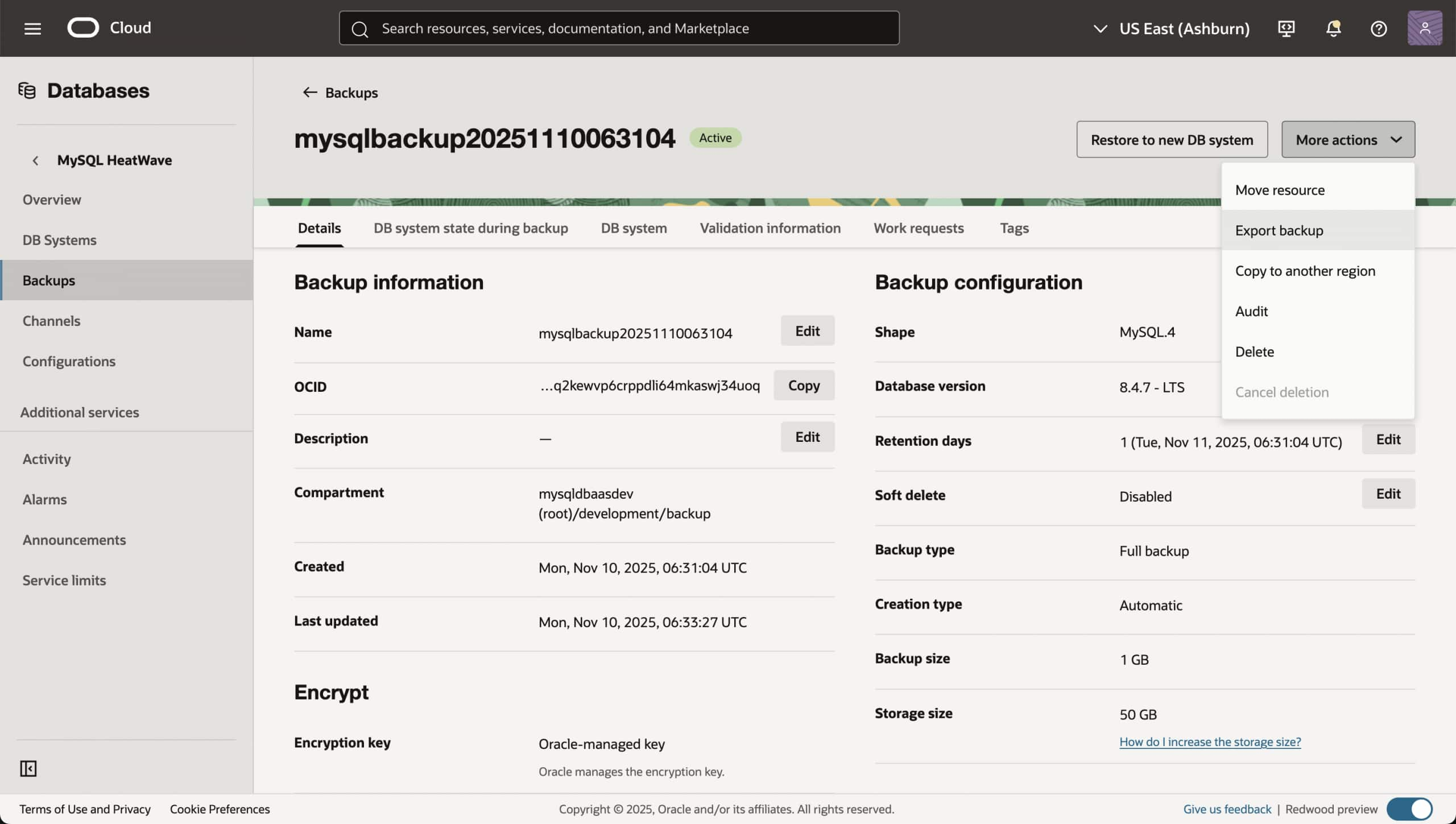
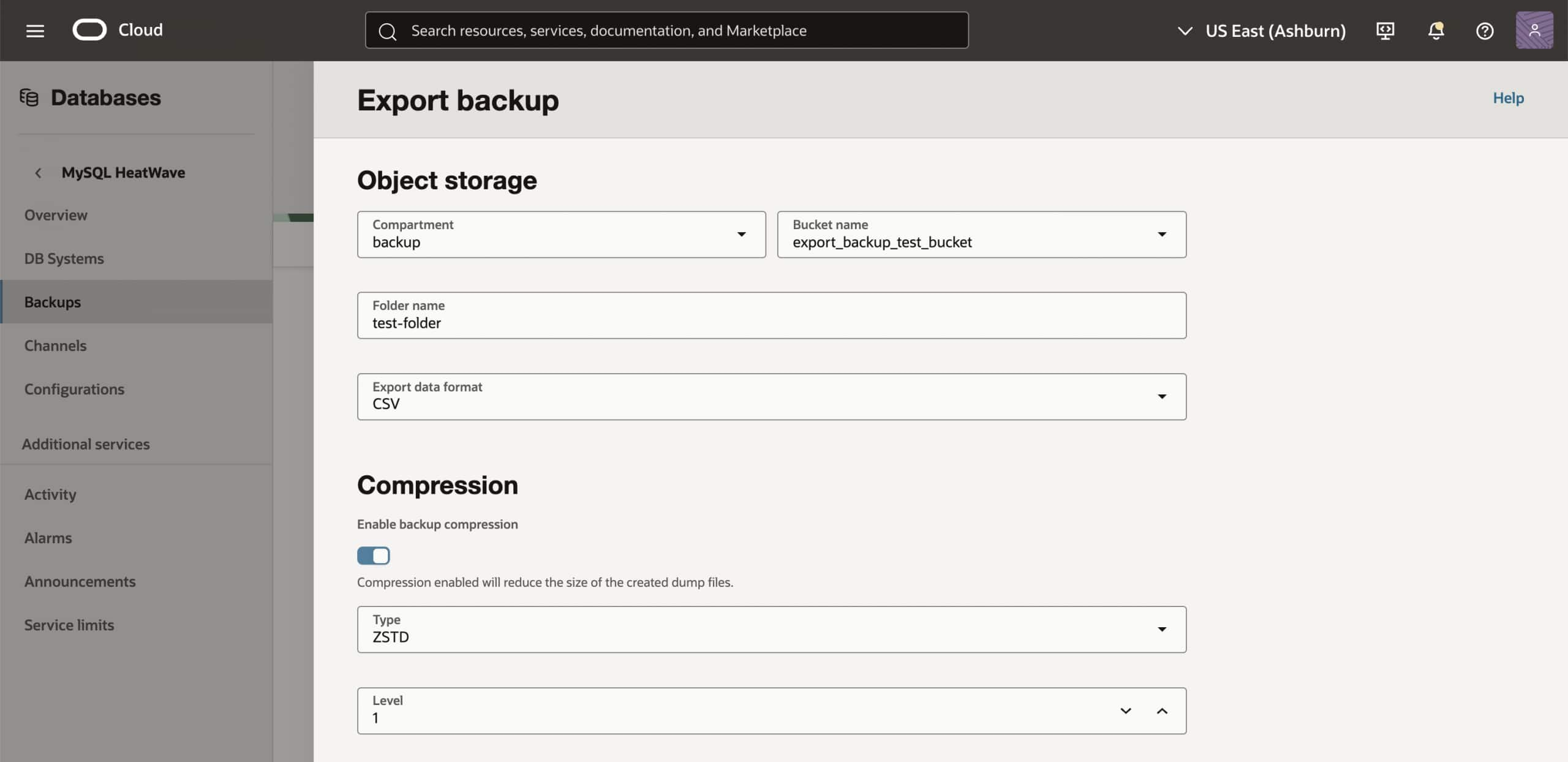
- In the Export backup panel
- Object Storage:
Specify the compartment and bucket for the exported backup, and optionally, a folder name. If a folder name is not specified, a folder with the name exportbackup<yyyyMMddHHmmss>_<backup_name> is automatically created in the specified Object Storage bucket. Choose the data format (CSV or TSV). - Compression:
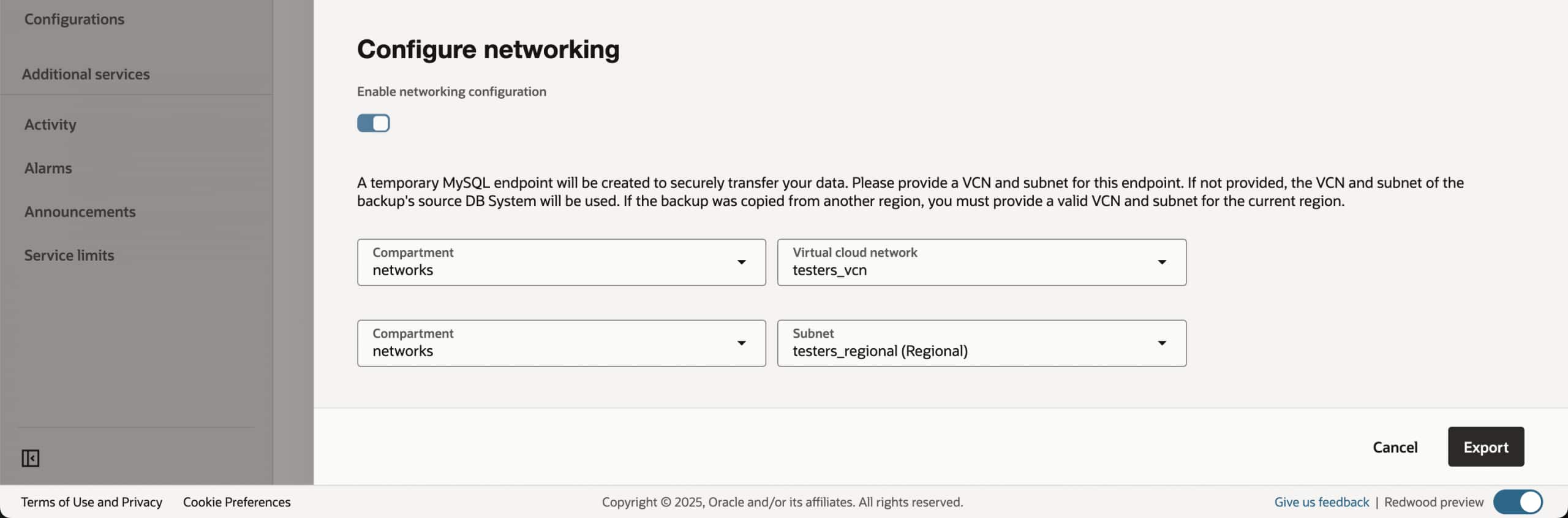
Compression is enabled by default. Select the compression type (GZIP or ZSTD) and level, or disable compression by turning off Enable backup compression. - Networking: To select a subnet, turn on Enable networking configuration, select the VCN compartment and VCN, followed by the subnet compartment and subnet. If exporting a backup copied from a different region, you must select a subnet in the current region. If not specified, the subnet of the DB system from which the backup is taken is used by default.
- Object Storage:
- Click on Export.
Cancel Export Operation
This feature allows you to cancel an in-progress export backup operation, providing greater control and flexibility over the process. This capability helps prevent unnecessary resource utilization and minimizes potential disruptions caused by long-running export operations, enabling you to manage your database backup and export processes more efficiently.
How to Cancel an in-progress Export Backup Operation
- In the Backup details page, click on Work requests tab under which you can find the details of the work requests associated with the backup.
- From the action menu (…) for the EXPORT_BACKUP work request that you want to cancel, select Cancel operation.

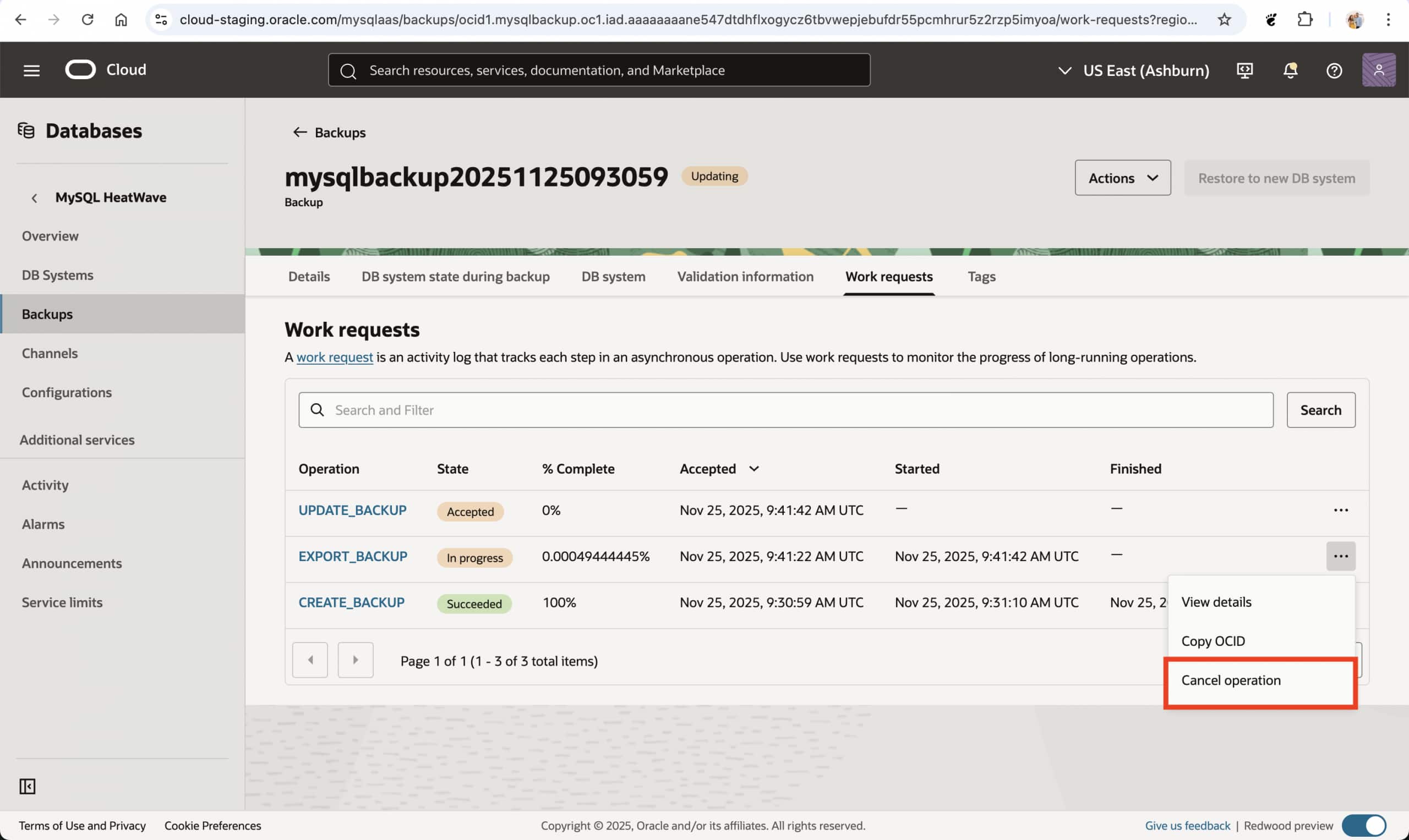
- Alternatively, you can click the work request name to open the Work request details page and click Cancel operation.
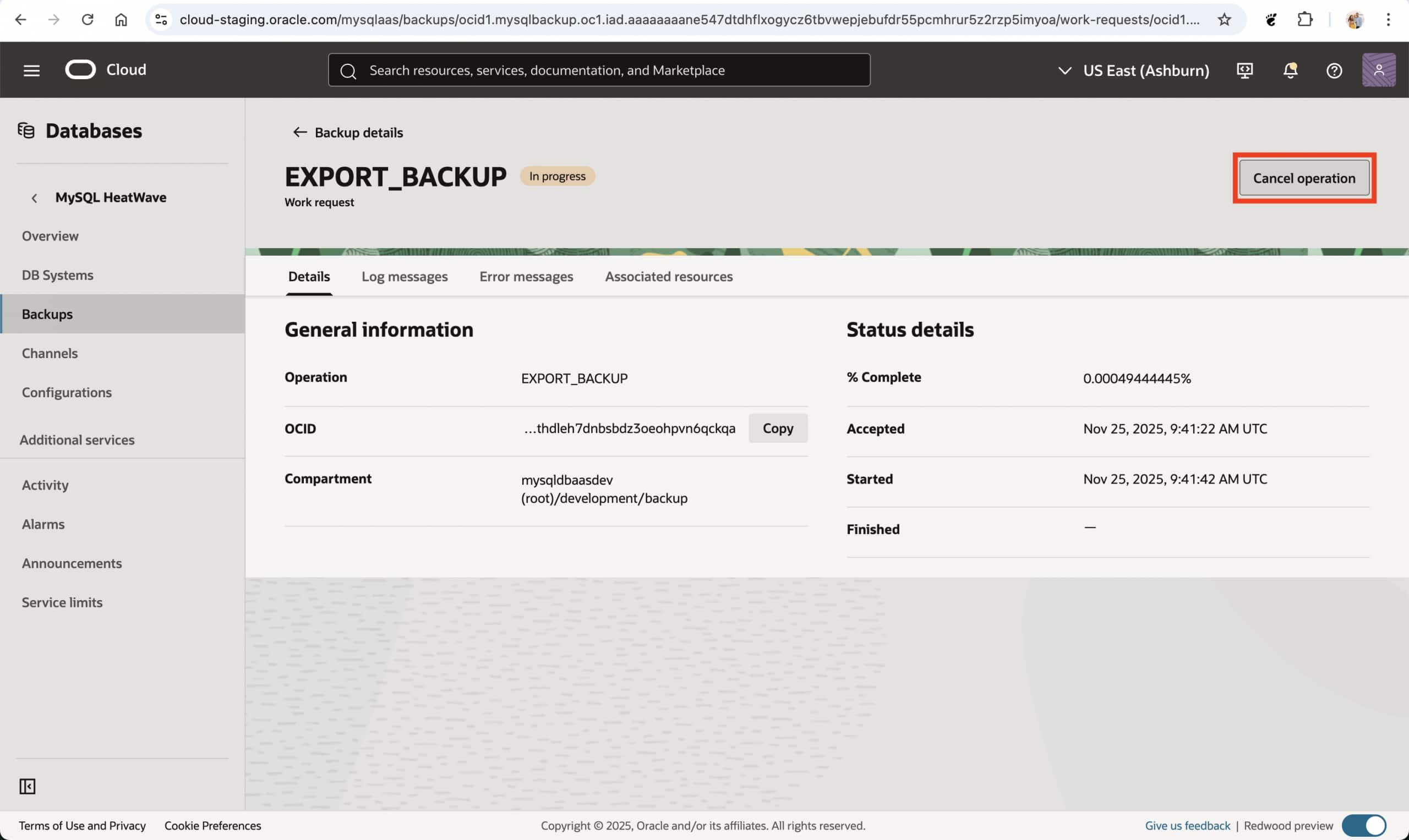
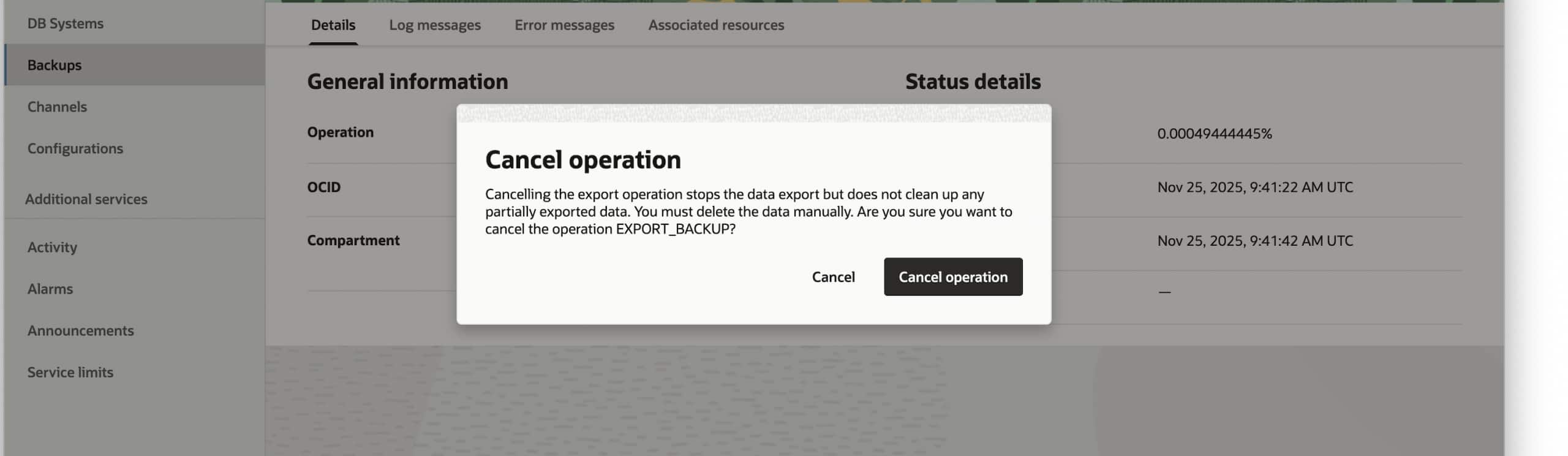
- On the Cancel export backup dialog box, select Cancel operation.
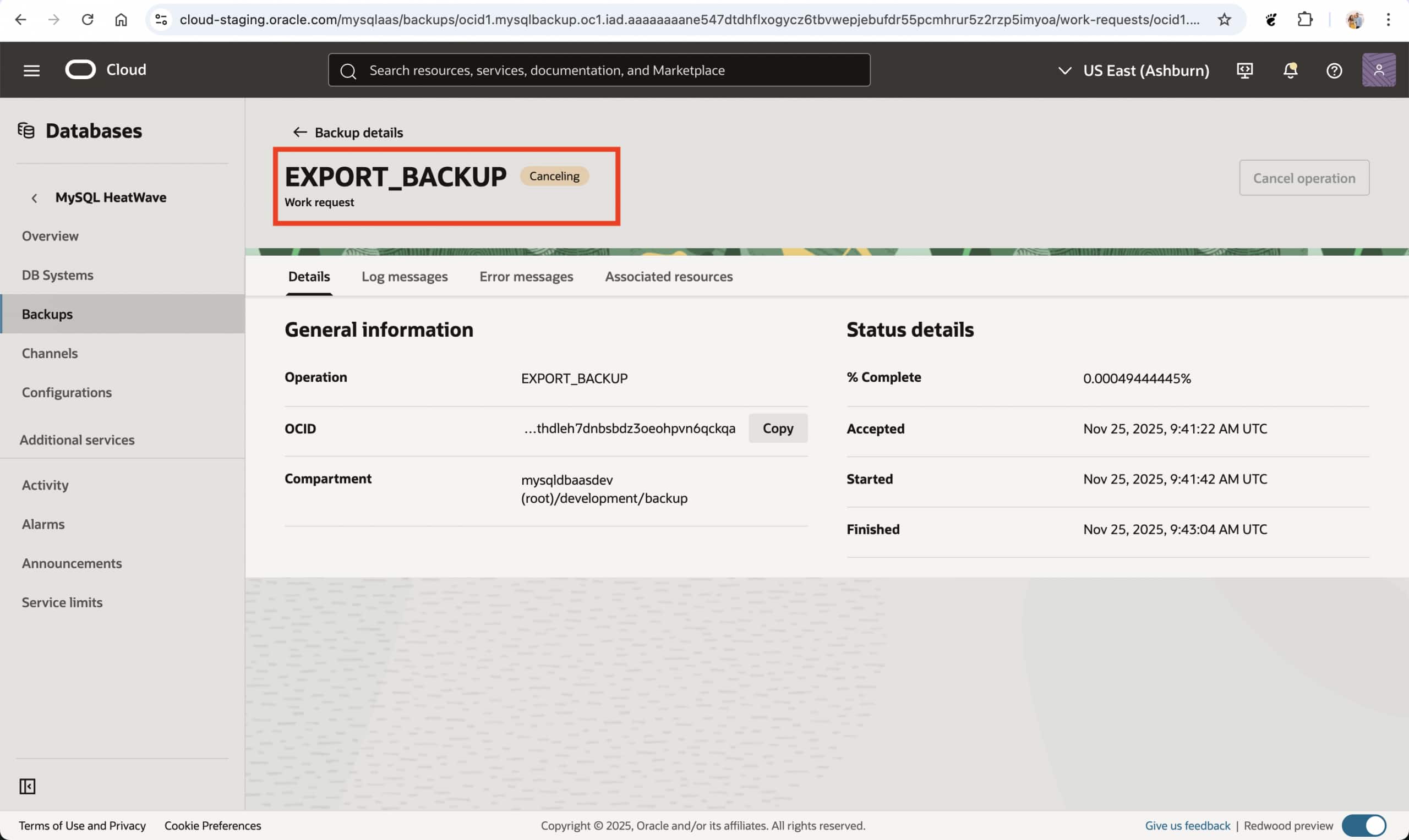
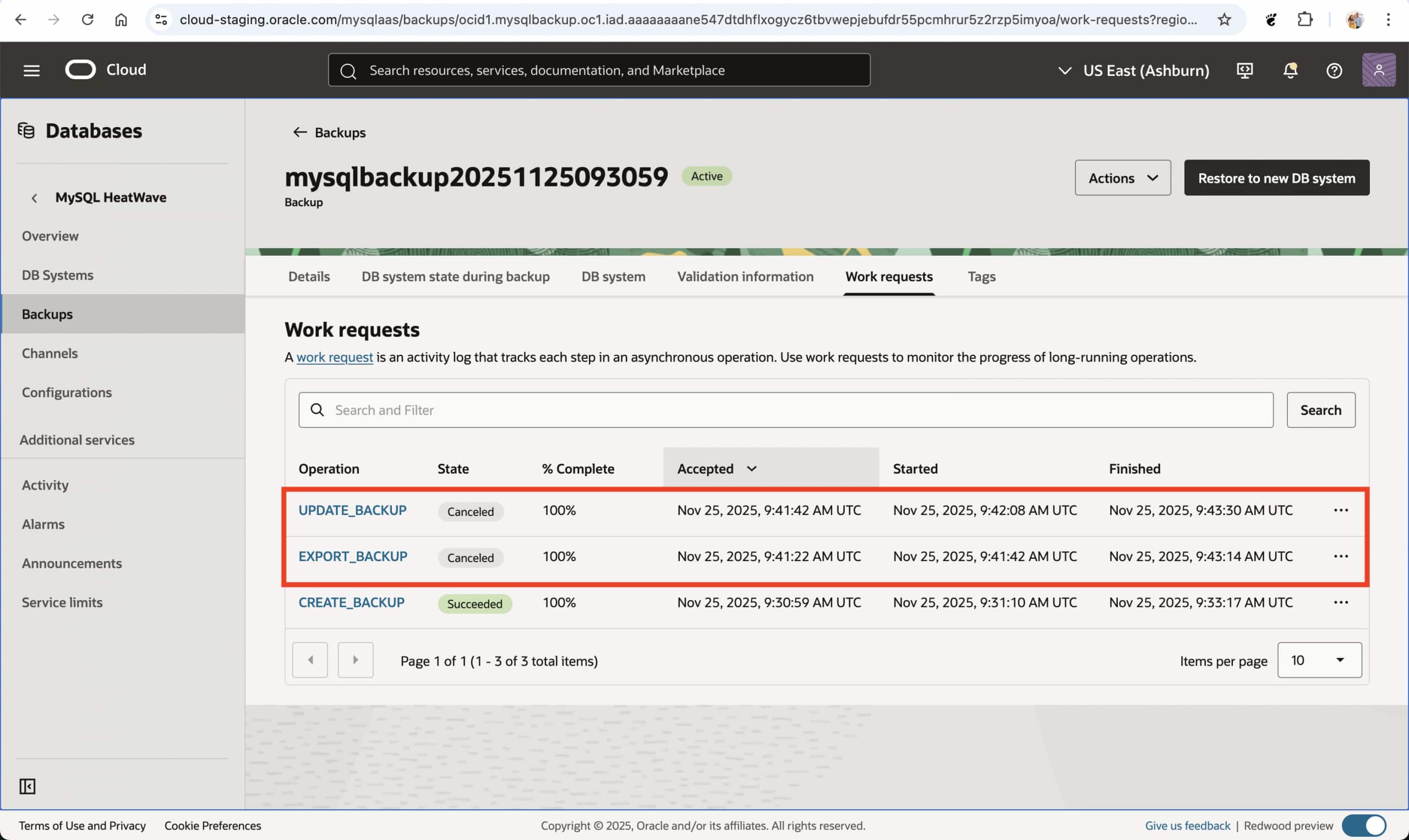
Summary
You can now export the logical data of DB system backups for MySQL HeatWave service to an OCI Object Storage bucket, enhancing business continuity, disaster recovery, data migration, and growth.
We appreciate your input as we continue to enhance our service to be the leading option in the industry. Please share your suggestions or requests for more information through our Oracle Cloud Customer Connect or by contacting My Oracle Support. Your feedback helps us serve you better.
For more information, see the Overview of Backups, Creating a Manual Backup, Exporting a Backup, Canceling the Export of a Backup, Viewing Backup Details, Importing Using MySQL Shell.