
MySQL Studio in Oracle Cloud Infrastructure
MySQL Studio in Oracle Cloud Infrastructure (OCI) is a unified environment for working with MySQL and HeatWave features through a single, streamlined interface. It brings SQL authoring, AI-assisted chat, and Jupyter-compatible notebooks together with project-based organization to help teams get from database setup to productive analytics faster. The same MySQL Studio console is available today with the MySQL AI on-premise product, and is now available in OCI, making it easy to develop and then move workloads to the cloud.
This post explains what MySQL Studio is, why we built it, and how it addresses common hurdles faced by DBAs and technical users adopting advanced MySQL capabilities in OCI such as HeatWave acceleration, AutoML, generative AI, and Lakehouse. We focus on practical tasks: running queries, exploring schemas, loading data, building notebooks, and executing end-to-end workflows on real datasets.
The motivation is straightforward: while MySQL in OCI provides powerful database features, many users find the initial path to value too steep, spanning multiple tools, setup steps, and switching between environments. MySQL Studio reduces that overhead by providing a consistent, project-centric workspace that supports SQL, AI interactions, and notebooks with minimal configuration, enabling quicker experimentation, repeatable workflows, and easier collaboration.
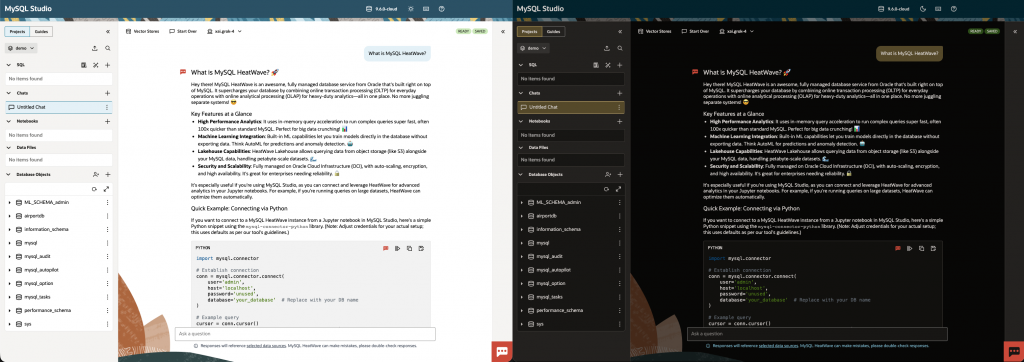
Workflow Friction for Advanced MySQL in OCI
Adopting advanced MySQL capabilities in OCI often requires navigating multiple tools and interfaces. Users commonly move between the MySQL console, SQL clients, notebook environments, and separate documentation to complete a single workflow. This fragmentation slows onboarding and increases operational overhead.
Several areas present friction:
- Getting a working SQL environment connected to a MySQL and HeatWave
- Discovering and using advanced features such as HeatWave acceleration, AutoML, generative AI, and Lakehouse
- Managing datasets and artifacts across notebooks, SQL scripts, and AI interactions
- Reproducing steps and sharing work across a team without ad-hoc tooling
These challenges matter because they delay time-to-first-query and time-to-first-insight. For teams evaluating MySQL in OCI or building new analytics workloads, the initial complexity can become a barrier to experimentation and adoption.
MySQL Studio provides a single, task-oriented workspace that reduces setup, keeps artifacts organized by project, and exposes advanced features in a consistent way. By consolidating SQL editing, AI-assisted interactions, and Jupyter-compatible notebooks, Studio helps DBAs and technical users execute end-to-end workflows without switching contexts.
What is MySQL Studio?
MySQL Studio is a browser-based workspace in OCI that unifies three primary modalities for working with MySQL and HeatWave:
- Connection and Projects
- Studio connects to your target MySQL DB System in OCI.
- Work is organized into projects containing SQL scripts, chat sessions, notebooks, and supporting data files.
- Edits are automatically saved to the current project.
- SQL Explorer and Editor
- Write and run SQL, browse schemas, tables, views, and routines, and view results in tables or charts.
- Use Explain Plan to inspect query execution.
- Natural Language to SQL converts plain-English questions into executable SQL.
- Query details summarize duration, rows affected, and multiple result sets.
- AI Chat
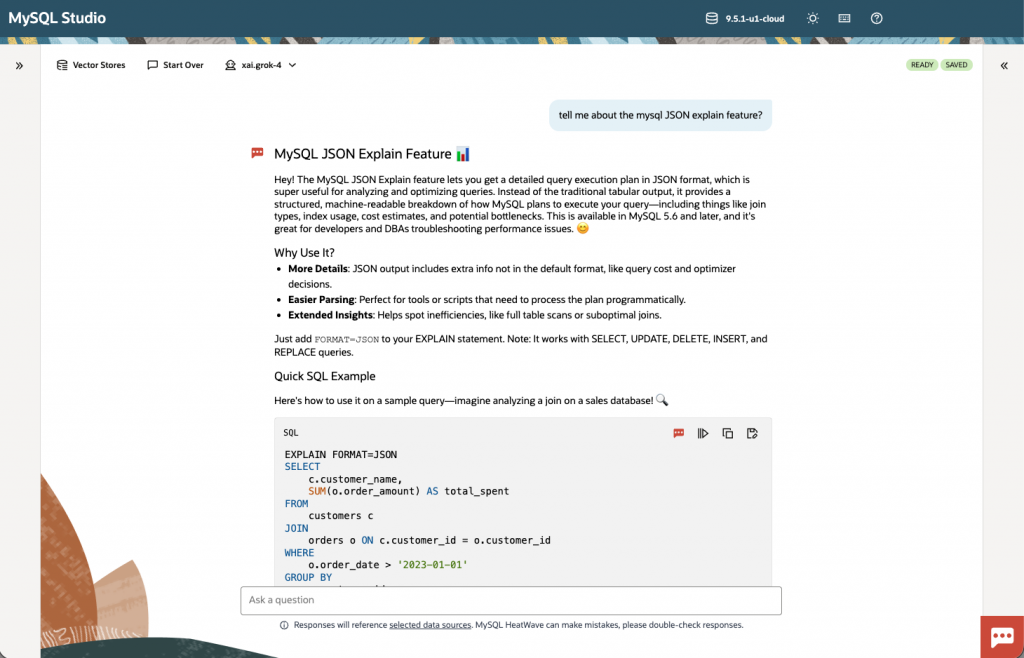
- Retrieval-augmented answers can be enabled by selecting vector stores and initiating loads from an OCI Object Storage URL.
- Ask Oracle
- Ask Oracle provides contextual assistance for SQL and database topics.
- It can leverage either the customer’s MySQL DB System LLMs or OCI LLM services, as configured, to explain queries, suggest SQL, and answer conceptual questions.
- Notebooks
- Jupyter-compatible environment supporting Python and native SQL cells.
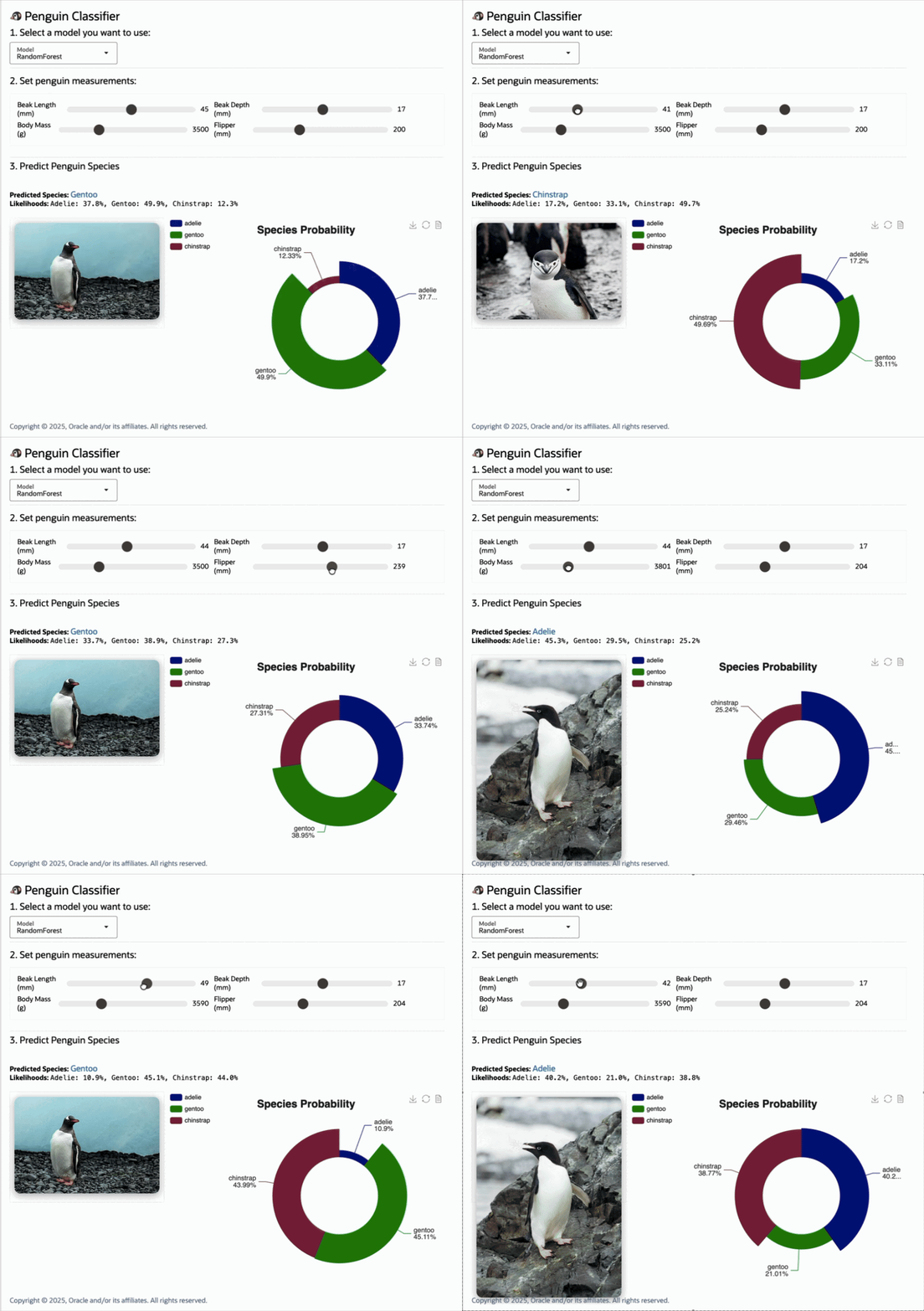
- Nearly complete support for ipywidgets and full support for ipecharts, which exposes Apache ECharts for interactive visualizations.
- Preinstalled libraries such as mysql-connector-python, Ibis, SQLAlchemy, pandas, and langchain.
Where it fits in OCI
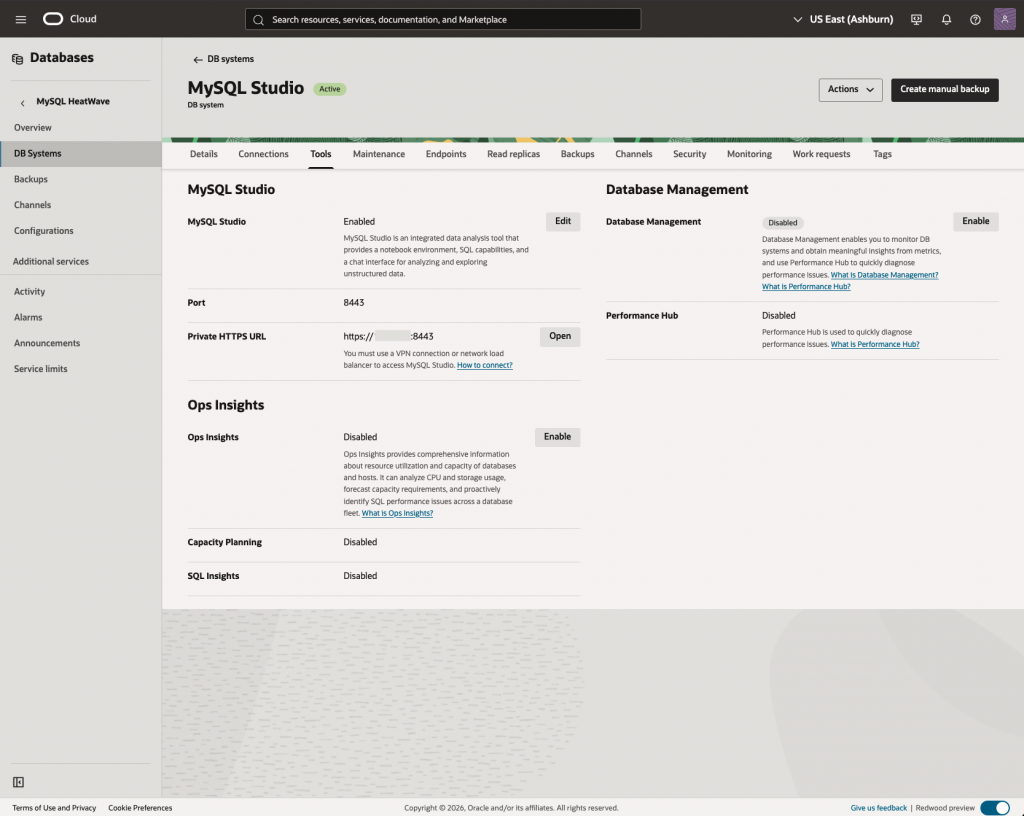
Studio runs alongside your MySQL DB System in OCI. It connects to your database, organizes artifacts into projects (SQL files, notebooks, chat sessions, and data files), and provides direct access to advanced data-plane features available to your DB System. It can be enabled on existing DB systems or enabled while creating new ones.
Projects storage and backups:
- Projects group SQL scripts, notebooks, chat sessions, and supporting data files are represented on the file system as directories.
- Files are stored on the same storage as your database on the DB System.
- Backup your DB System in the usual way to protect your projects.
- If you delete the DB System, project files are deleted with it. Deleting a project removes its directory and artifacts but does not affect your database data.
Working with MySQL Studio
Since MySQL Studio runs alongside your MySQL DB System it is on a private, rather than public, end-point. Please review and perform the steps outlined in the documentation in order to connect to it.
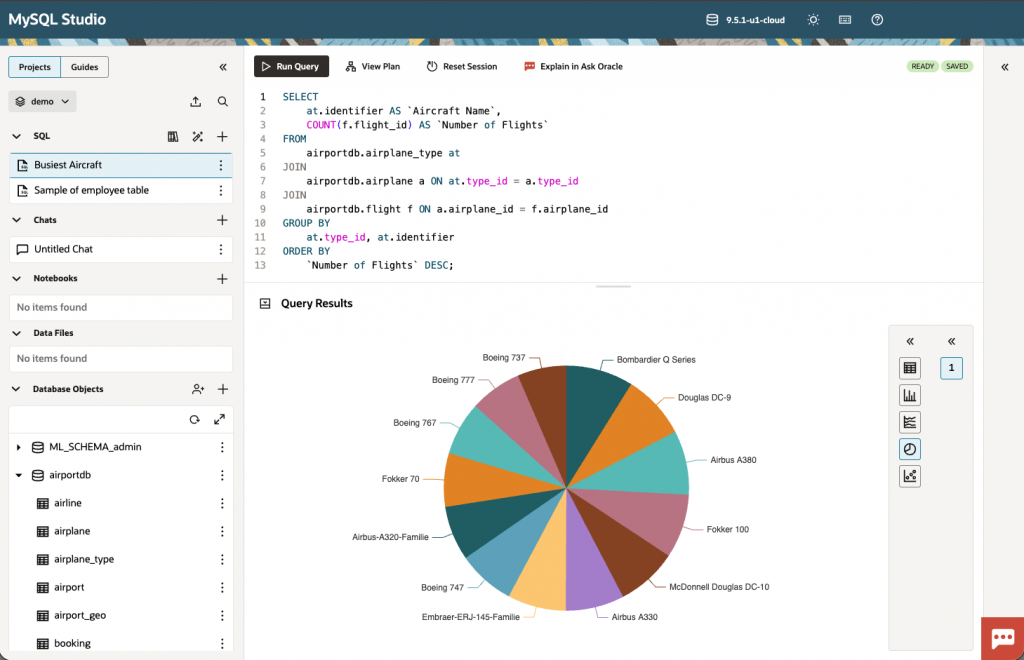
Time-to-First-Query on a New DB System
Open Studio, login to the DB System, browse schemas, run sample queries, and visualize results.
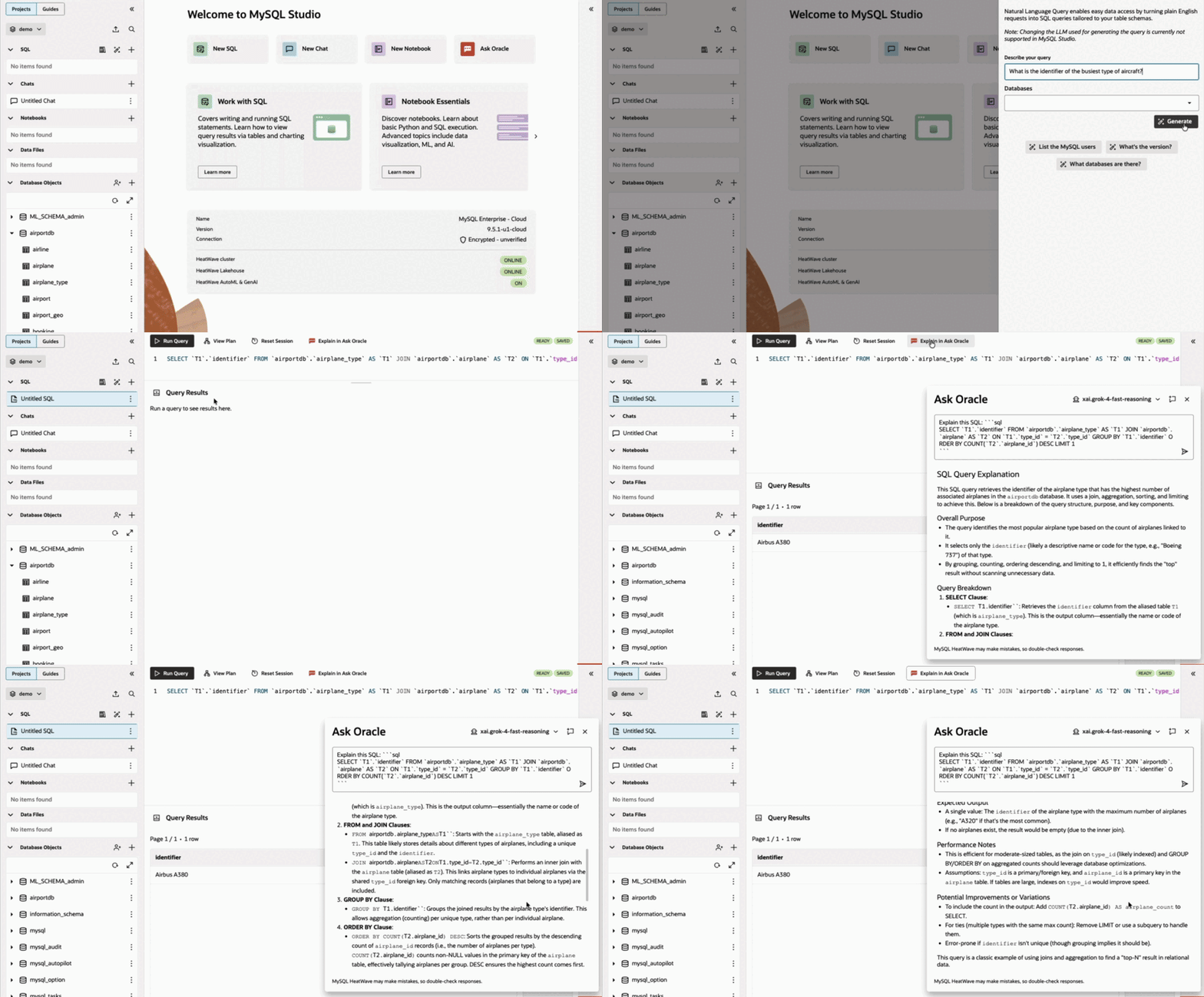
Natural Language to SQL to Ad-hoc Analysis
Use the Natural Language to SQL action to generate a query from a plain-English prompt, review with Explain Plan, and execute.
Retrieval-Augmented Generation in Chat
In the chat interface, select vector stores and trigger a load from an Object Storage URL to ground responses in domain specific documents.
End-to-End Notebook Workflow with Interactive Visualization
Start a project notebook with Python and SQL cells, use Pandas and Ibis for data preparation, and visualize results with ipecharts and ipywidgets controls.
Benefits
MySQL Studio reduces onboarding time by providing a single workspace for SQL, AI assistance, and notebooks. Users no longer need to bring their own tools or stand-up separate environments (for example, a Jupyter server or a custom RAG system) just to query the database. It also offers a faster path to advanced features with guided access to HeatWave, AutoML, generative AI, and Lakehouse from the same interface.
Projects provide a logical workspace that groups SQL scripts, chat sessions, notebooks, and data files, enabling repeatable, organized workflows and collaboration. Operational clarity comes from integrated schema browsing, Explain Plan, and result introspection to help diagnose performance and correctness. For practical guidance, comprehensive, ready-to-run notebook guides cover SQL fundamentals, Ibis dataframes, AutoML, interactive apps and visualizations, Lakehouse patterns, RAG workflows, and common ML tasks.
Summary
MySQL Studio centralizes the tools DBAs and technical users need to work effectively with MySQL and HeatWave in OCI. By combining an SQL editor, AI-assisted chat, and Jupyter-compatible notebooks in a project-oriented workspace, it reduces setup overhead and context switching, enabling faster progression from first connection to insight while streamlining advanced analytics workflows.
Access MySQL Studio in your OCI tenancy: https://cloud.oracle.com/
Review the official documentation:
- MySQL Studio documentation: https://dev.mysql.com/doc/dev/mysql-studio/latest/
- Enable or disable MySQL Studio: https://docs.oracle.com/en-us/iaas/mysql-database/doc/enabling-or-disabling-mysql-studio.html
- Connect to MySQL Studio: https://docs.oracle.com/en-us/iaas/mysql-database/doc/connecting-mysql-studio.html
- MySQL HeatWave: https://dev.mysql.com/doc/heatwave/en/