
As discussed in the Ransomware Protection and Cyber-Resilience with Zero Data Loss Recovery Appliance and Zero Data Loss Recovery Appliance Deployment with Cyber Vault and Clean Room technical briefs, an isolated (air-gapped) backup copy maintained in a secured cyber vault location is essential to business resilience. In the event of a major cyber-attack on production, these backups can be used to recover databases into a clean room to stand up minimum viable business operations.
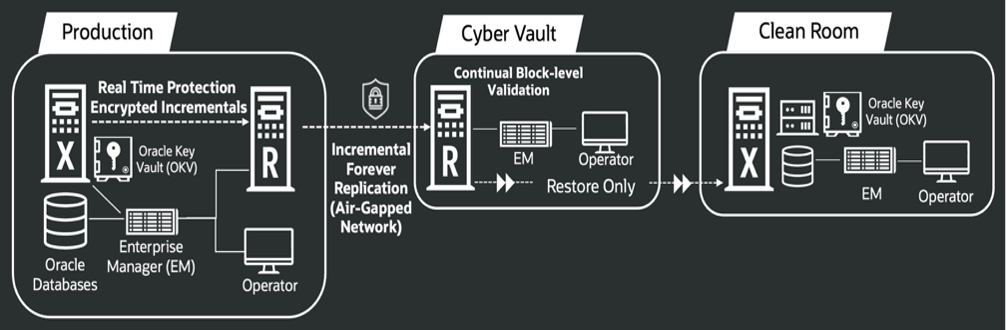
The vault is connected over a customer‑controlled secure network designed to enforce air gap requirements. This link remains closed by default and is only opened at random, vault‑initiated intervals to replicate the latest backups and maintain periodic sync with production. While ZDLRA network interfaces are traditionally always open to send and receive backups, customers operating the appliance in an isolated vault need to only permit replication for a limited time period.
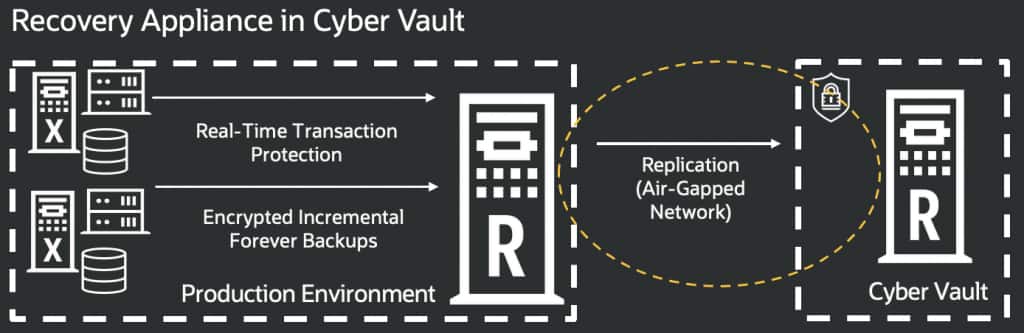
Starting with the ZDLRA 23.1 Oct 2025 PSU SW release, the new Virtual Air Gap feature can be used to control replication access to the vault by allowing the replication interface (bondeth1) on the vault appliance to be placed in a closed state and then opened for a specified period, enabling time‑bound replication while preserving the vault’s operational air gap.
Virtual Air Gap feature introduces a new set of RACLI commands that help manage the replication traffic on production (or upstream) ZDLRA with the replication network on the vault (or downstream) ZDLRA. This can help simplify the implementation and management of the air gap facility by consolidating such tasks under the control of the ZDLRA instead of solely relying on data center and networking teams to implement and control the air gap. With these commands, the replication network on the downstream ZDLRA in the cyber vault can be opened, closed, or opened for a specific time period so that backups are replicated and synchronized with the upstream in production. Because only the replication network is affected by the new commands, the management network remains open for use by Enterprise Manager and other approved users in the vault.
This feature also introduces a new background process on the upstream ZDLRA that regularly checks connectivity to the downstream (vault) ZDLRA and when the endpoint is reachable, will automatically resume any queued replication activities. When connectivity is closed, this process automatically stops the replication to downstream ZDLRA.
Let’s take a closer look at these commands, including setup and usage workflows.
New RACLI Network Access Commands
racli configure replication_network –mode={open | closed | limited <X mins>}
- Open – Default mode where all access is available. Requires quorum approval, if enabled.
- Closed – Disable the replication network. Requires quorum approval, if enabled.
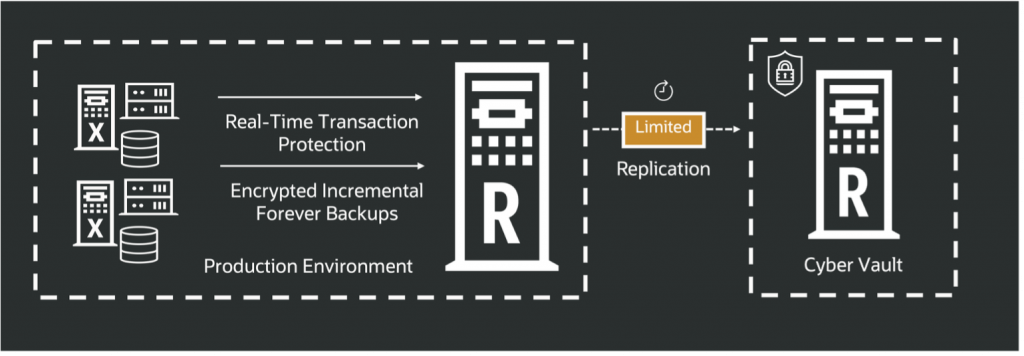
- Limited – Open access for the specified ‘X mins’ time period and initiates replication activities, then closes access after this period expires and pauses replication.
racli status replication_network
- Shows the current mode of replication network (open | closed | limited)
racli alter replication_server –auto_enable=true
- Enables background process (watcher) on upstream to regularly check if replication server is paused and downstream appliance is in open mode (end point on replication network is reachable) – if these two conditions are met, the watcher will automatically resume replication activities
User Workflows
1.Setup Replication Partnership
On the upstream, a new replication partnership is first setup using RACLI
racli add ra_partner –target_host=<RA2> –partner_user=REPL_PARTNER_RA1 –partner_uid=UID –admin_user=REPL_ADMIN_NAME –admin_key=VALUE
racli create replication_server –target_host=<downstream hostname> [–certificates=LIST ]
racli start replication_server –replication_server_name=VALUE
Refer to the below documentation for details:
Note that SSH ports must be open on the downstream so that the upstream can connect to establish the partnership. Once that is done, SSH access can be disabled on the downstream as it is no longer needed for subsequent open, close, and limited access functions.
By default, the network is open after replication is setup.
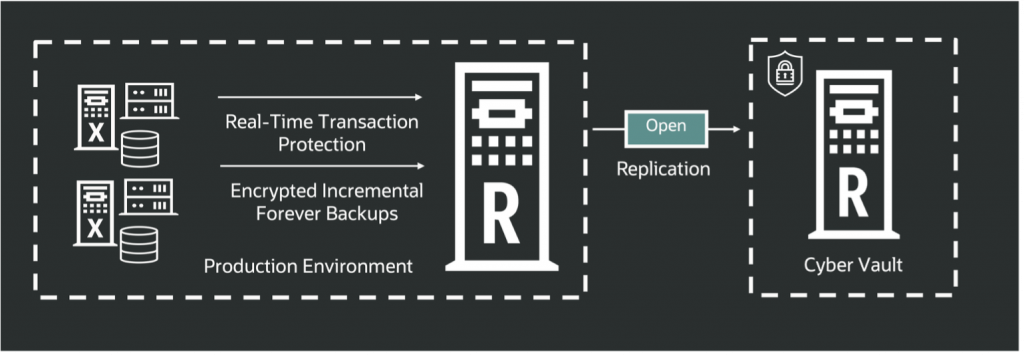
2.Starting the replication watcher
The command below is run on the upstream Recovery Appliance to enable the watcher task. This task checks every <interval> minutes if the downstream Recovery Appliance can be contacted.
When enabled, the watcher automatically detects transitions in replication network status between OPEN/CLOSED and reacts accordingly. For instance, upon detecting a change from CLOSED to OPEN, it instructs upstream replication to resume, eliminating the need for manual intervention.

3.Closing the network
When the replication network is closed, the ZDLRA automation pauses the replication traffic on upstream, then stops the SCAN listener, VIPs, and bondeth1 interface on downstream.
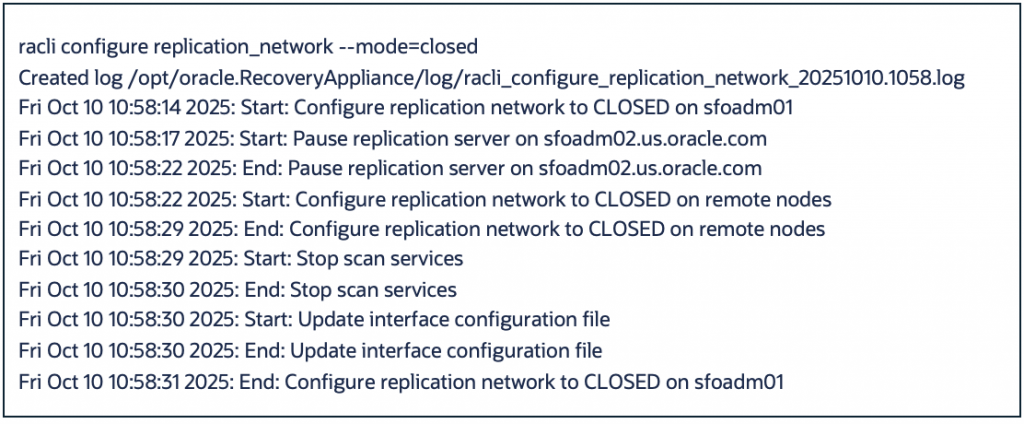
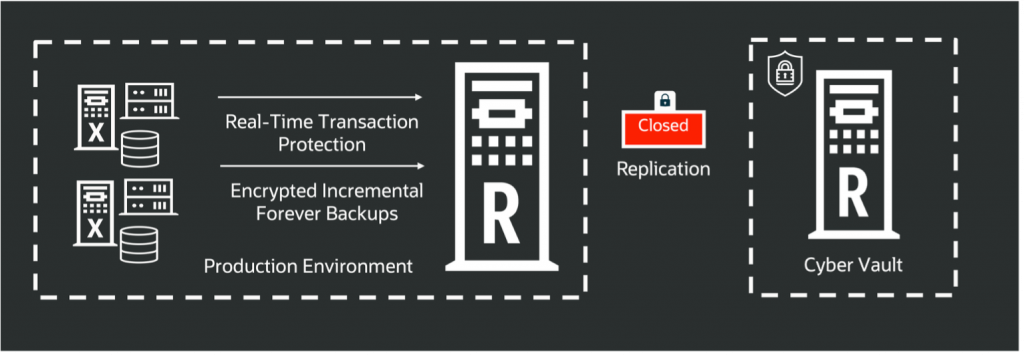
4.Checking the status of replication network
In below example, replication network mode is CLOSED

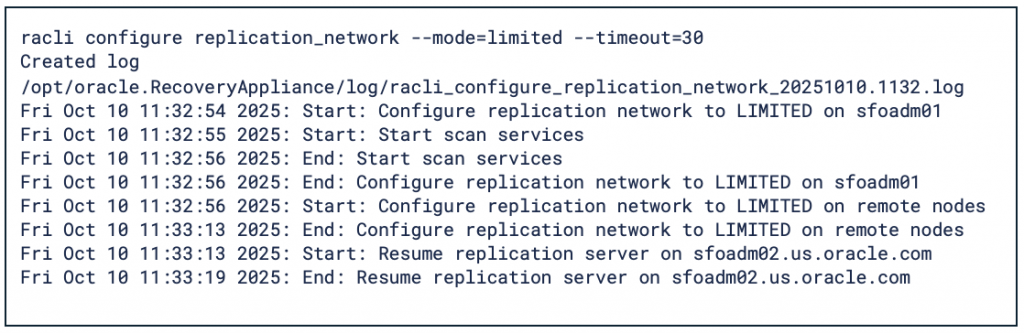
5.Opening the network for limited time
Below example shows network is opened for 30 minutes and replication is resumed from upstream Recovery Appliance.
Summary
The Virtual Air Gap feature streamlines air-gap deployment and operations by centralizing control within ZDLRA, reducing the reliance on other corporate IT teams. New RACLI commands give administrators precise control over replication activities between production (upstream) and vault (downstream) ZDLRA systems. By centralizing replication network governance on ZDLRA, this feature streamlines air gap implementation and ongoing management. Administrators can open, close, or limit the downstream replication network to align backup synchronization windows with production, improving operational efficiency, and tightening security posture.
For more information , refer to: Recovery Appliance Virtual Air Gap