
The AI Assistant in the latest Oracle Cloud Native Environment (Oracle CNE) 2.3 release is a powerful tool designed to transform the way users manage and operate their Kubernetes workloads by leveraging modern artificial intelligence capabilities. By supporting integration with a wide range of leading AI providers and enabling seamless connections to preferred providers with a secure API key, the AI Assistant flexibly adapts to any organization’s requirements. For those needing enhanced privacy or control, it can also deploy using a local AI model through Ollama, ensuring sensitive data remains stored securely.
A key benefit of the AI Assistant is its context awareness, allowing it to create personalized experiences for users by tailoring responses to their specific Kubernetes cluster and nodes. As a result, it can deliver highly relevant answers, clear explanations, and actionable recommendations unique to each environment. Customers can interact with the AI Assistant through intuitive, plain language requests to generate Kubernetes deployments or server configurations, with the AI Assistant also being able to generate YAML manifests, which can eliminate the need for manual scripting.
Beyond automation, the AI Assistant streamlines troubleshooting by helping diagnose issues, interpret logs, and understand deployed services, allowing users to resolve problems quickly and efficiently. By automating routine tasks and offering tailored, insightful guidance, the AI Assistant equips customers to manage modern infrastructure with speed, accuracy, and confidence, helping drive greater operational success.
AI Assistant Deployment
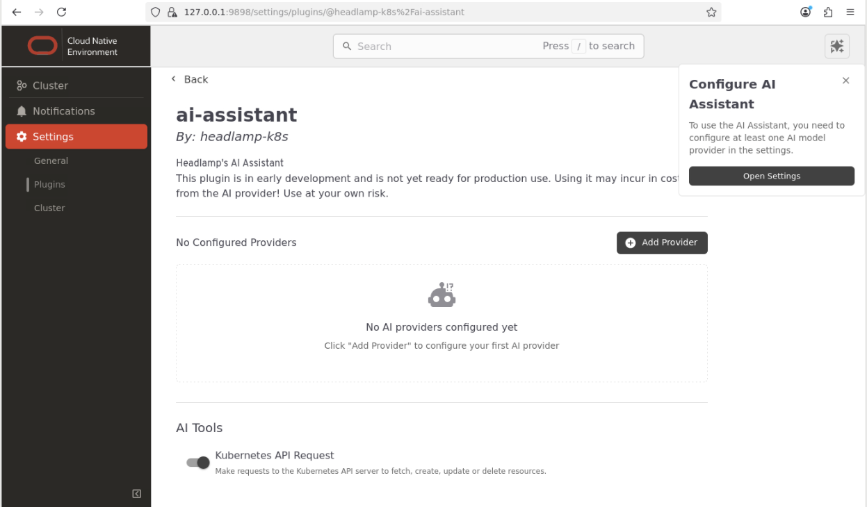
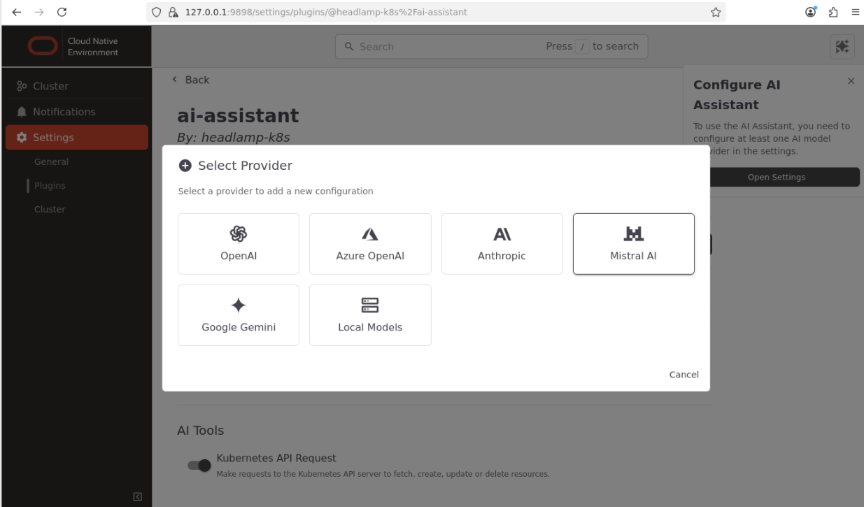
To deploy the AI Assistant on Oracle CNE 2.3, users will need to navigate to the Oracle CNE UI Settings page, access the ai-assistant item, and either select one of the existing providers (currently these are OpenAI, Azure OpenAI, Anthropic, Mistral AI, and Google Gemini) or configure a local model, which can be done through Ollama. Refer to the Use AI Assist with Oracle Cloud Native Environment tutorial for step-by-step instructions on enabling access to the Oracle CNE UI and configuring the AI Assistant.
Installation and Upgrade for Oracle Cloud Native Environment
Users can install Oracle Cloud Native Environment by following the instructions in the getting started guide. They can also update Oracle Cloud Native Environment by following the Cloud Native Environment Upgrade Guide.
Support for Oracle Cloud Native Environment
Support for Oracle Cloud Native Environment is included with the Oracle Linux Premier Support and Oracle Linux Premier Plus Support subscriptions.
Additional Resources