
JCDK 26.1 Download · Java Card Documentation · Java Card Developer Forum
Java Card Development Kit (JCDK) 26.1 is now available. The Simulator implements the post-quantum cryptography (PQC) Preview Features defined in the latest Java Card 3.2 specifications. The release also adds application-upgrade support and improvements to the development and testing workflow. With JShell and Eclipse, developers can interact with the Simulator and turn these interactions into reusable test scripts. PC/SC support for multiple readers also makes it easier to integrate several Simulator instances into existing test setups. This blog explores these capabilities and how developers can use them.
Preview Features are fully specified and implemented capabilities made available for evaluation before becoming permanent parts of the Java Card platform. They may evolve based on feedback. To learn more, see How Preview Features Support Java Card Evolution.
JCDK 26.0 introduced support for two Preview Features, BDH and ECSDSA, to support EMVCo payment requirements. JCDK 26.1 now implements three additional Preview Features dedicated to PQC: Module-Lattice-Based Keys for key management, Key Encapsulation Mechanism (KEM) for shared-secret establishment, and ML-DSA for digital signatures. For the API design, Secure Element considerations, and examples, see Post-Quantum Cryptography on Java Card: APIs Designed for Secure Elements. We welcome feedback on these features and on the overall development and testing experience.
Why design for post-quantum security now?
Secure Elements protect identities and credentials and perform cryptographic operations. Many products depend on this protection for years. Electronic identity documents such as passports, eSIMs embedded in automobiles, medical devices, and industrial IoT devices such as smart meters and industrial controllers illustrate these long-term needs. In smartphones, embedded Secure Elements support services such as mobile payments. Across these use cases, Secure Elements must also support secure application loading, updates, and management throughout the device's supported lifetime.
These products may still be in use when quantum computers can break widely used public-key algorithms such as RSA and elliptic-curve cryptography. The risk begins earlier: attackers can collect encrypted data today and attempt to decrypt it later, a risk known as "harvest now, decrypt later". Data that must remain confidential for years therefore needs protection before such quantum computers become available. NIST IR 8547 outlines the transition to post-quantum standards. JCDK 26.1 enables developers to begin exploring this transition in Java Card applications using the Java Card PQC Preview Features.
Module-Lattice-Based Keys

The Simulator lets applets create, import, generate, export, and clear keys for ML-KEM and ML-DSA, standardized in FIPS 203 and FIPS 204. It supports ML-KEM-512/768/1024 and ML-DSA-44/65/87 through the Module-Lattice-Based Keys API.
The API supports both compact seeds and expanded representations of private keys. During factory or field personalization, provisioning seeds reduces the amount of data transferred and written. For example, an ML-DSA-87 private key can be provisioned as a 32-byte seed instead of a 4,896-byte expanded encoding. Using the Simulator, developers can compare these representations, explore persistent and transient storage, and use transactions to keep key updates consistent with application data.
The dedicated PQC article shows how to create only the key objects an application needs, generate the corresponding keys from a seed, and choose when to expand a private key across the application lifecycle.
Key Encapsulation Mechanism

Using KEM support in the Simulator, developers can test a shared-secret exchange between an applet and a remote service. The service uses a public key to generate a secret and an encapsulation message; the applet uses its private key and that message to recover the same secret. The secret itself is not transmitted.
The Simulator supports post-quantum ML-KEM-512/768/1024, standardized in FIPS 203, and classical DHKEM with NIST elliptic curves, X25519, and X448. Both KEM families use the same Java Card API. Operations are stateless between calls, so a configured KEM instance can be reused with different compatible keys and shared across applets.
Developers can explore seed expansion during decapsulation, use a peer's encoded public key directly, or write the shared secret into a key object. The dedicated PQC article explains how these choices can reduce temporary objects and memory use.
ML-DSA digital signatures
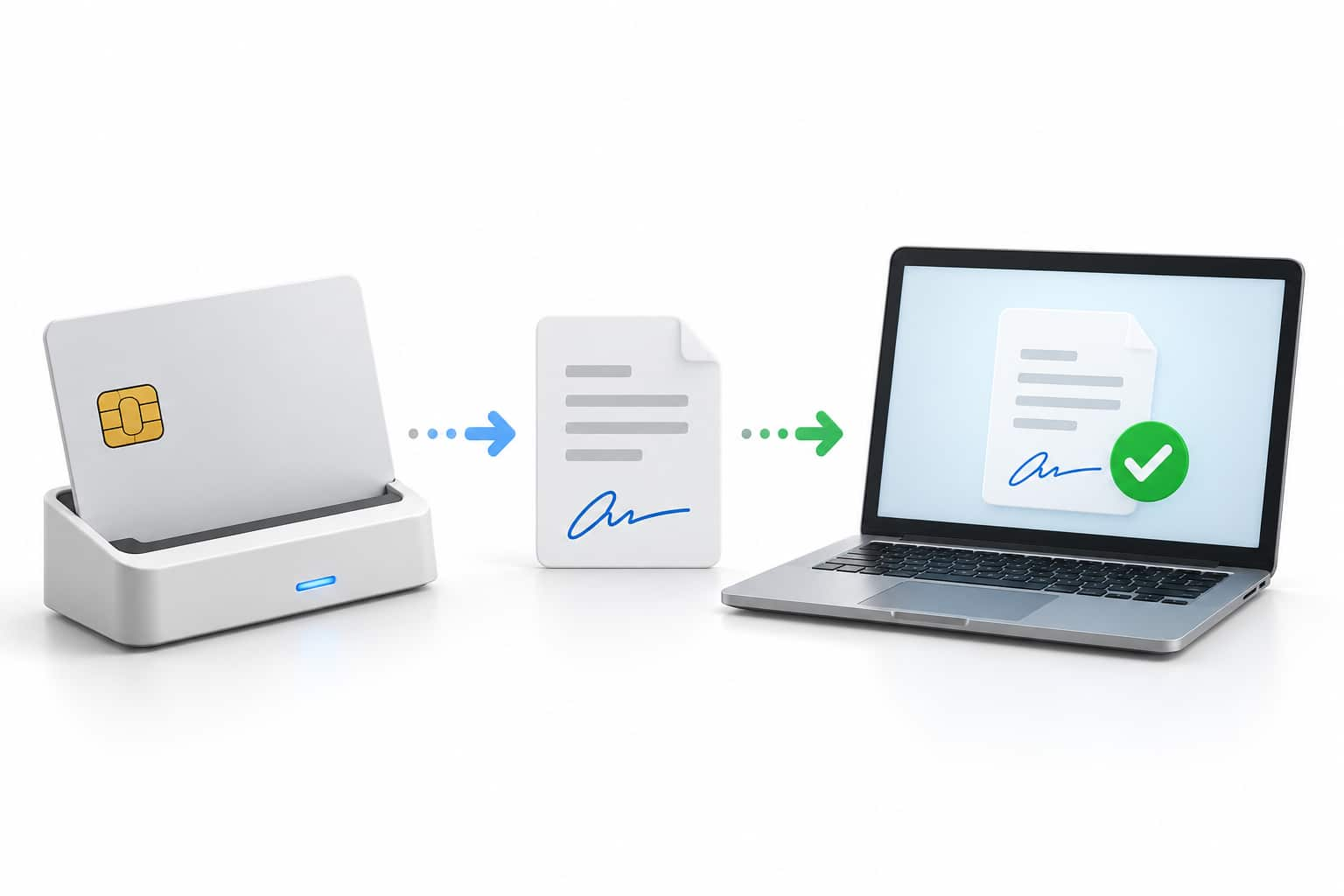
The Simulator implements ML-DSA-44/65/87, standardized in FIPS 204, using the existing Signature API and Signature.OneShot. Developers can test a familiar authentication flow: an applet signs a fresh challenge, and a service verifies the signature with the corresponding public key.
The Simulator supports seed and expanded private keys, with expansion before or during signing. Developers can also choose where to process the message: within the Secure Element, or outside it by supplying the 64-byte message representative defined by FIPS 204. Processing the message outside the Secure Element can reduce data transfers when the original message is large.
The article Post-Quantum Cryptography on Java Card: APIs Designed for Secure Elements walks through these choices and a device-authentication example, showing how to adapt signing to the application's memory and communication needs.
GlobalPlatform Executable Load File Upgrade

How can application code be updated without provisioning every application instance again? Application upgrades allow selected data to be carried over to the new version while code is replaced to fix bugs or add functionality. For example, updating payment application code shared by different banks can retain each instance's issuer-specific configuration and transaction counters, without repeating the full provisioning process. The Simulator lets developers build and test these flows for both Compact CAP and Extended CAP files.
The Simulator implements the process defined by GlobalPlatform Card Specification v2.3, Amendment H, Executable Load File Upgrade v1.1, using the org.globalplatform.upgrade API and the MANAGE ELF UPGRADE command. An applet can save its application state before the upgrade and restore it afterwards. Developers can use the session controls and Simulator logs to test recovery and investigate failures.
Developers can prepare an applet instance with representative data in the Simulator, perform the upgrade, and check that the new code restores the intended state. They can also interrupt the workflow to test recovery handling. The application determines what to save and how the new version restores it.
Development and testing workflow enhancements
Alongside support for PQC and application upgrades, JCDK 26.1 makes it easier to interact with the Simulator, replay application scenarios, and integrate tests into an existing development environment.
Interactive Simulator development with JShell
JCDK 26.1 includes startup scripts that turn the JDK's JShell into an interactive Java Card client. Developers can send an APDU exchange at the prompt, inspect its trace, and save the same sequence as a reusable .jsh script without building a separate client application for each experiment.
The helper methods provided by these scripts cover connection management, deployment, APDU exchange, and cleanup. The CAP helper reads package and applet AIDs from a CAP file, so developers do not need to enter those identifiers manually. Developers can extend these scripts to send application-specific applet commands, process the returned data, and verify the results.
For example, after building HelloWorld and configuring the client, developers can use a JShell session to deploy the applet, select it, send a command APDU, and delete the applet instance. Replace the example path with the location of the generated CAP file:
connect();
trace();
var cap = CAP.from("C:/path/to/helloworld.cap");
cap.deploy();
cap.select();
send(0x80, 0x20, 0x00, 0x00,
     new byte[] { 0x31, 0x32, 0x33, 0x34, 0x35 });
cap.undeploy();
disconnect();
Use help() and workflowExamples() to explore the available helper methods. Combine these methods with Java code for data preparation and application-specific assertions, then save the sequence as a .jsh script and replay the sequence with JShell's /open command.
Developers can also define a helper method that sends an applet’s personalization commands and checks each response, then run that method with several sets of provisioning data. The same method can be reused in an interactive session or a saved test script to support the product’s application protocol.
The bundle includes HelloWorld, Channels, and ArrayViews scripts covering deployment, APDU exchanges, logical channels, and multi-package scenarios. Client applications can communicate with the Simulator using either a direct TCP/IP connection or PC/SC.
Windows PC/SC connectivity
The updated Windows PC/SC driver supports up to 10 PC/SC reader instances, each connected to a Simulator instance using its IP address and port. From a single computer, an application can access these readers to communicate with Simulators running locally or on other network reachable computers.
For example, tests can run in parallel against several Simulators running on the same computer or on different computers all accessed using PC/SC.
Eclipse integration and preview API selection
The Eclipse Plug-in includes a JCShell Terminal where developers can interact with the Simulator directly from Eclipse. The terminal can open automatically when the Simulator starts, or developers can open it from Java Card View.
In the Java Card Project Debug configuration, choose the .jsh scripts and their execution order. Once the debugger connects, these scripts can deploy an applet and send the APDUs for the test scenario. Developers can then use breakpoints and step through the applet code.
The plug-in also lets developers select preview APIs for conversion and verification. Consult the Tools and Simulator guides for their respective preview-enablement options.
Simulator reset
An optional proprietary APDU command resets the Simulator to its initial configured state without restarting the Simulator process. The command must be explicitly enabled using -enable-factory-reset. When executed, the command clears nonvolatile memory, removing installed packages, applets, and persisted application data.
For example, after tests change the GlobalPlatform card life-cycle state to CARD_LOCKED or TERMINATED, developers can use a factory reset to restore the initial configured state before running further tests.
Explore Java Card Development Kit 26.1
Download the Simulator and Tools, try the supplied sample applications, and use JShell or Eclipse to build a repeatable development workflow. To explore the PQC APIs in more depth, see Post-Quantum Cryptography on Java Card: APIs Designed for Secure Elements.
We welcome feedback on the Preview Features and the development experience. For supported configurations and detailed usage information, consult the Java Card API documentation and the Simulator and Tools release notes and user guides.
JCDK 26.1 Download · Java Card Documentation · Java Card Developer Forum