
Introduction
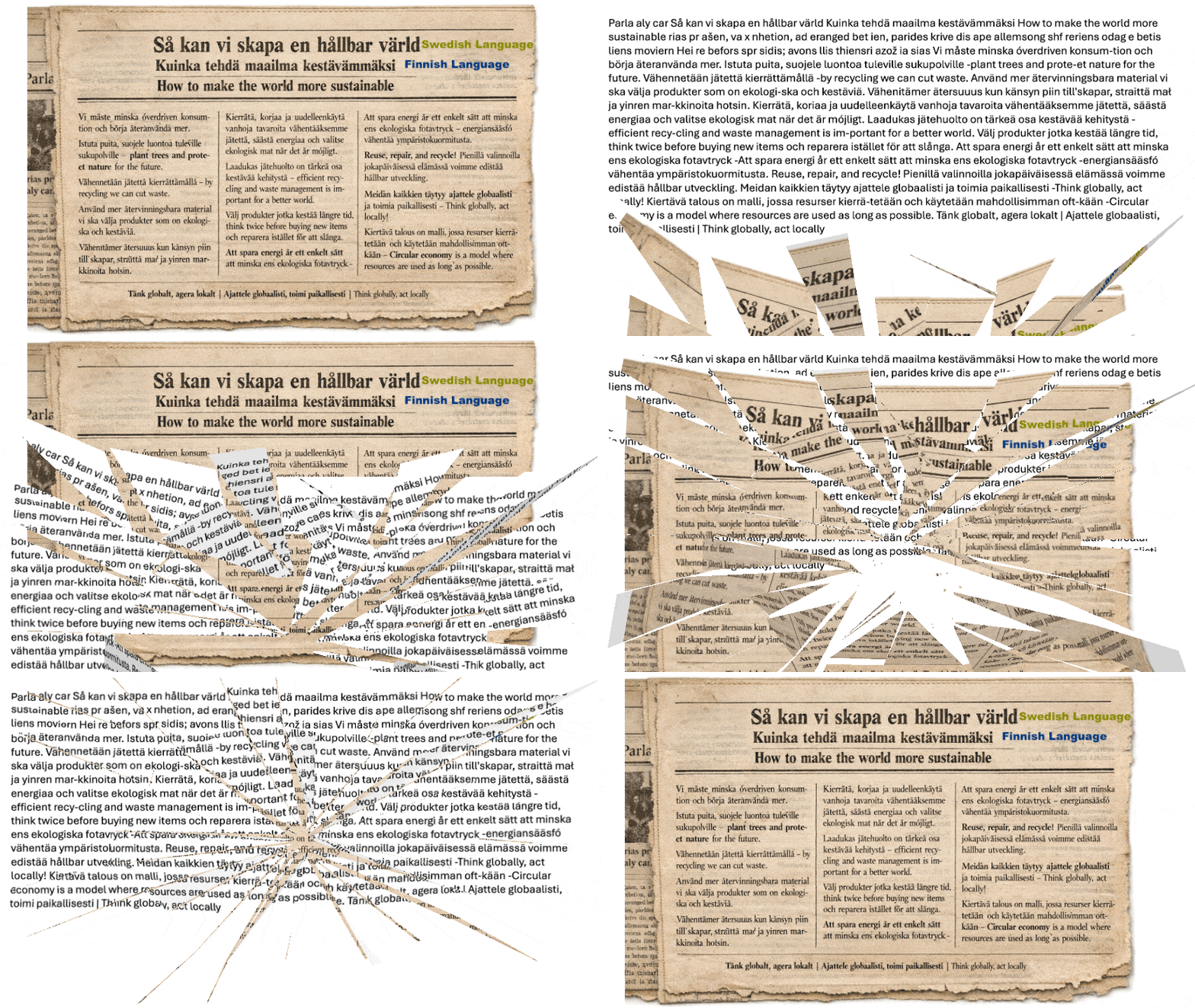
Extracting text from documents whether they are decades-old newspapers, scanned images, or modern digital files presents inherent challenges. These challenges are further amplified when documents contain multiple languages or are of poor visual quality. Oracle Cloud Infrastructure (OCI) Document Understanding, combined with Oracle Integration Cloud (OIC), offers a highly effective, low-code solution to address these complexities.
This blog demonstrates how images of any age or format, containing multilingual text, can be seamlessly processed and fully extracted using OCI Document Understanding through Oracle Integration Cloud, with minimal development effort and without direct API management.
OCI Document Understanding Overview
OCI Document Understanding is an AI-driven service designed to extract text, tables, and structured data from document files such as images and PDFs. The service supports multilingual content and performs reliably even on low-resolution, aged, or scanned documents.
Oracle Integration Cloud further simplifies adoption by providing a built-in Document Understanding Adapter. This adapter abstracts all low-level API interactions and complex AI configurations, enabling developers to integrate advanced document processing capabilities rapidly and efficiently.
Solution Flow Overview
The following high-level integration flow is implemented in Oracle Integration Cloud:
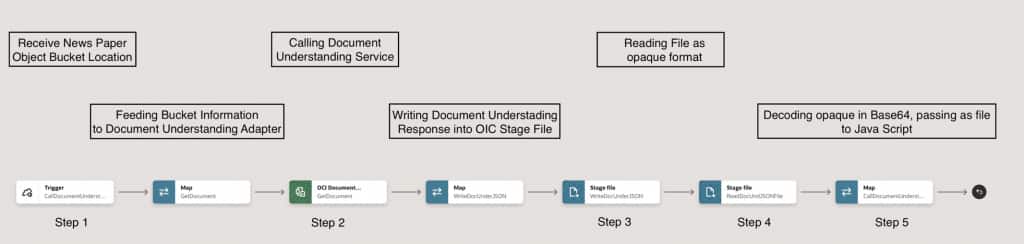
Step 1: Receive Object Storage Bucket Information
The integration is triggered by an OCI Object Storage upload event, delivered through the OCI Streaming Service, when the source document (such as a scanned newspaper image) is uploaded to the bucket.
Step 2: Invoke the Document Understanding Adapter
The received bucket information is passed to the OCI Document Understanding Adapter in OIC. The adapter processes the document and returns the extracted content.
- The OCI Document Understanding Adapter is natively available in OIC and can be used directly without creating or managing REST API connections.
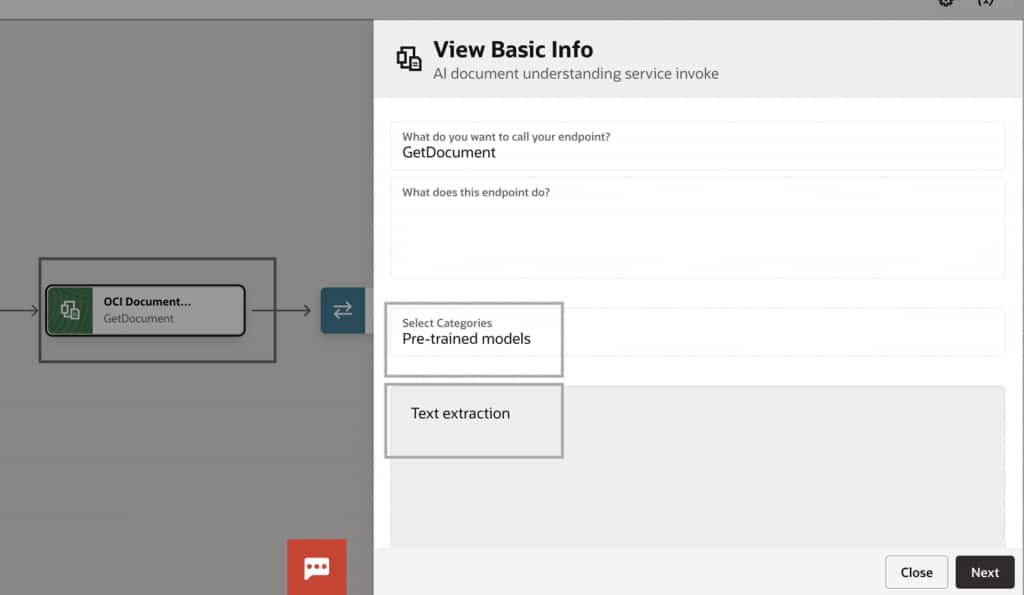
- The adapter supports multiple extraction types, including Text, Table, and Key-Value extraction, depending on business requirements.
- In this implementation, Text Extraction is selected.
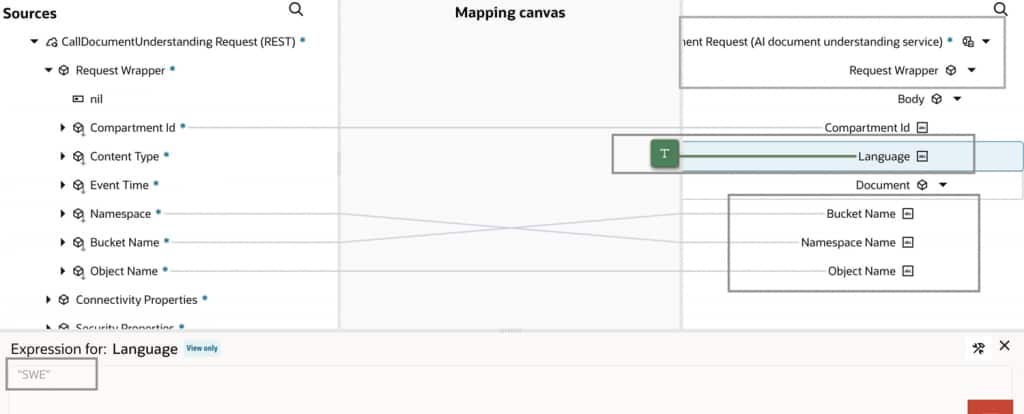
Important Note on Language Support
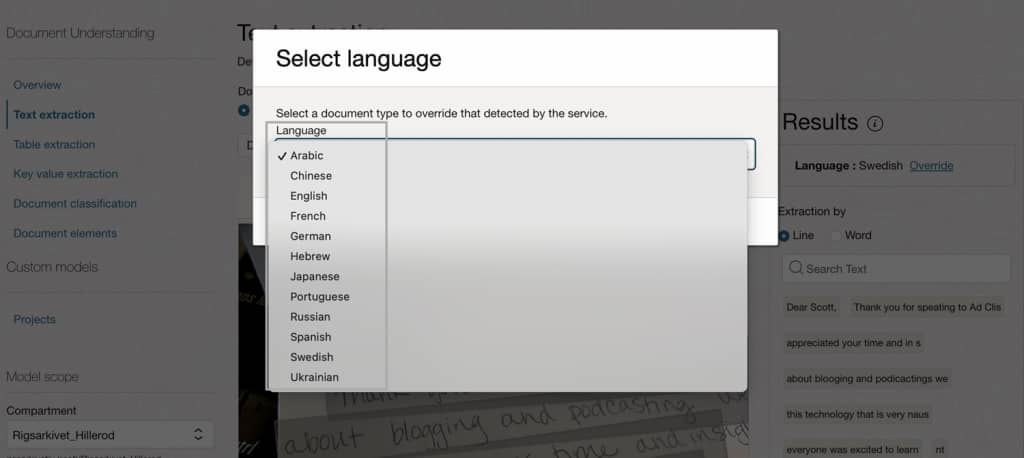
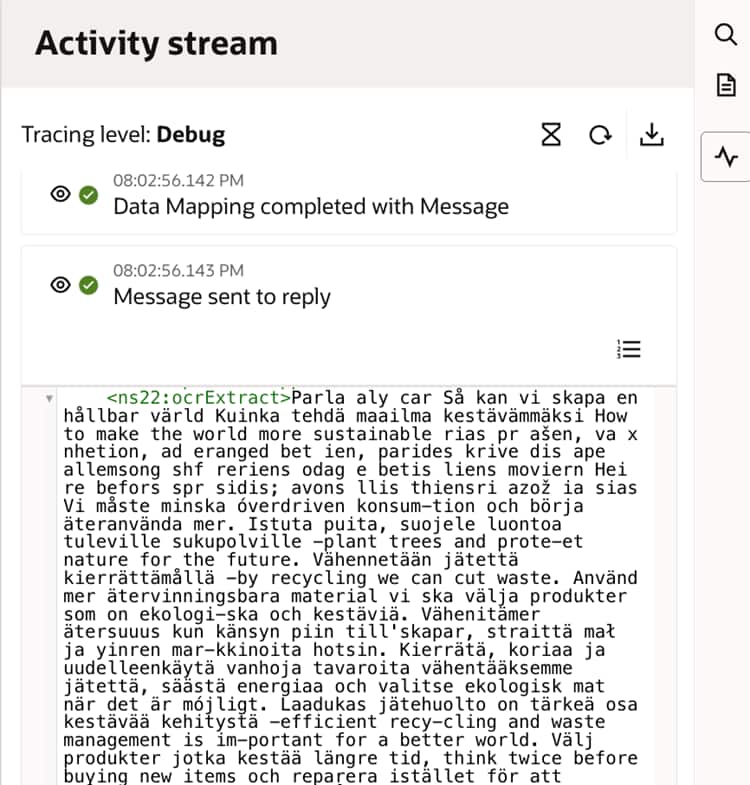
OCI Document Understanding officially showcases support for 12 languages. However, as demonstrated in this implementation, documents containing Finnish text were successfully extracted. By overriding the language configuration (for example, selecting Swedish), the service effectively extracts text across multiple unlisted languages. This technique enables broader multilingual coverage beyond the documented list.
Step 3: Write Output to OIC Stage File
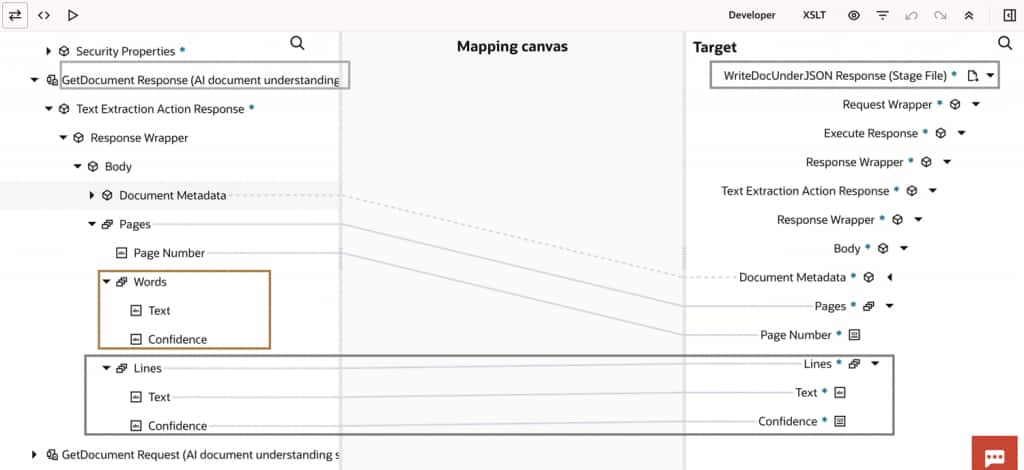
The response from the Document Understanding Adapter is written to an OIC Stage File for downstream processing and transformation.
- The native XML output from Document Understanding is converted into JSON format for easier handling.
- Since the service extracts text at both word and line levels, the JSON structure contains a large number of repeating elements.
- Based on the current business requirement, the JSON structure is refined to retain only line-level elements, ensuring optimal processing.
Step 4: Read the Stage File in Opaque Format
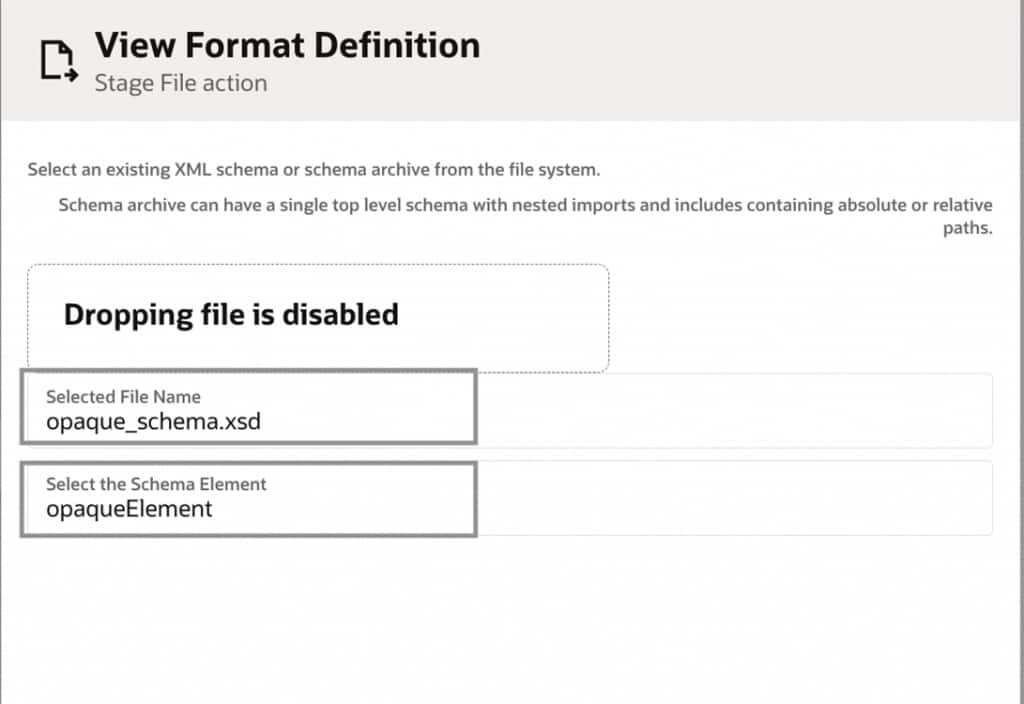
The Stage File is read in opaque format, allowing the entire file to be efficiently converted into a single string and passed to JavaScript for processing.
Document Understanding can generate thousands of looped elements:
- A document with 1,000 words may result in approximately 1,000 word-level loop elements.
- A document with 200 lines results in 200 line-level loop elements.
Processing such volumes using standard OIC looping constructs can significantly impact performance. To address this, the extracted content is passed as a file String to a JavaScript function, eliminating the need for extensive looping within OIC.
Step 5: Process Extracted Text Using JavaScript
A JavaScript module is introduced to efficiently process the extracted content:
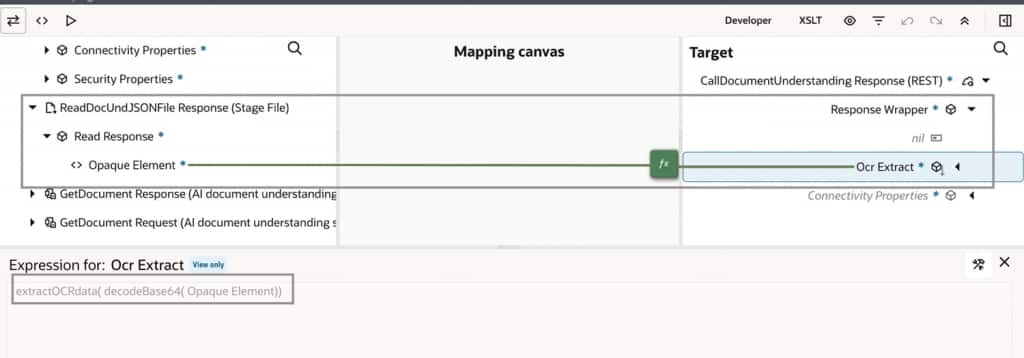
- The opaque Stage File is first decoded from Base64 format.
- The decoded JSON content is passed to the JavaScript function as a string.
- The JavaScript logic consolidates all extracted text (either word-level or line-level) into a single coherent output within milliseconds.
This approach dramatically improves performance compared to iterative looping in OIC.
Bonus Tip: Passing the Entire File to JavaScript
This approach scales effortlessly for high-volume scenarios. For instance, calculating totals for an order with 5,000 line items can be completed in milliseconds using JavaScript dramatically faster and more efficient than iterating through each item within OIC.
Key Outcomes and Value Delivered
This solution delivers the following key benefits:
- Supports any image format, both legacy and modern
- Seamlessly handles multilingual documents
- Requires minimal custom development
- Optimized for performance and scalability
- Fully managed using Oracle Cloud services
- Leverages low-code integration with enterprise-grade AI capabilities