
Key takeaways
- Fusion Agentic Application Builder is the low-code environment in AI Agent Studio for creating and extending agentic applications.
- The design process begins with a description of the business goal in plain language rather than code.
- Agentic Application Builder composes applications from reusable agents, which can come from Oracle, partners, or your own team.
- It runs inside Fusion, using the same business objects, data, and security model you already work with.
Oracle recently introduced Fusion Agentic Applications, a new class of enterprise software designed to coordinate teams of specialized agents to complete business processes end to end. That launch also introduced new capabilities in AI Agent Studio for orchestrating, monitoring, and managing agents. One of the most significant additions is Agentic Application Builder.
This post explains what Agentic Application Builder is, how it works, and where it fits.
Understanding Agentic Application Builder in context
AI Agent Studio, the environment for building, testing, and deploying AI agents, is part of your Oracle Fusion Cloud Applications subscription. As of Release 26C, AI Agent Studio also includes Agentic Application Builder, which lets you create custom agentic applications using natural language in a low-code environment. You can extend Fusion Agentic Applications or build your own around business processes that need a unique combination of agents.
Note that Agentic Application Builder requires a subscription to the Fusion Agentic Apps Platform.
Watch it in action
The easiest way to understand the product is to watch the demo on YouTube.
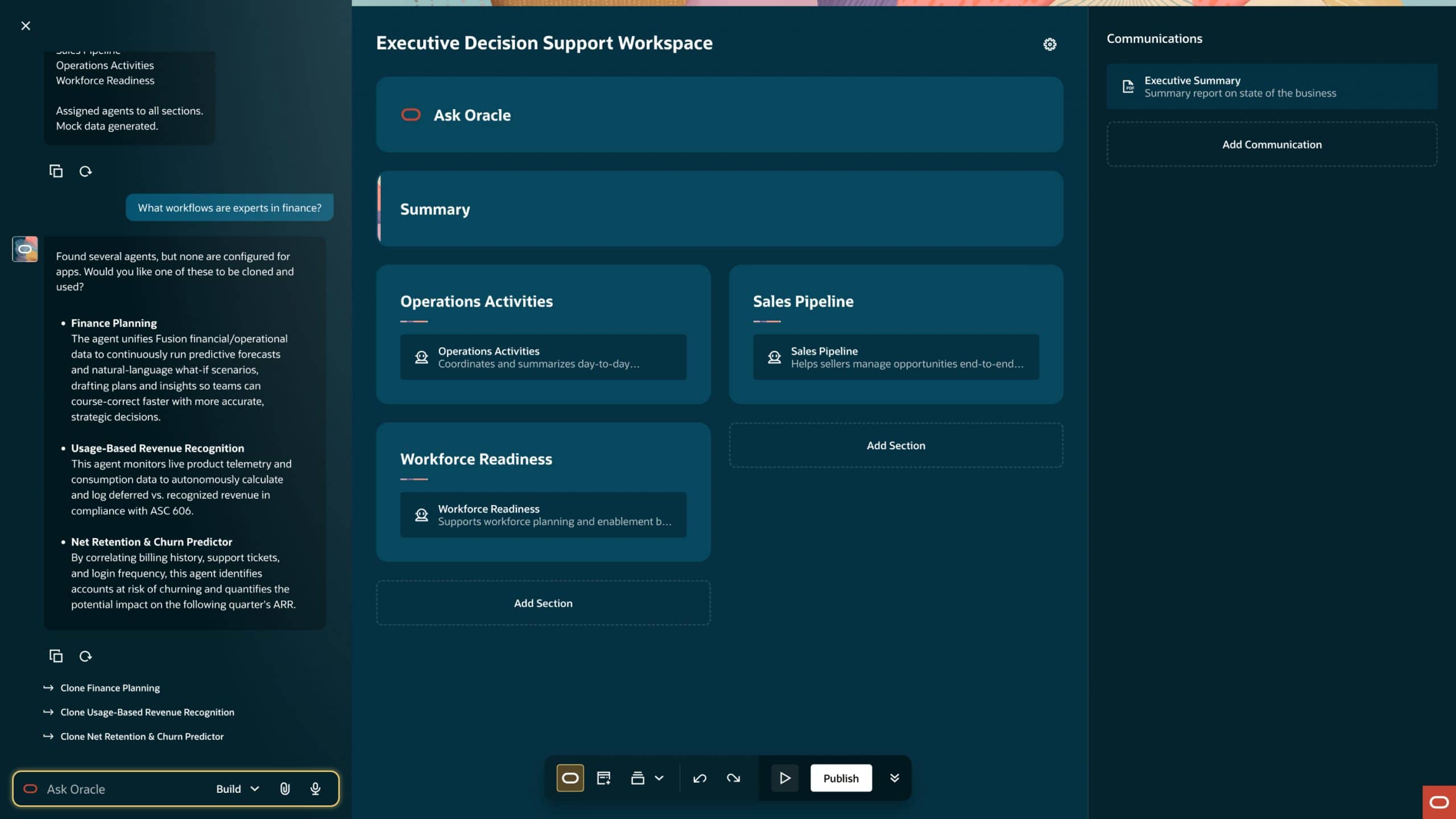
The demo has three phases: intent, assembly, and refinement. First, the user describes a business objective in plain language—such as creating a workspace to help executives track major initiatives. The builder suggests examples to help the user get started and recommends agents that fit the job. The user then refines the application with layout changes, naming, and additional expertise before publishing. (For simplicity, the demo does not walk through all the agent-enablement details in AI Agent Studio.)
You describe the goal, then the application builder proposes a structure and composes the application from a team of coordinated agents that surface updates and help guide next steps.
How it works
First, Agentic Application Builder uses natural language as the entry point. Instead of starting with code or a workflow diagram, you describe the business objective in your own words. The builder identifies relevant agents, creates the initial structure, and connects to enterprise data.
Second, it composes applications from reusable agents. Agentic Application Builder uses teams of agents in AI Agent Studio. Those teams can come from Oracle, partners, or your custom agents. Each one handles a specialized role, and the builder combines them into a single application that works toward a shared outcome.
Third, it is built for real enterprise operations. These applications operate inside Fusion Applications, using existing business objects and data. Importantly, they rely on Fusion Apps’ role-based security and are designed to work across functions such as HR, finance, supply chain, and CX.
When would you use Agentic Application Builder?
Agentic Application Builder is most useful when you want to extend Fusion Agentic Applications or coordinate work across functions in complex ways. It enables you to organize agents around a business outcome and adapt as conditions change.
Summing up
Fusion Agentic Applications and Agentic Application Builder introduce a different way to think about enterprise applications and how to build them. Instead of developing workflows step by step, you define an outcome and assemble the agents needed to achieve it. That means you can extend what already exists—or create something new—by combining agents, data, and business logic in ways that work for your business.
Related posts you might like
- New Fusion Agentic Applications drive work forward
- Get the list of available AI features in Fusion Apps
- What you need to know about MCP, A2A in Fusion Apps

If you’re an Oracle customer and want to get new stories from The Fusion Insider by email, sign up for Oracle Cloud Customer Connect. If you’re an Oracle Partner and want to learn more, visit the Oracle Partner Community.