
Rolling back personalization changes
The term rolling back changes can apply to two different situations. The first is when you want to undo a deployment of customizations to an environment. This just removes the personalization from the environment. The second is when you want to undo any changes that have been made into the Git repository, so that the removed changes never get deployed to any environment.
Rolling back Git changes
If you want to undo the changes in your repository, you have a couple of choices. The best options are to either undo a Merge Request, or to manually undo the changes.
If you have enabled branch protection, and have a Merge Request that contains the changes that were made, you can revert that Merge Request and the changes that were part of that Merge Request will be undone.
If you haven’t enabled branch protection, or if the Merge Request contains several changes including ones that you want to keep, then you can manually undo the changes in VBS and commit those changes.
In either of these cases, you will need to re-publish that branch to get the changes into your desired environment.
Undeploying an Extension
If you want to undeploy the most recently deployed extension from an environment, you have several options.
For example, if you used Manage Extension Lifecycle to copy a deployment to the wrong environment, you may want to retain the changes but remove the deployed extension and its personalizations.
Previously, you could remove only the deployed extension. Starting with VBS release 26.07 (see here), you can also roll back the current extension to a previously deployed version.
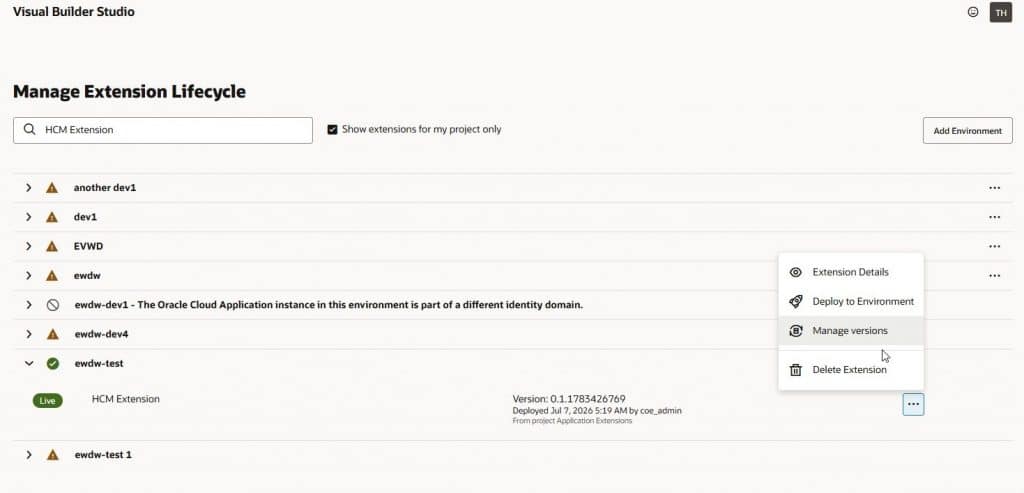
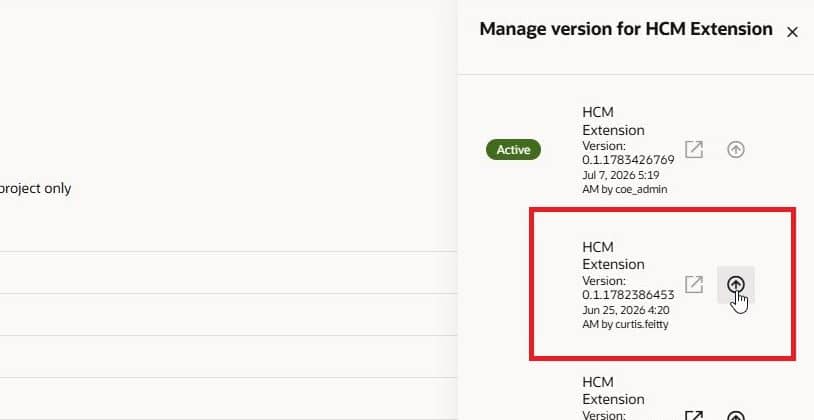
Alternatively, you can delete the deployed extension and deploy the correct version from another environment, or redeploy an updated extension from a different or corrected Git branch.
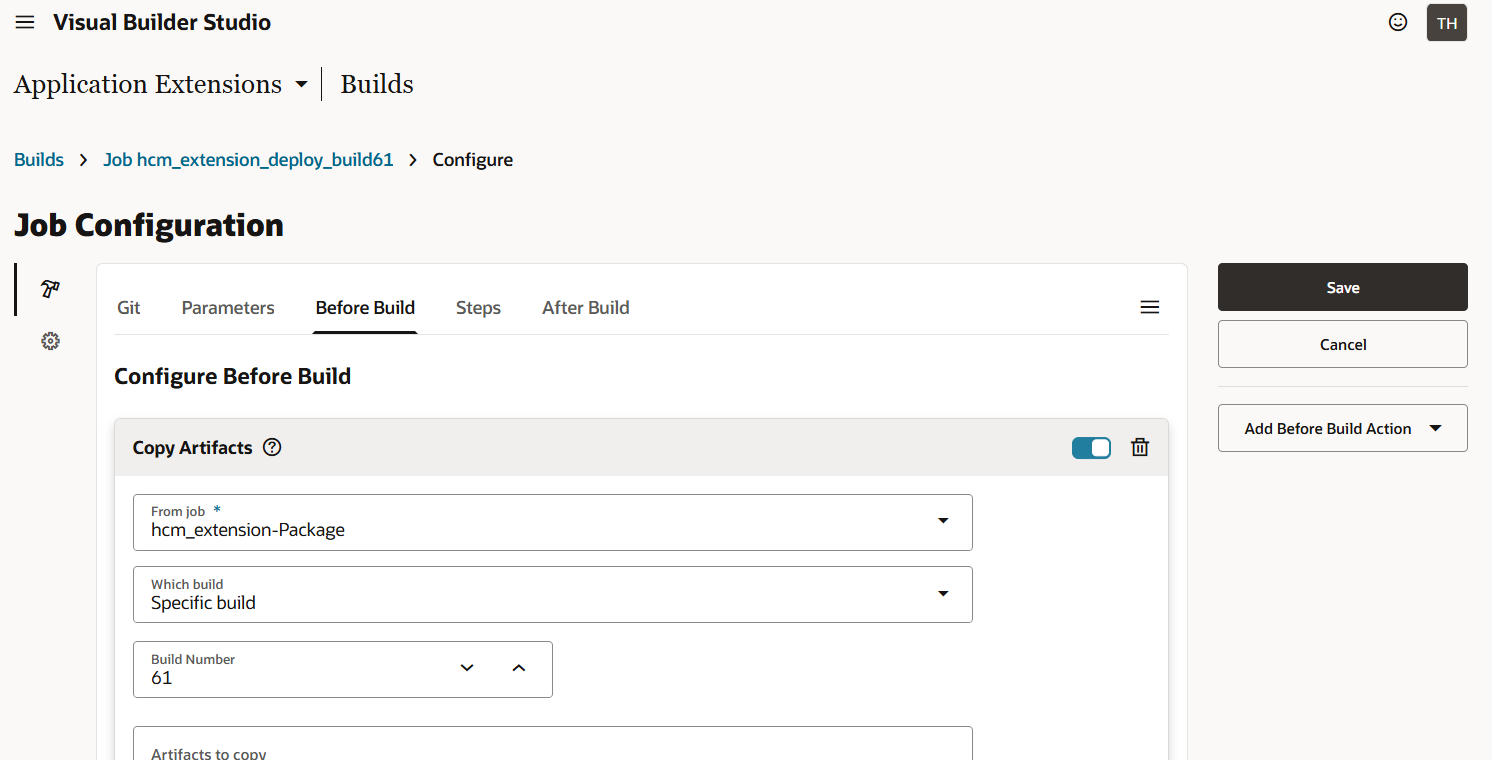
If you are using pipelines, though, you can build a pipeline to deploy a previous build version. To do this you simply create a duplicate of your deployment job, change the parameters to specify the results of the desired build (e.g. build job 61), and then you can run just that deploy job (not a pipeline) to deploy the previous version of the extension.
Good luck with your implementation!