
A useful Oracle AI Database starter kit should help a developer get a database, connect to it, inspect data, and complete a first application task. These tools cover different parts of that path; choose the smallest set needed for your current job.
A practical toolkit to quickly build, test, and validate Oracle AI Database workflows from local to cloud
Key Takeaways
- Start fast with containers or FreeSQL to reduce setup time and quickly validate ideas or queries.
- Use SQLcl and SQL Developer together for both automation (CLI) and visual inspection (GUI).
- Enable AI-assisted workflows with SQLcl’s MCP Server while enforcing security at the data layer.
- Move seamlessly from local experiments to Always Free Autonomous AI Database for realistic cloud testing.
Developers need the shortest path from claim to proof:
- “Can I start a database locally?”
- “Can I connect from my app?”
- “Can I run my tests against it?”
- “Can I inspect the schema without guessing?”
- “Can I use it with scripts, agents, and CI?”
- “Can I easily move from a laptop to a managed cloud database?”
In this article, we’ll look at tools that help you shorten the feedback loop for the development process you’re trying to prove.
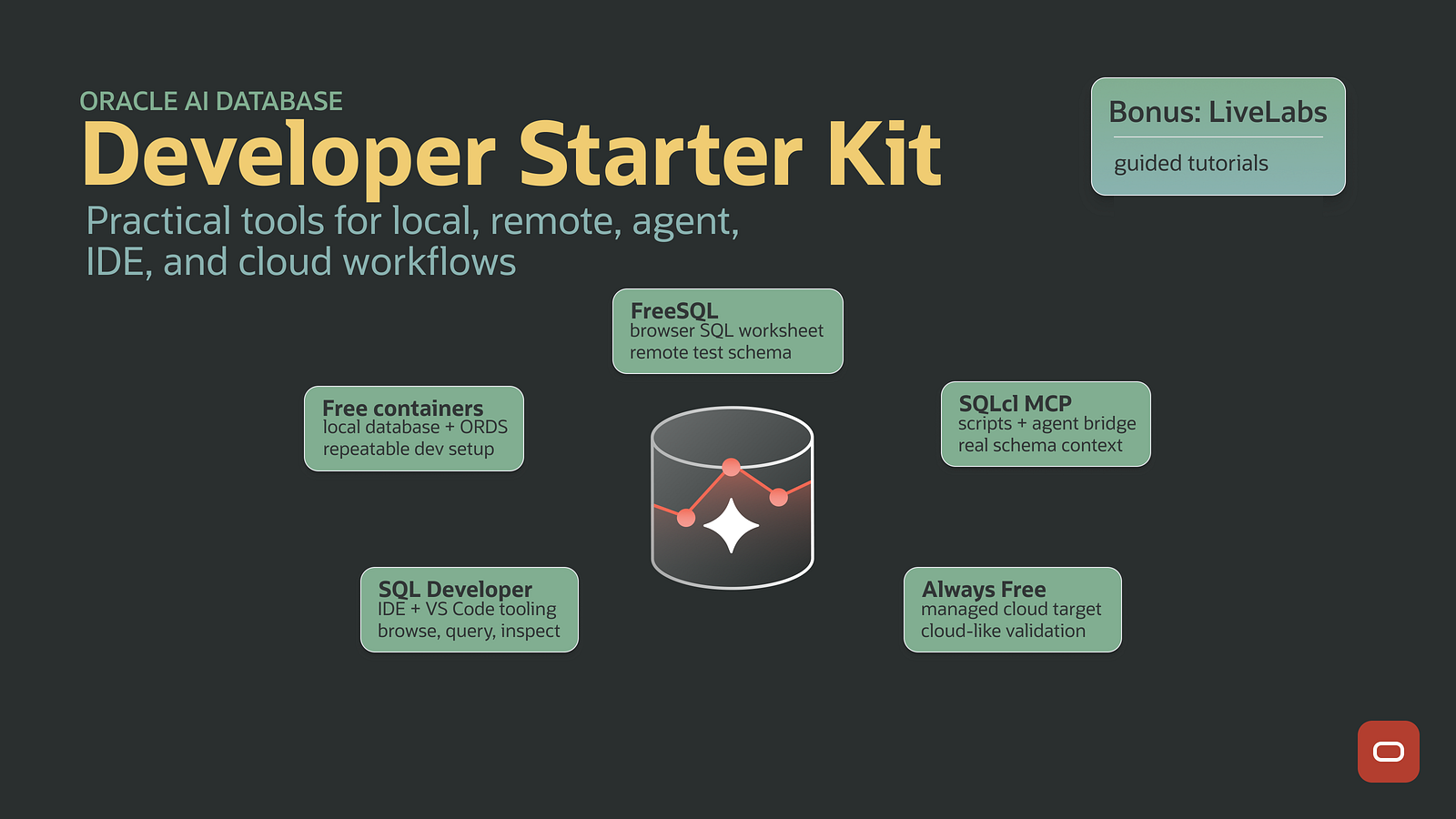
Here are the five I would put in a practical starter kit. These are tools I use every day.
1. Oracle AI Database Free Container Images
Start local when you can. While the database container images are around 4–5 GB, they are multi-arch and start quickly for easy dev workflows on your laptop.
The Oracle AI Database Docker Compose sample spins up a disposable database on localhost:1521. It’s enough for most app development: point your app at the container database and fire away. When you’re done, throw the container away.
I like containers a lot and use them constantly for development work. Here are some more Oracle-specific container resources:
- For API work, try Oracle REST Data Services (ORDS) with Docker Compose
- For Testcontainers developers, try both Oracle AI Database Free and ORDS in your test suites.
Use containers when you:
- Need repeatable local development
- Are running integration tests that create and destroy their own database
- Are testing a feature before moving it into shared infrastructure
- Need ORDS locally for REST, JSON, or SQL Developer Web workflows
Containers help you proof your code, schema, and assumptions on a clean database environment.
2. FreeSQL
Sometimes the right local setup is no local setup.
Oracle FreeSQL gives you a browser-based SQL environment for learning, testing queries, and sharing examples without installing a database first. It is a good tool when the goal is to remove setup friction.
With a free account, you get a personal schema and can connect from tools such as SQLcl, VS Code, and application code. I covered that workflow in Use Oracle FreeSQL as a remote test database.
Use FreeSQL when you:
- Are learning SQL or teaching someone else
- Need a remote schema without provisioning cloud infrastructure
- Want to test a query from a browser
- Are looking for a simple database target for examples, demos, or agents
FreeSQL is a low-friction place to start proving small things.
3. SQLcl MCP Server
SQLcl is one of the first tools I install for Oracle AI Database work.
It is fast, scriptable, and useful for normal database development. You can run SQL, execute setup scripts, inspect objects, export data, load data, and automate validation without opening a full IDE.
Now SQLcl also matters for AI-assisted development. Oracle describes SQLcl as a free command-line interface with an integrated MCP Server, and the SQLcl MCP Server documentation explains how AI clients can use saved SQLcl connections to discover database context and run database operations through a structured MCP interface. The MCP server is something you can plug into Codex or Claude Code to assist with database operations.
Use SQLcl when you want:
- A reliable command-line SQL tool
- Repeatable scripts for setup, validation, or data loading
- An MCP bridge between an AI assistant and Oracle AI Database
- Agents to inspect real schema metadata instead of guessing
If you’re using MCP, I also recommend reading up on Oracle Deep Data Security, which is aimed at solving problems around authorization for agentic AI. The practical idea of Deep Data Security is simple: enforce authorization at the data layer, not only in the app or the prompt.
4. SQL Developer
SQL Developer complements SQLcl, providing additional features beyond the capabilities of the command line.
Most database developers eventually need a visual tool for browsing schemas, inspecting rows, reviewing objects, writing SQL, debugging PL/SQL, or explaining something on a screen share.
SQL Developer is Oracle’s tool family for that job. If you need a dedicated database IDE, use standalone SQL Developer. If your day already lives in VS Code, use SQL Developer for VS Code and keep database work closer to your application code.
Use SQL Developer when you:
- Want to browse schemas and database objects visually
- You are writing or debugging SQL and PL/SQL
- You need to inspect data quickly
- Want Oracle AI Database tooling inside VS Code or as a standalone app
5. Always Free Autonomous AI Database
Some work needs a managed cloud database.
Always Free Autonomous AI Database is what I use when I need something closer to a real cloud deployment.
It’s a strong fit for personal projects, demos, APEX and ORDS work, cloud-native experiments, and validation that needs real cloud connectivity. You can test wallets, network rules, deployment behavior, and managed database operations in a realistic environment.
The tradeoff is that it’s still managed cloud infrastructure. You need an Oracle Cloud Infrastructure (OCI) account, and you need to understand wallets, networking, and free-tier quotas. Always Free is useful for learning and validation, but it is not production capacity. Treating it like production will lead to bad assumptions.
Use Always Free Autonomous AI Database when you:
- Need a persistent, managed Oracle AI Database environment
- Are building demos or personal projects with Oracle AI Database
- Want to test wallet-based connectivity
- Need to validate cloud deployment behavior before using paid resources
The Always-Free tier includes not just one, but two free Autonomous AI Database instances. Beyond that limit, Database For Developers offers fixed size database instances for ~$30/month on OCI.
Bonus: LiveLabs Training and Tutorials
Tools are easier to adopt when there is a guided path.
Oracle LiveLabs gives you hands-on labs and workshops across Oracle technologies. It is useful when you need more than documentation but less than a full course.
Use Oracle LiveLabs when you:
- Are learning a feature for the first time
- A guided workshop before building your own version
- Need training material for a team
- Want examples that connect product features to real tasks
Start Small and Prove One Thing
The goal isn’t to collect Oracle tools.
The goal is to keep the development loop short: write code, run SQL, inspect results, automate the boring parts, and move from local to cloud without changing the way you think about the database.
FAQs
Q: What’s the fastest way to start using Oracle AI Database locally?
Use container images with Docker Compose to spin up a disposable database for development and testing.
Q: When should I use FreeSQL instead of a local database?
When you want zero setup — ideal for learning SQL, quick demos, or testing queries in a browser.
Q: Why use both SQLcl and SQL Developer?
SQLcl is great for scripting and automation, while SQL Developer helps with visual tasks like browsing schemas and debugging.
Q: When do I move to a cloud database?
Use Always Free Autonomous AI Database when you need persistent storage, cloud connectivity testing, or a more production-like environment.
What counts as a successful first run?
A download or a working IDE is not the finish line. Connect using the selected tool, run a small query, and use its result in the application or sample you are building. Keep database credentials out of prompts and source control. Add AI-assisted tooling only after the connection and permissions work without an agent.
Continue the implementation: Controlled Oracle Actions with SQLcl MCP. Use the validation described above as the acceptance check for your next step.