

Are you running your Oracle Database in a third-party environment? Bring your Oracle Database license to Oracle Multicloud to unlock your data’s full potential. The Cloud Upgrade Advisor in DB Services Explorer is your no-stress shortcut to unlocking industry-leading engineered systems, Oracle Autonomous AI Databases, and the advanced capabilities of Oracle AI Database 26ai – all while staying with your current cloud provider.
Quick Overview of Cloud Upgrade Advisor
- Instant Clarity: Instantly see how your existing Oracle environment translates into Oracle Multicloud and Oracle AI Database 26ai options.
- Smarter Choices: Get fast, head-to-head comparisons between legacy deployments and modern engineered systems. Understand what you gain, what you keep, and where you save.
- Effortless Upgrade Planning: Handles every major deployment scenario, resource count, and cloud nuance for you, mapping the optimal path in seconds.
Test Drive: Try It in Seconds!
Here’s how simple it is to turn your database’s future around with the embedded Cloud Upgrade Advisor:
- Select your current environment (e.g., AWS, Azure, or Google Cloud), edition, vCPU count, and multi-threading options.
- Hit “Get Started.”
- Instant results: Get a clear, actionable entitlement breakdown with matching Oracle Multicloud services and AI-powered database features 👇
Understanding Your Results at a Glance
- Instant Scenario Iteration: Change CPUs, environment, or Database edition to instantly see how your entitlements change.
- Service Mapping: Compare entitlements and enabled functionality between your target Oracle Multicloud services (OCI, Cloud@Customer, Azure, Google Cloud, and AWS) with your current setup.
- Resource Entitlement: See ECPUs, vCPUs, and more. Understand how CPU entitlements change by platform.
- Feature Matchup: Quickly identify differences in feature entitlements between platforms.
- Save & Optimize: Built-in prompts flag cost-saving moves and smarter provisioning options.
Next Steps: Turn Your Insights into Action
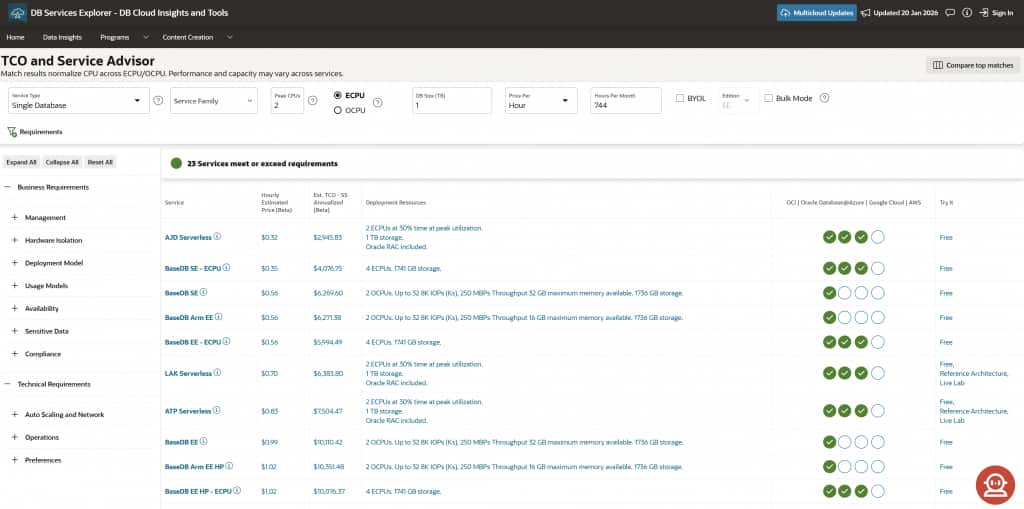
- In your results, click “Why Modernize to Cloud?” to pass your inputs directly to DB Services Explorer’s TCO & Service Advisor.
- Compare services side‑by‑side by cost, performance, and business fit; refine with filters for workloads, MAA configurations, certifications, attestations, and more.
- Use the built‑in links to migration tools and resources to move from plan to execution with confidence.
- Save or export your summary for stakeholder reviews and decision boards.
Keep Exploring!
There is more to the DB Services Explorer than the Cloud Upgrade Advisor. It’s your hub for live TCO analysis, side-by-side service comparisons, migration planning, and more. Bookmark the tool and check back often as we roll out new tools and features!