In May 2025, we introduced the Getting Started with AI Vector Search workshop in Oracle LiveLabs—a hands-on guide to building similarity search applications using Oracle Autonomous Database and a public dataset from the US National Parks website. Since then, we’ve added several new capabilities that help significantly expand what you can explore.
Image-to-Image Search
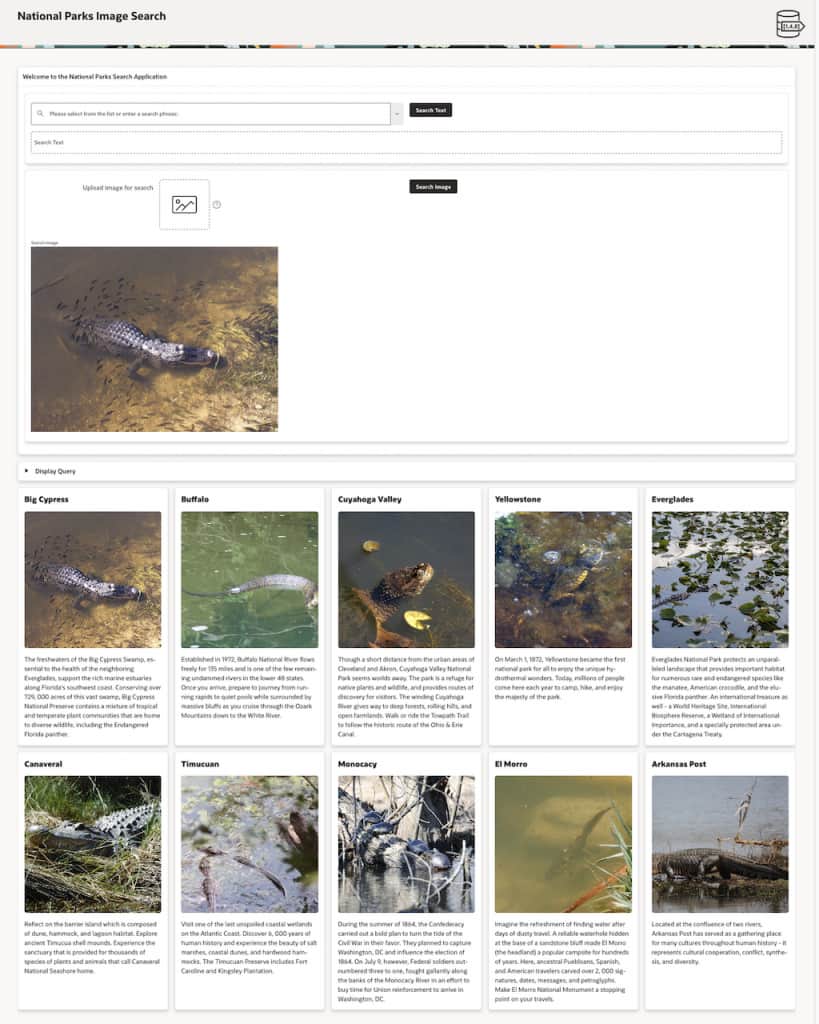
The workshop now includes the ability to search for images using another image. The original version only allowed using text phrases to search for images. This has been incorporated into the Image Search lab and has also been added to the APEX Demo. For example, the image below shows using an image of an alligator to find similar images:
RAG Lab with an APEX Chatbot
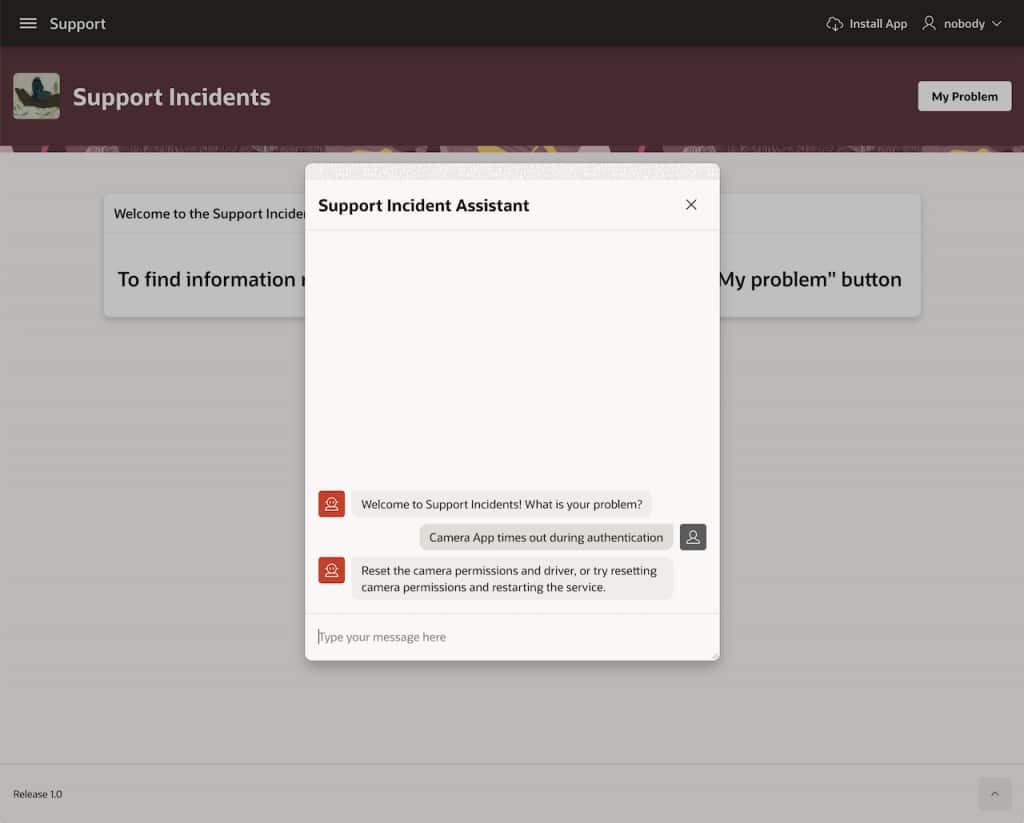
A Retrieval Augmented Generation or RAG lab has also been added. It uses a simple support incidents schema to illustrate how augmenting queries with private data—data that LLMs don’t natively have access to—can help significantly improve and customize responses to natural language questions. The lab walks through the basic setup mechanics and then ends with the example of a chatbot built in APEX to demonstrate how you might implement a RAG application. The image below shows how the chatbot answers questions about a fictitious company’s support incidents:
If you’re interested in AI Vector Search or want a hands-on introduction to RAG, this workshop is a great place to start. You can try the workshop in Oracle LiveLabs: Getting Started with AI Vector Search workshop.