
Oracle Cloud Infrastructure (OCI) Security Advisor workflow creates objects that abide by the enhanced security requirements maintaining secure enterprise workloads. Security Advisor supports creating resources that meet baseline security requirements by combining and streamlining existing workflows. You can assign customer-managed, high-length encryption keys to objects to encrypt the sensitive data.
Security Advisor only allows you to create master encryption key with 4096 bits in length and fulfils the requirements of the tenancy by Security Zones configurations. It provides an interactive walkthrough and graphical user interface and comes as a complementary offering of Oracle Maximum Security Zones service.
Implementation
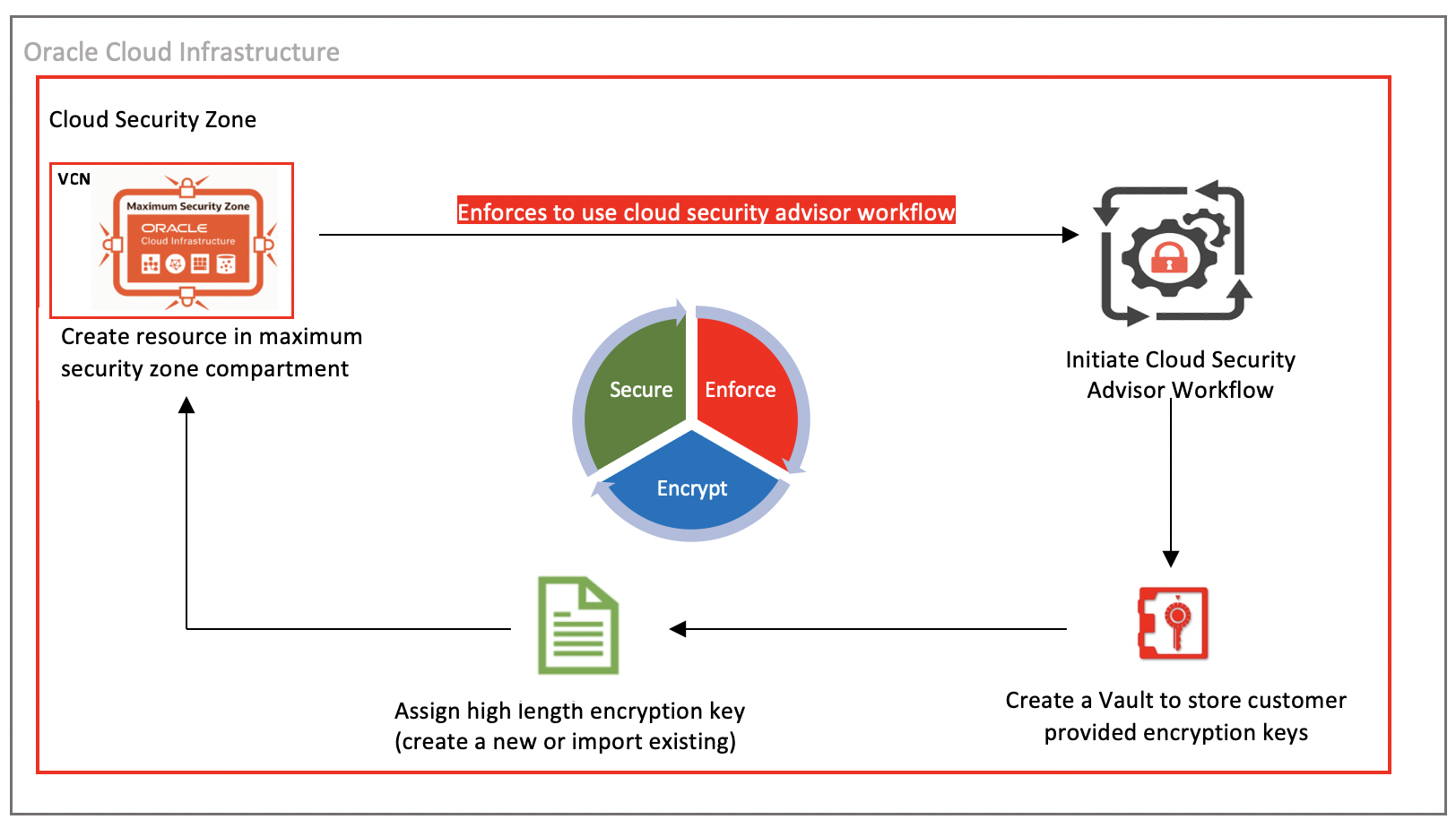
Maximum security zones enforce Cloud Security Advisor when creating a resource. Security Advisor’s streamlined workflows reduces complexity and decision making. Longer security keys provide greater security to objects than shorter keys.
You can provision the following resources using Oracle Cloud Security Advisor workflows:
-
Secure Object Storage buckets
-
Secure File Storage service
-
Secure virtual machine instances
-
Secure Block Volumes
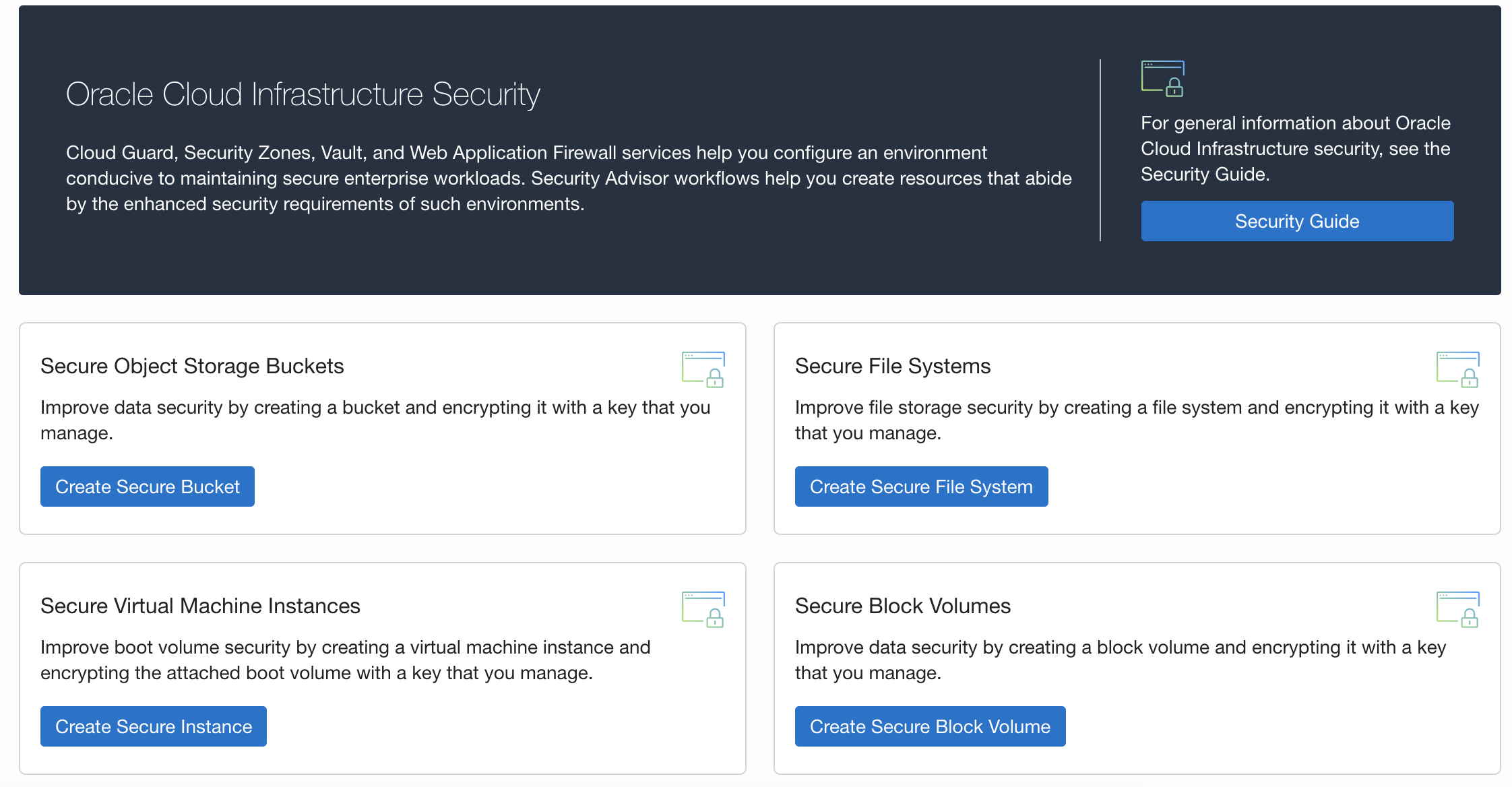
The following illustrates the creation of a secure Object Storage bucket using Security Advisor workflows.
-
Grant security access in your policy to create resources in the compartment using the following details:
-
allow group CreateSecureOSBucketGroup to manage object-family in compartment compartment_name
-
allow group CreateSecureOSBucketGroup to manage vaults in compartment compartment_name
-
allow group CreateSecureOSBucketGroup to manage keys in compartment compartment_name
-
allow service ObjectStorage to use keys in compartment compartment_name
-
-
Create a maximum security zone and a secure compartment within it. Log in to the OCI Console and navigate to Identity and Security, Security Zone, and click Create Security Zone.
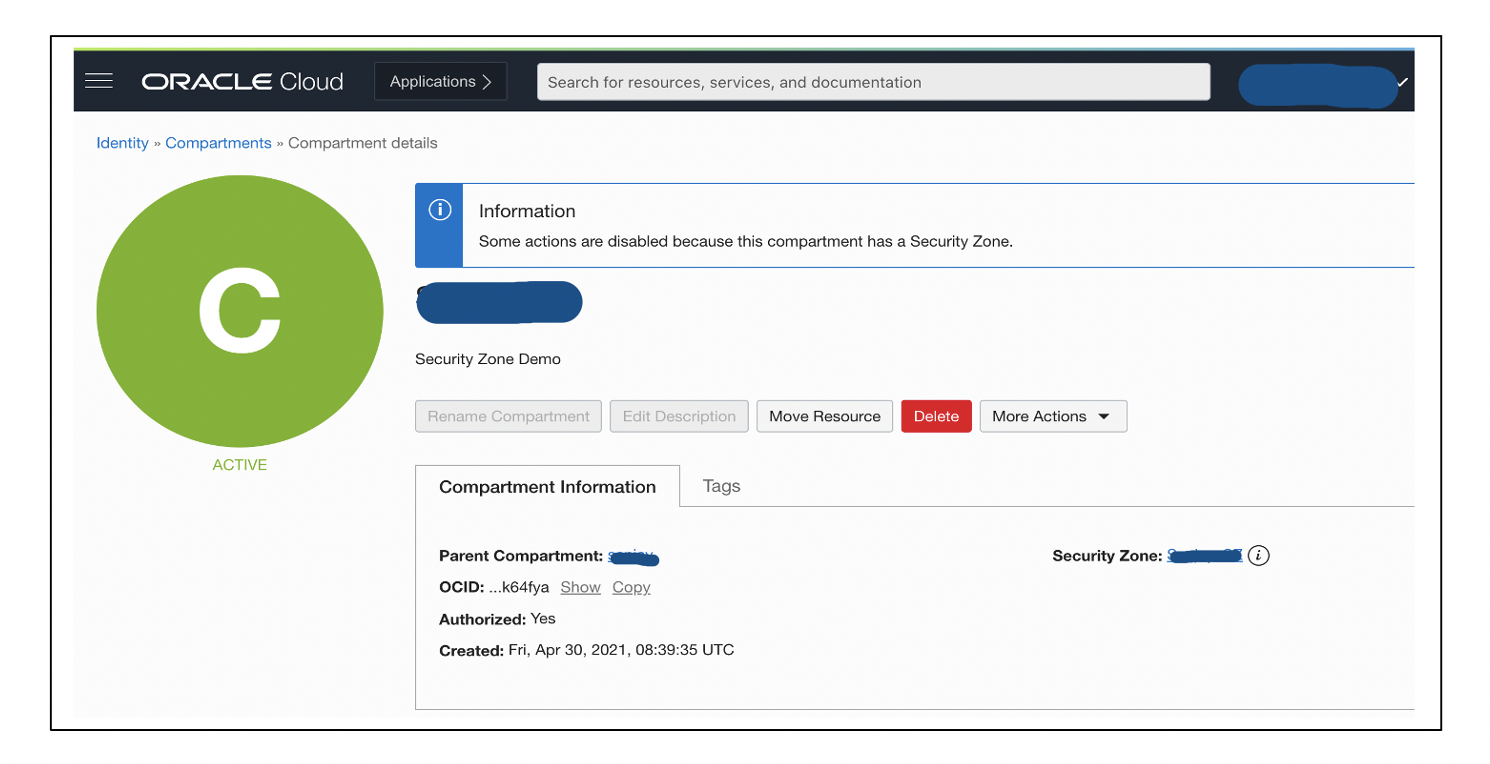
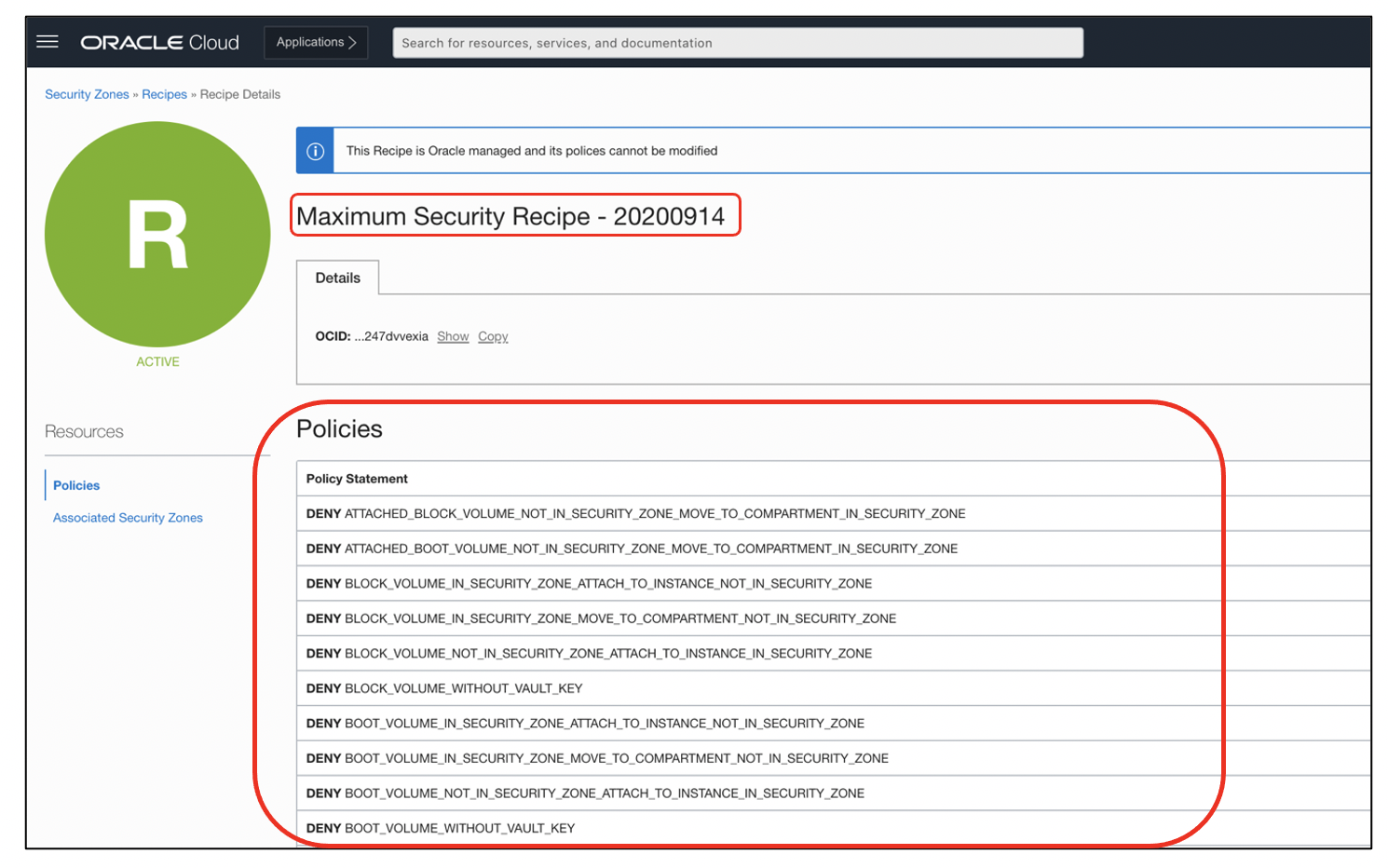
All default policies of the maximum security zone are applied to the secure compartment created in it.
-
Create a secure Object Storage bucket in a compartment created in maximum security zone.
When we create a secure object bucket in a compartment that’s part of maximum security zone, we must use the Security Advisor workflow to create this object. With the default policies of maximum secure zones, all objects must be created with the maximum length customer-provided security encryption keys. No objects can be moved to maximum security zones compartment from normal compartment.
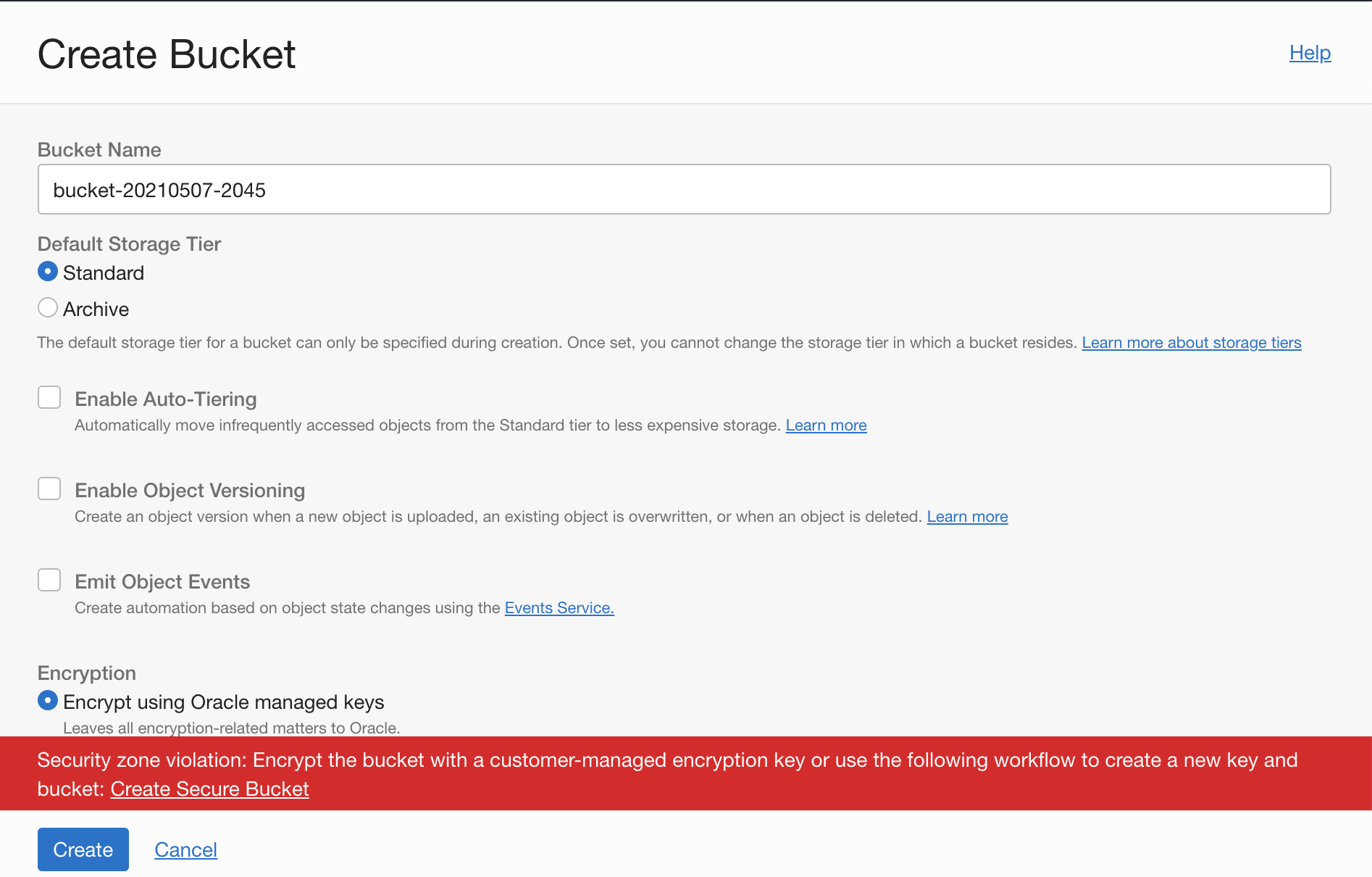
Clicking Create Secure Bucket opens a Security Advisor workflow and walks you through the steps. It uses Oracle Key Vault for the encryption keys. Either create a vault or use an existing one.
The option for virtual private vault allows you to store the encryption keys in a dedicated partition on highly secured media (HSM), which meets Federal Information Processing Standards (FIPS).
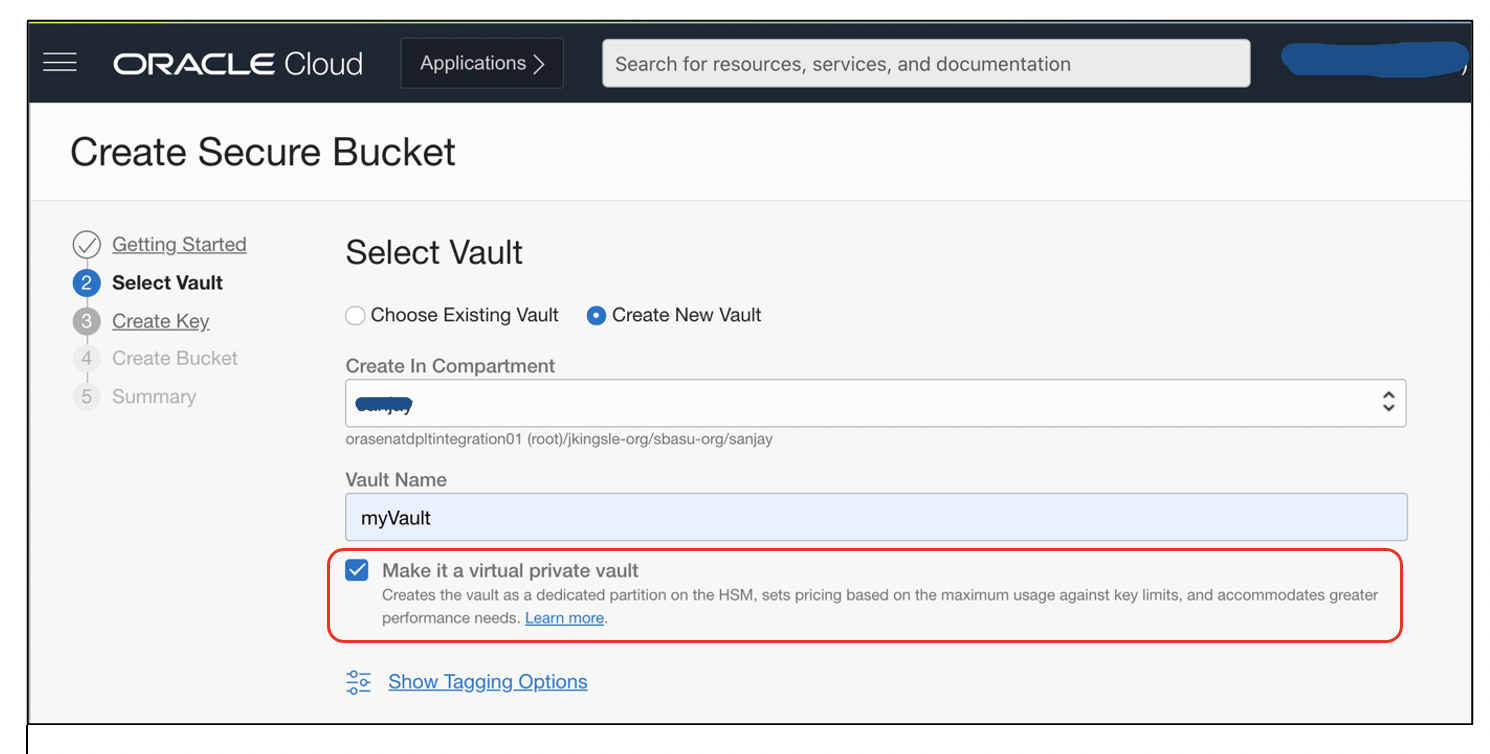
This workflow creates a secured bucket with high length encryption key and allows you to store the data securely. You can create objects, such as block volumes, file systems, and secure virtual machine instances, using the Security Advisor workflow by assigning high-length customer-managed encryption key. This choice allows you to secure the sensitive data with encrypted keys.
Use cases
Novice users manage enterprise workloads where they have a strict mandate to provide high security to compute resources. Storing sensitive data can use the guided workflows to manage high-length encryption keys, while provisioning compute resources inside maximum-security zone. With no prior knowledge of Oracle Key Vault, the Security Advisor workflow helps maintain the underlined security to compute resources by use of keys.
An organization with enterprise applications running on public cloud and storing sensitive data wants to enforce the data security, which is easy to adopt. In that case, Oracle Cloud Security Advisor is an appropriate service to use. OCI Security services, such as security zones and maximum-security compartments, reinforce the use of customer-managed encryption keys with the option to use secure private vault. They can use Security Advisor workflows to store the high-length encryption keys on highly secured storage.
For more information on Oracle Cloud Infrastructure Security Advisor and Security Zones, see the following references: