

Organizations adopting Oracle Fusion Cloud Applications often require secure and controlled connectivity between enterprise users and Oracle Fusion SaaS environments.
While Oracle Fusion is publicly accessible over the internet, accessed through browsers which uses normal TLS encryption to secure their connections, some enterprises prefer to enforce private connectivity to reduce exposure and comply with corporate security standards.
This use case addresses for specific requirements where traffic monitoring is a requirement by the network NOC teams for compliance purposes, using firewall capabilities like URL filtering, intrusion prevention/detection and TLS inspection.
Note! In this blog we focus on routing Fusion application traffic privately through OCI Network Firewall and do URL filtering, while next blog are for TLS inspection, building upon this. See more at the end of this page.
This use case provides an additional customer managed network layer to allow access to certain URL’s and monitor that access.
In this blog we will show how we moved access to Fusion applications from internet to a private network, accessing Fusion through Oracle Cloud Infrastructure and added OCI Network Firewall in the traffic path.
Why this is interesting
Some organizations have internal requirements or regulations that require that access to environments like Fusion SaaS, needs to be through private connectivity and not over public internet and some also having a network firewall in the traffic path, to only allow certain URL’s to be accessed (Fusion in this case).
Access is traceable in the Firewall log, which is a specific requirement from NOC teams for compliance reasons.
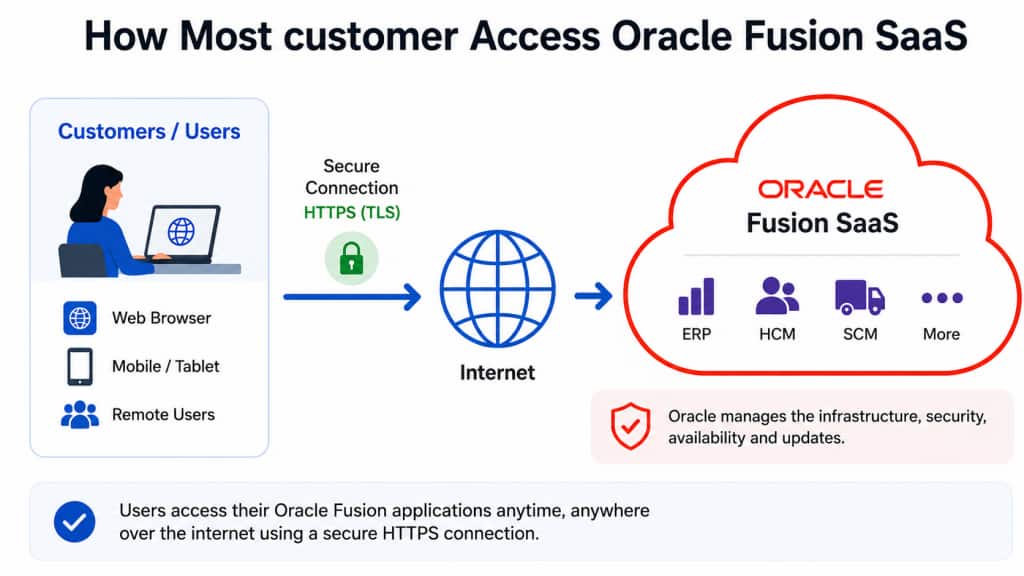
Overview how most customers accessing Fusion SaaS
This shows normal access pattern, browser accessing Fusion SaaS over internet environment and this is secured by encryption traffic between client web browser and Fusion SaaS with HTTPS (TLS).
Private connectivity to Fusion SaaS
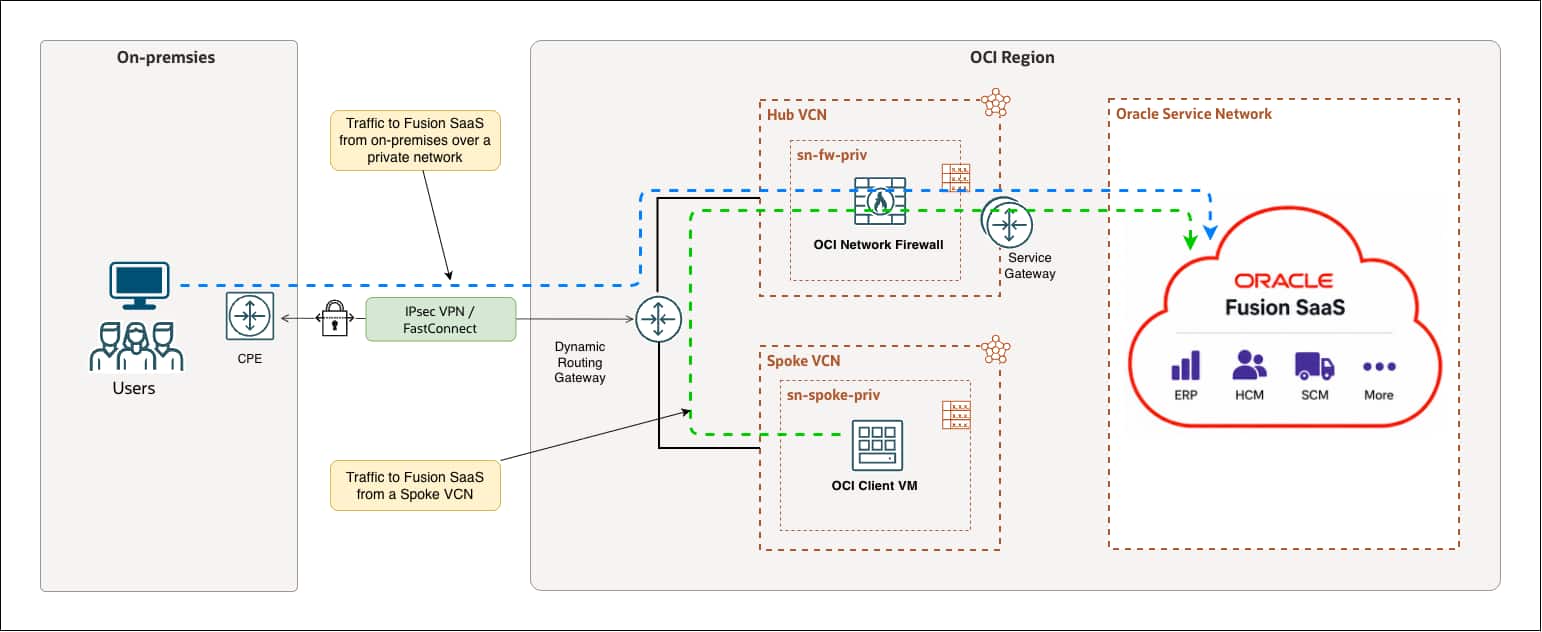
When enabling access to Fusion SaaS through a private network; from corporate network through OCI (Oracle Cloud Infrastructure) and then to Fusion SaaS in OSN (Oracle Service Network), you move the traffic from internet to a private network, which removes exposure of this traffic over internet, which improves security/exposure from internet.
Connection from corporate network to Oracle Cloud Infrastructure (OCI) can be done mainly in two ways, VPN which normally is for testing or small deployments, and FastConnect, which is a leased virtual circuit and the one we recommend for production environments.
In this example, we use VPN since we just wanted to demonstrate the functionality.
Private access from Corporate Network to Fusion SaaS
Access from on premises through a private network, through OCI Network firewall in Hub VCN and then to Fusion applications in Oracle Service Network (OSN). We also included access from a resource in a spoke VCN, through the same Firewall in the Hub VCN.
Those spoke VCNs can of course be more than one in a production setup and in Firewall there can be a rule that allow certain spokes gets access to production Fusion and other test/dev spokes get access to another, non-production Fusion.
Note! Since we access a resource in OSN through Service Gateway, the initiation of traffic can only be from within Oracle Cloud or from on premises, not from OSN side towards on-premises.
Changes in Fusion
Follow the guide: Update the Fusion Applications environment network settings
to make the necessary changes in Fusion applications to make this work.
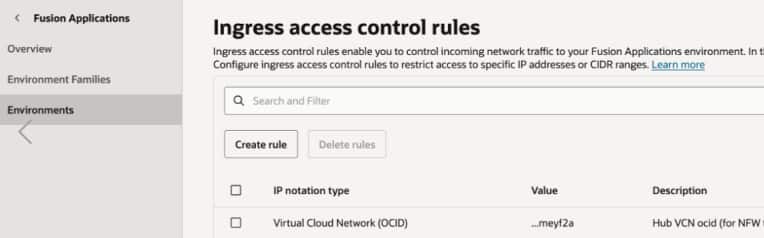
When adding your VCN, use the Hub VCN OCID (Oracle Cloud IDentifier). Copy from within OCI Network section, the Hub VCN OCID.
Screenshots:
- Disable the Akamai CDN (internet cache) – screenshot below

- Add the Ingress rule to allow the Hub VCN OCID – screenshot below
Routing traffic
Routing traffic from on premises to OCI through different connections:
| Connection | How routes are distributed | Implications |
| FastConnect (private peering) | BGP | Public IPs from OSN will be advertised to on premises network |
| IPSec VPN | BGP or Static routing | BGP: same as above Static: customer controls which IP/CIDR shall be route over VPN from their end |
Routing inside Oracle Cloud Infrastructure (OCI) is easiest explained in the below picture. Route tables are shown in the picture and content in the tables below.
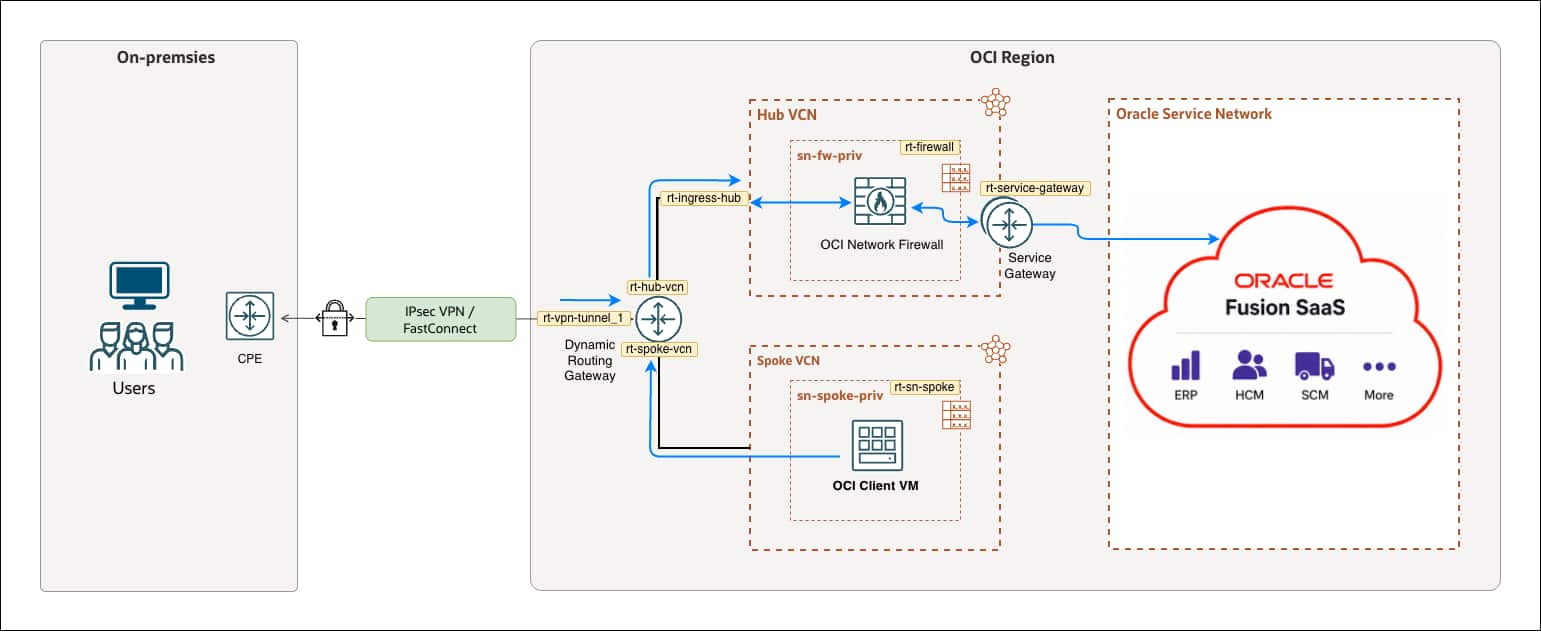
| Route table | Target CIDR | Next Hop |
| rt-service-gateway | <On-premises CIDR> | <Firewall IP> |
| <Spoke CIDR> | <Firewall IP> | |
| rt-firewall | <All [region] Services In Oracle Services Network> | Service Gateway |
| <On-premises CIDR> | DRG | |
| <Spoke CIDR> | DRG | |
| rt-ingress-hub | <All [region] Services In Oracle Services Network> | <Firewall IP> |
| rt-sn-spoke | <All [region] Services In Oracle Services Network> | DRG |
| Route table | Import route |
| rt-hub-vcn | Spoke VCN attachment |
| IPSec tunnel1 attachment | |
| rt-spoke-vcn | Hub VCN attachment |
| rt-vpn-tunnel_1 | Hub VCN attachment |
OCI Network Firewall
We create two address lists, one URL list and one service and then use those in our security rules to enable only access to Fusion applications in OSN through this firewall.
URL list
In this example we force the traffic from on premises to OSN (both the Fusion SaaS environment and IDCS (IDentity Cloud Service) through private network and through OCI Network Firewall, so we need to allow both URL’s in Firewall.
- 1x Fusion SaaS application URL (specific to this environment)
- 1x IDCS URL (specific to this environment)
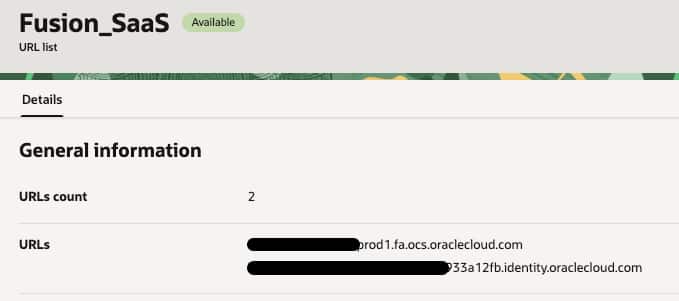
Will use those as target URL in the security rules.
Address list
We will use these lists as source addresses in the security rules
On-premises = <On-premises CIDR>
Spoke_VCN = <Spoke VCN CIDR>
Service
It’s possible to allow all protocols/ports, but we wanted to create a service called:
- ssl (protocol = tcp, port = 443)
and only allow that port to access Fusion.
Security rules
Now we can build the security rules that allow access from certain sources to Fusion SaaS URL’s over TCP port 443. In this example we created one rule from on-premises and one rule from a Spoke VCN.
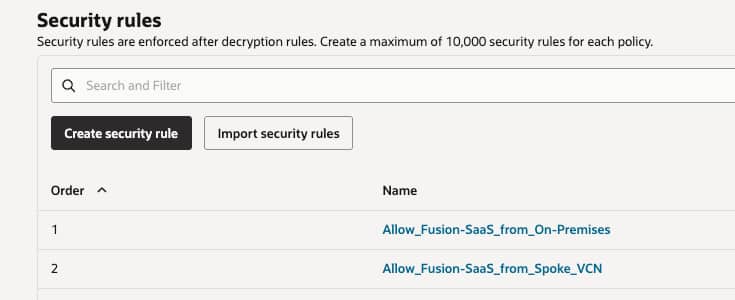
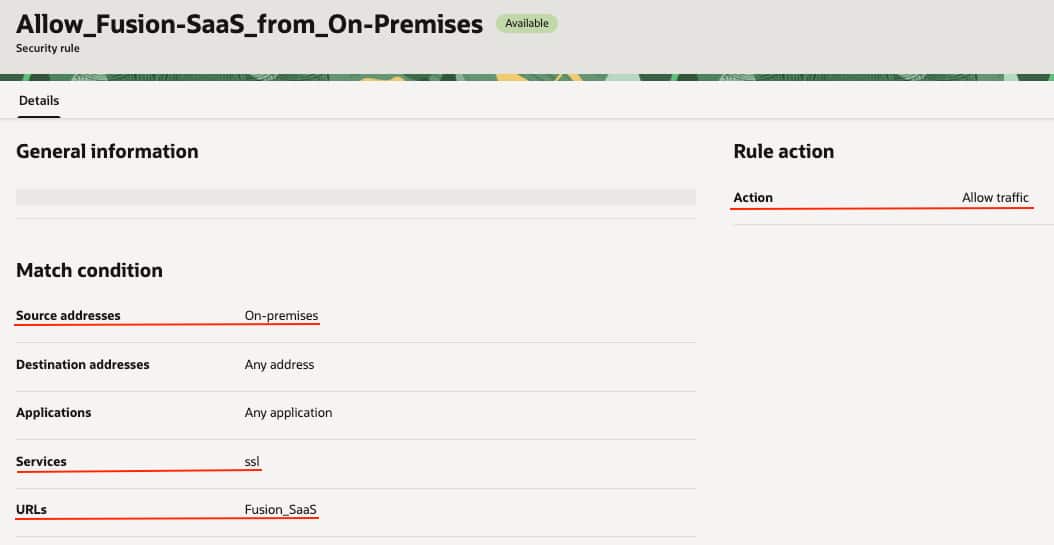
The same is in the rule for Spoke access, except source address is different.
Validate access
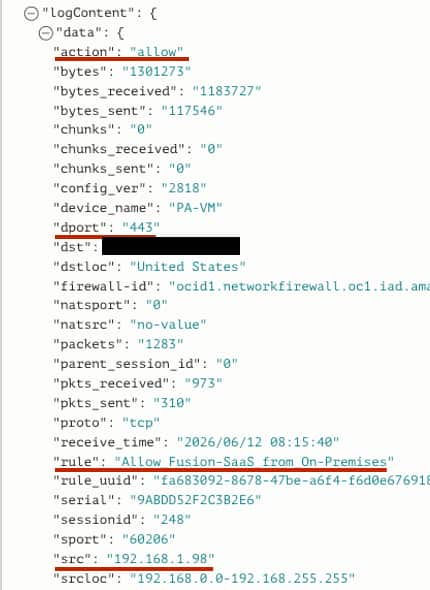
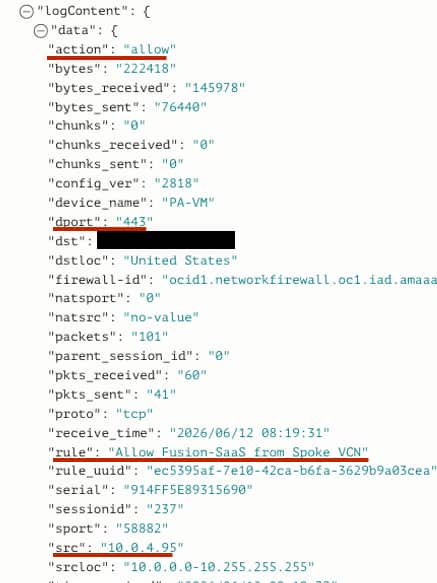
Enable logging in OCI Network firewall, access Fusion from both places and validate that we can log in and there are entries in logs that shows the correct rules are accessed. OCI logging analytics dashboard can be built on top of these log analysis dimensions for everyday viewing.
From on premises:
From spoke VCN:
Conclusion
We have showed how customer who has requirements of accessing Oracle Fusion SaaS applications through private networks and enable URL access through OCI Network firewall can make that setup and also allow only access to certain URL’s in Fusion applications.
Next
We are planning to add another blog that builds upon this, enabling IDS/IPS (Intrusion Detection System / Intrusion Prevention System) in OCI Network Firewall for the access to Fusion SaaS through a private network so decryption is needed to inspect HTTPS payload.
Links
Oracle Fusion Cloud Applications
OCI Network Firewall
FastConnect