
Oracle Cloud Infrastructure (OCI)’s Amazon S3 Compatibility API allows customers to use their existing S3 tools, such as SDK clients and CLI, with OCI Object Storage service. Only minimal changes are required to make S3-dependent applications and operations work with OCI Object Storage. One such feature is presigned URLs, which allow users access to S3 without the need for their own credentials. Object Storage has its own equivalent to presigned URLs called pre-authenticated requests (PARs).
When you create a presigned URL, you associate it with a specific action and expiration date. Anybody with the URL can perform the action embedded in the URL, and the URL no longer works when it reaches its expiration time. Because presigned URLs are a bearer token, we recommend that you distribute and protect them appropriately.
Presigned URLs
Presigned URLs and PARs provide users a way to access S3 or Object Storage without needing their own credentials. If the creator of the URL has permissions to access the object, any individual with the URL has the corresponding access. For example, you can provide a business user access to financial reports without needing to create them as a user with API Keys in OCI Identity and Access Management (IAM) service.
When you create a presigned URL you associate it with a specific action and expiration date. Anybody with the URL can perform the action embedded in the URL, and the URL will no longer work when it reaches its expiration time. Because presigned URLs are essentially a bearer token, it is recommended to distribute and protect them appropriately.
Prerequisites
Take the following steps before you generate working presigned URLs with Object Storage:
-
Have access to an OCI tenancy. If you don’t have access, sign up for a free OCI trial.
-
Ensure that the user creating the presigned URLs has the proper Object Storage permissions. If you need help with this, see Common Policies and our Policy Reference.
-
Create a customer secret key. A customer secret key consists of an access key and secret key pair.
To create a customer secret key, navigate to your user settings.
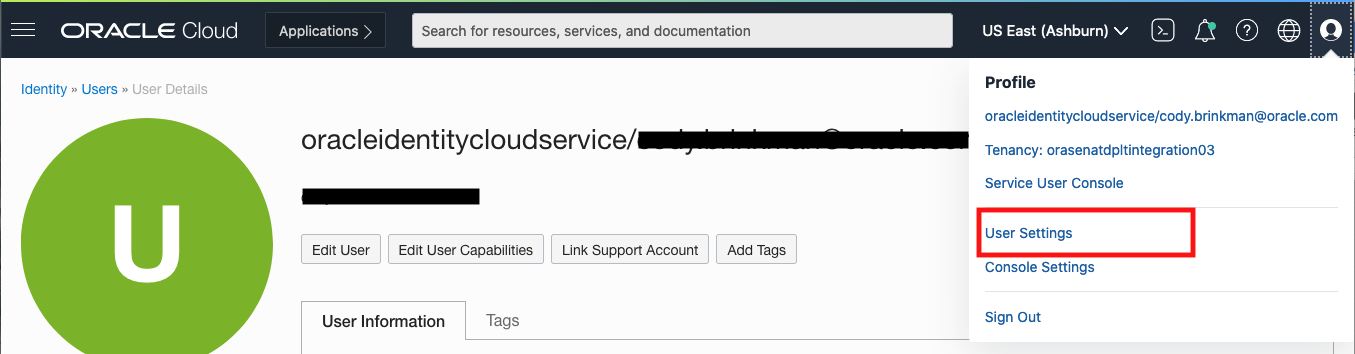
Figure 1: Navigating to user settings
From there, scroll down, and on the left you can see Customer Secret Keys. Generate one.
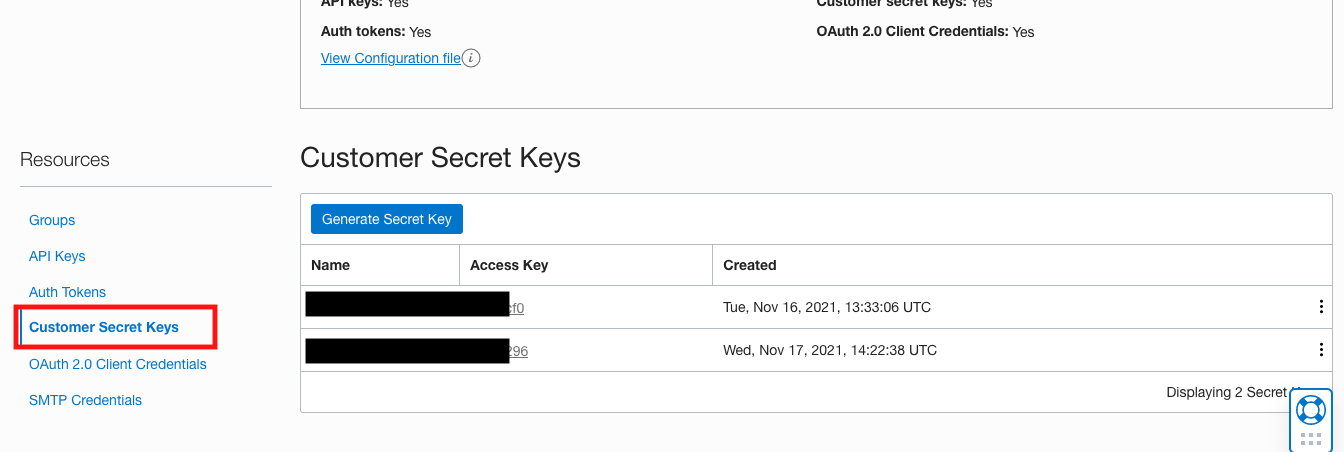
Figure 2: Generating customer secret key
Copy the generated secret key because you can’t retrieve it after closing this window.
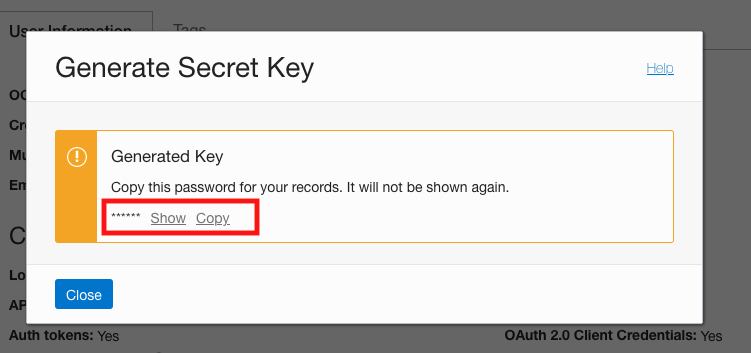
Figure 3: Copying the generated secret key
Testing
For testing purposes, I created an Object Storage bucket called PresignedBlog and uploaded an object PresignedBlogTest.txt that displays, “Your presigned URL works!”
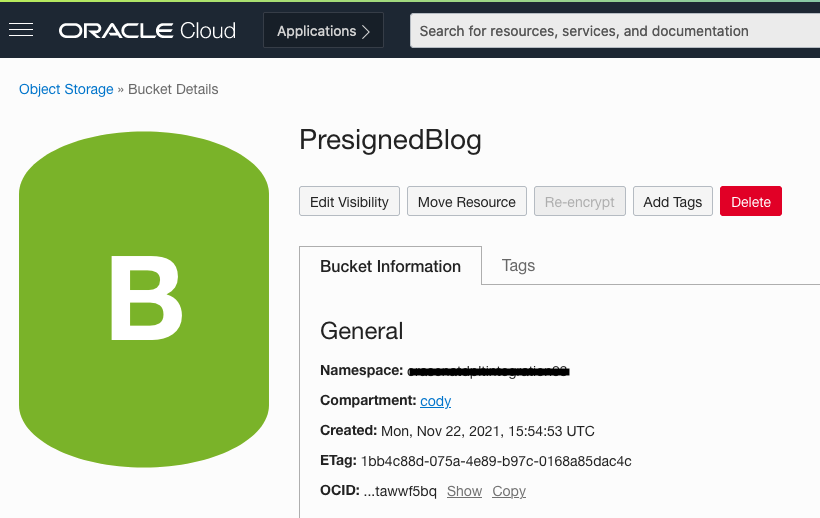
Figure 4: My bucket
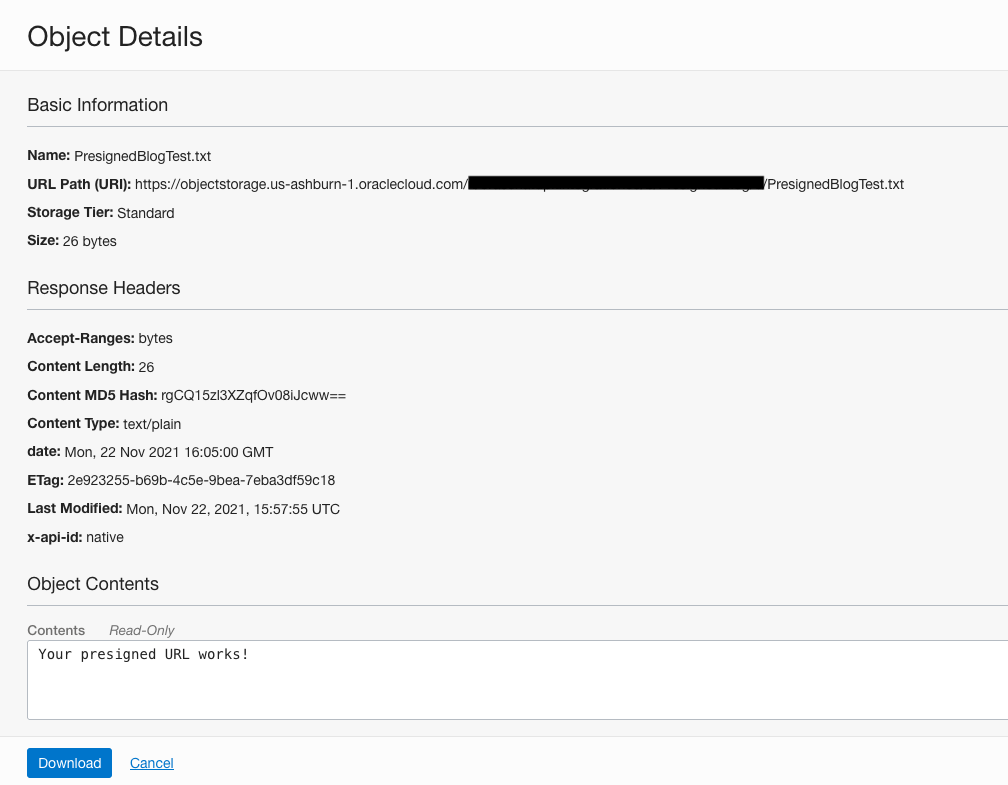
Figure 5: My object
Gathering parameters
Both the Python and Javascript SDKs need to use the following parameters. You can more easily gather them now.
-
Access key ID: Specifies an access key associated with an IAM user or role. Find it in the OCI Console by navigating to the client secret key that we created earlier.
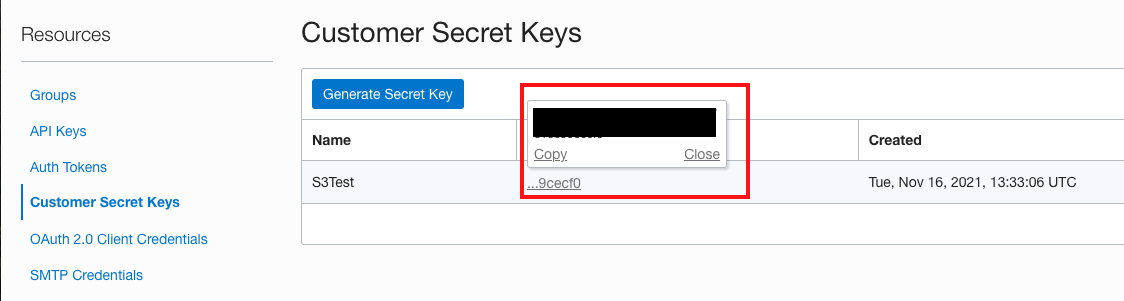
Figure 6: Access key ID -
Secret access key: Specifies the secret key associated with the access key and is the password for the access key. You have no way to access this key after creation. If you didn’t save it, create a customer secret key.
-
Region identifier: The OCI region to send the request to. Find the OCI’s region identifiers in our documentation. I’m using Ashburn, so my identifier is us-ashburn-1.
-
Endpoint: The service endpoint, which includes your namespace name and region identifier and have the format yournamespace.compat.objectstorage.regionidentifier.oraclecloud.com.
-
Bucket: The name of your Object Storage bucket. Mine is PresignedBlog.
-
Key: The name of your object. Mine is PresignedBlogTest.txt.
-
Expiration time: Number of seconds until the presigned URL expires. The default is 3,600 seconds.
Creating presigned URL with AWS SDK for Python (Boto3)
GET Object Example
The following code block shows the basic code:
import boto3
s3 = boto3.client(

        's3',

        region_name = '<Region Identifier>',

        aws_access_key_id = '<Access Key ID>',

        aws_secret_access_key = '<Secret Access Key>',

        endpoint_url = '<Endpoint URL>'
)
url = s3.generate_presigned_url(
        'get_object',
        Params = {'Bucket': '<Bucket Name>, 'Key': '<Object Name>'},
        ExpiresIn = <Expiration Time>)
print('URL: ' + url)
I also included my code with the example.
import boto3
s3 = boto3.client(
        's3',
        region_name = 'us-ashburn-1',
        aws_access_key_id = '78d9ef8fb9934e322myaccessid',
        aws_secret_access_key = 'srjGwrOnMktlp26nFdeqmysecretkey',
        endpoint_url = 'https://mynamespace.compat.objectstorage.us-ashburn-1.oraclecloud.com'
)

url = s3.generate_presigned_url(
        'get_object',
        Params = {'Bucket': 'PresignedBlog', 'Key': 'PresignedBlogTest.txt'},
        ExpiresIn = 3600)
print('URL: ' + url)
Running the script yields a URL that you can enter in a browser to access the object.

Figure 7: The Python (Boto3) GET object presigned URL works!
Creating presigned URL with AWS SDK for Javascript
var
  AWS = require("aws-sdk"),
  util = require('util')
AWS.config.update({
  'accessKeyId': '<Access Key ID>',
  'secretAccessKey': '<Secret Access Key>',
  'region': '<Region Identifier>',
  'endpoint': '<Endpoint URL>',
  's3ForcePathStyle': true,
  'signatureVersion': 'v4',
});

const S3 = new AWS.S3()
const url = S3.getSignedUrl('getObject', {
  Bucket: '<Bucket Name>',
  Key: '<Object Name>',
  Expires: <Expiration Time>
});

console.log(url);
The following code block shows my example:
var
  AWS = require("aws-sdk"),
  util = require('util')
AWS.config.update({
  'accessKeyId': '78d9ef8fb9934e322myaccessid',
  'secretAccessKey': 'srjGwrOnMktlp26nFdeqmysecretkey',
  'region': 'us-ashburn-1',
  'endpoint': 'https://mynamespace.compat.objectstorage.us-ashburn-1.oraclecloud.com',
  's3ForcePathStyle': true,
  'signatureVersion': 'v4',
});

const S3 = new AWS.S3()
const url = S3.getSignedUrl('getObject', {
  Bucket: 'PresignedBlog',
  Key: 'PresignedBlogTest.txt',
  Expires: 3600
});

console.log(url);
This URL also works!

Figure 8: The Javascript GET object presigned URL works!
A note on creating objects
Object Storage and S3 use similar concepts and terminology, and both store data as objects in buckets. However, S3 doesn’t use compartments. Compartments are logical groupings of related resources that allow you to organize and control access to your cloud resources. If you’ve ever worked with OCI, you know how handy and useful they are. Because S3 has no concept of a compartment, buckets created using the S3 Compatibility API are created in the root compartment by default. If you want to change this location, you can designate a different compartment for the S3 Compatibility API to create buckets in.
Conclusion
Presigned requests come in handy when you want to provide a user access to S3 or Object Storage without needing their own IAM credentials. This blog showed how easily you can make your S3 presigned URLs work with OCI Object Storage. We walked through the prerequisites, gathered necessary parameters, and created code examples for generating presigned URLs with AWS’s Python (Boto3) and Javascript SDKs. These code examples were for basic GET requests, so a great next step is to create other types of presigned URL requests with other SDKs.
Oracle Cloud Infrastructure provides Enterprise features for developers to build modern cloud applications. If you want to try out this blog for free, I recommend the Oracle Cloud Free Tier with $300 credits for a 30-Day Free Trial. Free Tier also includes several “Always Free” services that are available for an unlimited time, even after your free credits expire.