

Most corporations are faced with a myriad of compliances programs. An underlying common requirement amongst most compliance programs is governing who has what access to the system and applications, including databases. Oracle Access Governance is a cloud native identity governance and administration (IGA) solution that helps organizations addressing their compliances and governance requirements. Oracle Access Governance provides user provisioning, access reviews, and identity analytics to define and govern access privileges.
This blog post provides an overview of how IT and compliance administrators can simplify their database identity governance through Oracle Access Governance. By connecting Oracle Access Governance to their Oracle database, they can achieve the following benefits:
- Gain visibility into database users and their permissions: Use Oracle Access Governance to immediately answer who has what permissions in the database
- Manage the assignment of database permissions: Manage database permissions through a request and approval process
- Perform database user access reviews: Oracle Access Governance provides a platform for administrators to perform periodic access reviews for database users
Use Oracle Access Governance to gain visibility into database users and their permissions
By connecting Oracle Access Governance to a database, and administrator can quickly view who has access to the database and the roles and permissions assigned to the user. Let’s explore the required high-level steps.
Connect Oracle Access Governance to database by providing the relevant connection parameters
- From the Add a Connected System page, select the type of system that the admin wants to connect with Oracle Access Governance.
- On the Select system step of the workflow, select Database User Management (Oracle DB) and select Next.
- Provide the relevant connection details.
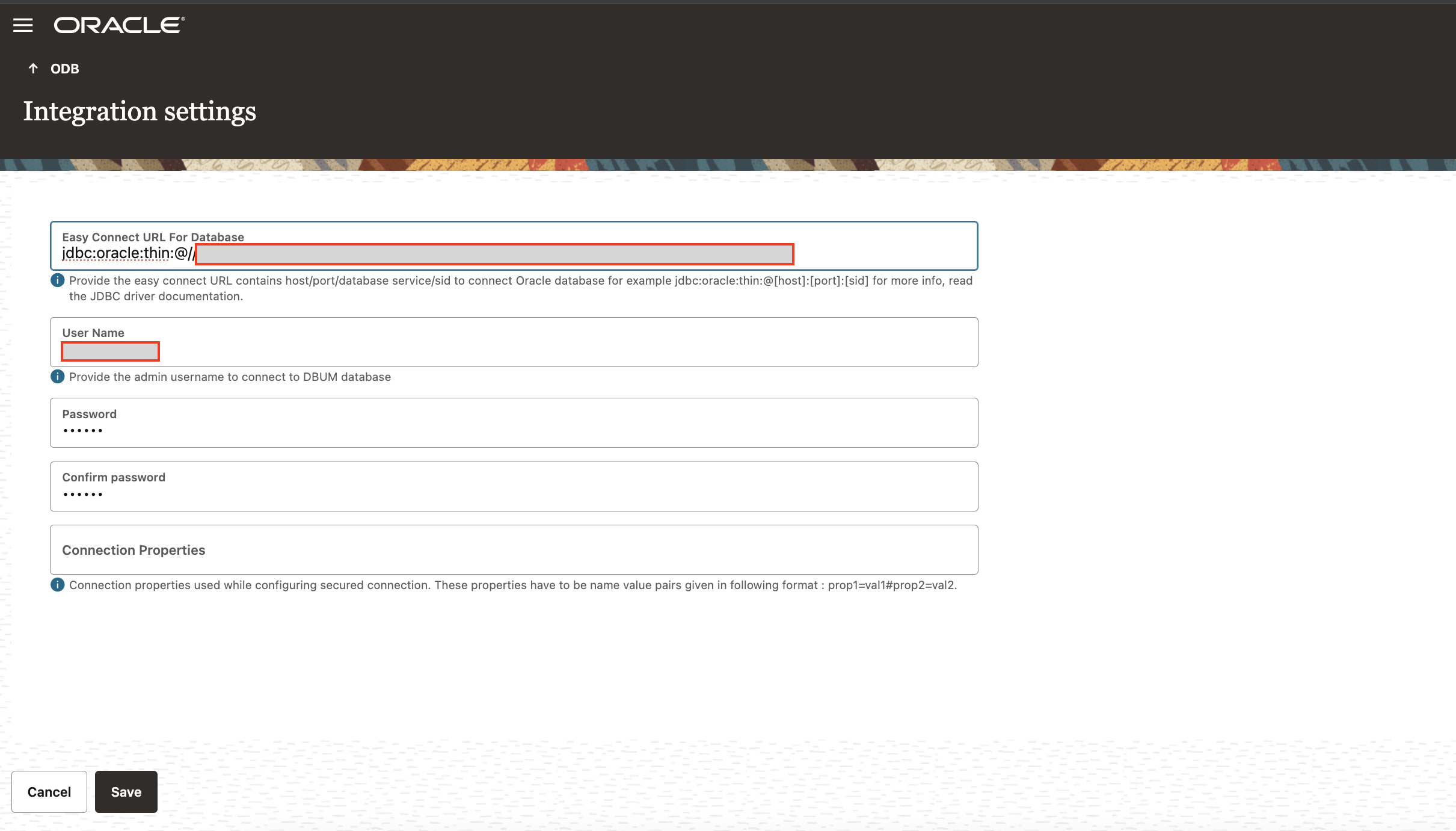
An administrator also needs to download a small lightweight agent to run alongside the database, which continuously syncs the database with Access Governance. After downloading the agent, follow the instructions explained in the Agent Administration section of the documentation.
See who has access to what permissions
When an administrator has Oracle Access Governance connected to the database, they can now go to the enterprise-wide view and search for the database resource. They can now view who has access to the database, but more importantly, they can see the permissions a user has in the database and how they got it.
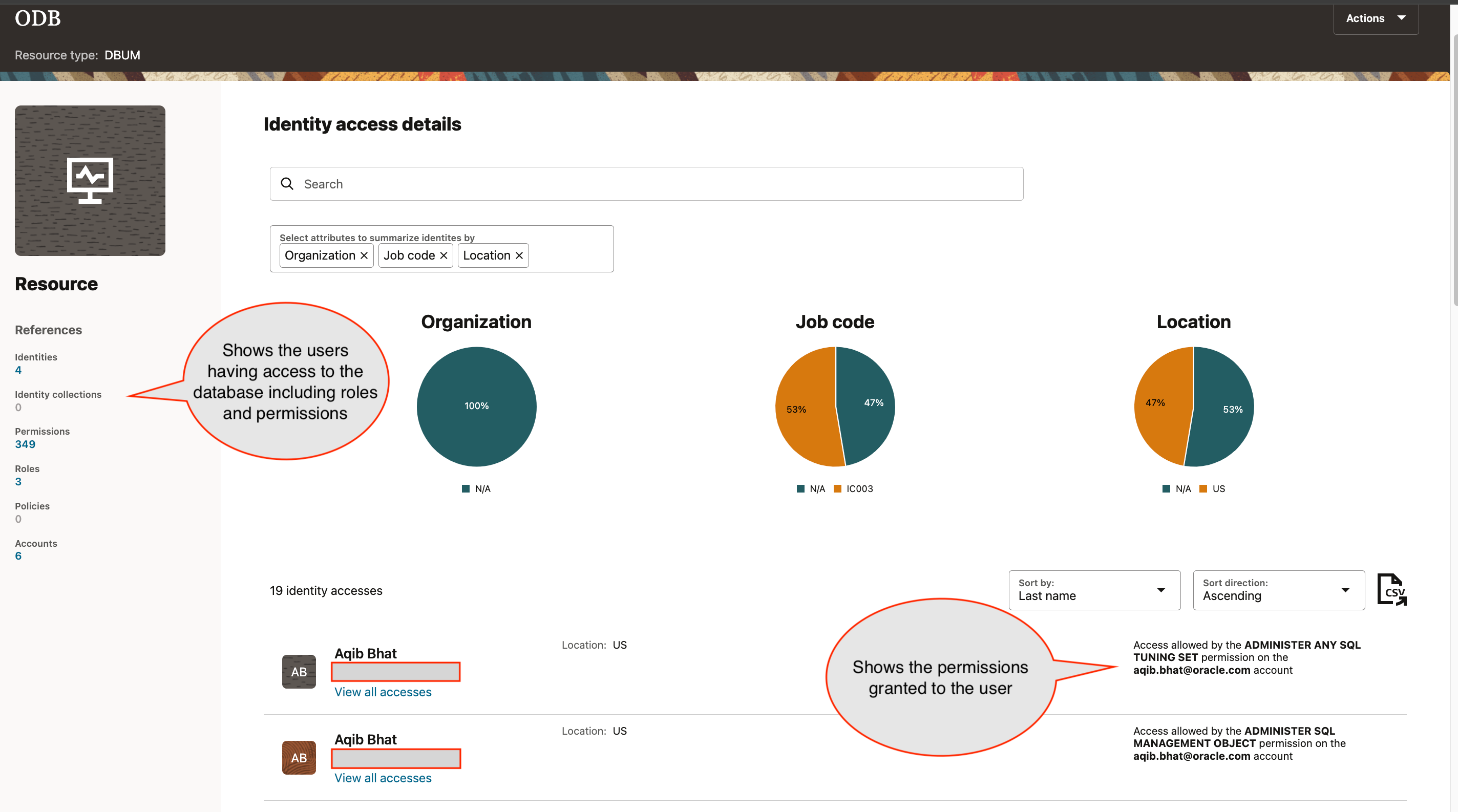
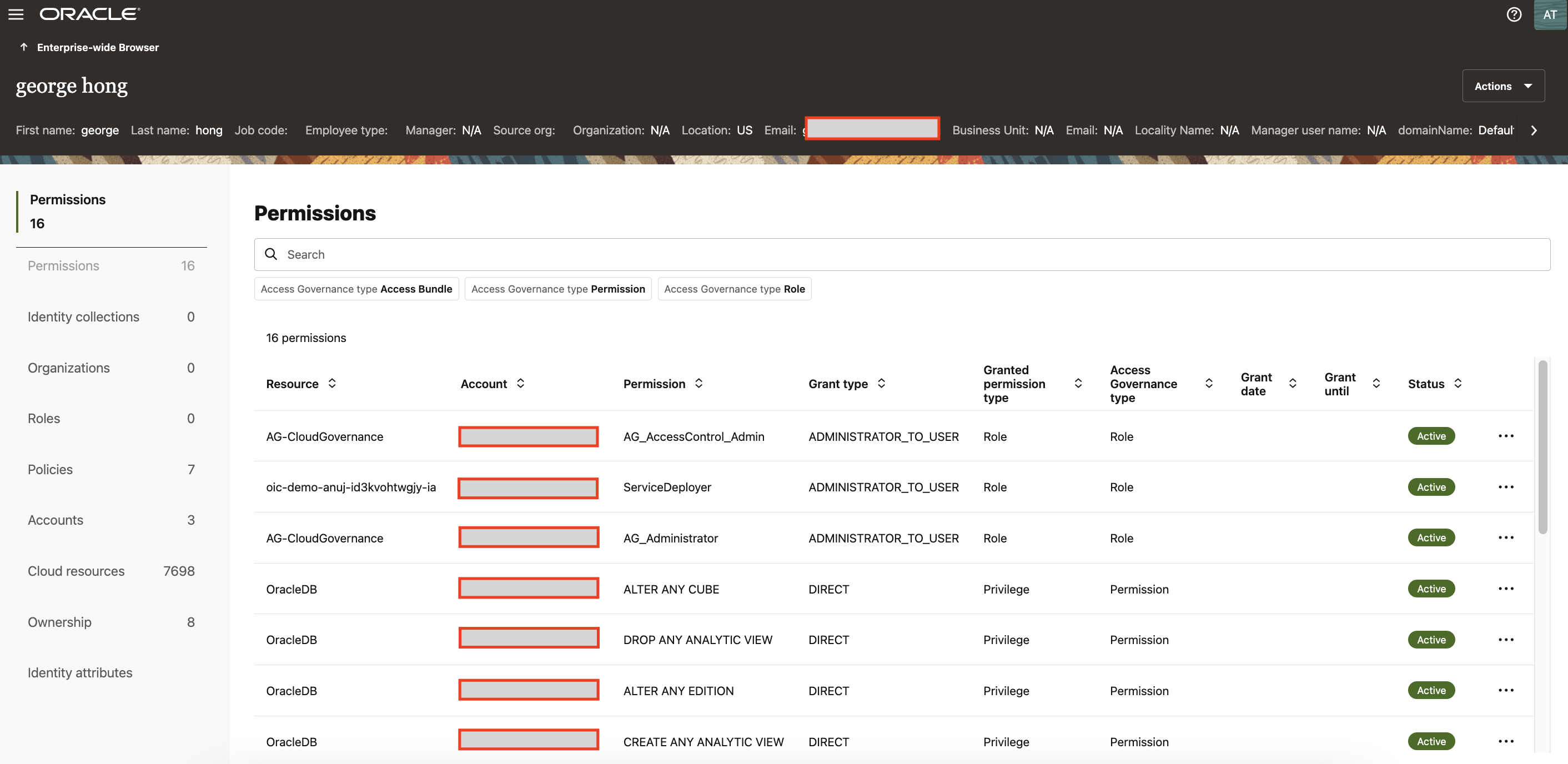
By selecting View all accesses under a user, an administrator can see all the accesses granted to the user across different applications. In this case, they can also view all the permissions and roles belonging to the user in the database.
Request access system for database permissions
Users can request access to database roles and privileges through access bundles, a facet native to Oracle Access Governance. An access bundle is a collection of permissions that package access to resources, application features, and functionality into a unit that can be requested. Administrators create Access bundles based on the relevant permissions they want to group together for access requests and reviews.
Creating an access bundle
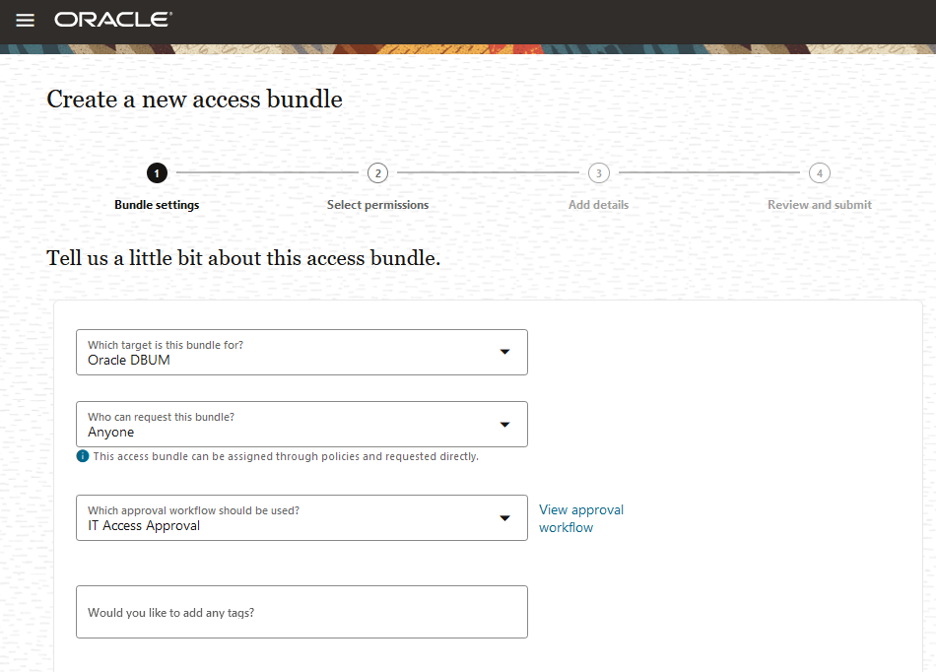
Oracle Access Governance shows all the permissions brought in through syncing with the database. The administrator can search and select the relevant permissions to include in the access bundle.
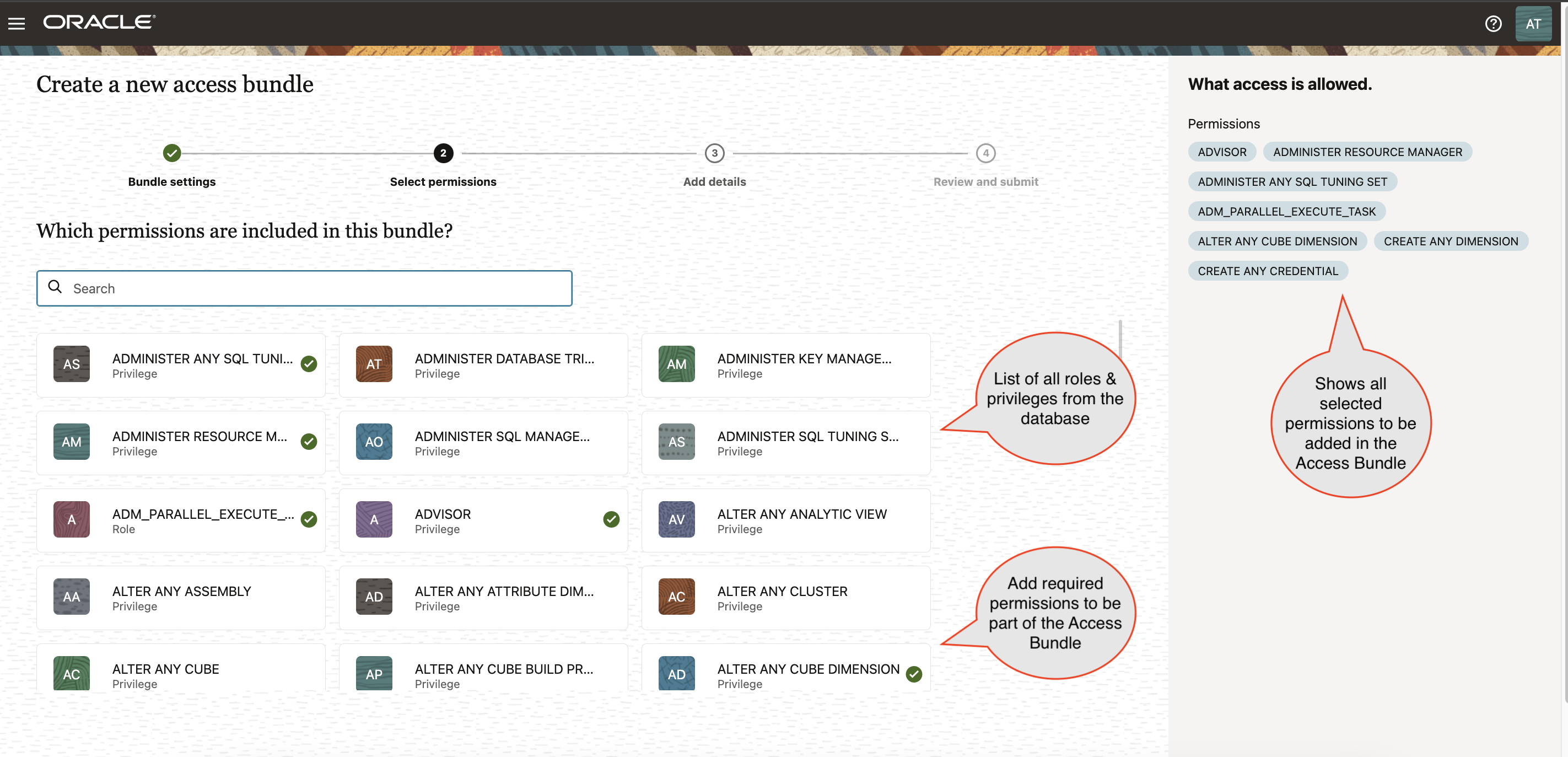
Users can now request these access bundles and gain access to these database permissions when granted. Oracle Access Governance first creates a user database account if it doesn’t already exist. If it does, it adds the requested permissions after getting the required approvals defined as part of the approval workflow.
Perform access reviews for database permissions
You can use Oracle Access Governance to perform access reviews on the Oracle database. This process eliminates using a manual method to perform database user access reviews.
Admins can define a database access review by creating an access review campaign and selecting the database as the system, along with appropriate access bundles and roles.
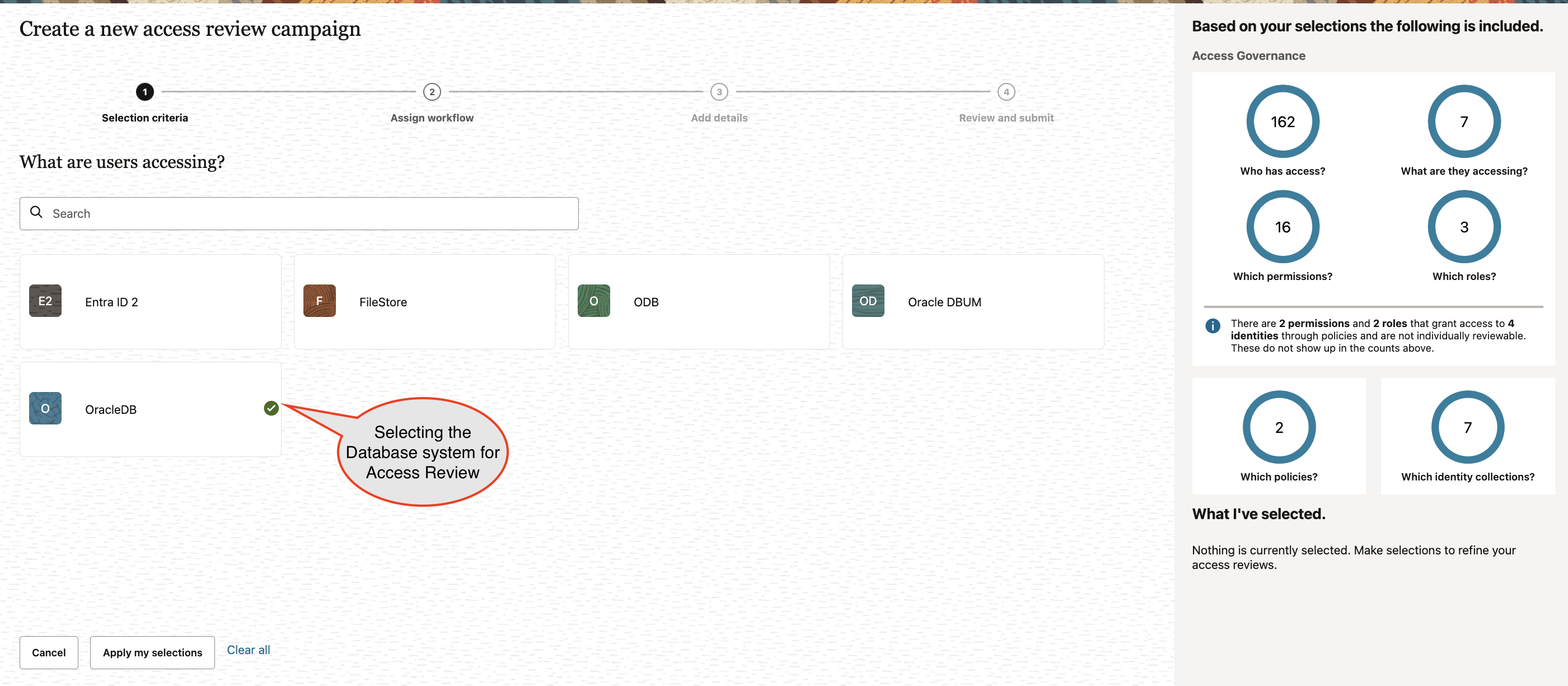
When the review campaign is created and running, a reviewer can review users by seeing what access bundles were granted.
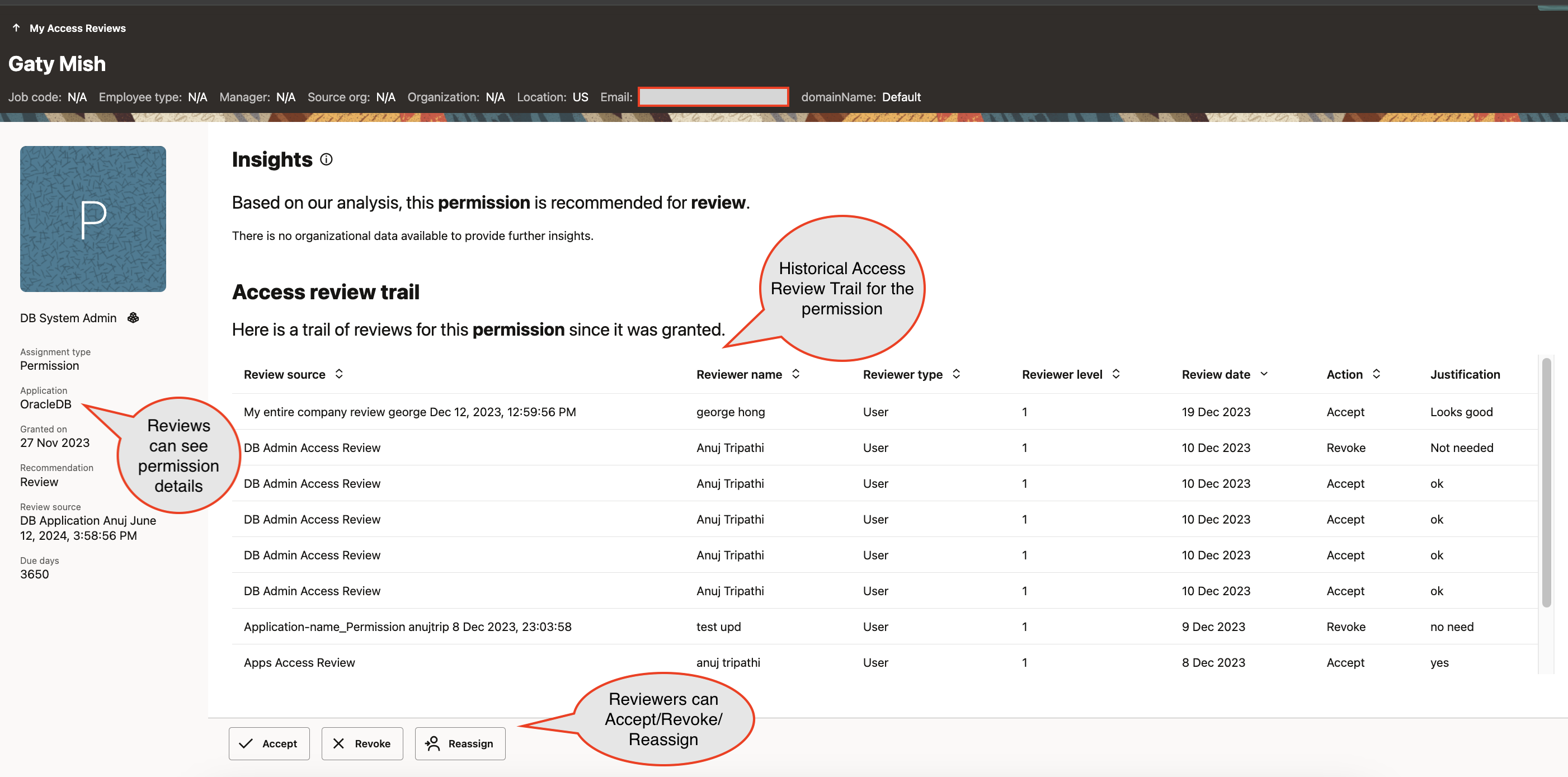
By selecting the access bundle, the reviewer can see the individual permissions included as part of the access bundle.
Conclusion
Oracle Access Governance facilitates database administrators in efficiently managing governance and administration of their essential databases. It offers automated processes for requesting access to database roles and privileges, complete with necessary approvals. Moreover, it enables automated reviews of database user permissions. Administrators can consistently verify access permissions by utilizing the enterprise-wide browser integrated with the databases.
Check out this tutorial that walks through steps on integrating Access Governance with an Oracle Database.
For more information, see the following resources: