
Oracle Cloud Infrastructure (OCI) Tagging allows you to add metadata to resources in the form of key-value pairs. One of the primary use cases for tagging is access control. You can use tags in OCI Identity and Access Management (IAM) policies to control who has create, read, update, and delete (CRUD) permissions on the tagged resources.
With tag-based access control (TBAC), you can use conditions with a set of tags to scope access based on the tags that have been applied to a resource. You can control access based on a tag that exists on the requesting resource, such as group, dynamic group, or compartment, or on the target of the request, such as the resource or compartment.
Currently, OCI IAM policies that scope access based on the tags applied to the target resource don’t allow the permissions that return a list of resources. This exclusion makes it difficult for users to view the resources that they’re otherwise allowed to manage in the Console.
In this post, we showcase how you can list resources using IAM policies that scope access based on the tags applied. This approach, improves the tag-based policy, because it allows users to use the Console more easily by allowing them to see the resource they want to manage, which improves end user experience.
Example Scenario
Consider a scenario where you have a requirement to grant more granular access to resources in your OCI tenancy. You opt to use TBAC, which enables you to use conditions and a set of tag variables to write policy to scope access based on the tags that you have applied to your resources.
As shown in Figure 2, this method assumes that you have a set of resources in your tenancy under a specific compartment, and you want members of DemoGroup1 to have full access to specific resources within a given compartment. To achieve this goal, use the following steps:
- Tag specific resources for which access is granted to members of DemoGroup1.
- Write an IAM policy (Figure 1) to scope access based on the tags you have applied to your resources. This policy grants full access to members of DemoGroup1 for the tagged resources.

Figure 1: IAM policy with tag-based access.
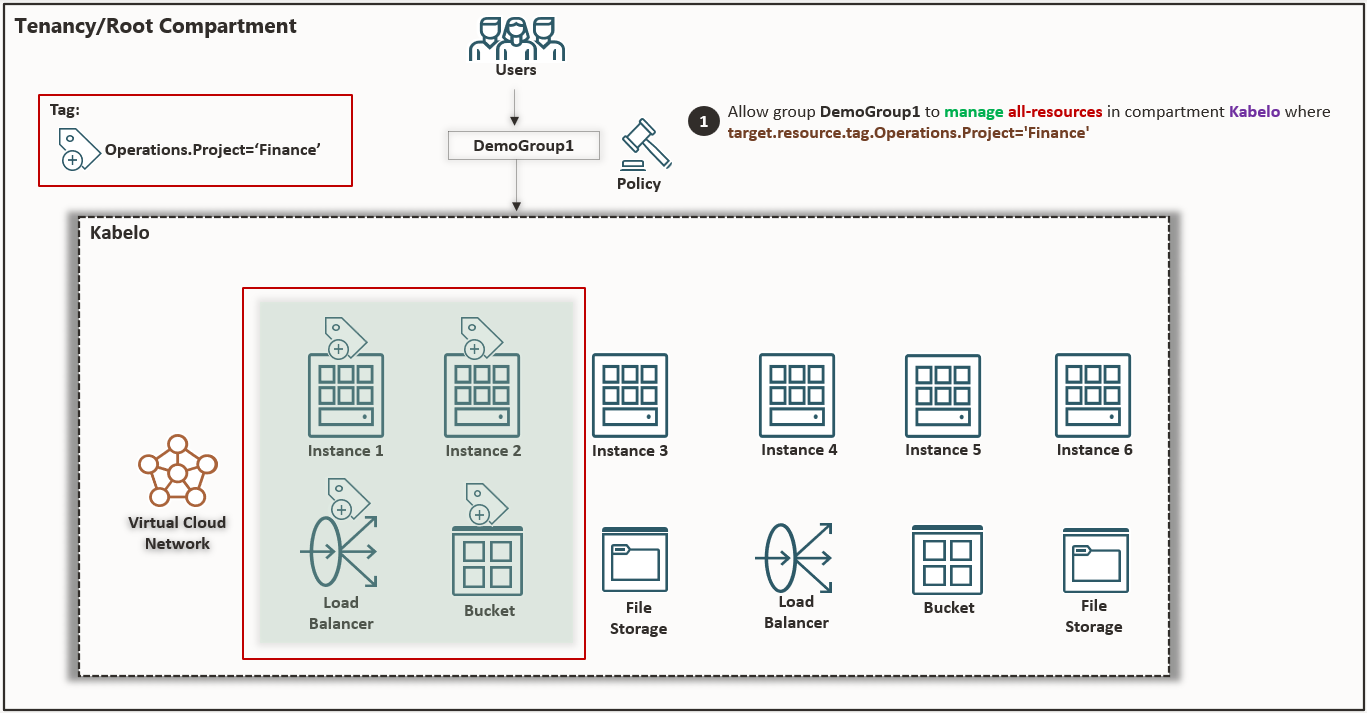
Figure 2 – Applying tags to resources in a compartment.
When the permissions have been defined through the IAM policy statement, members of DemoGroup1 have the access necessary to view and manage the resource in the Console. However, although members of DemoGroup1 have been granted full access to the resources, when these users access the Console, they can’t view any of the resources that they’re allowed to manage. The users get an authorization error when attempting to access the resources, as shown in the following figures:

Figure 3: Authorization error on the Instance page.

Figure 4: Authorization error on the Buckets page.

Figure 5: Authorization error on the Load Balancers page.
These users (members of DemoGroup1) can’t view the resources for which they have been assigned full access. With TBAC, IAM policies that scope access based on tags applied to the target resource can’t allow the permissions that enable you to return a list of resources. As a result, DemoGroup1 can’t list any of the resources that these users are otherwise allowed to manage. Members of DemoGroup1 can’t use the Console to interact with these resources as seen in the error shown in figures 3, 4, and 5.
To enable the listing and viewing of these resources, an expansion of access to the policy is required. You must grant another policy statement giving permissions, either inspect or read, to allow listing of resources. To allow DemoGroup1 to list those resources, you must add another policy statement:

Figure 6: IAM policy with expanded access.
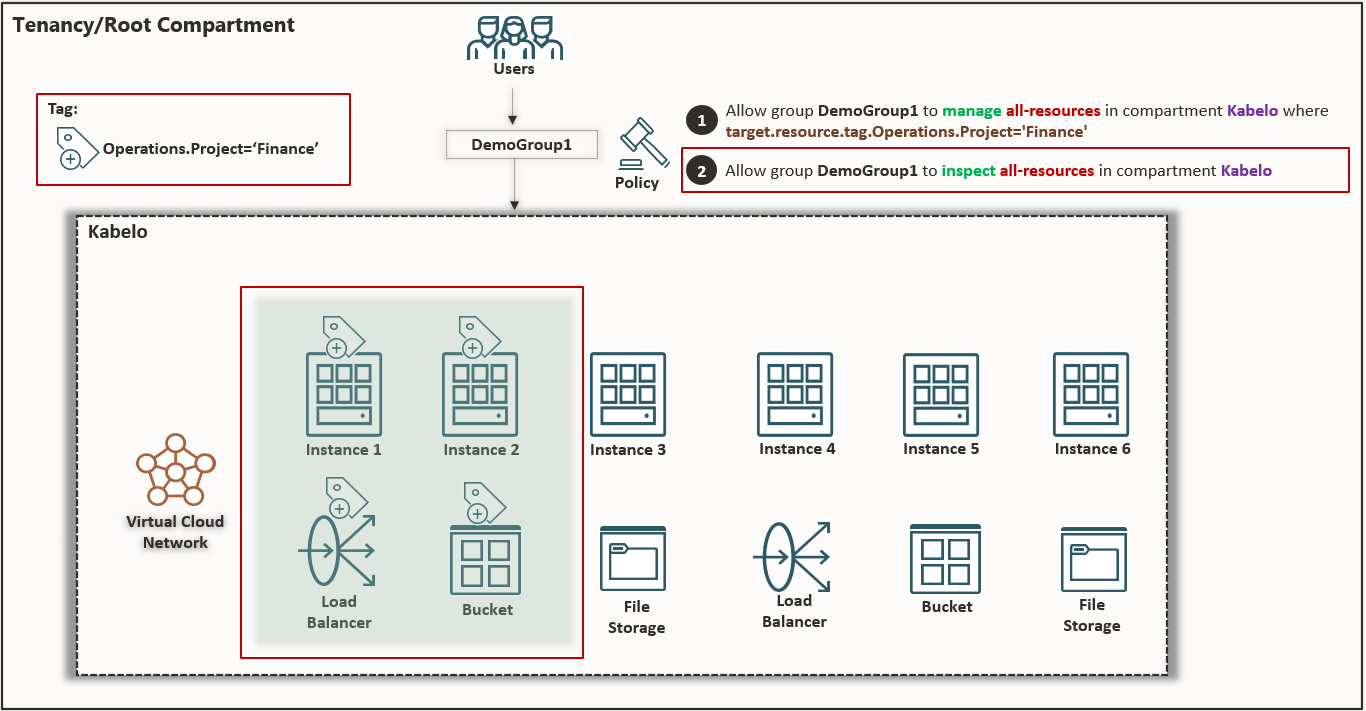
Figure 7: Compartment diagram showing expanded access
When a permission to allow listing resources is granted through an added policy statement, members of DemoGroup1 can view and manage the resource in the Console.

Figure 8: Buckets now accessible with the added policy statement.
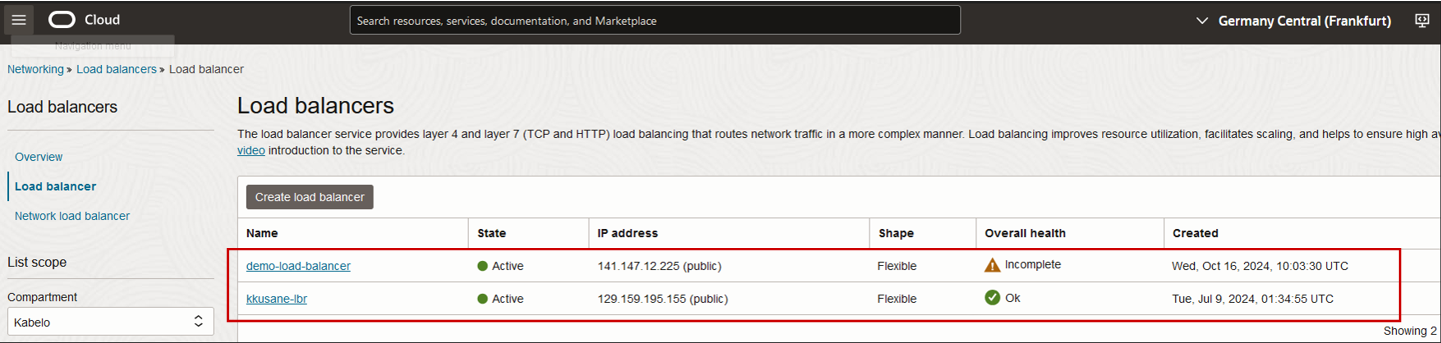
Figure 9: Load balancers now accessible with the added policy statement.
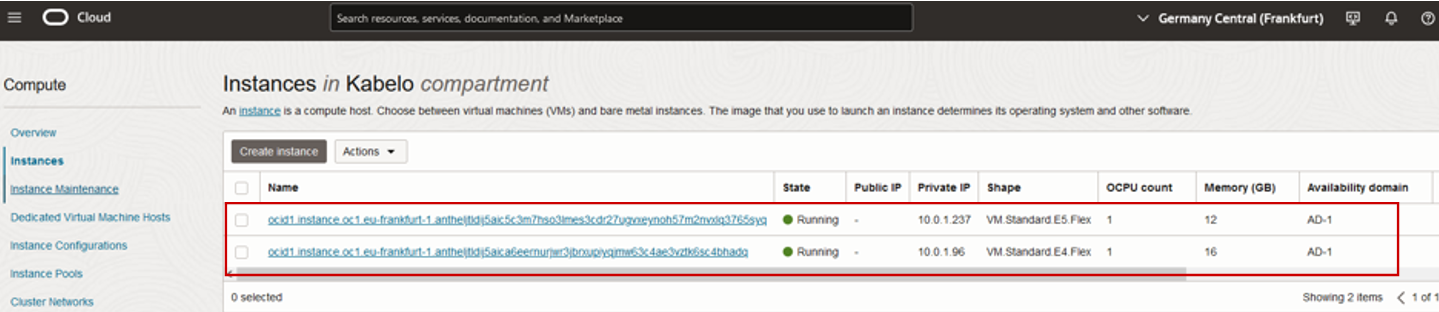
Figure 10: Instances now accessible with the added policy statement.
When you expand access by granting inspect permission with another policy statement, unlike other resources, the Console lists the instances with their Oracle Cloud Identifier (OCID) instead of hostname. For users to manage the instances, they must know the instance OCID. From a user experience perspective, managing these instances is more difficult.
To avoid this issue, you can grant read permission (instead of inspect) with another policy statement to allow listing of instances with their hostnames shown, instead of their OCID:

Figure 11: Adding a policy statement to show instances with hostnames instead of OCIDs.

Figure 12: Compartment diagram showing granted read access.
From the Console, members of DemoGroup1 can view instances with their hostname shown instead of their OCID.
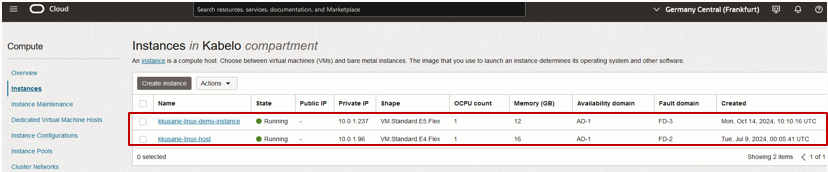
Figure 13: Instances shown with hostnames displayed instead of OCID.
Conclusion
Tag-based access control provides more flexibility to your policies by allowing you to define access policies with tags that span compartments, groups, and resources. Using conditions and a set of tag variables, you can write policy to scope access based on the tags that have been applied to a resource. You can control access based on a tag that exists on the requesting resource, such as group, dynamic group, or compartment, or on the target of the request, such as resource or compartment.
With TBAC, IAM policies that scope access based on the tags applied to the target resource can’t allow the permissions that enable you to return a list of resources. An expansion of access to the policy is required. You must grant additional policy statement giving permissions either inspect or read, to allow the listing of resources.
For more information, see the following resources: