

Oracle advances its Passkey Pledge offering one-click sign-in with FIDO2 discoverable credentials in OCI IAM
Passwords can create friction for users and risk for organizations. They’re easy to forget, frequently reused, and remain a primary target for phishing and other account takeover attacks. Oracle is moving toward a sign-in experience designed to be simpler and more secure with support for FIDO2 discoverable credentials in OCI IAM.
Discoverable credentials, or resident keys, let users sign in without entering a username or a password. The user’s platform presents the appropriate passkey, which the user confirms using built-in platform security such as a fingerprint, face recognition, or touch of a hardware security key. The result is a fast, easy, one-click sign-in experience that uses FIDO2 authentication and built-in platform verification.
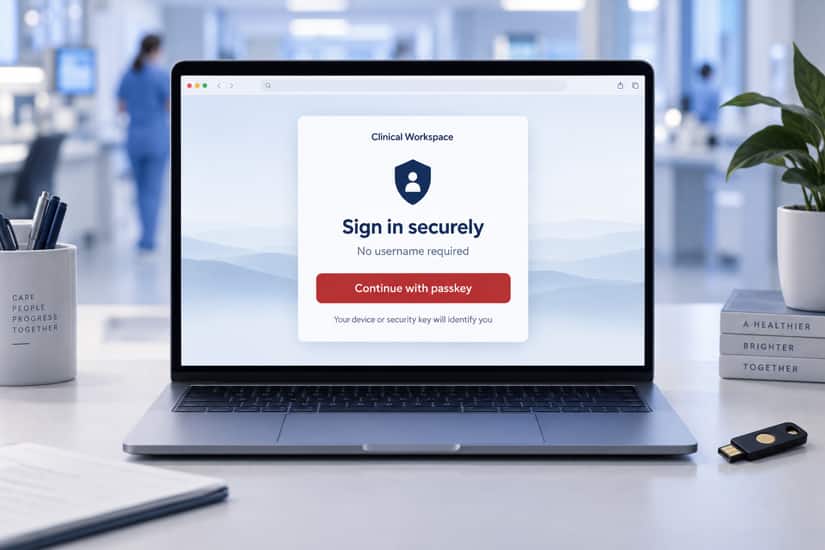
In a discoverable credential sign in flow, the application presents a simple Continue with Passkey button. It does not know, or display, the user’s identity before authentication. The user’s platform (browser and OS) prompts them to select the appropriate passkey from the list of eligible passkeys (if there are more than one). After platform-layer validation, the application simply accepts the credential and authenticates the user.
One-click sign-in is especially useful in environments where users carry trusted physical devices and have a trusted process to enroll passkey credentials. This is common in healthcare environments where providers carry a badge (smart card) that can be tapped to sign-in. Oracle Health is making this experience available in clinical settings where fast sign-in is important and personal protective gear (face masks, gloves, etc.) may make other authentication mechanisms difficult.
For users, discoverable credentials reduce the sign-in steps and eliminate the need to remember a password, making life easier. For organizations, discoverable credentials provide phishing-resistant authentication and can help reduce the operational burden associated with passwords.
Advancing the Oracle Passkey Pledge
This release is part of Oracle’s broader effort to remove passwords, adopt passkeys across Oracle, and to make it easier for our customers to do the same. Strong authentication should not require a trade-off between security and usability.
Oracle’s Passkey Pledge is a commitment to make passwordless sign-in a practical default; adopting passkeys internally where appropriate, building passkey-ready experiences into our products, and giving customers a clear path to make passkeys their preferred way to sign in.
Passkeys, based on FIDO2 standards, use public key cryptography through which a private key remains protected on the user’s authenticator while the service uses a corresponding public key to verify the credential. This helps protect users from credential theft and phishing attacks that are commonly perpetrated against passwords and one-time passcodes.
Enable Passkeys Broadly
You should make passkeys the standard sign-in experience for your organization wherever possible. This is not a feature reserved for a small pilot population. In high-risk environments, especially where privileged administrators have access to sensitive data or high impact transactions, make passkeys mandatory. Pair them with a strong account recovery and break glass processes, so stronger security doesn’t block legitimate access.
Discoverable credentials make broad adoption easier. By eliminating the username field at the start of sign-in, they reduce a common source of friction and give users a clear, familiar path: choose a passkey and verify on the device.
How to Get Started
- In OCI IAM, enable FIDO2 and passkey authentication in a sign-in policy.
- Enable discoverable credentials and require user verification.
- Require passkeys for high-risk groups, such as privileged administrators and sensitive access roles.
- Offer passkey registration to all eligible users at sign-in, supporting built-in device authenticators and approved hardware security keys.
- Validate browser, device, recovery, break glass, session lock, and explicit sign-out scenarios, then expand passkey requirements to additional groups and applications.
Specific configuration steps vary by service and deployment. Refer to your service’s documentation for the exact administrative steps.
A Better Sign-In Experiences Starts Here
Discoverable credentials remove an unnecessary first step from passkey sign-in. Oracle helps strengthen sign-in by supporting phishing-resistant FIDO2 authentication while simplifying the sign-in experience. Enable passkeys broadly. Require them for high-risk accounts. And use discoverable credentials to give users a smoother path to passwordless sign-in using phishing-resistant authentication.
To learn more, refer to the OCI IAM product documentation.