
We’re pleased to announce the General Availability of the Drift Detection feature in the Oracle Cloud Infrastructure Resource Manager service. Drift is the difference between the real-world state of your infrastructure and the stack’s last executed configuration.
Use Case
Infrastructure as code is one of the recommended ways to achieve automation. Resource Manager helps you in that regard by maintaining a snapshot of your infrastructure in the Terraform state files. However, the actual infrastructure might deviate from that captured snapshot. For example, a team member might manually add a production tag to a Compute instance on the Console, leaving the Resource Manager unaware of this change.
In this scenario, you can run drift detection reports to determine if provisioned resources have different states than those defined in the stack’s last executed configuration. You can also view a detailed drift status for each resource.
Getting Started
-
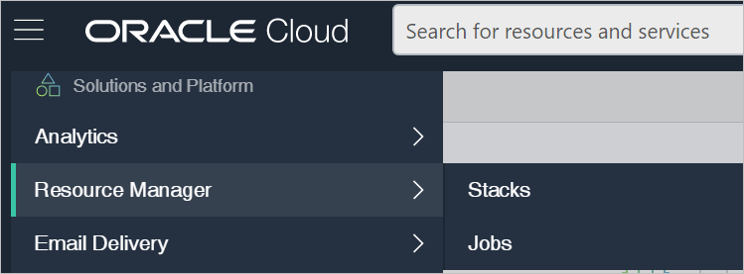
In the main menu of the Oracle Cloud Console, go to Resource Manager and then click Stacks.
-
Click the name of the stack for which you want to run drift detection.
-
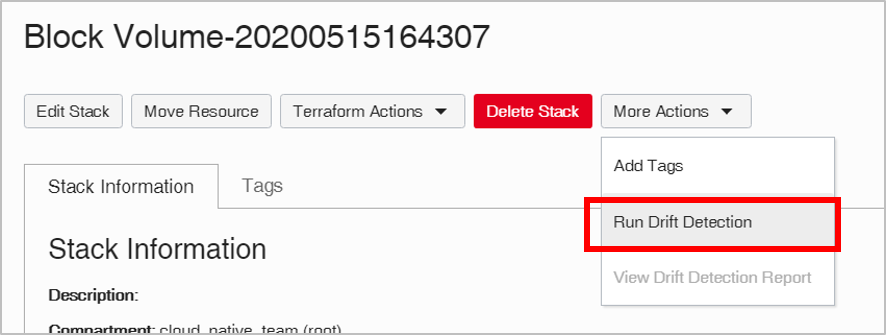
From the More Actions menu, select Run Drift Detection.
-
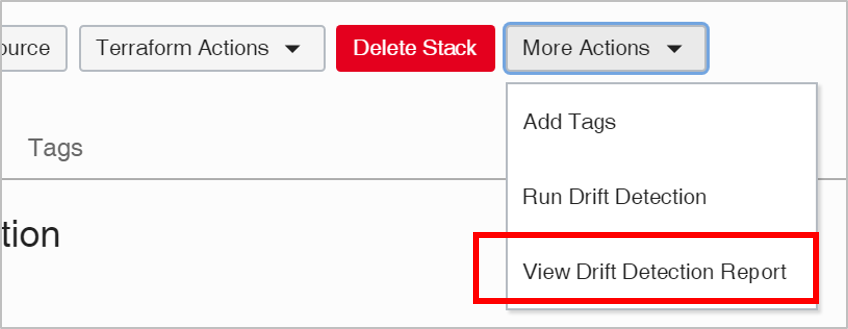
After the work request is completed, select More Actions again and click View Drift Detection Report.
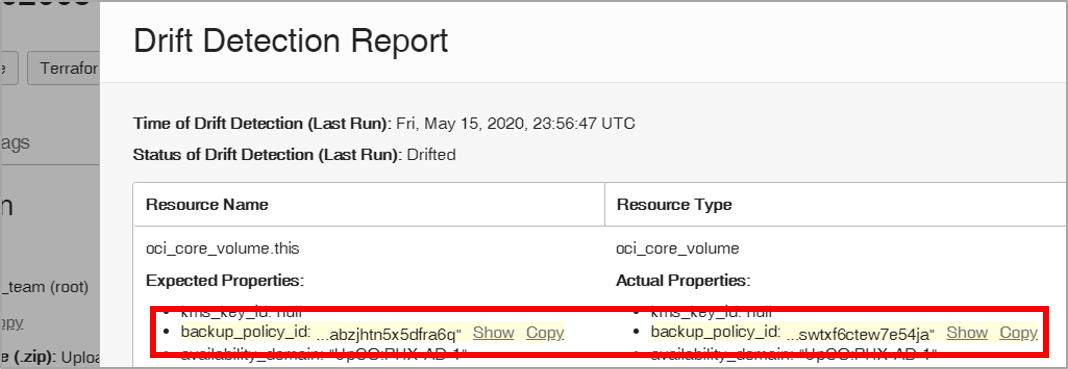
Expected and actual properties are shown in the highlighted drift.
-
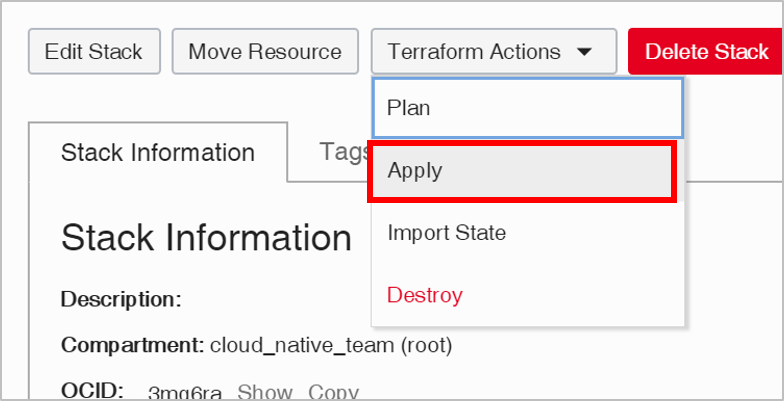
(Optional) If you want to converge your resources back to the configuration defined by the stack, select the Terraform Actions menu, and then click Apply.
Resources
If you’re new to Resource Manager, use the following resources to get started:
- Oracle Cloud Infrastructure Resource Manager Overview video
- Resource Manager details video
- Technical documentation
If you have any feedback or questions about Resource Manager, please contact us at oci_resource_manager_pub_us_grp@oracle.com.