
What’s New in Essbase 26ai Navigation and File Management
Oracle Essbase 26.1 introduces usability updates that help administrators and business users move through common tasks more efficiently.
With enhanced navigation, quick application switching, improved job discovery, local file selection for data loads, and expanded file management options, this release is designed to make everyday Essbase work simpler and more direct.
Navigate faster across Essbase
Essbase 26.1 adds enhanced global navigation to help users move more easily across the application. Users can access the global menu directly and switch quickly between key areas such as Applications, Jobs, Files, Scenarios, Security, Sources, Console, and Academy.
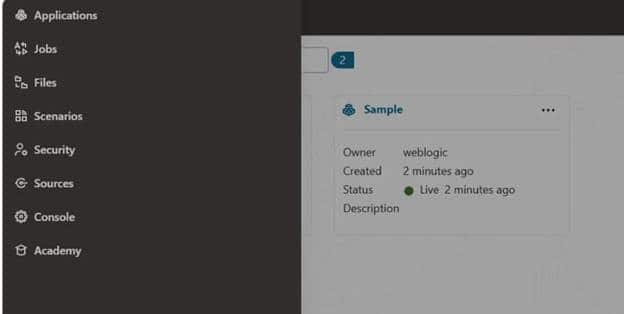
Figure 1. The enhanced global navigation menu provides direct access to commonly used Essbase areas.
Users can also switch quickly between applications, with the selected target opening in a new browser tab. This helps reduce context switching and makes it easier to keep multiple areas of work open at the same time, such as reviewing application details, monitoring jobs, and managing files.
Load data from local files
Essbase 26.1 also improves the data loading experience by allowing users to select local files when loading data. This gives users a more direct path for common data load workflows and reduces the number of steps required to bring source files into Essbase.
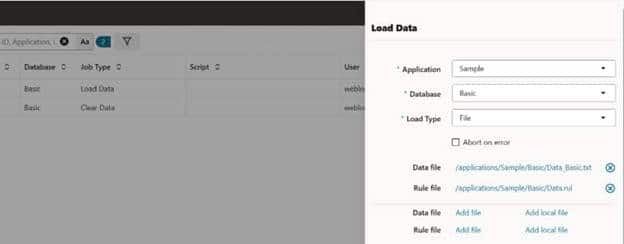
Figure 2. Users can add files or add local files when preparing a data load.
For teams that regularly load data as part of planning, reporting, close, or analysis cycles, this improvement helps make the process more straightforward.
Find and manage jobs more easily
Job monitoring is an important part of managing Essbase operations. In Essbase 26.1, enhanced filtering and sorting for jobs help users find the information they need more quickly.
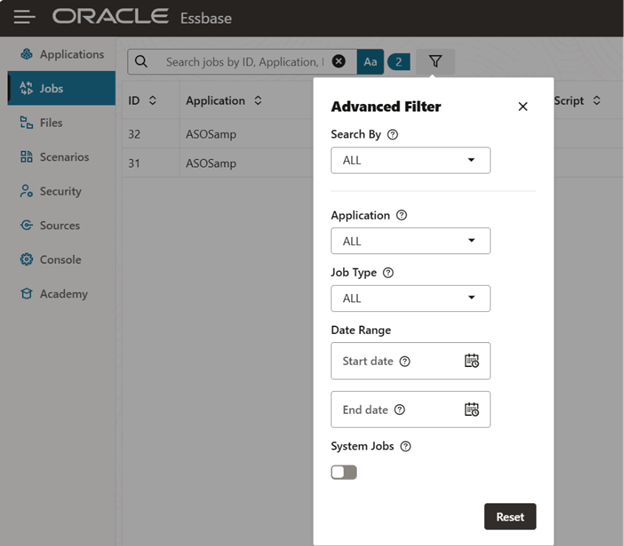
Figure 3. Advanced job filters help users narrow job results by application, job type, date range, and system job status.
Administrators and power users can more easily review job activity, locate relevant entries, and understand operational status without scanning through long lists manually.
Manage files with greater efficiency
Essbase 26.1 includes enhanced file management options, including support for bulk actions. These improvements help users work more efficiently when managing multiple files, organizing content, or performing repeated file operations.
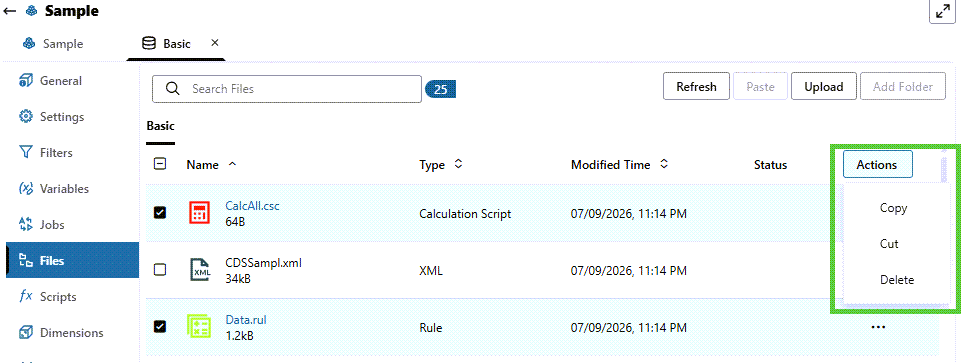
Figure 4. File management enhancements include bulk selection and actions such as copy, cut, and delete.
For environments with many applications, users, and data files, improved file management can reduce manual effort and make routine administration more efficient.
Improving the everyday Essbase experience
The navigation and file management updates in Essbase 26.1 are focused on practical productivity. They help users move faster, find what they need, and complete common tasks with fewer steps.
Together, these enhancements support a more streamlined Essbase experience while preserving the flexibility that administrators and business teams depend on for enterprise planning and analytics.