Oracle APEX 26.1 makes Map Regions more scalable, more declarative, and more interactive. Developers can build richer map-based experiences with less custom code, using declarative attributes for common patterns such as constraining the visible map area, applying data-driven styling, and creating clearer legends. For advanced scenarios, new JavaScript APIs provide runtime control over map layers, making it easier to respond to user actions and page state. The release also introduces vector tile layer support for large spatial datasets. Vector tiles allow Map Regions to load only the data needed for the current view instead of sending the full spatial dataset to the browser at once. This improves responsiveness and makes maps better suited for data-rich applications with thousands or tens of thousands of features.
This release focuses on four areas:
Vector tile layer support
Bounding box support
Map styling with substitutions and advanced legend formatting
New JavaScript APIs for layer control
1. Vector tile layer support
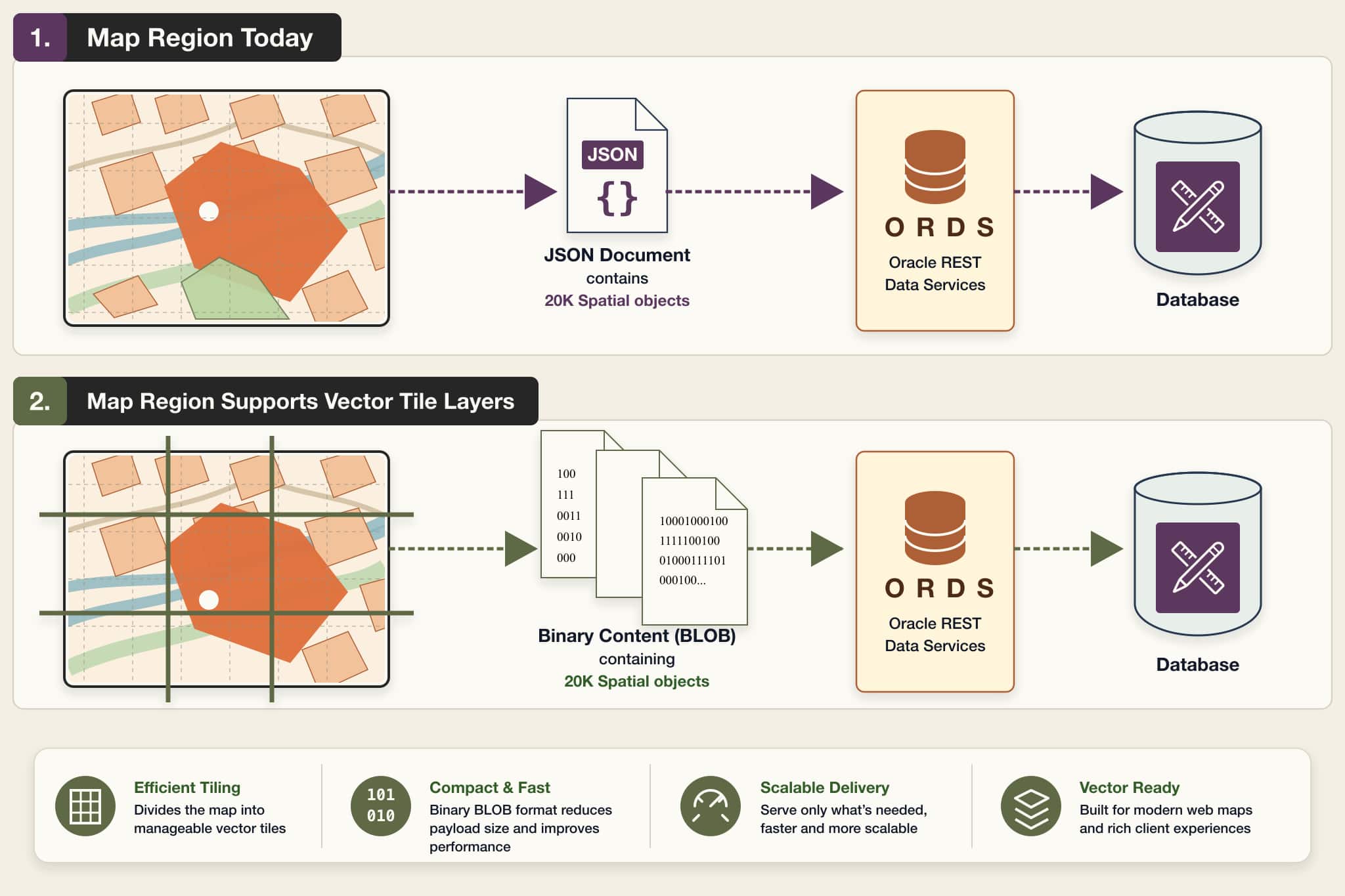
Oracle APEX 26.1 introduces support for vector tile layers in Map Region, a major enhancement for applications that need to display large spatial datasets with better performance and scalability.
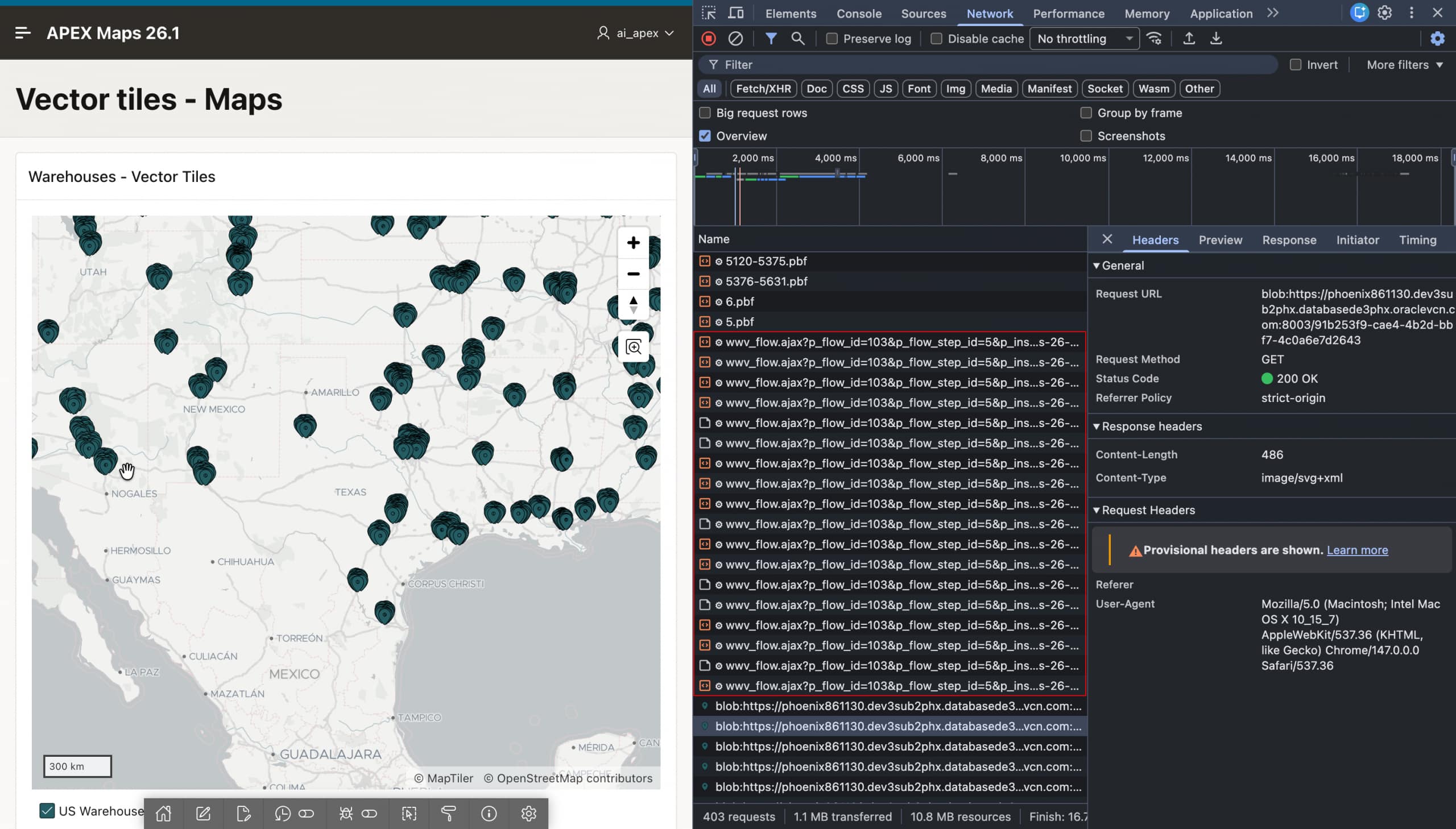
With this enhancement, Map Region can use the database function mdsys.sdo_util.get_vectortile() to generate vector tiles as compact PBF, or Protocolbuffer Binary Format, files directly in the database. The compact format benefits the client, the database, and the network by reducing the amount of data transferred. In addition, the client sends parallel AJAX requests for only the tiles required for the current viewport and zoom level, instead of loading one large JSON payload for the entire layer. This improves loading time and makes large-scale map rendering more efficient.
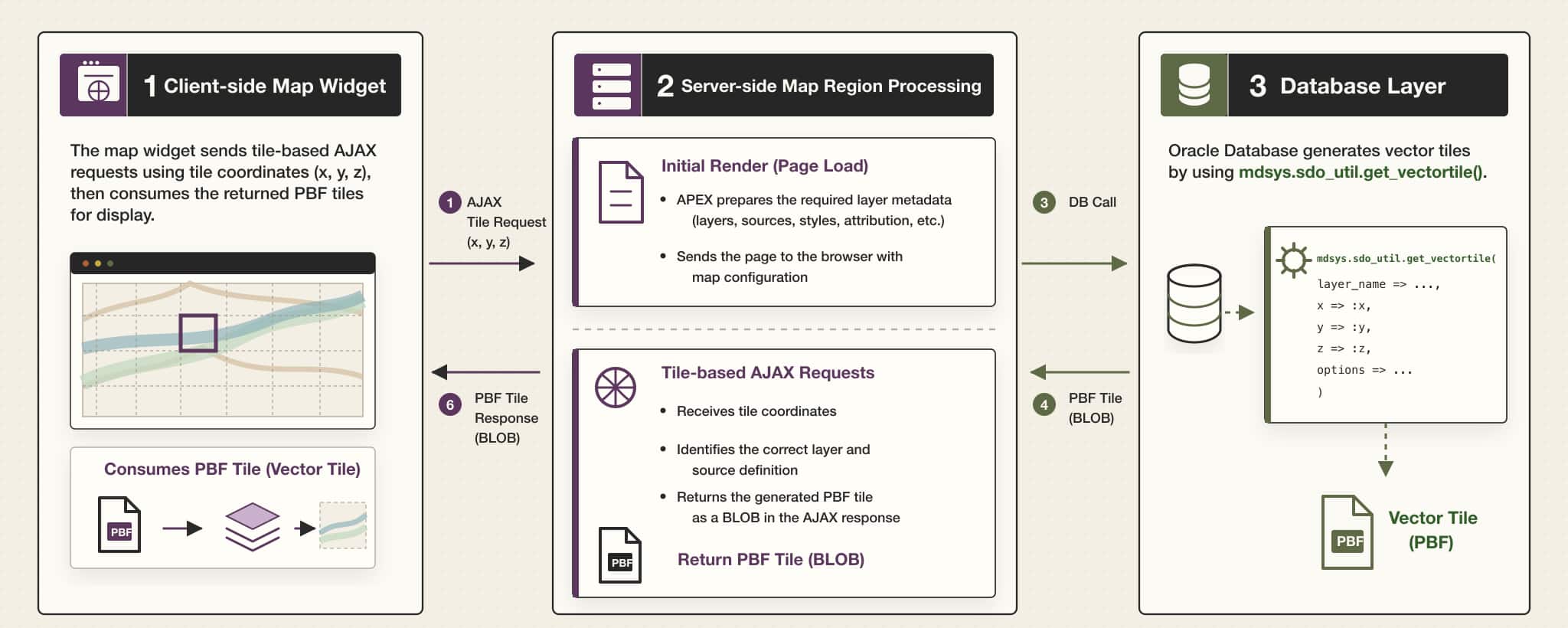
Architecture overview
From an architecture perspective, vector tile support introduces coordinated changes across the client-side map widget, server-side Map Region processing and database layer.
Why this matters
PBF responses behave differently from JSON responses. In the traditional JSON model, APEX can send layer styling information and feature attribute values together in a single response. With vector tiles, the tile response is optimized for feature and geometry data, so APEX provides important layer-level metadata separately during the initial map render.
This metadata includes details such as layer style information, column mappings, legend settings, and related configuration needed by the client. After the initial render, tile requests focus only on returning the row and geometry data required for the currently visible portion of the map.
This approach helps Map Region avoid sending large JSON responses to the browser and allows the map to handle large spatial datasets more efficiently.
Request management
Vector tile layers can generate multiple AJAX requests as users pan and zoom across the map. To make this reliable, APEX tracks active tile requests and helps prevent excessive concurrent requests for a session. This protects the environment while still allowing the map to request the tiles needed for smooth interaction.
Image shows map-widget sends tile based AJAX requests
Declarative developer experience
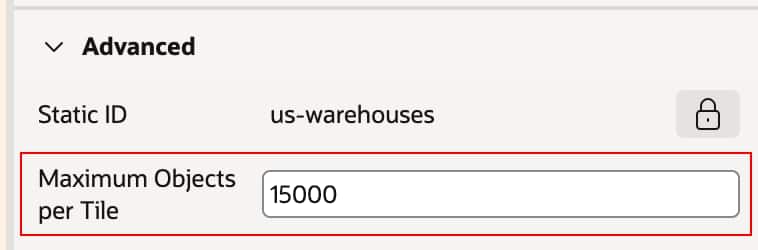
From a developer perspective, APEX 26.1 adds a declarative Use Vector Tiles switch to supported map layers. When this option is enabled, developers can also configure Maximum Objects per Tile, which controls how many objects may be included in a tile response.
This gives developers a practical way to tune performance while keeping the feature declarative. They do not need to manually build the full vector tile pipeline themselves.
Note: Vector tile layers are focused on supported local database sources, such as table, view, and SQL Query based layers. They also require SDO_GEOMETRY as the geometry column type.
2. Bounding box support
A new addition in APEX 26.1 is support for defining a bounding box for a Map Region. This allows developers to restrict the visible map universe to a specific geographic area, such as a country, region, or business-defined boundary, instead of allowing unrestricted navigation across the globe.
This feature supports both static and dynamic definitions:
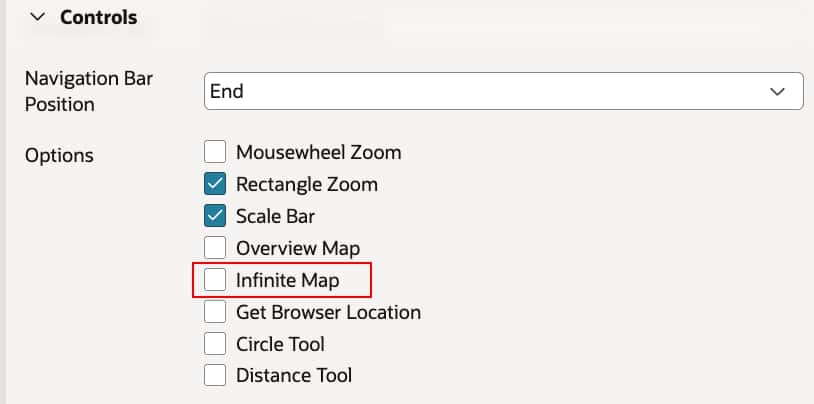
Note: Infinite scroll should be disabled to enable the bounding box.
Static bounding box
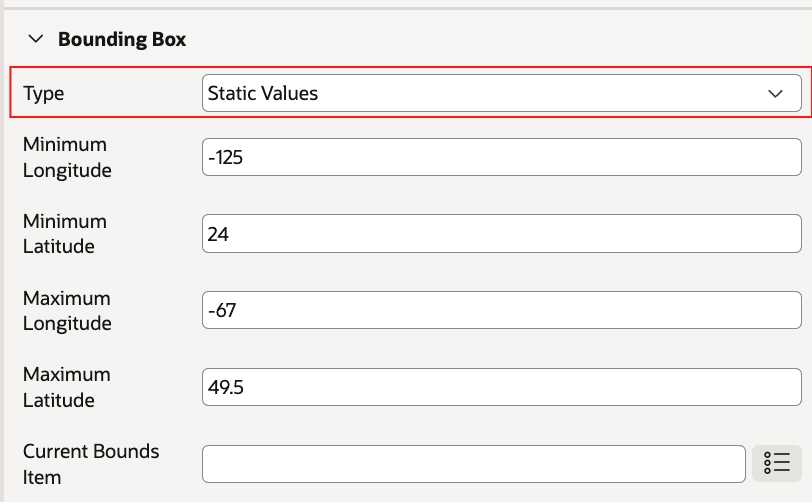
Developers can specify minimum latitude, maximum latitude, minimum longitude, and maximum longitude directly in the region attributes. This is useful when the application needs to consistently focus users on a predefined area.
Adding static values to bounding box to restrict the scope of the map
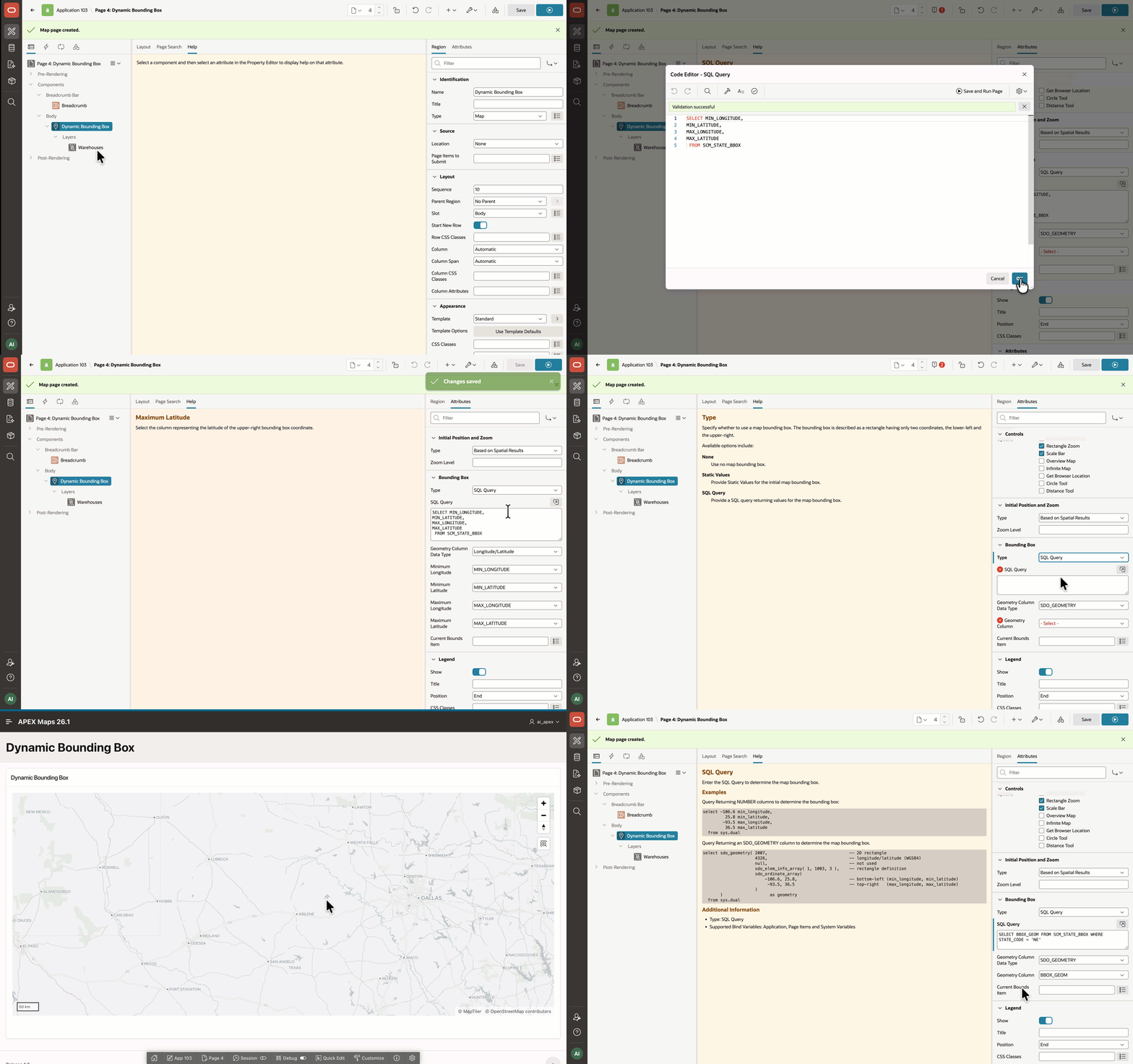
Dynamic bounding box using SQL Query
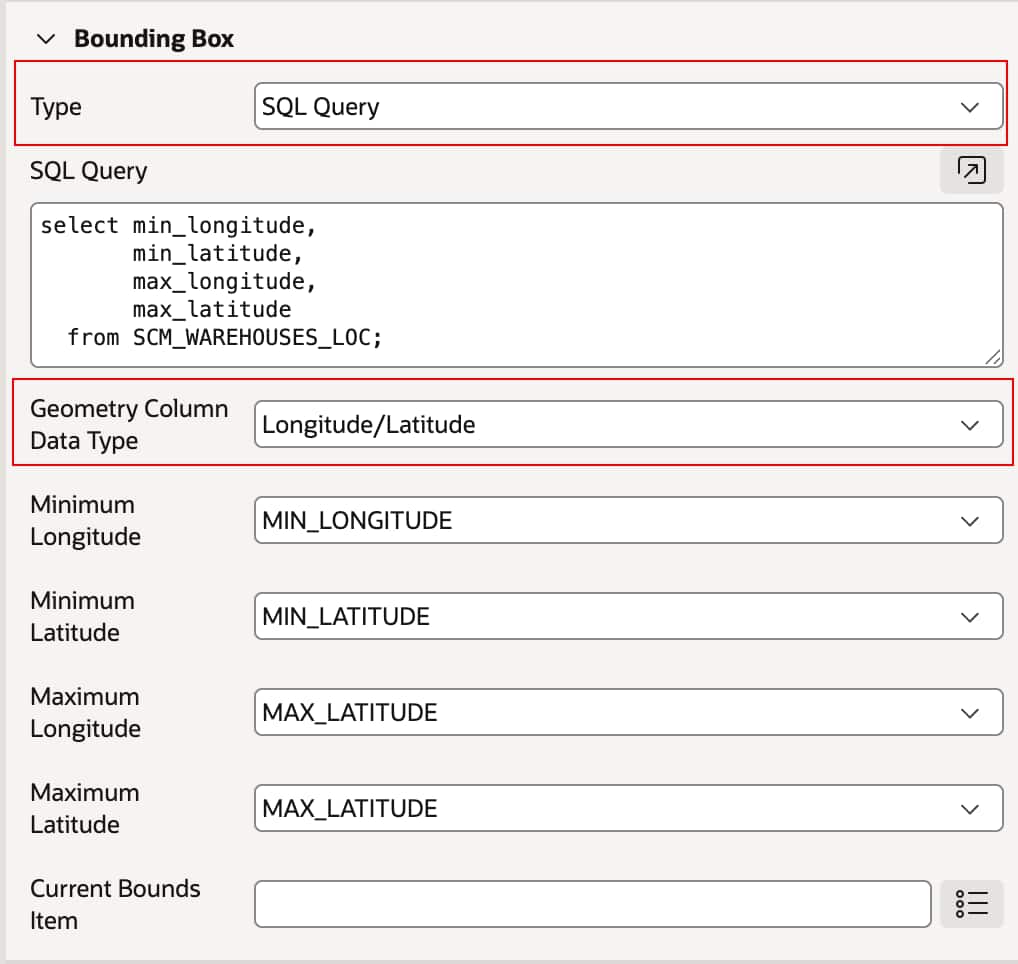
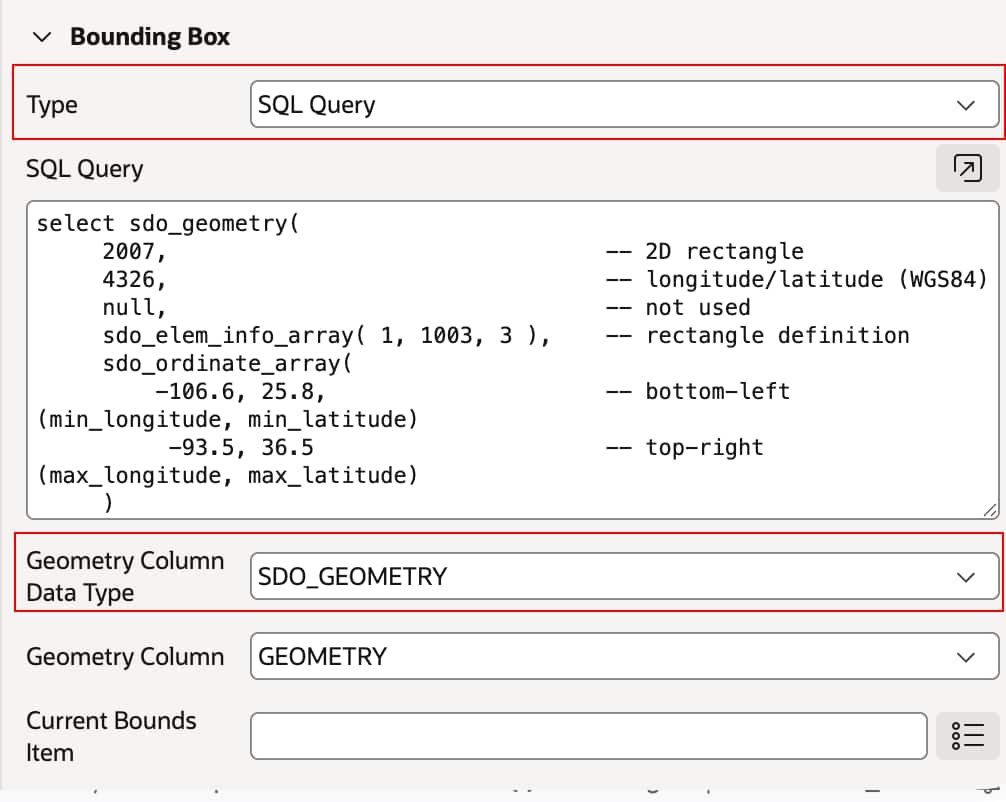
For more advanced scenarios, the bounding box can also be derived dynamically from a SQL Query. This enables applications to calculate map extents at runtime based on data, including values derived from latitude/longitude columns or spatial data such as SDO_GEOMETRY. This makes it possible to tailor the map extent to the current user, selected filters, or returned dataset.
Geometry Column – Latitude/Longitude derived from SQL query
Geometry Column – SDO_GEOMETRY derived from SQL query.
With this enhancement, developers can deliver a more focused user experience and prevent users from navigating outside the area that matters for the application.
3. Map styling with substitutions and advanced legend formatting
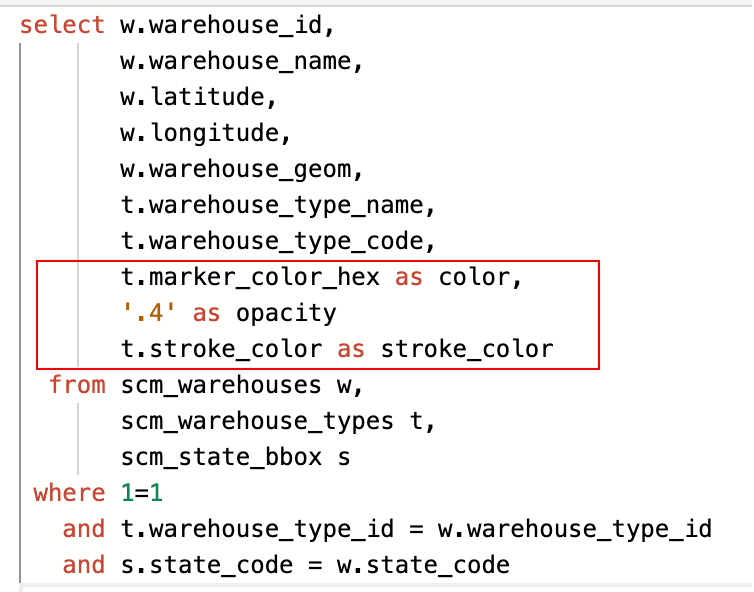
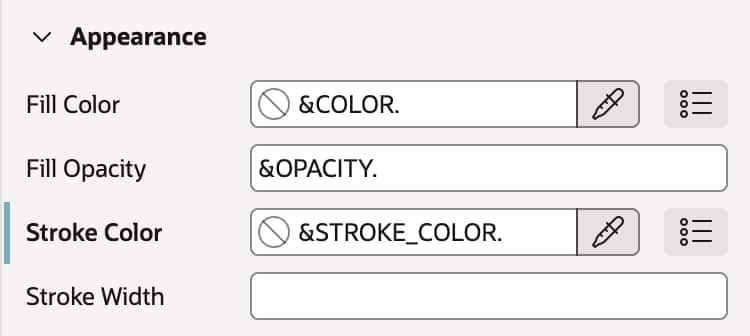
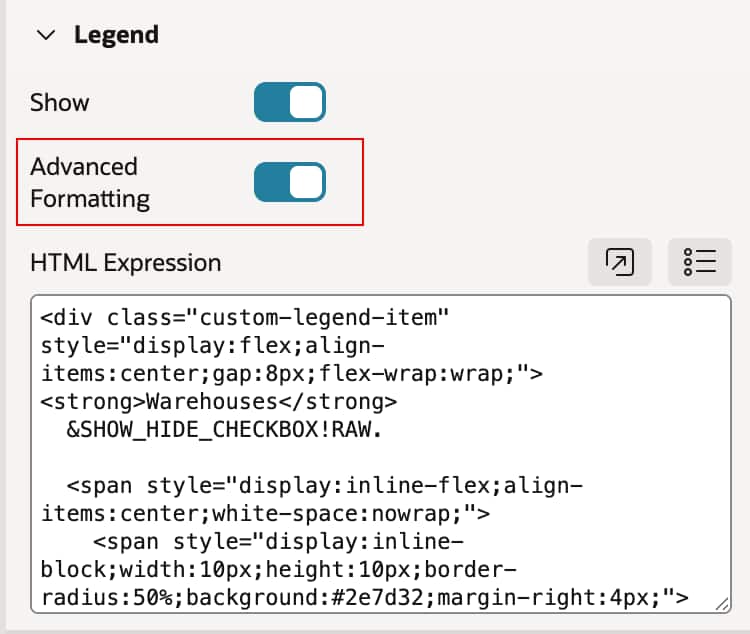
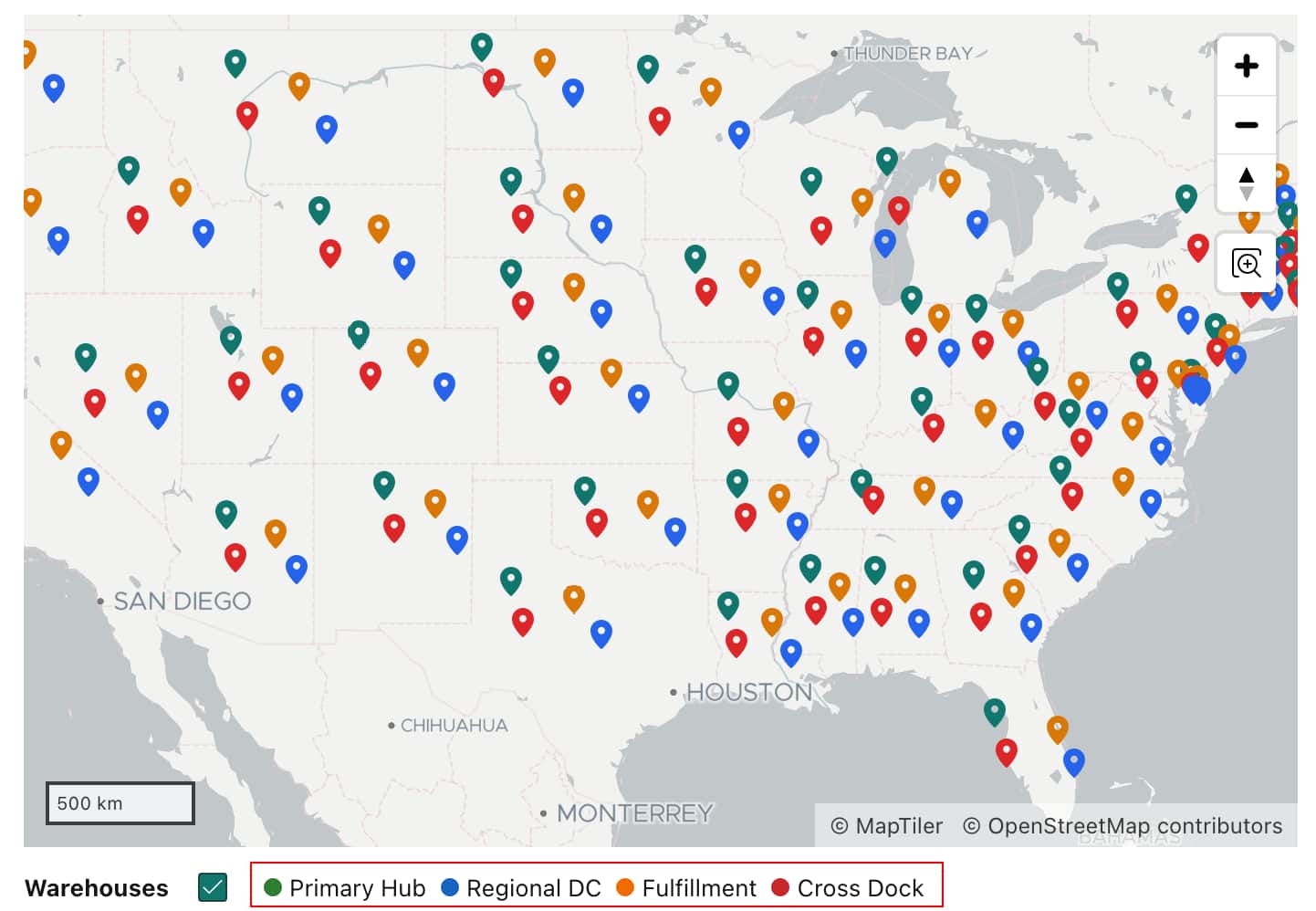
Oracle APEX 26.1 adds support for substitutions in several Map Layer attributes, giving developers more flexibility when styling map layers. Instead of setting these values only at design time, developers can now drive them dynamically using page items, column values, or other substitution-based values. This release also improves legend customization by supporting custom HTML Expressions for legend items. This allows developers to move beyond the default legend format and create richer legend content with custom markup, visual swatches, and more tailored presentations for different layer types.
Substitutions using page items or column values are now supported in map attributes such as:
Stroke Style
Stroke Width
Fill Opacity
Zoom-related settings
Advanced Legend formatting through HTML Expression
Together, these changes make the Map Region much more adaptable for applications that require dynamic styling and more expressive visual communication.
4. New JavaScript APIs for map layer control
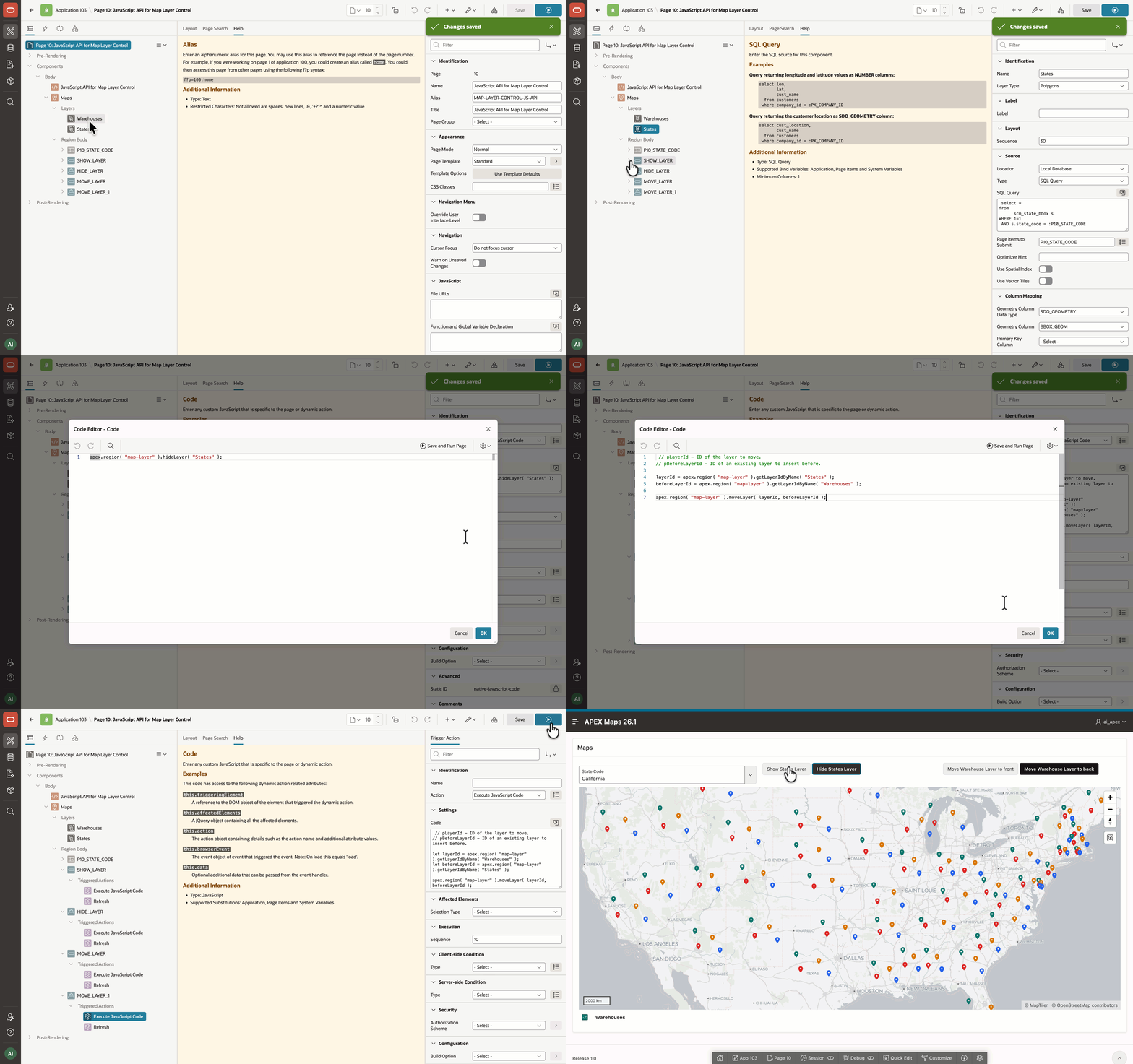
For developers who need runtime control over map layers, APEX 26.1 adds three new JavaScript APIs to the mapRegion interface:
showLayer – Displays a layer identified by name or ID.
moveLayer - Changes the z-order of a layer by moving it before another layer or appending it in a new position.
// pLayerId - ID of the layer to move.

// pBeforeLayerId - ID of an existing layer to insert before.

let layerId = apex.region( "map-layer" ).getLayerIdByName( "First Layer Name" ),
beforeLayerId = apex.region( "map-layer" ).getLayerIdByName( "Second Layer Name" );

apex.region( "map-layer" ).moveLayer( layerId, beforeLayerId );
These APIs make it easier to interact with map layers directly on the client side.
These new APIs remove the need for more complex workarounds such as relying on server-side conditions and region refreshes just to toggle visibility or adjust layer ordering. They bring Map Region closer to the flexibility already available in the underlying mapping library, while exposing flexibility through the APEX map widget interface.
This makes it easier to build interactive mapping experiences where users can toggle layers on demand, reorganize what they see, or respond dynamically to application events.
Summary
Oracle APEX 26.1 brings several valuable Map Region enhancements that make map-based applications more scalable, focused, dynamic, and interactive. The most significant improvement is vector tile layer support, which helps developers handle large spatial datasets more efficiently and improves map loading and responsiveness. In addition, bounding box support helps keep users focused on relevant geographic areas, while page item and column substitutions in map attributes make map styling and behavior more data aware. The release also introduces new JavaScript APIs for layer control, giving developers a simple way to manage map layers at runtime and create richer, more flexible mapping experiences.
Authors
Aravind Madhavan
Senior Product Manager
Aravind Madhavan is a Senior Product Manager for Oracle APEX. He is responsible for product management across APEX, including APEX on Autonomous Database and APEX Services on OCI and multicloud platforms, with a strong focus on customer success and adoption in the JAPAC region.
Before joining the APEX Product Management team, Aravind worked as an APEX Developer, with a strong emphasis on R&D and delivering impactful solutions using Oracle APEX. He has also worked on extending Oracle E-Business Suite with APEX and building interactive dashboards. He is passionate about growing the APEX community and demonstrating how Oracle APEX can accelerate application development.