
Understanding how Oracle APEX evolves across releases is important for upgrade planning, plugin development, and maintaining custom code. APEX Views may change, PL/SQL API specifications may be updated, and each release might feature additional metadata. Instead of manually comparing definitions, you can now explore these changes in a clear and interactive way.
APEX Diff is a simple application that lets you compare APEX Views and PL/SQL APIs across multiple APEX versions side by side. This helps you quickly understand what has changed and how it may impact your applications.
Try it out for yourself: apex.oracle.com/apexdiff
APEX Diff App Overview
APEX Diff gives you a quick glance at what has changed between APEX releases. By default, the application shows the latest six APEX releases on the right side of the page. You can use the filter to select any 2 to 6 versions and compare what changed between them.

A grey X mark indicates that an item ( APEX View or PL/SQL API) was not part of that release.

The grey plus on the green checkmark indicates either more columns on a view or more functions in a PL/SQL API., hovering on those will give you more information, e.g. “Available in APEX 22.1 with 120 columns“.

A green checkmark with a small minus sign shows that columns or functions were removed.
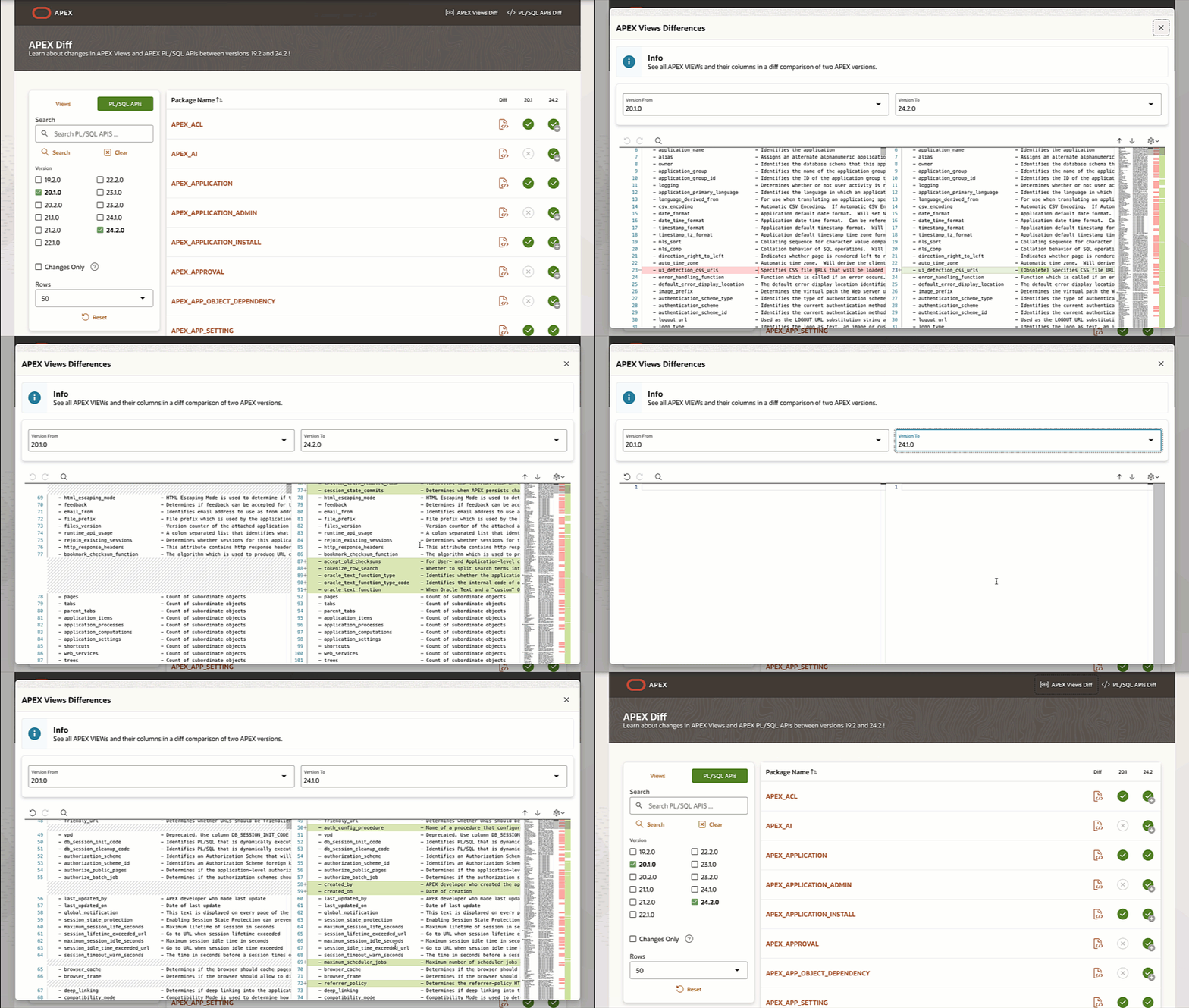
If you want an overview of the metadata differences between any two selected releases, you can click on either the APEX Views Diff or PL/SQL APIs Diff. Selecting the APEX Views Diff option, for example, will display the differences in columns across APEX Views between the two selected releases
For Public PL/SQL APIs, the focus is on functions and procedures. Column level differences do not apply here. The app highlights additions, removals or updated definitions in the API signatures.
How to use APEX Diff ?
- Pick the type of object to compare
Choose Views if you want to explore Column changes in APEX Views or Choose PL/SQL APIs if you want to compare functions and procedures.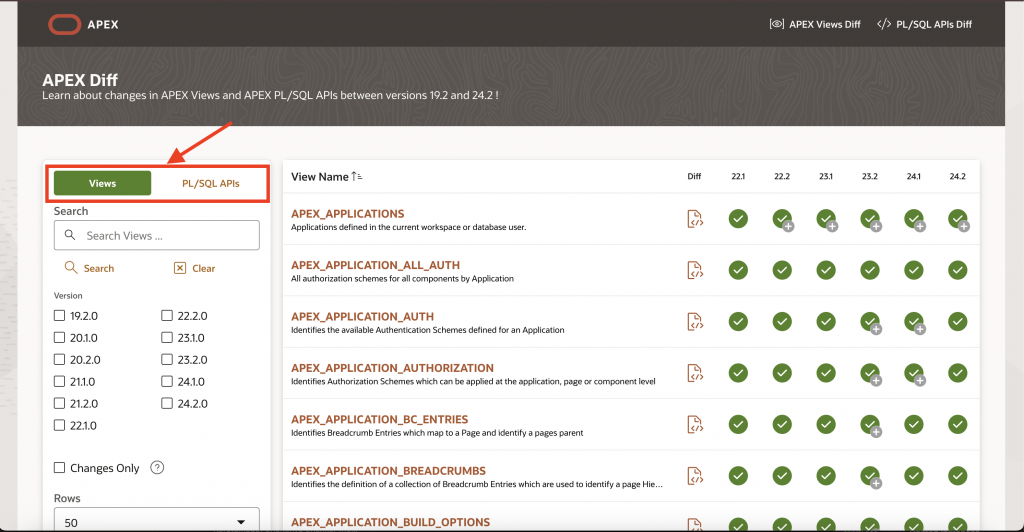
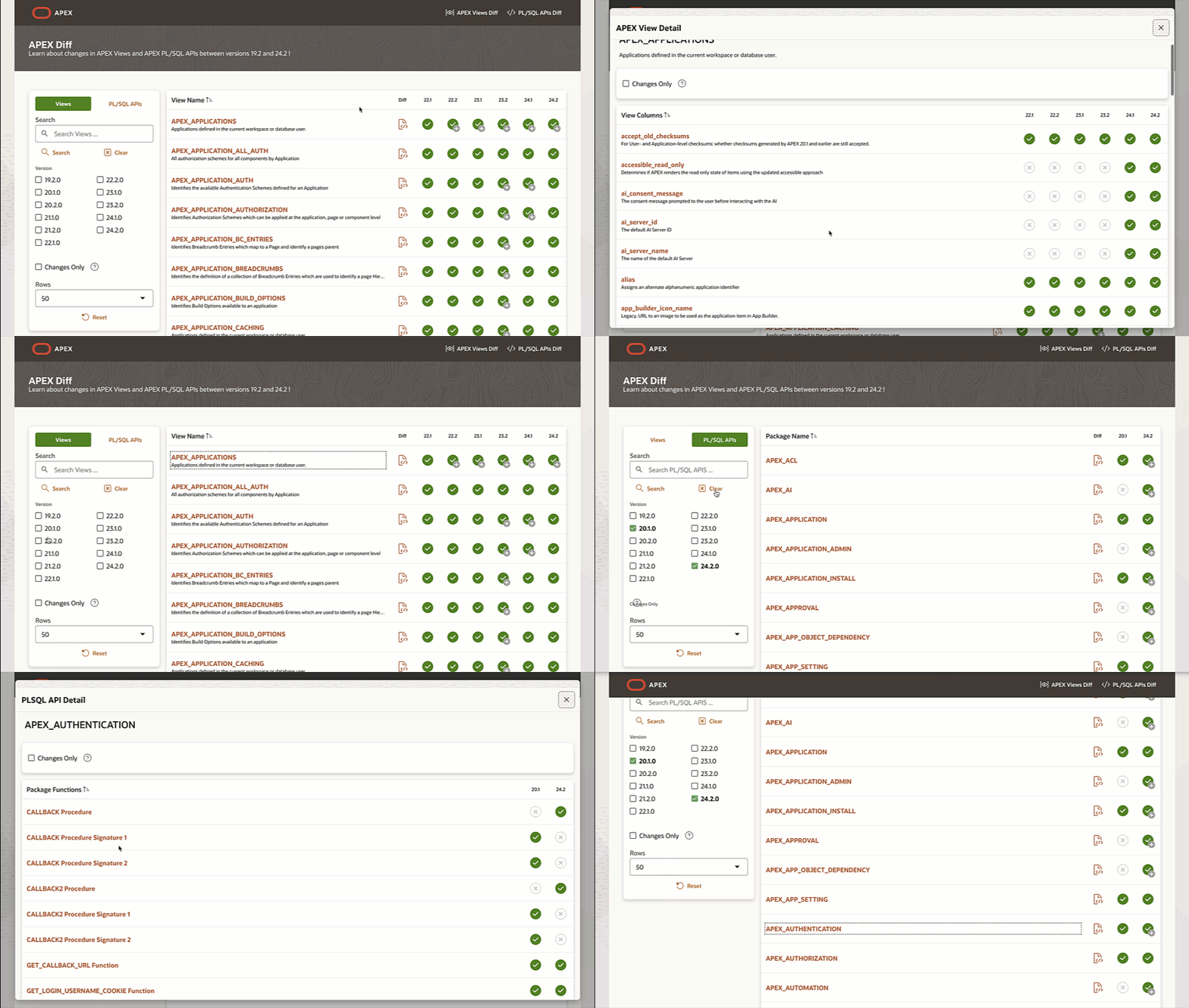
- Choose the APEX versions you want to compare
Select the versions you want to review using the filter. You can compare two specific versions side by side or select multiple releases to see how APEX has evolved across several versions.
- View only the changed objects
- Click on Changes Only to filter the results and view only the objects that have changed between the releases.
- A green checkmark with a plus sign (+) indicates an added Column/ Function/ Procedure.
- A green checkmark with a minus sign (-) indicates a removed item.
- A grey X indicates the item was not part of that release.
- Explore the differences visually
- Scroll through the side by side diff of the metadata.
- Added lines, removed lines and updated definitions are highlighted for quick understanding.

Conclusion
APEX Diff gives you an easy and visual way to understand how Oracle APEX Views and Public PL/SQL APIs change across releases. You can quickly compare versions, review metadata updates, and focus only on the objects that matter to your upgrade or development work. This helps you plan more effectively and stay informed as Oracle APEX continues to evolve.