


Oracle Fusion AI Data Platform is a family of prebuilt, cloud-native analytics applications for Oracle Fusion Cloud Applications that provide ready-to-use insights to help improve decision-making. It is extensible and customizable, allowing customers to ingest data and expand the base semantic model with additional content.
Introduction
This article walks through how to configure Custom Security Contexts in Oracle Fusion AI Data Platform (formerly known as Oracle Fusion Data Intelligence) and integrate them with the Auto Sync Security feature. The goal is to enable automatic propagation of security assignments to your custom security context without relying on Upload Center for manual assignment management.
Detailed use case
As an example, consider a scenario where user security is driven by cost center assignments at the leaf-node level. The cost center hierarchy is maintained in an external system, and users are assigned access to specific leaf-level cost centers. These assignments need to flow into Oracle Fusion AI Data Platform to enforce row-level security consistently with the source system.
In such cases, a common traditional approach is to store all authorized cost center values in a session variable and enforce security using an IN clause at runtime. In scenarios where a user may be assigned to hundreds or thousands of leaf cost centers, this results in a very large IN clause being dynamically injected into every query. As data volume grows, this significantly increases query parsing time and can negatively impact execution plans.
With the Auto Sync Security approach, the user-to-leaf cost center mappings are stored in a dedicated security table. Instead of applying a runtime IN clause, the query performs a direct join to the security table. This allows the database optimizer to generate a more efficient execution plan, leverage indexing strategies, and avoid repeated runtime evaluation of long value lists. As a result, security enforcement becomes significantly more scalable and performant, especially in enterprise environments with high user counts and millions of leaf-level assignments.
Benefits of the approach
This approach is especially useful when you need a scalable, repeatable way to keep user-to-security assignments in sync—particularly in environments with frequent changes or large volumes of assignments while keeping the setup consistent and automation-friendly.
Steps to implement the custom security configuration in Oracle Fusion AI Data Platform
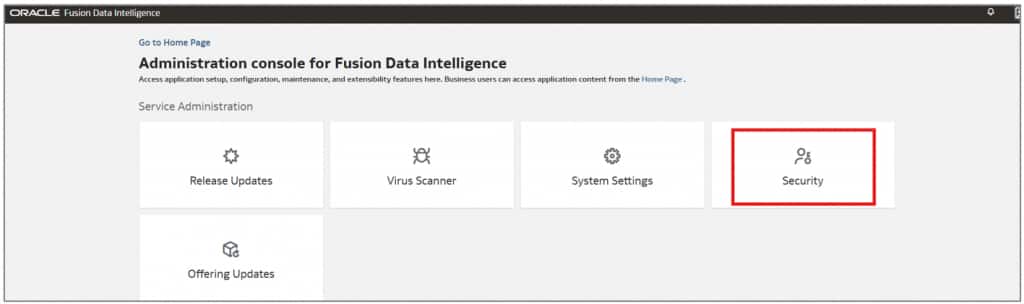
- In the Oracle Fusion AI Data Platform console, under Service Administration, click Security.
- Click Application Roles to proceed.

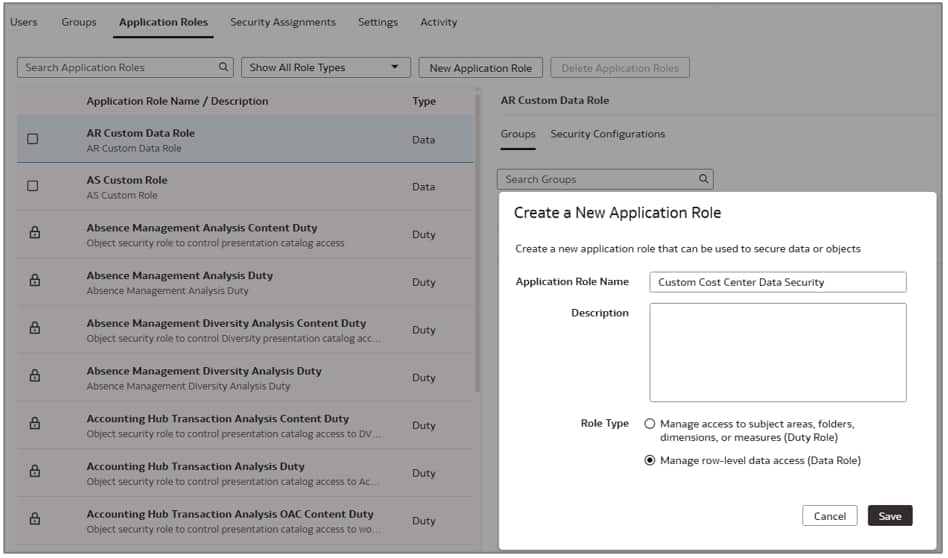
- Click New Application Role to create a new role.

- Create a new application role, Custom Cost Center Data Security, and then click Save.
- Next, click Groups to add application role mapping.

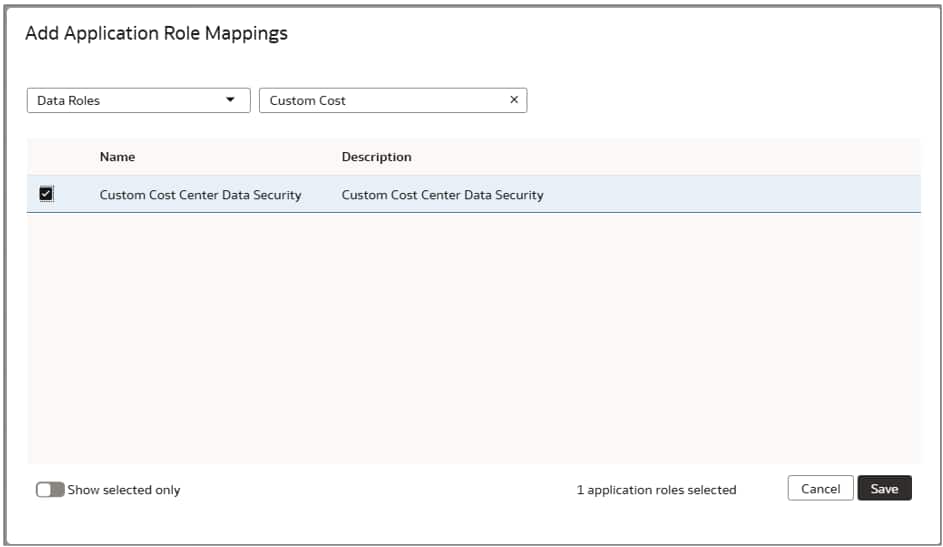
- Select your desired group and then click Add Mapping to continue.

- Choose the appropriate application role, and then click Save.
- Add the necessary duty roles.
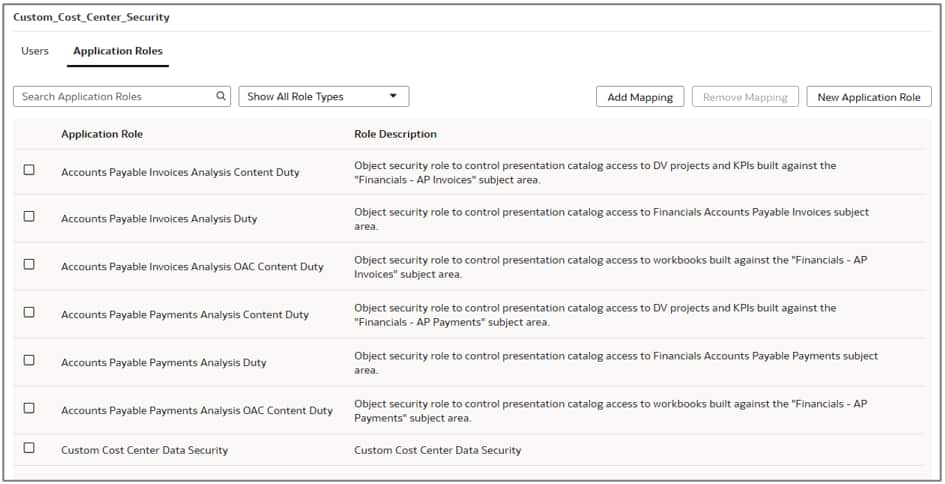
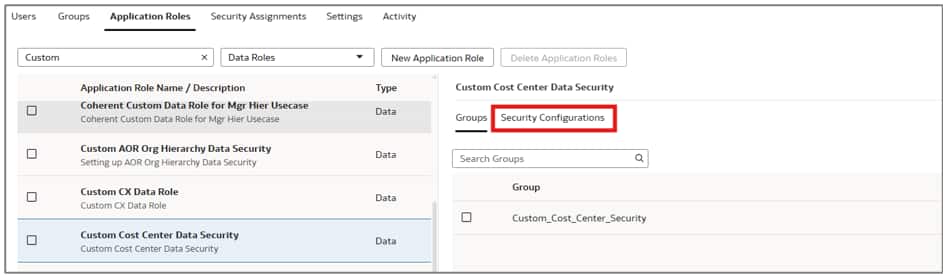
- Select the Custom Cost Center Data Security role and then click Security Configurations.
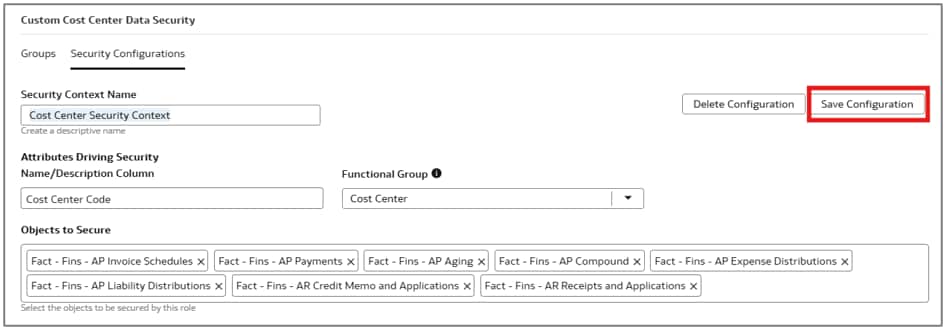
- Create a Cost Center Security Context, select Cost Center Code, add the list of objects you want to secure, and then click Save Configuration.
- Click Application Roles and click Publish Model to apply the changes.

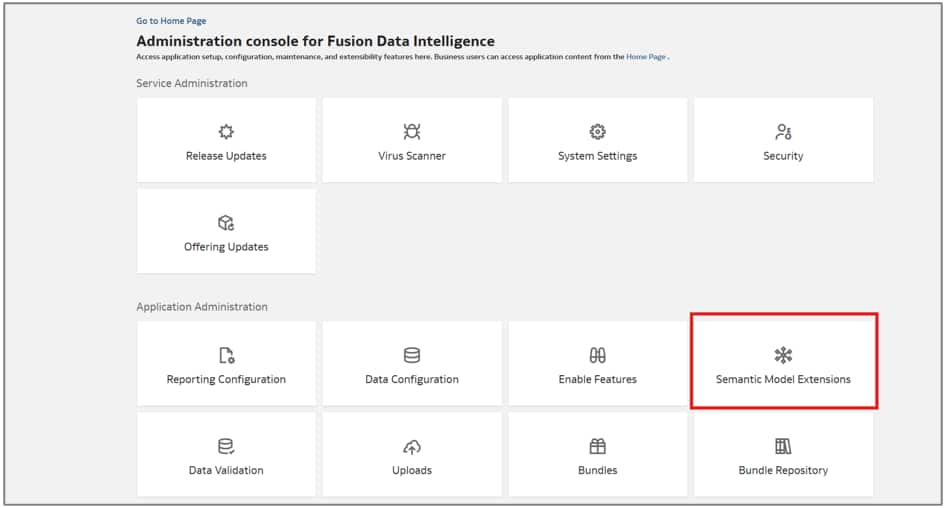
- In the Oracle Fusion AI Data Platform console, click Semantic Model Extensions.
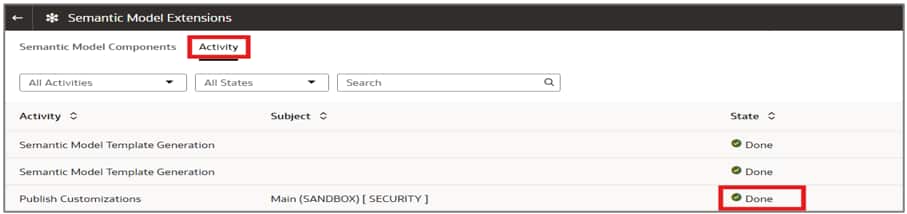
- Navigate to the Activity tab to check the status.
- To enable automatic updates for security assignment changes, create a custom table called CUSTOMER_FAW_CONTENT_AUTOSYNC_ASSIGNMENT in the OAX_USER schema. For the create table script, see the Update Security Assignments Automatically documentation.
Note: To secure a custom dimension, identify the key columns defined in the custom dimension on a logical star in the delivered semantic model. Ensure there are no null values on the primary key column.
- For this use case, the primary key is a combination of Cost Center Value Set Code and Cost Center Code.
- To secure objects at the cost center level, the SEC_OBJ_MEMBER_VAL column should be populated in the format: ‘<<Cost Center Value Set Code>>–__–<<Cost Center Code>>’.
- The defined Context Name should be inserted on SEC_OBJ_CODE column.
- To insert security values into the CUSTOMER_FAW_CONTENT_AUTOSYNC_ASSIGNMENT table for the costcentertest user in the OAX_USER schema, you can use the following SQL query:
Insert into CUSTOMER_FAW_CONTENT_AUTOSYNC_ASSIGNMENT (USERNAME,SEC_OBJ_CODE,SEC_OBJ_MEMBER_VAL,OPERATION_TYPE,CREATION_DATE) values ('costcentertest','Cost Center Security Context','120--__--Corporate Cost Center','ADD',SYS_EXTRACT_UTC(LOCALTIMESTAMP)); Insert into CUSTOMER_FAW_CONTENT_AUTOSYNC_ASSIGNMENT (USERNAME,SEC_OBJ_CODE,SEC_OBJ_MEMBER_VAL,OPERATION_TYPE,CREATION_DATE) values ('costcentertest','Cost Center Security Context','92330--__--Department Progress CA','ADD',SYS_EXTRACT_UTC(LOCALTIMESTAMP)); Insert into CUSTOMER_FAW_CONTENT_AUTOSYNC_ASSIGNMENT (USERNAME,SEC_OBJ_CODE,SEC_OBJ_MEMBER_VAL,OPERATION_TYPE,CREATION_DATE) values ('costcentertest','Cost Center Security Context','92330--__--Progress Department','ADD',SYS_EXTRACT_UTC(LOCALTIMESTAMP)); |
Note: Keyword ‘ADD’ will give access to the user for that specific security value. Keyword ‘REMOVE’ will revoke access to the user for that specific security value.
- In the Oracle Fusion AI Data Platform console, click Uploads to manage any file uploads. Wait for two hours and validate that the AUTOSYNC_INTERFACE object has been completed and that the inserted rows were processed.

- If this fails for any reason, click on the line to view and fix the issue. Most commonly, it will be either the member value (key) or the security context name.
- Log in to Oracle Analytics Cloud, and on the Home page, click Create and then Workbook to create a new workbook.
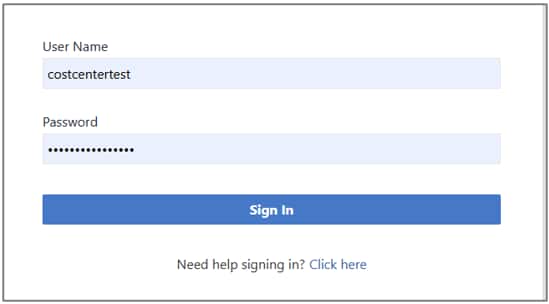
- In the workbook, verify that the security filter has been applied correctly.


References
For the official product documentation and additional background, see the documentation:
Define and Assign Custom Security Contexts and Manage Data Access
Conclusion
In conclusion, configuring custom security contexts in Oracle Fusion AI Data Platform and leveraging the Auto Sync Security feature offers a scalable and automated approach to user-to-security assignments. This method reduces reliance on manual assignment management through Upload Center and ensures that security assignments are consistently and efficiently propagated, making it particularly well-suited for dynamic or large-scale environments.
Call to Action
For more information, see the About Semantic Model Customization documentation to learn more about extending the semantic layer using the Semantic Model Sandbox framework. Now that you’ve read this article, try it yourself and let us know your results in the Oracle Analytics Community, where you can also ask questions and post ideas.